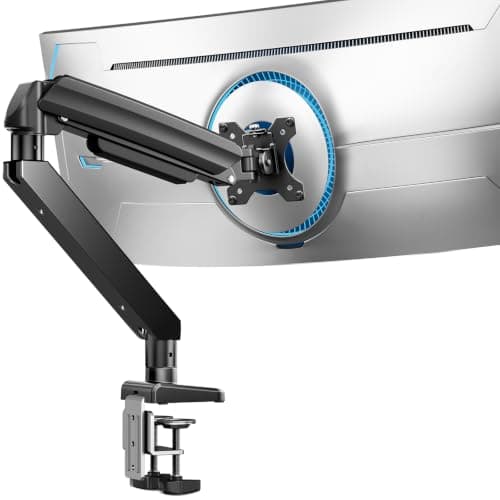
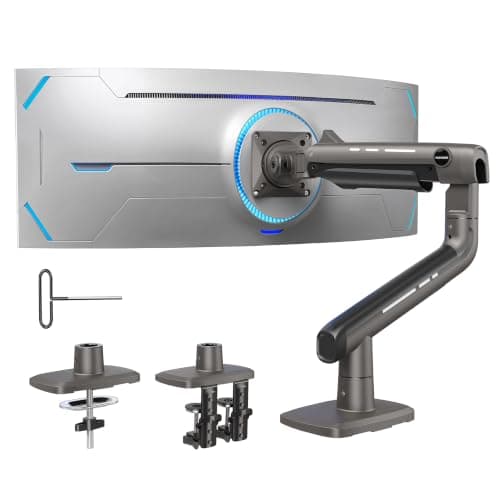
For a heavy screen on a small desk, buy the HUANUO TitanLift: 6.6 to 44 pounds published, 17 to 49 inches, and a dual C-clamp that spreads its bite over two points of the desk edge instead of pinching one. It is first here not because 44 pounds is the biggest number — the MOUNT PRO matches it for half the money — but because of the otherend of the range. A heavy-duty arm has a minimum as well as a maximum, and the TitanLift’s is the lowest of the five.
That is the finding that orders this page, and almost nobody prints it. The Ergotron HX is the best-built arm here by a distance and it is rated 20 to 42 pounds. Hang a 14-pound 24-inch monitor on it and the gas cylinder — sprung for a load twice that — pushes the screen to the top of its travel and keeps it there. The arm is not faulty. It is calibrated for a weight your screen does not have.
Weigh the screen before you shop
The weight is printed on the panel’s rear label and in the manual, and it is almost always lower than people assume. A 27-inch IPS monitor without its stand is typically 8 to 12 pounds. A 32-inch 4K panel runs 15 to 22. You reach 30 pounds at 42 or 43 inches, or on a 49-inch super-ultrawide. Weigh it, because the published figure you need is the weight without the stand— the stand is often a third of what the box weighs, and it is the part you are throwing away. Our monitor arm weight capacity guide works through the arithmetic.
Curved panels count for more than they weigh
The VIVO STAND-V101H on our thick-desk rounduppublishes two capacities — 26.4 pounds flat, 24.2 curved — and it is close to alone in doing so. The physics is simple: a curved panel carries more of its mass further from the VESA plate, so the leverage on the arm’s joints is higher at the same weight. If your screen is curved and the listing publishes only one figure, treat your panel as about ten per cent heavier than the label says and buy accordingly.
Check the VESA pattern, not just the load
Heavy panels often use a bigger bolt pattern. Most arms stop at 100 x 100 mm; the Ergotron HX here is the only one that also takes 200 x 100 and 200 x 200 mm, which is what several 43-inch screens are drilled for. A 44-pound arm with a 100 x 100 head is no use to a panel with 200 mm holes, and an adapter plate adds its own weight and leverage. If the panel has no VESA holes at all, that is a different fix — mounting a monitor without VESA.
On a small desk, the desk fails first
This is the part that decides the purchase in an apartment. A 30-pound screen on a 22-inch arm applies a twisting force to the back edge of the desk that a thin particleboard top was never designed for, and the failure shows up as a wobble when you type or a crushed laminate edge rather than as a dropped monitor. The TitanLift asks for a top at least 0.8 inches thick and wooden; the ErGear spreads the same load over two clamp points, which is why it ranks second here despite a lower ceiling. Before buying any of these, read will a monitor arm damage my desk and how much weight a desk can hold.
The short answer
Quick picks
| # | Product | Best for | Score | Price |
|---|
| 01 | HUANUO TitanLift Heavy-Duty Monitor ArmThe only arm here that publishes a usable range at both ends: 6.6 to 44 pounds. It will hold a 30-pound 42-inch panel and still behave with a 10-pound 24-inch one, which the premium arm below it cannot. | Best overall — widest usable range | | $99.99·Amazon |
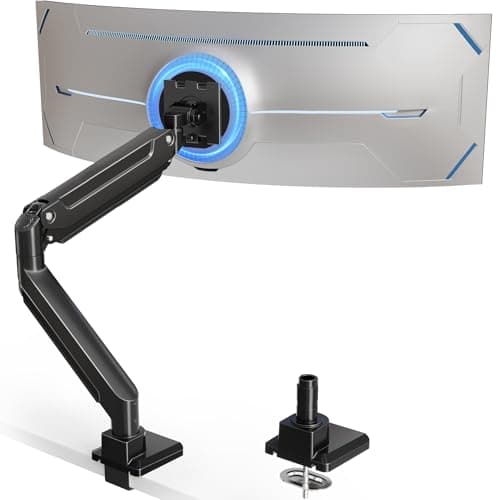
| 02 | ErGear Heavy Duty Monitor Arm (13–49in)37.4 pounds and a dual C-clamp for budget-arm money, and it is the only arm here that publishes both its clamp and its grommet range — so you can check the desk before you check the screen. | Best value, and best on a thin top | | $59.99·Amazon |
| 03 | MOUNT PRO Heavy-Duty Ultrawide Monitor ArmA 44-pound rating for the price most 20-pound arms sell at, with the tilt joint reinforced specifically against the nodding a heavy screen causes. The compromise is swivel, not strength. | 44 lb on a budget | | $44.99·Amazon |
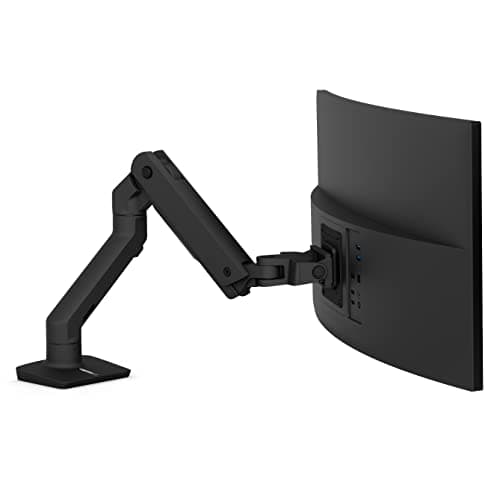
| 04 | Ergotron HX Premium Heavy-Duty Monitor ArmThe buy-once arm, and the one with a hard floor: 20 to 42 pounds. It is the only arm here that takes a 200 x 200 mm VESA pattern, which is what the heaviest panels actually use. | A genuinely heavy screen, for the long term | | $329.00·Amazon |
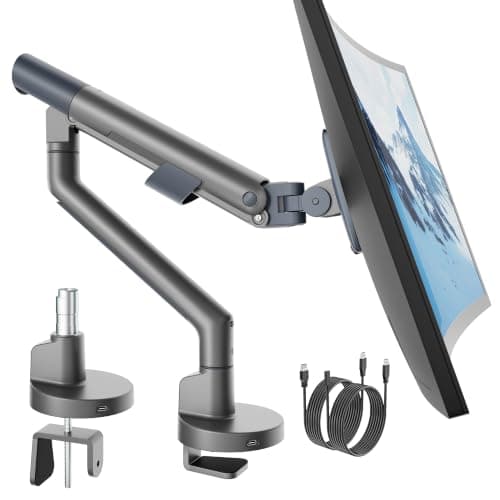
| 05 | monTEK USB Monitor Arm (17–40in)The sanity pick. Most screens people call heavy are between 15 and 25 pounds, and 26.4 pounds covers them with the USB ports a desk-edge arm should have had all along. | Screens that are heavy-ish rather than heavy | | $50.99·Amazon |
#ad · Live prices from the Amazon Product API, as of October 11, 2026. Where we have no verified live price we show none — we would rather leave a gap than print a number that has rotted.
In detail
The picks, in full
Best overall — widest usable range
HUANUO TitanLift Heavy-Duty Monitor Arm
- Weight range
- 6.6–44 lb
- Screen size
- 17–49 in
- Mount
- Dual C-clamp
- Minimum top
- 0.8 in, wooden only
- Motion
- ±50° tilt, 180° swivel, 360° rotate
The only arm here that publishes a usable range at both ends: 6.6 to 44 pounds. It will hold a 30-pound 42-inch panel and still behave with a 10-pound 24-inch one, which the premium arm below it cannot.
- Load ceiling
- 9.4
- Range at the low end
- 9.6
- Desk-friendly
- 8.4
- Motion range
- 8.8
- Value
- 8.2
Pros
- +6.6 lb lower limit means the gas cylinder is not calibrated only for heavy screens, so the arm is reusable with a lighter panel later
- +44 lb ceiling covers anything sold as a desktop monitor, including 49-inch super-ultrawides
- +Dual C-clamp spreads the bite over two contact points rather than pinching one — kinder to a flat-pack top
- +Aluminum alloy with a reinforced VESA head and one-hand tension adjustment
Cons
- −Wooden tops only, per the manufacturer — glass and plastic are excluded regardless of weight
- −Needs a top at least 0.8 inches thick, which rules out the thinnest IKEA-style surfaces
- −Physically large; the base wants clear space behind the desk
Skip this if…
…your desk is glass, plastic-topped, or thinner than 0.8 inches. The clamp needs solid material and the maker says so explicitly.
Best value, and best on a thin top
ErGear Heavy Duty Monitor Arm (13–49in)
- Capacity
- 37.4 lb
- Screens
- 1, 13–49 in
- Clamp range
- 0.39–3.15 in
- Grommet range
- 0.39–2 in
- Extension
- 21.2 in
37.4 pounds and a dual C-clamp for budget-arm money, and it is the only arm here that publishes both its clamp and its grommet range — so you can check the desk before you check the screen.
- Load ceiling
- 8.8
- Range at the low end
- 7
- Desk-friendly
- 9.4
- Motion range
- 8.2
- Value
- 9.6
Pros
- +37.4 lb is roughly double the standard 19.8 lb class, so a 32-inch 4K panel sits well inside the rating
- +Dual C-clamp spreads the load across the back edge instead of pressing one point into a soft top
- +0.39 in clamp floor, so it works on a thin desk as well as a thick one
- +Costs around an eighth of the Ergotron
Cons
- −The listing publishes no height-adjustment range, so the arm's own vertical travel is unknown
- −No published minimum load, which makes it a gamble with a very light panel
- −A dual clamp wants more clear rear edge than a single one, not less
Skip this if…
…the rear edge of your desk is obstructed along its whole length. Measure the clear span before ordering — a dual C-clamp needs two clear bite points.
44 lb on a budget
MOUNT PRO Heavy-Duty Ultrawide Monitor Arm
- Weight capacity
- Up to 44 lb
- Screen size
- 17–49 in
- VESA
- 75 × 75 / 100 × 100 mm
- Motion
- 45° up / 35° down tilt, 90° swivel
- Build
- Aluminum, 30% thicker arm
A 44-pound rating for the price most 20-pound arms sell at, with the tilt joint reinforced specifically against the nodding a heavy screen causes. The compromise is swivel, not strength.
- Load ceiling
- 9.4
- Range at the low end
- 6.4
- Desk-friendly
- 8
- Motion range
- 7.6
- Value
- 9.6
Pros
- +44 lb capacity at a price most 19.8 lb arms sell for
- +Reinforced tilt joint, which is where a heavy screen actually sags first
- +Snap-in top mount makes solo installation realistic with a 30 lb panel
- +Detachable VESA plate — you hang the screen, then clip it on
Cons
- −90 degrees of swivel per side rather than a full 180
- −No published minimum load or clamp range
- −Basic cable management next to the Ergotron's
Skip this if…
…you turn the screen to show someone else regularly. The narrower swivel makes that less graceful than it should be.
A genuinely heavy screen, for the long term
Ergotron HX Premium Heavy-Duty Monitor Arm
- Weight range
- 20–42 lb
- Screen size
- Up to 49 in
- VESA
- 75/100 × 100 / 200 × 100 / 200 × 200 mm
- Clamp fits
- 0.4–2.6 in desk edge
- Warranty
- 10 years
The buy-once arm, and the one with a hard floor: 20 to 42 pounds. It is the only arm here that takes a 200 x 200 mm VESA pattern, which is what the heaviest panels actually use.
- Load ceiling
- 9
- Range at the low end
- 3
- Desk-friendly
- 8
- Motion range
- 9.2
- Value
- 6.2
Pros
- +200 x 200 mm VESA support, which no other arm here offers and which the heaviest 43-inch panels need
- +11.5 inches of lift — the widest height range on this page
- +Low-profile two-piece clamp fits the tight space behind a small desk
- +Ten-year warranty with genuine spare-part supply, which matters on a gas cylinder
Cons
- −20 lb MINIMUM: a light 24-inch panel will float upward and never sit still
- −2.6 in clamp ceiling is the narrowest here, so a thick top rules it out
- −Costs several times the value picks
Skip this if…
…your monitor weighs under 20 pounds. This is not a conservative rating, it is a calibration — the cylinder is sprung for heavy screens.
Screens that are heavy-ish rather than heavy
monTEK USB Monitor Arm (17–40in)
- Capacity
- 26.4 lb
- Screens
- 1, 17–40 in
- Ports
- Integrated USB
- Motion
- Full motion
- Finish
- Gray (also black)
The sanity pick. Most screens people call heavy are between 15 and 25 pounds, and 26.4 pounds covers them with the USB ports a desk-edge arm should have had all along.
- Load ceiling
- 7.6
- Range at the low end
- 6.6
- Desk-friendly
- 7.6
- Motion range
- 8.4
- Value
- 8.8
Pros
- +26.4 lb clears the great majority of 27 and 32-inch panels with headroom to spare
- +Integrated USB at the arm, so a dock or a webcam plugs in at screen height rather than under the desk
- +40-inch screen rating is generous for the price class
- +Full-motion head rather than a tilt-only mount
Cons
- −No published clamp range or minimum load
- −26.4 lb will not take a 49-inch super-ultrawide
- −The USB spec is not stated in detail, so treat the ports as convenience rather than as a dock replacement
Skip this if…
…your panel is over 26 pounds, or you need a published clamp figure before ordering. Either case points up this page, not down it.
Published weight ranges compared
| Arm | Published range | Screen size | VESA ceiling |
|---|
| HUANUO TitanLift | 6.6–44 lb | 17–49 in | 100 x 100 mm |
| ErGear Heavy Duty | 37.4 lb max (no minimum published) | 13–49 in | 100 x 100 mm |
| MOUNT PRO Heavy-Duty | 44 lb max (no minimum published) | 17–49 in | 100 x 100 mm |
| Ergotron HX | 20–42 lb | Up to 49 in | 200 x 200 mm |
| monTEK USB | 26.4 lb max (no minimum published) | 17–40 in | Not published |
Three of the five publish only a maximum. That is normal and it is not a defect, but it does mean the arm’s behavior with a very light screen is unknown rather than fine. Where a figure is not published, the table says so.
Which arm for which screen
Under 20 pounds — you do not need this page. A standard 19.8-pound arm from our single monitor arm pickswill hold it, cost less, and sit still. Buying heavy-duty “for safety” is the mistake this page exists to prevent.
20 to 26 pounds — the monTEK or the ErGear.Both clear it with headroom, and the ErGear’s dual clamp is the better bet if the desk is flat-pack.
26 to 37 pounds — the ErGear or the TitanLift. This is where most 43-inch panels land.
Over 37 pounds, or a 49-inch ultrawide — the TitanLift or the MOUNT PRO. For a 49-inch screen specifically, our ultrawide arm roundup ranks the same class on width rather than weight, including the pivot accessory an Odyssey G9 needs.
Over 42 pounds with a 200 mm VESA pattern — the Ergotron HX, and check the clamp. Its 2.6-inch clamp ceiling is the narrowest here, so a thick top sends you back to the thick-desk arms.
Two screens, twice the problem
A dual mount carrying two heavy panels puts both loads on one clamp, which is the single most common way a desk edge gets damaged. Two separate single arms on two separate clamps spread the same weight across more of the edge, and on a small desk that is usually the better engineering as well as the better ergonomics — dual arm vs two single arms works through it. If it has to be one mount, our dual arm picks publish per-screen limits.
Set the tension before you blame the arm
Nearly every “the arm sags” or “the arm drifts up” complaint is an untuned gas spring, not a weak one. Every arm here ships with an Allen key and a tension screw, and the correct procedure is to hang the screen first, then adjust until the panel stays where you leave it. Doing it in the other order is how people conclude a 44-pound arm cannot hold 18 pounds. The step-by-step is in how to install a monitor arm.
How we picked
We do not run a testing lab
We compiled the published manufacturer specifications, did the footprint and clearance math ourselves, and read aggregated owner reviews, then scored each product against a published rubric. The scores are judgments from documented research — they are not measurements we took, because we do not have a lab and we are not going to pretend we do. Every spec traces back to a listing or manual named in Sources.
Questions
Frequently asked
How heavy is too heavy for a monitor arm?+
It depends on the arm, and the published range is the only answer that matters. The arms here top out between 26.4 and 44 pounds. For context, a 27-inch monitor without its stand is usually 8 to 12 pounds, a 32-inch 4K panel 15 to 22, and you only reach 30 or more at 42 inches or on a 49-inch ultrawide.
Can a monitor arm be too strong for my monitor?+
Yes, and this is the mistake that sends arms back. The Ergotron HX is rated 20 to 42 pounds — that 20 is a minimum, not a conservative estimate. A gas cylinder sprung for 30 pounds will push a 14-pound screen to the top of its travel and keep it there. Match the range, not just the ceiling.
Do curved monitors need a stronger arm?+
Effectively, yes. A curved panel carries more of its mass away from the VESA plate, so the leverage on the arm is greater at the same weight. The VIVO STAND-V101H publishes this directly — 26.4 pounds flat against 24.2 curved. If your screen is curved and only one figure is published, allow about ten per cent.
Will a heavy monitor arm damage a small desk?+
It can, and the desk is usually the weak point rather than the arm. A 30-pound screen at the end of a 22-inch arm twists the back edge of the desk; on a thin particleboard top that shows up as a wobble or a crushed laminate edge. Pick a dual-clamp arm to spread the load, check the maker’s minimum thickness, and read
will a monitor arm damage my desk.
What VESA size do heavy monitors use?+
Most stop at 100 x 100 mm, but several 43-inch and larger panels are drilled for 200 x 100 or 200 x 200 mm. Only the Ergotron HX here supports those patterns. Check the back of your screen before buying — a 44 lb arm with a 100 mm head cannot mount a 200 mm panel without an adapter plate, and the plate adds weight and leverage of its own.
Is a heavy-duty arm better than two single arms for two big screens?+
Not usually on a small desk. One dual mount puts both screens' weight through one clamp point; two single arms spread the same load across two. Two clamps also let each screen be positioned independently, which is the thing that actually makes a two-screen setup comfortable on a narrow desk.
Receipts
Sources
- HUANUO TitanLift heavy-duty monitor arm — listing (17–49 in, 6.6–44 lb, dual C-clamp, 0.8 in minimum wooden top)
- ErGear heavy duty monitor arm — listing (13–49 in, 37.4 lb, 0.39–3.15 in clamp, 0.39–2 in grommet, 21.2 in extension)
- MOUNT PRO heavy-duty monitor arm — listing (17–49 in, up to 44 lb, 75/100 mm VESA, reinforced tilt)
- Ergotron HX premium heavy-duty monitor arm — listing (20–42 lb, up to 49 in, 200 x 200 mm VESA, 0.4–2.6 in clamp, 10-year warranty)
- monTEK USB monitor arm — listing (17–40 in, 26.4 lb, integrated USB)
- VIVO STAND-V101H — listing (26.4 lb flat / 24.2 lb curved, the published flat-vs-curved split)
We do not run a testing lab, and we do not pretend to. Specifications come from the manufacturer or retailer listing; the footprint and clearance math is ours and reproducible. Where we could not verify a number, we say so on the page rather than quietly leaving it out. Read our full method.