An ultrawide is the best small-desk monitor there is: one screen instead of two, one cable, one stand footprint, and no bezel down the middle. Put it on an arm and it becomes better still, because the enormous factory base — often 10–12 inches deep — goes away and your keyboard gets the desk back.
The catch is weight. A 34-inch ultrawide typically runs 15–22 lb with its VESA plate, and a 49-inch super-ultrawide can reach 30–40 lb. The budget arms that dominate the category are rated to about 17.6–19.8 lb, which is why so many ultrawide owners buy an arm twice: once cheaply, and once properly after the first one sagged. Check three numbers on the listing before you buy — the weight range, the maximum screen size, and the VESA pattern — and check one on your desk, the clamp thickness.
Our pick is the HUANUO TitanLift: aluminium, rated to 44 lb and 49 inches, with a dual C-clamp that spreads the load across two points instead of one. The MOUNT PRO hits the same 44 lb rating for much less money. The Ergotron HX is the buy-once option with a ten-year warranty. Every figure below comes from the manufacturer listing; the methodology explains the scoring.
The short answer
Quick picks
#ad · Live prices from the Amazon Product API, as of Aug 11, 2026. Where we have no verified live price we show none — we would rather leave a gap than print a number that has rotted.
In detail
The picks, in full
Best overall
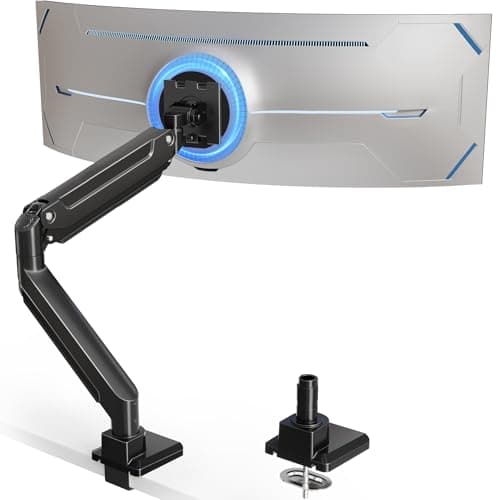
HUANUO TitanLift Heavy-Duty Monitor Arm
- Screen size
- 17–49 in
- Weight range
- 6.6–44 lb
- VESA
- Up to 100 × 100 mm
- Mount
- Dual C-clamp
- Motion
- +50°/−50° tilt, 180° swivel, 360° rotate
The best-balanced heavy arm: aluminium construction, a 6.6–44 lb range that covers any ultrawide sold, and a dual C-clamp that spreads the load over two contact points.
- Load capacity
- 9.4
- Build
- 9
- Desk-friendly
- 8.4
- Motion range
- 8.8
- Value
- 8.2
Pros
- +44 lb rating covers 49-inch super-ultrawides
- +Dual clamp spreads load — kinder to a thin desk top
- +Aluminium alloy with a reinforced VESA head
- +One-hand tension adjustment via the supplied Allen key
Cons
- −Manufacturer specifies wooden desks only — no glass or plastic tops
- −Physically large; the base needs clear space behind the desk
Skip this if…
…your desk is glass, plastic-topped, or thinner than the stated 0.8-inch minimum. The clamp needs solid material to grip and the manufacturer is explicit about it.
Best value
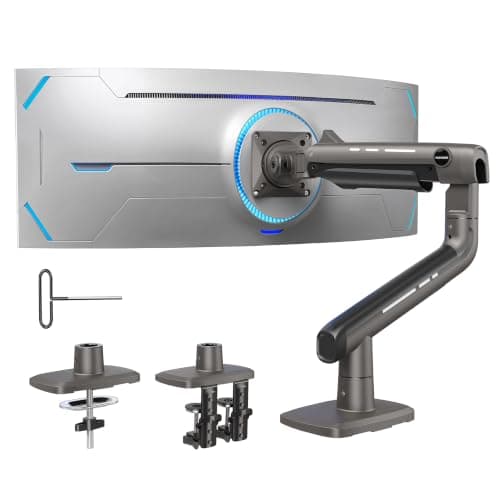
MOUNT PRO Heavy-Duty Ultrawide Monitor Arm
- Screen size
- 17–49 in
- Weight capacity
- Up to 44 lb
- VESA
- 75 × 75 / 100 × 100 mm
- Motion
- 45° up / 35° down tilt, 90° swivel
- Build
- Aluminium, 30% thicker arm
The value shock of this category — a 44 lb, 49-inch-rated aluminium arm for budget-arm money, with a reinforced tilt mechanism aimed squarely at screen sag.
- Load capacity
- 9.4
- Build
- 8.4
- Desk-friendly
- 8
- Motion range
- 7.6
- Value
- 9.6
Pros
- +44 lb capacity at a price most 20 lb arms sell for
- +Reinforced tilt joint specifically to stop heavy screens nodding
- +Snap-in top mount makes solo installation realistic
- +Detachable VESA plate
Cons
- −Swivel is 90° per side rather than a full 180°
- −Cable management is basic compared with the Ergotron
Skip this if…
…you rotate your screen between people or share the desk — the narrower swivel range makes turning the monitor toward a colleague less graceful.
Best premium
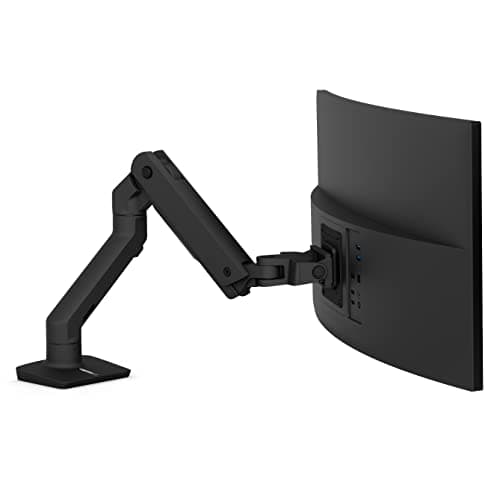
Ergotron HX Premium Heavy-Duty Monitor Arm
- Screen size
- Up to 49 in
- Weight range
- 20–42 lb
- VESA
- 75/100/200 × 100 / 200 × 200 mm
- Clamp fits
- 0.4–2.6 in desk edge
- Warranty
- 10 years
The buy-once arm: 20–42 lb, up to 49 inches, four VESA patterns, 11.5 inches of lift, a low-profile two-piece clamp and a ten-year warranty.
- Load capacity
- 9
- Build
- 9.8
- Desk-friendly
- 9
- Motion range
- 9.2
- Value
- 6.2
Pros
- +Supports 200 × 200 mm VESA, which cheaper arms do not
- +11.5 inches of lift — the widest height range here
- +Low-profile clamp fits tight spaces behind a small desk
- +Ten-year warranty and genuine spare-part support
Cons
- −Costs several times the price of the value picks
- −20 lb minimum load — it will not hold a light 24-inch screen properly
- −A 49-inch Odyssey G9 needs Ergotron's separate heavy-duty pivot accessory
Skip this if…
…your monitor weighs under 20 lb. This arm's gas cylinder is calibrated for heavy screens; a light panel will float upward and never sit still.
Best budget (lighter ultrawides)
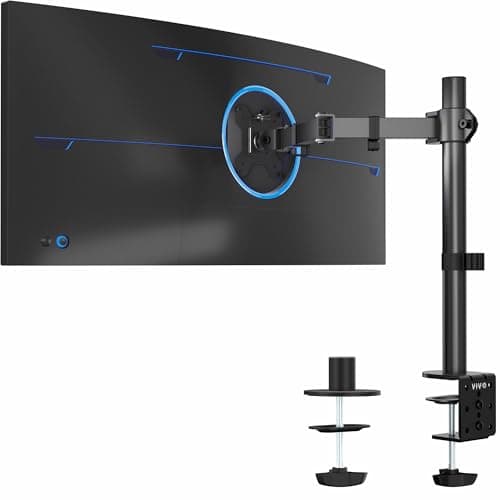
VIVO STAND-V001 Ultrawide Monitor Arm
- Screen size
- 13–38 in
- Weight capacity
- Up to 22 lb
- VESA
- 75 × 75 / 100 × 100 mm
- Clamp fits
- Desks up to 3.25 in thick
- Height travel
- Up to 16 in on the pole
The budget entry that is honest about its limits: 13–38 inches and up to 22 lb, on a clamp that fits desks up to 3.25 inches thick — the thickest range in this roundup.
- Load capacity
- 6.8
- Build
- 7.6
- Desk-friendly
- 9.4
- Motion range
- 8.2
- Value
- 9.4
Pros
- +Fits unusually thick desk tops — up to 3.25 inches
- +Grommet base included as well as the clamp
- +Pole design gives 16 inches of height adjustment
- +The cheapest way to get a 34-inch ultrawide off its base
Cons
- −22 lb capacity rules out most 49-inch screens
- −Pole-and-clamp assembly is bulkier at the desk edge than a gas arm
Skip this if…
…your ultrawide is a 49-inch panel or weighs over 22 lb — check your monitor's spec sheet, not its screen size. Take the MOUNT PRO or TitanLift instead.
Weigh the monitor, then read the range
Arm listings quote a weight range, and both ends matter. The top end is obvious: exceed it and the screen sags or the joint creeps down over an afternoon. The bottom end catches people out — a gas-spring arm rated 20–42 lb (the Ergotron HX) cannot be tensioned low enough to hold a 14 lb monitor still, so a light screen drifts upward. Find your monitor’s weight withoutits stand on the manufacturer spec sheet, add a pound for the VESA adapter if you need one, and shop the middle of an arm’s range rather than either edge.
The three desk checks a heavy arm needs
Heavy arms fail at the desk, not at the screen. Thickness:most clamps want roughly 0.4–3 inches; the VIVO here goes to 3.25, the Ergotron to 2.6. Material:HUANUO explicitly specifies wooden tops for the TitanLift — glass and thin plastic laminates are not safe hosts for 40 lb of leverage. Overhang: the clamp needs clear space behind the desk, so a desk pushed hard against a wall or with a rear cross-rail may not accept one. Our arm-compatibility guide is a two-minute walk through all three with a tape measure.
Why an ultrawide is the small-desk power move
Two 24-inch monitors side by side need about 42–44 inches of desk width. A single 34-inch ultrawide needs about 32 inches, and a single cable. On a narrow desk the ultrawide-plus-arm combination is the only way to get a large working area at all, because the depth is not there for a stand and the width is not there for two panels. If you are choosing between two screens and one wide one for a small room, our dual-monitor desk guide has the width numbers for both routes.
Set the tension before you set the height
Every gas-spring arm here needs its tension calibrated to your specific screen, and the single most common complaint about heavy arms — “it drifts down” — is almost always an uncalibrated spring rather than a defective one. Mount the screen, then turn the tension screw until the monitor stays where you leave it through its full travel. It takes a minute with the supplied Allen key and it is the difference between an arm that feels premium and one that feels broken.
How we picked
We do not run a testing lab
We compiled the published manufacturer specifications, did the footprint and clearance math ourselves, and read aggregated owner reviews, then scored each product against a published rubric. The scores are judgments from documented research — they are not measurements we took, because we do not have a lab and we are not going to pretend we do. Every spec traces back to a listing or manual named in Sources.
Questions
Frequently asked
What weight arm do I need for a 34-inch ultrawide?+
Most 34-inch ultrawides weigh 15–22 lb without their stand, so an arm rated to 22 lb or more will hold one — but sitting near the top of a range is not ideal. An arm rated to 33 lb or 44 lb gives you margin and holds position better over time.
Will a normal monitor arm hold a 49-inch monitor?+
Usually not. Standard arms top out around 17.6–19.8 lb, and a 49-inch panel is typically 30–40 lb. You need a heavy-duty arm rated to 44 lb like the TitanLift or MOUNT PRO here, and you should check the maximum screen size as well as the weight, because leverage matters as much as mass.
Can I clamp a heavy arm to a cheap particleboard desk?+
Often yes, if the top is thick enough and solid where the clamp sits — but spread the load. A dual-clamp arm (TitanLift) is gentler than a single point, and a scrap of hardwood or a metal plate under the clamp foot spreads it further. Glass and thin plastic tops are not suitable. See our
compatibility guide.
Is an ultrawide on an arm better than two monitors for a small desk?+
For width-limited desks, usually yes: one 34-inch ultrawide needs about 32 inches of width against 42–44 for two 24-inch panels, and it is one arm, one clamp and one cable. Two screens still win if you want them at different angles or need one in portrait — see
dual arm vs two single arms.
Receipts
Sources
We do not run a testing lab, and we do not pretend to. Specifications come from the manufacturer or retailer listing; the footprint and clearance math is ours and reproducible. Where we could not verify a number, we say so on the page rather than quietly leaving it out. Read our full method.