Skip to content
Desk & Dowel

HUB 02 · Monitor Arms & Mounts

The Best Dual Monitor Arms

Two screens on one clamp. Four dual monitor arms ranked by motion, build, fit range and value — plus the desk width two monitors actually need.

By Stephen V.Updated How we pick
#ad

We earn a commission when you buy through our Amazon links, at no extra cost to you. It never affects our rankings, and we say so when the cheaper product is the better buy. How this works.

Two screens on one clamp is the small-desk way to run dual monitors. A single dual arm bolts both panels to one edge of the desk, which keeps two feet off the surface and lets you overlap the screens closer than any pair of stands would. The catch is width: two monitors side by side want roughly 47″ of desk, arm or no arm.

Our pick is the HUANUO dual stand— independent gas-spring lift on each side, a wide fit range, and a price near a single premium arm. The VIVO and Amazon Basics duals are dependable defaults, and the newer WALI gas-spring dual takes the largest or most mismatched screens.

Specs are pulled from each manufacturer listing and scored on motion, build, fit range and value for a compact desk. If your monitors are very different sizes, weigh a dual arm against two single arms first. Short on width? A single ultrawide on a single arm may fit where two panels will not. For the desk itself, see the best small desks.

The short answer

Quick picks

#ProductBest forScorePrice
01
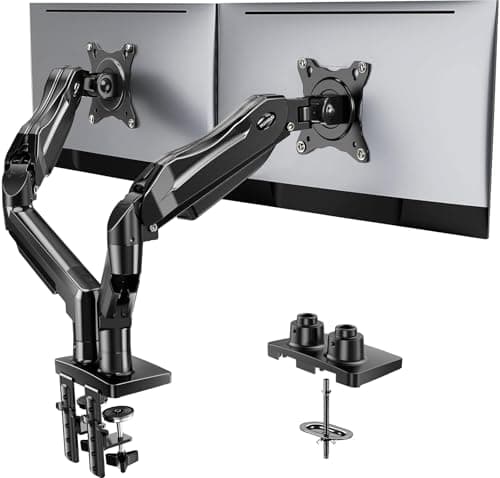
HUANUO HUANUO Dual Monitor Stand
HUANUO Dual Monitor Stand

Two screens on one clamp for the price of a decent single arm. Independent gas-spring lift on each side, a wide fit range, and the smallest-footprint way to run dual monitors.

Best overall dual
8.3
$59.99Amazon
02
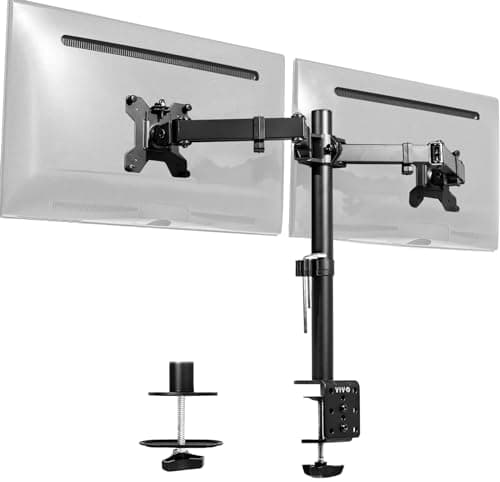
VIVO VIVO Dual Monitor Desk Mount
VIVO Dual Monitor Desk Mount

A proven, plain dual mount from a brand that sells them by the pallet. Manual tension arms you position once, a wide clamp fit, and dependable value over any flashy feature.

Best value
8.1
$34.99Amazon
03
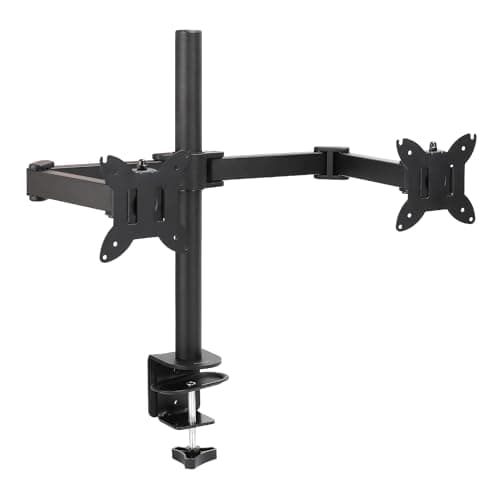
Amazon Basics Amazon Basics Dual Monitor Desk Mount
Amazon Basics Dual Monitor Desk Mount

The no-fuss gas-spring dual: independent one-handed lift on both arms, a clean clamp-or-grommet mount, and the safe default when you want two screens without researching brands.

Best no-fuss gas spring
8.2
$36.74Amazon
04
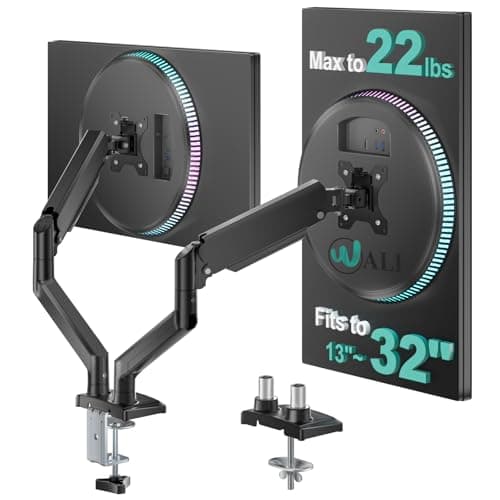
WALI WALI Dual Monitor Stand
WALI Dual Monitor Stand

A newer gas-spring dual with a wide 13–32 in fit range on each arm, so it takes larger or mismatched monitors older tension duals cannot — strong value for the reach.

Best fit range
8.1
$29.98Amazon

#ad · Live prices from the Amazon Product API, as of Jul 24, 2026. Where we have no verified live price we show none — we would rather leave a gap than print a number that has rotted.

In detail

The picks, in full

01
HUANUO HUANUO Dual Monitor Stand

Best overall dual

HUANUO Dual Monitor Stand

VESA
75×75 / 100×100 mm
Mount
C-clamp + grommet
Fits
13–27 in each
Weight
Up to ~17.6 lb each
Motion
Gas spring, per arm
8.3/10

Two screens on one clamp for the price of a decent single arm. Independent gas-spring lift on each side, a wide fit range, and the smallest-footprint way to run dual monitors.

Motion
8.2
Build
7.8
Fit range
8.4
Value
8.8

Pros

  • Independent gas-spring lift on both arms
  • One clamp for two screens
  • Wide fit range on each side
  • Much cheaper than two single arms

Cons

  • Two screens still need about 47 in of desk width
  • Shared clamp is one mount for both

Skip this if…

your two monitors are very different sizes and weights — badly mismatched screens balance better on two separate single arms.

$59.99View on Amazon

$69.9914% off

Price as of Jul 24, 2026. Prices change — Amazon's is the one that counts.

#ad · we may earn a commission from this link to HUANUO Dual Monitor Stand

02
VIVO VIVO Dual Monitor Desk Mount

Best value

VIVO Dual Monitor Desk Mount

VESA
75×75 / 100×100 mm
Mount
C-clamp + grommet
Fits
13–27 in each
Weight
Up to ~22 lb each
Motion
Tension (manual)
8.1/10

A proven, plain dual mount from a brand that sells them by the pallet. Manual tension arms you position once, a wide clamp fit, and dependable value over any flashy feature.

Motion
7.8
Build
8
Fit range
8
Value
8.6

Pros

  • Proven, widely supported dual mount
  • Tension arms position two screens precisely
  • Wide clamp fit for common sizes
  • Dependable value

Cons

  • Manual joints, not one-handed gas-spring motion
  • Best set once rather than nudged all day

Skip this if…

you want to raise and lower both screens on a whim — the tension design is set-and-leave. A gas-spring dual suits frequent height changes.

$34.99View on Amazon

Price as of Jul 24, 2026. Prices change — Amazon's is the one that counts.

#ad · we may earn a commission from this link to VIVO Dual Monitor Desk Mount

03
Amazon Basics Amazon Basics Dual Monitor Desk Mount

Best no-fuss gas spring

Amazon Basics Dual Monitor Desk Mount

VESA
75×75 / 100×100 mm
Mount
C-clamp + grommet
Fits
Up to 27 in each
Weight
Up to ~17.6 lb each
Motion
Gas spring, per arm
8.2/10

The no-fuss gas-spring dual: independent one-handed lift on both arms, a clean clamp-or-grommet mount, and the safe default when you want two screens without researching brands.

Motion
8.2
Build
8
Fit range
8
Value
8.6

Pros

  • Independent gas-spring lift on both arms
  • Clamp or grommet mount, no drilling
  • Safe default with easy returns and support
  • One-handed height on each screen

Cons

  • Needs a wide desk for two screens side by side
  • Trim feels less premium up close

Skip this if…

your desk is under about 47 in wide — two monitors will not fit side by side no matter the arm. Measure the top first.

$36.74View on Amazon

Price as of Jul 24, 2026. Prices change — Amazon's is the one that counts.

#ad · we may earn a commission from this link to Amazon Basics Dual Monitor Desk Mount

04
WALI WALI Dual Monitor Stand

Best fit range

WALI Dual Monitor Stand

VESA
75×75 / 100×100 mm
Mount
C-clamp + grommet
Fits
13–32 in each
Weight
Up to ~19.8 lb each
Motion
Gas spring, per arm
8.1/10

A newer gas-spring dual with a wide 13–32 in fit range on each arm, so it takes larger or mismatched monitors older tension duals cannot — strong value for the reach.

Motion
8
Build
7.6
Fit range
8.2
Value
8.6

Pros

  • Gas spring on each arm with a wide 13–32 in fit
  • Takes larger or mismatched monitors
  • C-clamp or grommet mount
  • Strong value for the fit range

Cons

  • Newer model with a shorter track record
  • Still needs about 47 in of desk width

Skip this if…

your desk is narrow — the wide fit range does not change the fact that two side-by-side monitors need roughly 47 in of width.

$29.98View on Amazon

$39.9925% off

Price as of Jul 24, 2026. Prices change — Amazon's is the one that counts.

#ad · we may earn a commission from this link to WALI Dual Monitor Stand

Width first, then the arm

Before any arm, do the width math: two 24″ monitors are each about 21″ wide, so side by side they need roughly 42–47″ of clear desk, and angling them inward needs a little more depth behind the clamp to swing. If your desk is under about 47″, either run one ultrawide instead or accept a slight overlap. A dual arm does not shrink the monitors — it only frees the surface beneath them.

One clamp, two screens, tidy cables

The payoff of a dual arm is a clear desk under both screens, so protect it: bundle the two cables down the pole and manage the slack with desk cable management, and light the pair with a wide monitor light barrather than two lamps. Check the shared clamp’s combined weight rating covers both panels before you buy.

How we picked

We do not run a testing lab

We compiled the published manufacturer specifications, did the footprint and clearance math ourselves, and read aggregated owner reviews, then scored each product against a published rubric. The scores are judgments from documented research — they are not measurements we took, because we do not have a lab and we are not going to pretend we do. Every spec traces back to a listing or manual named in Sources.

Questions

Frequently asked

How wide does a desk need to be for two monitors?
Plan on about 47 inches for two standard 24″ screens side by side; two 27″ panels want more. The dual arm frees the surface but does not change the footprint of the screens themselves — check the desk width before the arm.
Is one dual arm better than two single arms?
It depends on your monitors. One dual arm uses a single clamp and costs less; two single arms give fully independent height and handle mismatched screens better. The full comparison breaks it down.
Can a dual arm hold two different-sized monitors?
Within limits. Both screens must sit inside the arm's per-side size and weight range, and very different weights can make a shared-pole arm harder to balance. Badly mismatched monitors are usually steadier on two separate single arms.

Keep reading

Receipts

Sources

We do not run a testing lab, and we do not pretend to. Specifications come from the manufacturer or retailer listing; the footprint and clearance math is ours and reproducible. Where we could not verify a number, we say so on the page rather than quietly leaving it out. Read our full method.