HUB 05 · Small-Space Setups
Will a Monitor Arm Fit My Desk? Five Checks
Most monitor arm returns are fit problems, not faults. Five measurements — thickness, material, clearance, VESA and weight — settle it in five minutes.
We earn a commission when you buy through our Amazon links, at no extra cost to you. It never affects our rankings, and we say so when the cheaper product is the better buy. How this works.
A monitor arm is the highest-value upgrade for a small desk, and it is also the accessory most often sent back. Almost never because it is faulty — because it does not fit the desk. Five checks, in this order, tell you whether the arm you are looking at will work, and what to do when one of them fails.
Check 1 — desk top thickness
Every clamp publishes a range, and it is a hard limit at both ends. Typical ranges look like 0.4–3 inches; some go wider (a VIVO single arm accepts up to 3.25 inches), some narrower (an Ergotron HX clamp stops at 2.6). Measure the top at the exact point you want to clamp, not in the middle — many desks have a thicker edge banding or a thinner section near a grommet.
If it fails: too thick, you need a grommet mount through an existing hole, or a wall mount. Too thin, a hardwood packing block between the clamp jaws usually solves it and also spreads the load.
Check 2 — what the top is made of
A clamp is fine on solid wood, plywood, MDF and thick particleboard with a laminate skin. It is not fine on glass, and manufacturers say so explicitly — HUANUO specifies wooden desks only for its heavy TitanLift arm. Be careful with hollow-core tops (common on cheap flat-pack desks): tap the surface, and if it sounds hollow where you want to clamp, the clamp is gripping two thin skins with air between them.
If it fails: use a riser instead — our riser roundupincludes clamp-free options — or a wall mount if the wall is solid. For a hollow top, a wide metal plate under the clamp foot spreads the load enough for a light screen, but do not do it with a heavy one.
Check 3 — clearance behind and under the edge
The clamp needs the desk edge to be reachable. Three things commonly block it: a rear cross-rail on the frame, a desk pushed hard against a wall (the arm base and its cable channel need an inch or two behind the top), and a hutch, shelf or back panel. Also check under the edge for a drawer runner or a reinforcing plate where the lower jaw goes.
If it fails:pull the desk forward two inches, or clamp at a different point along the back edge. Where the whole rear edge is blocked, side-clamping is sometimes possible on a wide desk — and a clamp-on shelf or a wall mount is the fallback.
Check 4 — VESA pattern on the monitor
Almost all arms take 75 × 75 mm or 100 × 100 mm VESA patterns. Look at the back of your monitor: four threaded holes in a square, 75 mm or 100 mm apart. Larger screens sometimes use 200 × 100 or 200 × 200, which only heavier arms support — the Ergotron HX is one that does. Some consumer monitors have no VESA holes at all, and a few (LG and Samsung curved models in particular) need a manufacturer adapter bracket.
If it fails:a VESA adapter plate solves most cases, and some arms include an extension kit in the box (HUANUO’s wall mount does). Monitors with genuinely no mounting provision cannot use an arm — use a riser.
Check 5 — screen weight against the arm’s range
Find the monitor’s weight withoutits stand on the manufacturer spec sheet, and compare it against the arm’s stated range — noting that the range has a minimum as well as a maximum. Gas-spring arms rated 20–42 lb cannot be tensioned low enough for a 14 lb panel, which floats upward and will not stay put. Budget arms are commonly 17.6–19.8 lb maximum; ultrawides and 32-inch screens usually need 33–44 lb, which is what our heavy-duty picks cover.
Grommet mounts: the option people forget
Almost every arm sold as a “clamp arm” ships with a second mounting option in the box: a grommet mount, which bolts through an existing hole in the desk instead of gripping the edge. It solves three of the failures above at once. It works on desks too thick for the clamp(the grommet only cares about the bolt length, typically quoted as a separate and narrower range — 0.39–2.36 inches on the HUANUO arms, up to 1.6 inches on the VIVO triple mount). It works where a rear rail blocks the clamp, as long as the hole sits clear of it. And it is noticeably more rigid, because the load is carried through the top rather than pinched at the edge — which matters for a heavy screen or two screens on one mount.
The catch is that you need a hole. Many desks ship with a cable grommet already; if yours does not, drilling one is a permanent modification, so it is a decision for a desk you own rather than a rented one. Check the grommet bolt’s stated diameter against the hole (arms usually want a hole of about 1–3 inches), and confirm the position works for your layout: a grommet fixes the arm base in one spot, whereas a clamp can slide along the edge later. If neither clamp nor grommet is possible, you are in wall-mount or riser territory — see the options in wall-mount monitor arms.
The five-minute checklist
| Check | What to measure | Typical requirement |
|---|---|---|
| 1. Thickness | Desk top at the clamp point | 0.4–3 in (arm-specific) |
| 2. Material | Solid wood / MDF / particleboard? | No glass; caution on hollow-core |
| 3. Clearance | Rear rail, wall gap, drawer runner | 1–2 in clear behind and below |
| 4. VESA | Hole spacing on the monitor back | 75 × 75 or 100 × 100 mm |
| 5. Weight | Monitor weight without stand | Inside the arm's min and max |
After it is fitted: set the tension
One last step that is not a compatibility issue but causes more complaints than all five checks combined. Every gas-spring and counterbalance arm must have its tension matched to your specific monitor. Mount the screen, then turn the tension screw until the arm holds position across its whole travel — if it sinks, increase tension; if it rises, reduce it. Two minutes with the supplied key, and the difference between an arm that feels precise and one that feels broken.
If all five checks pass, our monitor arm roundup is where to start, and no-drill clamp arms is the shortlist for renters who cannot touch the walls.
Questions
Frequently asked
How thick can a desk be for a monitor arm clamp?
Can you clamp a monitor arm to a glass desk?
What if my monitor has no VESA holes?
My arm sags after a few hours. Is it faulty?
Finish the setup
Under $40: the parts that finish a small desk
A desk is the expensive decision. These are the cheap ones that decide whether it actually works in a small room — each is the top pick from one of our own roundups, and each clamps, sticks or stands rather than needing a drill. Prices live as of Sep 25, 2026.

Monitor arm
Amazon Basics Single Monitor Arm (Gas Spring)
Clamps to the back edge and gives you back the whole footprint the monitor stand was standing on — the single biggest surface win on a narrow desk.
$25.49Amazon#ad · Our top pick in The Best Monitor Arms for a Small Desk
Power strip
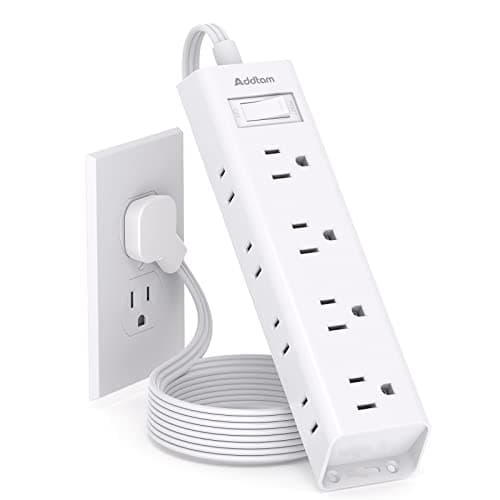
Addtam Flat-Plug Power Strip (12 outlets)
The flat plug is the point: a normal brick stops a desk sitting flush to the wall and costs you two inches of depth you do not have.
$11.99Amazon#ad · Our top pick in The Best Power Strips for a Desk
Bias lighting
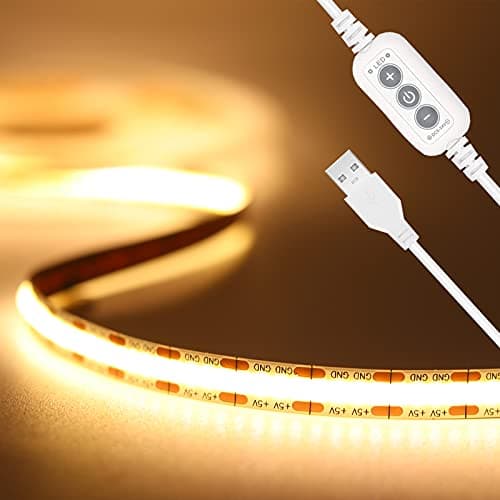
PAUTIX COB LED Strip (6.56ft, 3000K)
Sticks under a shelf or behind the monitor and lights the wall instead of the desk, so it takes no surface at all.
$9.19Amazon#ad · Our top pick in The Best LED Strip Lights for a Desk
Headphone mount
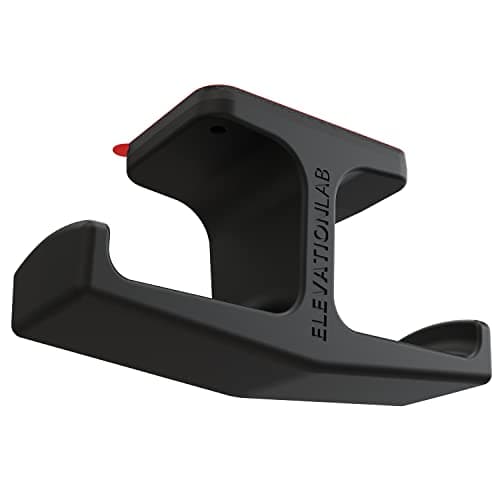
Elevation Lab The Anchor Under-Desk Headphone Mount
Adhesive, mounts under the desk, and clears the one bulky object that otherwise lives permanently on a small surface.
$11.99Amazon#ad · Our top pick in The Best Headphone Stands for Small Desks
Cable box
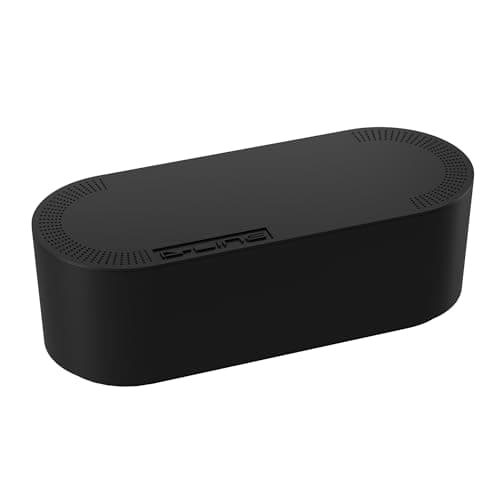
D-Line Cable Management Box (Large)
Puts the strip and the wall-warts in one closed box so the floor under a desk in a studio does not read as a nest.
$27.99Amazon#ad · Our top pick in The Best Desk Cable Management for a Small Setup

Desk organizer
Marbrasse Mesh Desk Organizer with Drawer
Goes vertical with the pens and notebooks that otherwise spread flat across the only surface you have.
$22.99Amazon#ad · Our top pick in The Best Desk Organizers for Small Desks
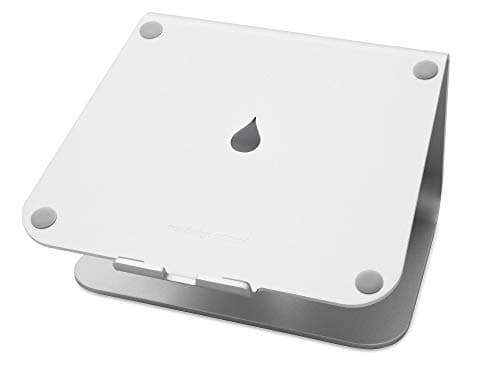
Laptop stand
Rain Design mStand Laptop Stand
Lifts the screen to eye level and opens the space underneath for a keyboard, which is how a 40-inch desk fits a full setup.
$38.99Amazon#ad · Our top pick in The Best Laptop Stands for a Small Desk
Keep reading
Related
- Best monitor armsStart here once the checks pass.
- No-drill monitor armsClamp-only picks for renters.
- How much weight can an arm hold?The other half of the compatibility check.
- Clamp vs grommetWhich base suits a thin or hollow top.
- Best monitor risersThe fallback when a clamp is out.
- Wall-mount monitor armsWhen the desk cannot host an arm.
- Desk thickness: what will clamp onEvery published clamp range on the site, in one table.
Receipts
Sources
- VESA — Flat Display Mounting Interface (mounting standard overview)
- OSHA — Computer Workstations eTool (monitor height and placement)
We do not run a testing lab, and we do not pretend to. Specifications come from the manufacturer or retailer listing; the footprint and clearance math is ours and reproducible. Where we could not verify a number, we say so on the page rather than quietly leaving it out. Read our full method.