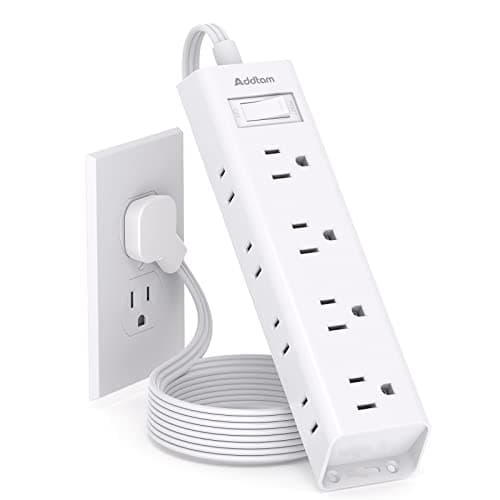
A desk in a small apartment usually has one outlet behind it, often partly blocked by the desk itself, and six things that need power: a laptop, a monitor, a lamp, a phone, a hub and whatever else. The strip you choose decides whether that becomes a tidy single feed or a knot of bricks on the floor — and on a desk pushed against a wall, the shape of the plug matters as much as the number of outlets.
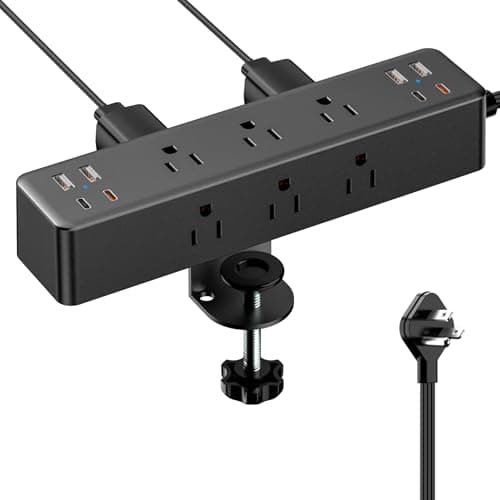
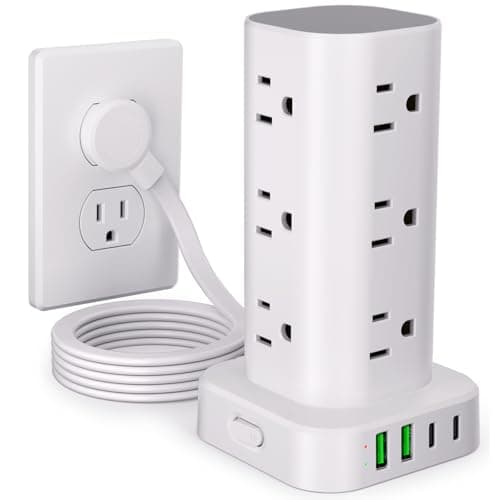
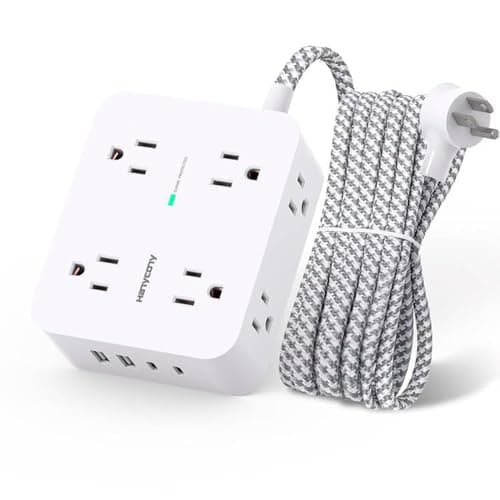
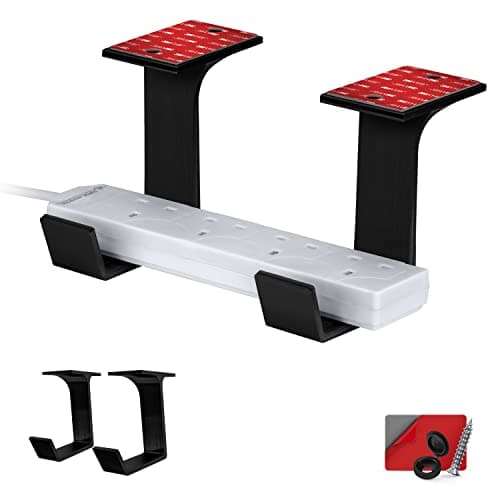
Our pick is the Addtam flat-plug strip: a 0.35-inch flat plug that lets the desk sit flush to the wall, twelve outlets on three sides so bulky adapters do not block each other, 1050 joules of surge protection and screw holes for mounting under the desk. The ACOZVIN clamp strip puts nine outlets and eight USB ports on the desk edge; the UWIWUTEI tower is the highest-protection pick at 1800 joules; the HANYCONY is the compact USB-C option; and the Brainwavz mount is not a strip at all, but the bracket that hides the one you already own.
The buying guide covers joule ratings, why daisy-chaining is the one thing never to do, and how to read USB wattage honestly. Every figure is from the manufacturer listing; the methodology explains the scoring.
Surge protection is a number, or it does not exist
“Power strip” and “surge protector” are not synonyms. A plain strip splits one outlet into several and protects nothing. A surge protector adds components that absorb voltage spikes, and its capacity is published in joules. If a listing does not state a joule rating, assume there is no protection.
| Joule rating | Suitable for |
|---|
| No rating published | Lamps and chargers only |
| 1000–1200 J | A normal desk setup: laptop, monitor, peripherals |
| 1800 J and up | Desktop PCs and anything expensive you would hate to replace |
Worth knowing: the absorbing components wear out over time and after large surges, so a protector that has been in service for many years may no longer protect anything even though it still passes power. Most have an indicator light for exactly this — if yours has one, look at it occasionally.
The one rule: never daisy-chain
Do not plug a power strip into another power strip, and do not plug one into an extension lead. It is the most common cause of overload in home offices, it defeats surge protection, and it is prohibited by standard fire-safety guidance. If one strip does not have enough outlets, buy a bigger strip — the twelve-outlet options here exist for that reason. Nor should anything with a heating element go on a desk strip: space heaters and kettles draw far more current than the strip or its cord is rated for.
Flat plugs, and why they matter on a small desk
A standard plug sticks about 1.5 inches out from the wall, which means the desk cannot sit flush and you lose two inches of an already tight room — or worse, the desk presses on the plug. A flat plug is around 0.3 inches deep and lies against the wall. On a desk pushed into a corner or under a window, this is a bigger practical difference than the outlet count, and every strip here except the clamp model offers it.
Reading USB wattage honestly
The advertised USB figure is always a total shared across all ports. The ACOZVIN publishes 40W total with two 20W USB-C ports; the HANYCONY publishes 15.5W total. What that means in practice: enough to charge phones, watches, earbuds and a tablet, and not enough to charge a laptop at full speed — a modern laptop wants 45–100W on its own. Use the laptop’s own adapter in an AC socket and let the USB ports handle the small devices.
Get it off the floor
A strip lying on the floor behind a desk collects dust, gets kicked, and turns cable management into an impossible problem. Three ways to fix it, all cheap: mount the strip under the desktop with the screw holes most strips already have; use a bracket like the Brainwavz if yours has none; or clamp a strip to the desk edge. Then run every lead down to that one point rather than to the wall. That single change does more for how a small desk looks than any amount of surface tidying — the full method is in desk cable management.
Or buy the power into the furniture
If you are replacing the desk anyway, some come with outlets and USB built into the frame, which is tidier still. The trade is that a built-in block cannot be replaced when it fails, and it usually offers fewer outlets than a good strip. The comparison is in best small desks with power outlets.