A second screen normally costs desk width permanently. A 24-inch monitor is roughly 21 inches wide and it sits there whether you are using it or not, which on a 40-inch apartment desk is half the surface, every day. A portable monitor is the version of that decision you can undo: 12.7 to 14.4 inches wide, 1.1 to 1.7 pounds, and back in a drawer or behind the desk when the working day ends.
That makes this one of the few categories where the small-space buyer should ignore most of what is written about it. Portable monitors are usually reviewed for people who take them on planes, so they get ranked on panel quality and refresh rate. On a small desk two different questions decide the purchase: how does it stand up, and can it get off the desk surface entirely?
The stand is the part that never makes a headline. Most portable monitors ship with a magnetic cover that folds into a wedge behind the screen. It works, but it occupies desk depth behind the panel and usually gives two or three fixed angles rather than a range. A kickstand built into the back takes less depth and adjusts properly. And a published VESA pattern or a 1/4-inch tripod socket means the panel can hang off a monitor arm or a clamp mount and cost no desk at all — which is the same move that makes an arm the highest-impact upgrade on a small desk in the first place.
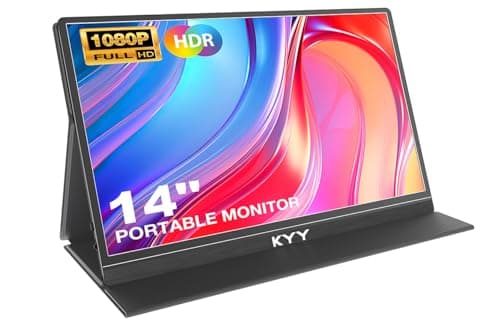
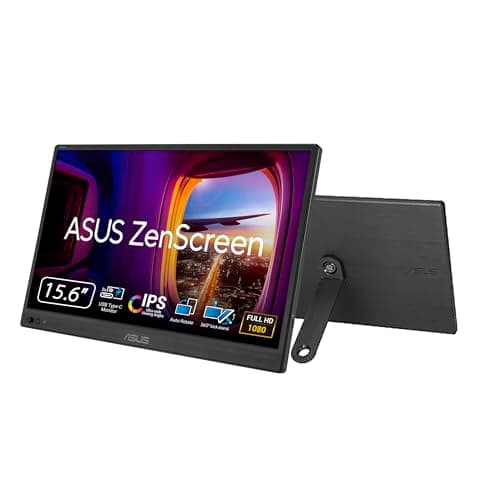
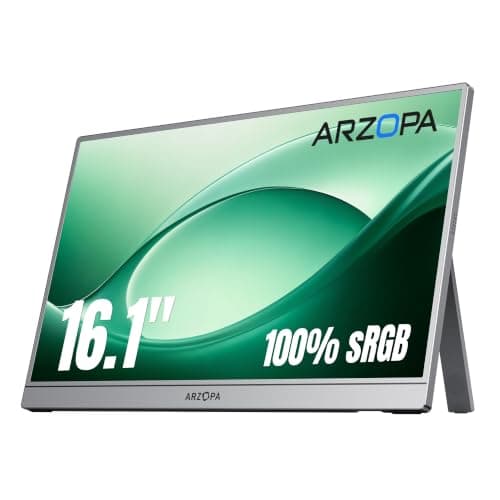
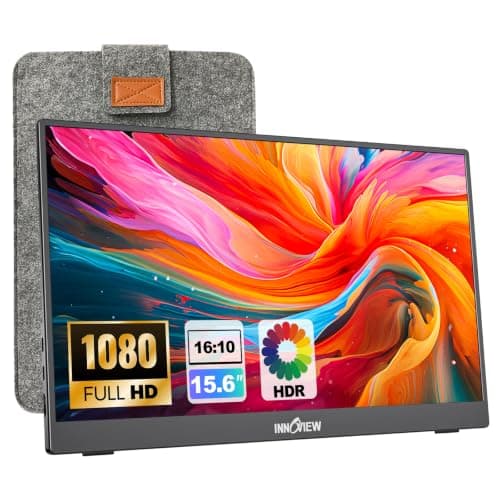
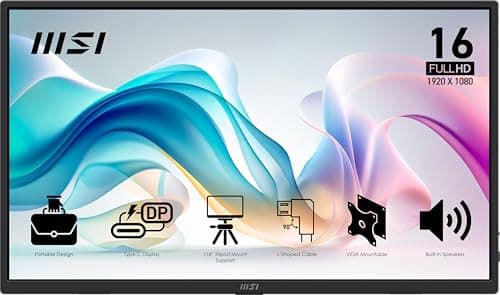
Our pick is the MSI Pro MP165 E6, because it is the one that can leave the desk: MSI publishes a 75 mm VESA pattern and a 1/4-inch tripod socket on a 1.72 lb panel. The KYY 14in is the smallest and lightest, and also publishes VESA; the ASUS ZenScreen MB169CK is the one built to be owned for years; the ARZOPA Z1C has the biggest screen and the best built-in stand; and the InnoView 15.6in is the cheapest here that still has a stand built in rather than a fold-out cover. Specifications come from each maker’s own listing or spec page, named in Sources; the methodology explains the scoring.
Portable monitors compared
Every panel here is a 1080p IPS screen with at least one USB-C port that carries video, so those specs decide nothing. The four columns below are what actually separates them on a small desk — weight, how it stands, whether it mounts, and how long the maker stands behind it.
#ad · Live prices from the Amazon Product API, as of Sep 25, 2026. Where we have no verified live price the button says so rather than showing a number that has rotted.
The stand is the spec that decides a small desk
There are three ways a portable monitor holds itself up, and they cost very different amounts of desk.
- A magnetic cover stand(the KYY here) — a PU folio that folds into a wedge behind the screen. It is free with the monitor and it protects the panel in a bag, but it lives behind the screen while you work and the grooves give you fixed angles rather than a range.
- A built-in kickstand(ARZOPA, ASUS, InnoView, MSI) — part of the chassis, so nothing folds out and nothing gets lost. The ranges published vary a lot: ARZOPA quotes 80 degrees of adjustment and portrait support, ASUS a 360-degree kickstand, InnoView 90 degrees. PCWorld’s review of the MSI found its kickstand firm but limited in tilt, and it does not do portrait.
- A mounting point(MSI, KYY, and the ASUS tripod socket) — the only option that costs no desk surface at all, because the panel goes on an arm, a clamp or a tripod instead. MSI publishes a 75 mm VESA pattern plus a 1/4-inch tripod socket; KYY publishes VESA 75 × 75 and states the stand is not included.
If you already run an arm, check its rated minimum load before you plan on hanging a portable panel from it: these screens weigh 1.1–1.7 lb, and a counterbalanced gas-spring arm needs weight to push against — several publish a 4.4 lb minimum. The figures are on our monitor-arm weight-capacity guide, and the arms that hold a light panel best are the pole-and-lock designs in the budget-arm roundup.
One cable, or two
The one-cable setup every listing promises depends on your laptop, not on the monitor. A USB-C port that supports DisplayPort Alt Mode can carry video and power down a single cable; a port that does not will need the monitor’s HDMI input plus a separate USB power feed, which is two cables and an outlet on a desk that had room for one. MSI publishes 15 W of power delivery on both of its USB-C ports, and InnoView’s own listing tells owners to plug in a 15 W-plus adapter if the screen flickers or restarts on a weak port — an unusually honest note, and the clearest statement in the category that a marginal laptop port is a real failure mode.
Two details worth checking before you order. First, whether the HDMI port is full-size or mini: the ARZOPA, ASUS and KYY use mini HDMI, so an HDMI source needs the bundled adapter cable, while the InnoView takes a standard HDMI plug. Second, where the cables leave the panel — a side-exit plug on a screen sitting beside a laptop pushes the whole thing further across the desk. If your desk is already a cable problem, the fixes are in desk cable management, and the port question itself is covered in USB-C docking stations.
How much desk it actually takes
Published panel widths are the number to plan with, because the stand adds depth rather than width. The KYY 14-inch is 12.74 in wide; the three 15.6-inch panels run 13.99–14.2 in; the 16.1-inch ARZOPA is 14.37 in. Set any of them beside a 13 to 15-inch laptop and you are using roughly 27 to 29 inches of desk width before the mouse. On the 40 to 47-inch desks in our desk-size guide that leaves a working margin; on a 31 to 35-inch desk it does not, and the answer there is to run the portable screen in portrait, stack it above the laptop on an arm, or accept that it comes out only when you need it.
Which panel figures are actually published
This category publishes less than desktop monitors do, and pretending otherwise is how roundups end up quoting numbers nobody stands behind. Of the five here: KYY publishes 350 nits and 1500:1, the highest figures on the page; ASUS publishes 250 cd/m² and 800:1 on its own spec sheet; InnoView publishes 1200:1 but no brightness; ARZOPA publishes 100% sRGB but neither brightness nor contrast for this model; and MSI rates the MP165 E6 at 250 nits, though PCWorld measured 328 nits at peak and called contrast and color accuracy modest. The practical reading: any of these is fine in a room with the curtains half drawn, and none of them is a color-critical display. If the screen faces a window, brightness is the specification to weigh.
When a portable monitor is the wrong answer
If the second screen is permanent — it goes on the desk on Monday and comes off at Christmas — buy a real monitor and put it on an arm instead. A 22 or 24-inch panel gives far more usable rows per dollar, sits at a proper viewing distance, and on an arm it frees the same desk the portable would have. That comparison is in the best monitors for a small desk and two monitors on a small desk; if the reason you want a second screen is width rather than count, read ultrawide vs dual monitors first.
The other case is ergonomics. A portable monitor sitting flat on the desk beside a laptop puts both screens below eye level, which is the posture the whole category quietly ignores. Raising the laptop on a stand and typing on a separate keyboard fixes the laptop half — see the best laptop stands— and mounting the portable panel, or standing it on its tallest setting, fixes the other half.
Where it lives when you are done
The reason to buy this format rather than a second monitor is that it goes away, so decide where before it arrives. All five are between 0.25 and 0.55 inches thick, which is thin enough to slide behind a desk against the wall, into a drawer, or into the sleeve or bag that ships with the ASUS, the InnoView and the MSI. A panel that lives on the desk all week is a panel you paid a portability premium for and are using as a bad monitor — the storage options are in how to organize a small desk and under-desk storage. It is also the reason this format suits a kitchen-table office, where everything has to clear off before dinner.
Which portable monitor for your situation
| If this is you | The monitor | Why |
|---|
| You want the screen off the desk surface, on an arm or a clamp | MSI Pro MP165 E6 | 75 mm VESA pattern and a 1/4-inch tripod socket, both published |
| The desk is tiny and the screen has to be liftable with one hand | KYY 14in | 1.1 lb and 12.74 in wide, with VESA 75 x 75 if you mount it later |
| You want it to last, and you want somebody to answer the phone | ASUS ZenScreen MB169CK | Three-year warranty with advance replacement, anti-glare panel |
| You want the biggest screen and will never mount it | ARZOPA Z1C 16.1in | 16.1 in on a built-in 80-degree kickstand that also does portrait |
| You want to try the format without spending much | InnoView 15.6in | Integrated 90-degree stand and full-size HDMI at the lowest price here |