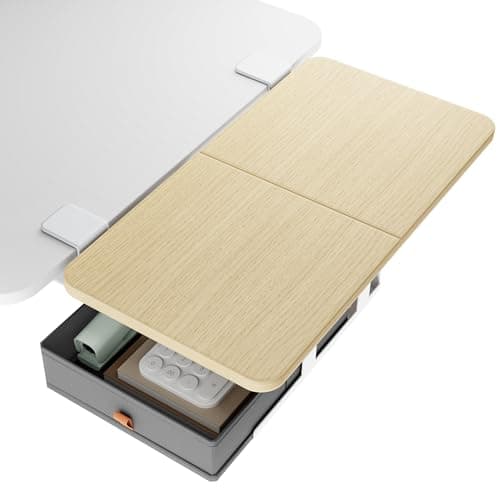
Most advice for a desk that is too small is to buy a bigger desk. In an apartment that is often the one thing you cannot do — the wall run is the wall run, the desk was expensive, or it came with the room. A desk extender is the other answer: a clamp-on tray that bolts no holes and adds working surface to the desk you already own, projecting into air that was doing nothing.
The appeal for a small room is specific. A wider desk costs floor area in both directions and has to be carried in and out. An extender costs no floor at all — it hangs off an edge you already have, it comes off in a minute with a hand knob, and it leaves the desk unmarked, which matters if the desk is the landlord’s or you plan to sell it. It is the same reversibility logic that makes a no-drill monitor arm the right call in a rental.
There is one spec that decides this purchase before any other, and almost no roundup leads with it: the clamp range. Every tray here grips a desktop between a minimum and a maximum thickness, and the ranges are narrow — roughly 0.6 to 2.4 inches on the large trays. A 0.7-inch IKEA top is near the bottom of that window and a 2.5-inch butcher block is outside most of it. Measure your desktop first, because a tray that will not close on your edge is not a tray you can use, whatever its other specifications say. The full measuring method is in desk thickness for clamp-on gear.
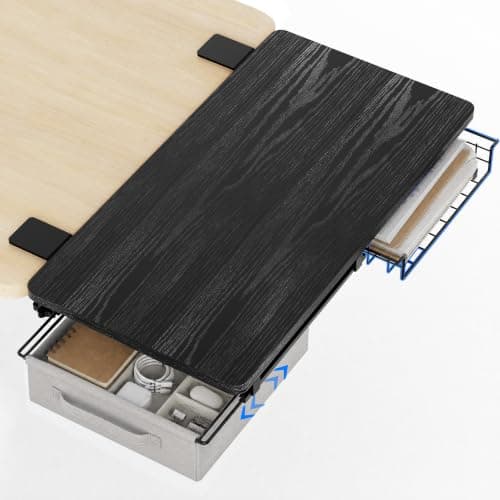
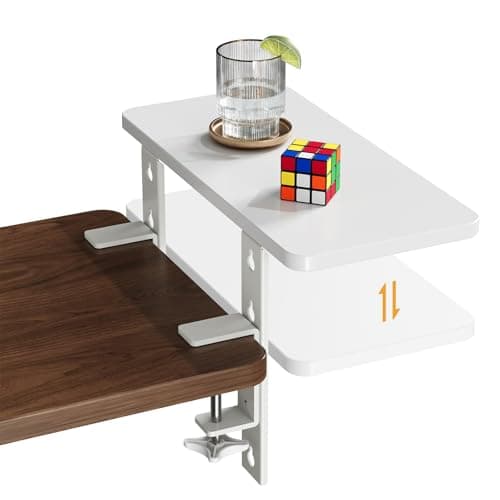
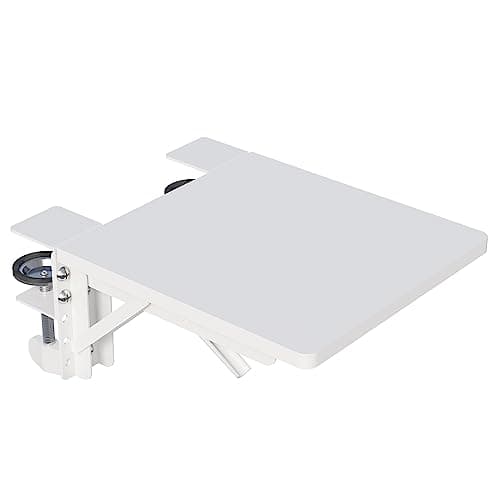
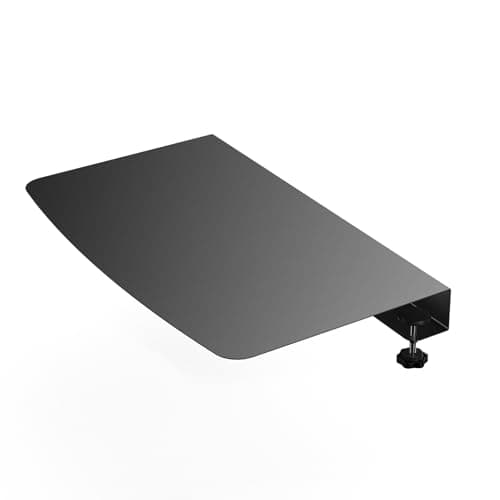
Our pick for most desks is the PEGZONE 24 × 12 in tray, because it adds the most surface of anything here — two square feet — at a published 55 lb rating with a drawer underneath. The ART-GIFTREE trades a little area for two swappable drawers and a wider clamp range; the JYLH JOYSEEKER is the one that fits a 3.5-inch-thick top nothing else will; the BONTEC folds flat against the desk when you are not using it; and the BOUNHOHE corner platesolves a different problem entirely, the dead triangle where two desks meet. Dimensions and load ratings are each maker’s own published figures, named in Sources, and where a maker publishes nothing we say so rather than estimate. The methodology explains the scoring.
Desk extenders compared
The four columns below are the whole decision. Surface is what you are buying, the load rating is what you are allowed to put on it, the clamp range decides whether it fits your desk at all, and the width requirement is the one that quietly disqualifies the large trays on a genuinely small desk.
#ad · Live prices from the Amazon Product API, as of Oct 1, 2026. Where we have no verified live price the button says so rather than showing a number that has rotted.
Measure three things before you buy one
A clamp-on tray fails for mechanical reasons, not taste reasons, and all three are measurable in about a minute with a tape.
- Desktop thickness, at the edge where the clamp will sit — not in the middle. Many desks have a thinner panel with a thicker applied edge, and the clamp only cares about the edge. Compare that number against the clamp range in the table above. The JOYSEEKER reaches 3.5 inches; the BOUNHOHE plate stops at 1.4.
- Edge profile. Clamps need a flat, parallel landing. PEGZONE states outright that raised, beveled and irregular edges are unsupported, and that applies to every tray here whether or not the listing says so. A rounded or lipped front edge is the most common reason a correctly sized clamp still will not hold.
- Clear run of edge.The large trays need a continuous span to clamp across — PEGZONE asks for 22 inches of desk width, ART-GIFTREE for 23. On a 28-inch desk that is most of the front edge, and anything already clamped there, like a monitor arm or a clamp lamp, is competing for the same inches. Plan the edge as a shared resource before you add a third thing to it.
Load ratings, and the rating nobody publishes
Two of the trays here publish 55 lb, the BONTEC publishes 33 lb and the JOYSEEKER 15.4 lb — a range of more than three to one, which tells you these are not interchangeable products. A 15.4 lb shelf is for a router, a speaker or a stack of books. A 55 lb tray will take a laptop, a small printer or a monitor on a stand.
The number nobody publishes is the one that actually limits you: what your own desk can take at its edge. A clamp-on tray does not load the desktop evenly. It hangs weight off one edge on a short lever, which is the worst case for a particleboard top with a hollow core, and the failure mode is the desktop sagging or the clamp crushing the laminate rather than the tray breaking. Our desk weight-capacity guide covers how to read that, and the short version is that an edge load should be treated as far more demanding than the same weight placed centrally. The BOUNHOHE plate and the BOUNHOHE corner application are the exception worth noting, because a bridging plate between two desks is supported at both ends rather than cantilevered off one.
Extend outward, or move something downward?
An extender is one of three ways to get more usable surface out of a small desk, and it is not always the best one.
- Extend outward(this page) — adds net new area. Best when the desk is genuinely too small and the room has air beside or in front of it. Costs no floor, but puts weight on one edge and can make a walkway tighter.
- Move the keyboard downward — an under-desk keyboard tray adds no area but frees the deepest, most useful band of the desktop, which on a 40-inch desk behaves like buying a 47-inch one. Usually the cheaper and tidier fix if the real problem is that the keyboard is eating the middle of the desk.
- Move the screen upward — a monitor riser or an arm reclaims the footprint under the screen, which is dead space on almost every desk. On a shallow desk this is the highest-value move of the three and it is why the arm sits at the top of our small-desk organization guide.
The three stack. If the desk is still short of surface after the screen is on an arm and the keyboard is on a tray, that is the point at which an extender is solving a real shortage rather than papering over a layout problem. Storage that hangs below the desk, covered in under-desk storage, is the fourth move and often the one that makes an extender unnecessary.
Where to mount it, and the walkway cost
A front-edge tray sits between you and the desk, which pushes your chair back and your elbows forward. In a room where the desk faces a walkway, that projection comes out of the gap people squeeze through — the clearance numbers are in desk dimensions by room size. A side-edge tray almost always suits a small room better: it extends into the corner or against the wall, where nobody walks, and it keeps your working posture unchanged. The PEGZONE and ART-GIFTREE both mount front or side, which is worth more in an apartment than the extra inch of area either one offers.
One last thing worth checking before you order: whether the tray sits flush with the desktop or below it. A flush tray reads as one continuous surface and you can slide a laptop across the join. A tray mounted an inch or two below is a separate shelf, better for a printer or a docking station than for anything you move around. The JOYSEEKER is the only pick here with a published height adjustment, at four positions 1.4 inches apart, which is the one way to tune that join rather than accept it.