Skip to content
Desk & Dowel

HUB 02 · Monitor Arms & Mounts

The Best Wall-Mount Monitor Arms

The only mount that uses none of your desk. Four wall arms ranked by reach, fit range and what your wall has to be made of.

By Stephen V.Updated How we pick
#ad

We earn a commission when you buy through our Amazon links, at no extra cost to you. It never affects our rankings, and we say so when the cheaper product is the better buy. How this works.

A desk-clamp arm frees the surface but still uses the desk. A wall mount uses none of it: no clamp on the edge, no pole at the back, no grommet hole. For a very shallow desk, a ladder desk, a floating shelf or a desk with a glass or hollow top that cannot be clamped at all, it is the only way to get a monitor to eye level.

The trade is honest and non-negotiable: you have to drill, and you have to drill into something structural. Every manufacturer here says the same thing in different words — wood studs, concrete or brick, not drywall alone. That makes a wall mount a poor fit for many rentals and a great fit for anyone with a solid wall and a small desk. Where drilling is out, our no-drill clamp arms are the alternative.

Our pick is the HUANUO wall mount: 13–32 inches up to 17.6 lb, 18.3 inches of extension from the wall and a counterbalance that makes height changes smooth. The WALItakes larger screens (up to 34 inches, 22 lb) and reaches furthest at 19.3 inches. Fit ranges below are the manufacturers’ published figures.

The short answer

Quick picks

#ProductBest forScorePrice
01
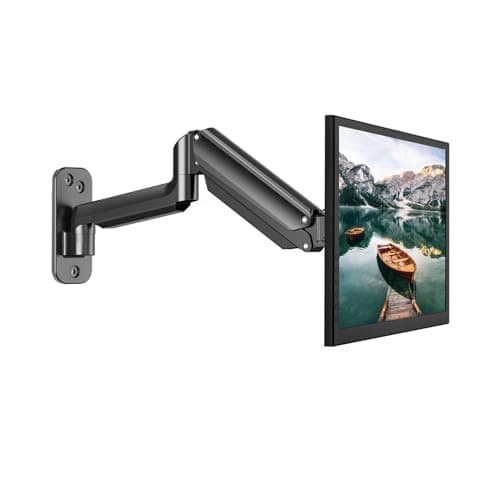
HUANUO HUANUO Single Monitor Wall Mount
HUANUO Single Monitor Wall Mount

The best-balanced wall arm here: 18.3 inches of extension, a counterbalance that gives the screen a free-float feel, and a VESA extension kit in the box for awkward patterns.

Best overall
8.8
$27.99Amazon
02
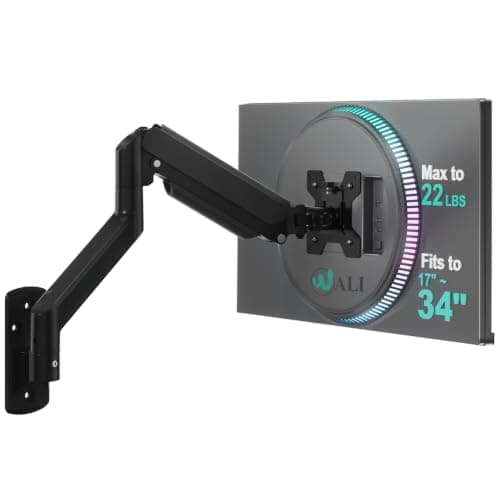
WALI WALI Single Monitor Wall Mount
WALI Single Monitor Wall Mount

The one for a bigger screen: up to 34 inches and 22 lb, with 19.3 inches of extension — the longest reach here — and a wall plate rated for brick as well as wood.

Best for larger screens
8.9
$29.99Amazon
03
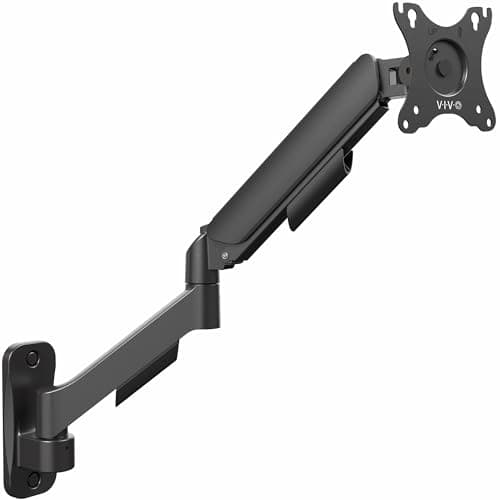
VIVO VIVO Counterbalance Wall Mount (MOUNT-V001G)
VIVO Counterbalance Wall Mount (MOUNT-V001G)

A spring-assisted arm in steel and aluminium with a detachable VESA plate and cable covers — the tidiest-looking install here, and the easiest to fit a screen to single-handed.

Best finish and cable tidying
8.6
$39.99Amazon
04
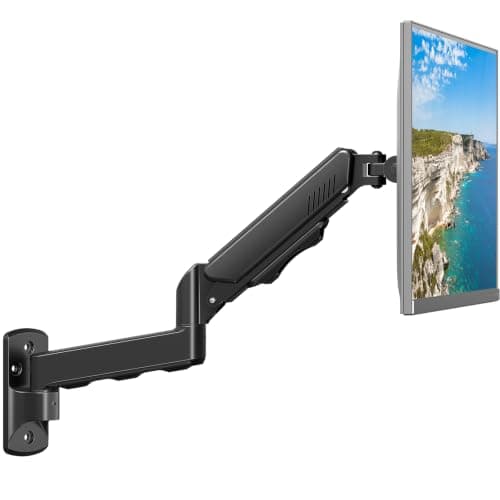
MOUNT PRO MOUNT PRO Monitor Wall Mount
MOUNT PRO Monitor Wall Mount

The budget gas-spring wall arm: 13–32 inches, 4.4–19.8 lb, full motion and integrated cable routing at the lowest price in this roundup.

Best budget
8.8
$27.99Amazon

#ad · Live prices from the Amazon Product API, as of Aug 11, 2026. Where we have no verified live price we show none — we would rather leave a gap than print a number that has rotted.

In detail

The picks, in full

01
HUANUO HUANUO Single Monitor Wall Mount

Best overall

HUANUO Single Monitor Wall Mount

Screen fit
13–32 in, up to 17.6 lb
Extension
Up to 18.3 in from wall
VESA
75 × 75 / 100 × 100 mm (+ extension kit)
Motion
−35°/+35° tilt, 180° swivel, 360° rotate
Install
~10 minutes, hardware included
8.8/10

The best-balanced wall arm here: 18.3 inches of extension, a counterbalance that gives the screen a free-float feel, and a VESA extension kit in the box for awkward patterns.

Desk freed
9.8
Reach
8.8
Fit range
7.8
Install ease
8.6
Value
9

Pros

  • Counterbalance makes height adjustment smooth rather than fiddly
  • 18.3-inch reach pulls the screen to a comfortable distance
  • VESA extension kit included for non-standard mounting holes
  • Genuinely quick installation once the stud is found

Cons

  • 17.6 lb ceiling is the lowest in this roundup
  • Counterbalance must be pre-set to the monitor weight before use

Skip this if…

your monitor is over 17.6 lb or larger than 32 inches. Check the spec sheet — the WALI takes 22 lb and 34 inches for similar money.

$27.99View on Amazon

$44.9938% off

Price as of Aug 11, 2026. Prices change — Amazon's is the one that counts.

#ad · we may earn a commission from this link to HUANUO Single Monitor Wall Mount

02
WALI WALI Single Monitor Wall Mount

Best for larger screens

WALI Single Monitor Wall Mount

Screen fit
17–34 in, up to 22 lb
Extension
19.3 in from wall
VESA
75 × 75 / 100 × 100 mm, detachable
Motion
+70°/−45° tilt, ±90° swivel, 360° rotate
Wall types
Brick and wood stud
8.9/10

The one for a bigger screen: up to 34 inches and 22 lb, with 19.3 inches of extension — the longest reach here — and a wall plate rated for brick as well as wood.

Desk freed
9.8
Reach
9.4
Fit range
8.4
Install ease
8
Value
8.8

Pros

  • 34-inch / 22 lb rating covers most 34-inch ultrawides
  • 19.3 inches of extension — the longest reach in the roundup
  • 70 degrees of upward tilt suits a high mounting position
  • Heavy-duty plate designed for brick as well as timber

Cons

  • 17-inch minimum screen size — not for small secondary panels
  • Long reach means more wobble at full extension than a short arm

Skip this if…

you are mounting a small 13–15 inch secondary screen. The stated minimum is 17 inches; take the HUANUO or MOUNT PRO instead.

$29.99View on Amazon

$34.9914% off

Price as of Aug 11, 2026. Prices change — Amazon's is the one that counts.

#ad · we may earn a commission from this link to WALI Single Monitor Wall Mount

03
VIVO VIVO Counterbalance Wall Mount (MOUNT-V001G)

Best finish and cable tidying

VIVO Counterbalance Wall Mount (MOUNT-V001G)

Screen fit
Up to 32 in, 19.8 lb
VESA
75 × 75 / 100 × 100 mm, detachable plate
Motion
+90°/−90° tilt, 180° swivel, 360° rotate
Build
Steel and aluminium
Extras
Cable management covers
8.6/10

A spring-assisted arm in steel and aluminium with a detachable VESA plate and cable covers — the tidiest-looking install here, and the easiest to fit a screen to single-handed.

Desk freed
9.8
Reach
8
Fit range
8
Install ease
8.8
Value
8.6

Pros

  • Detachable VESA plate means you hang the screen, then clip it on
  • Cable covers hide the run down the wall
  • Full ±90° tilt for high or low mounting positions
  • Hardware supplied for both wood stud and concrete/brick

Cons

  • Manufacturer states plainly: do not install into drywall alone
  • No published extension figure to compare against the WALI

Skip this if…

you cannot locate a stud or you are mounting to plasterboard only. The listing is explicit about it, and a falling monitor is an expensive way to learn.

$39.99View on Amazon

Price as of Aug 11, 2026. Prices change — Amazon's is the one that counts.

#ad · we may earn a commission from this link to VIVO Counterbalance Wall Mount (MOUNT-V001G)

04
MOUNT PRO MOUNT PRO Monitor Wall Mount

Best budget

MOUNT PRO Monitor Wall Mount

Screen fit
13–32 in, 4.4–19.8 lb
VESA
75 × 75 / 100 × 100 mm
Motion
+70°/−45° tilt, 180° swivel, 360° rotate
Lift
Gas spring
Wall types
Concrete, brick or wood stud
8.8/10

The budget gas-spring wall arm: 13–32 inches, 4.4–19.8 lb, full motion and integrated cable routing at the lowest price in this roundup.

Desk freed
9.8
Reach
8
Fit range
8.2
Install ease
8.4
Value
9.4

Pros

  • Gas spring at the cheapest price here — smooth height changes
  • Takes screens from 13 inches up, so it suits a second panel
  • Cable management built into the base of the arm
  • All fixings and tools supplied

Cons

  • 19.8 lb ceiling rules out heavy 32-inch panels
  • Gas spring needs setting to the screen weight or it drifts

Skip this if…

you want a set-and-forget mount with no adjustment. A gas spring needs calibrating to your screen; a fixed-tension arm is simpler if you never change height.

$27.99View on Amazon

$39.9930% off

Price as of Aug 11, 2026. Prices change — Amazon's is the one that counts.

#ad · we may earn a commission from this link to MOUNT PRO Monitor Wall Mount

Find the stud first, choose the arm second

This is the whole project. Every arm here specifies a wood stud, concrete or brick, and two of the four say explicitly that drywall alone is not acceptable. A cheap magnetic or electronic stud finder costs less than the arm and removes all the guesswork; failing that, studs are usually 16 inches apart and you can find one by tapping. If your wall turns out to be plasterboard on metal channel with nothing solid where you need it, stop — buy a clamp arm instead. There is no anchor that makes drywall a safe host for a moving monitor.

Mounting height and reach, in practice

Two numbers decide comfort. Height:the top of the screen should sit at or slightly below eye level when you are sitting upright, which for most people means the VESA plate lands 42–48 inches off the floor. Reach:you want the screen about an arm’s length away, so measure from the wall to where your face will be and check the arm extends that far — 18.3 inches (HUANUO) or 19.3 (WALI) is enough for a desk pushed against the wall, but not if the desk stands off it. Mark the position with tape and sit at the desk before you drill.

Where a wall mount beats a clamp

Four cases. A shallow desk (16 inches or less) where a clamp plus a pole eats the depth you were trying to save. A glass or hollow-core top that cannot be clamped safely. A ladder or leaning desk, where the surface is not rigid enough to hold a screen still. And a floating shelf desk, where there is no edge to clamp to at all. In every one of those, the wall is doing a job the desk cannot.

Set the counterbalance, then leave it

Both the counterbalance arms here (HUANUO, VIVO) and the gas-spring MOUNT PRO need their tension matched to your monitor beforenormal use. Mount the screen, adjust, and check it holds position at the top and bottom of its travel. Skipping this step produces the two complaints that dominate reviews of every arm ever made — “it sags” and “it floats up” — and both are a two-minute fix with the supplied key.

How we picked

We do not run a testing lab

We compiled the published manufacturer specifications, did the footprint and clearance math ourselves, and read aggregated owner reviews, then scored each product against a published rubric. The scores are judgments from documented research — they are not measurements we took, because we do not have a lab and we are not going to pretend we do. Every spec traces back to a listing or manual named in Sources.

Questions

Frequently asked

Can you wall-mount a monitor on drywall?
Not safely on drywall alone. Every arm here specifies wood studs, concrete or brick, and VIVO states outright that drywall-only installation is not acceptable. A monitor arm applies moving leverage, which is a different load case from a picture hook — if you cannot reach something structural, use a desk clamp arm instead.
How far from the wall should a monitor arm extend?
Far enough to put the screen about an arm's length from your face when you are sitting normally. The arms here extend 18.3 in (HUANUO) and 19.3 in (WALI), which suits a desk against the wall. Measure from the wall to your seated position first, because a desk standing 6 inches off the wall eats most of that reach.
Is a wall mount better than a desk clamp for a small desk?
It frees more, because it uses neither the surface nor the edge. It is the right answer for very shallow desks, glass tops and leaning desks. For everyone who can clamp, a desk arm is easier, moves house without patching holes, and costs about the same.
Will a wall mount work with any monitor?
Only if the monitor has VESA holes and falls within the arm’s size and weight range. Check both, plus the VESA pattern (75 × 75 or 100 × 100 mm here). Some monitors need a VESA adapter plate; the HUANUO includes an extension kit for exactly that. Our compatibility guide covers the checks.

Keep reading

Receipts

Sources

We do not run a testing lab, and we do not pretend to. Specifications come from the manufacturer or retailer listing; the footprint and clearance math is ours and reproducible. Where we could not verify a number, we say so on the page rather than quietly leaving it out. Read our full method.