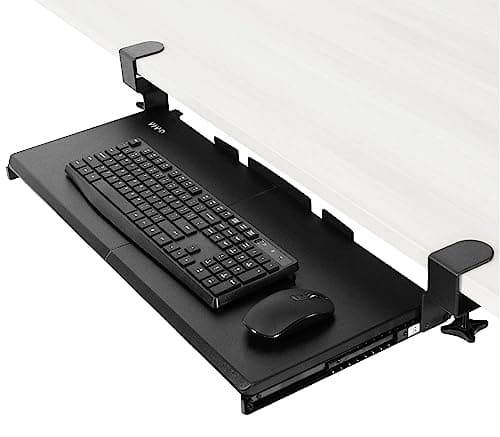
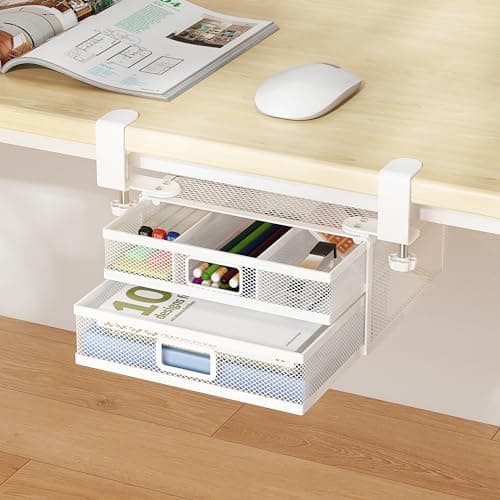
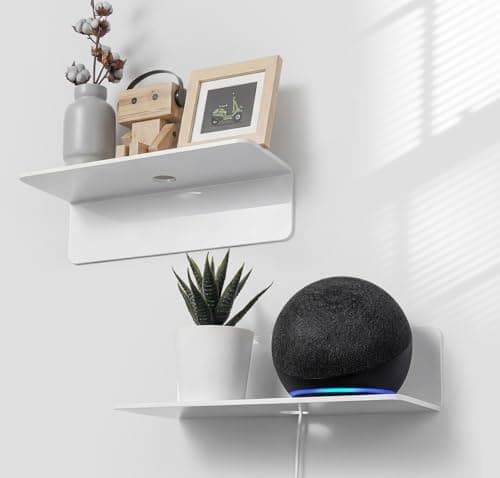
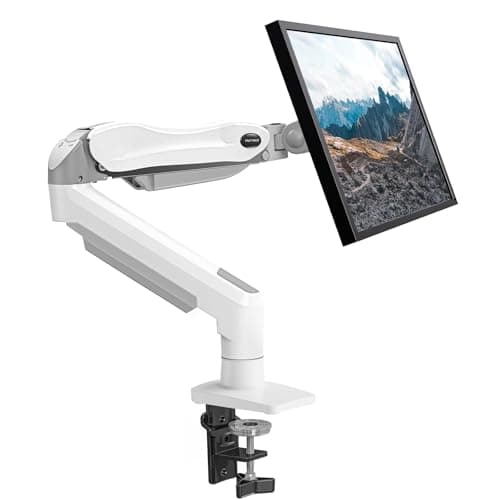
A 40 × 16-inch desk has 640 square inches. A monitor stand takes about 90 of them, a full-size keyboard and mouse about 190, and the chargers, mug and notebook most of the rest. The fastest way to make the desk feel bigger is not to tidy it — it is to move three of those four groups off the top entirely. Each has a direction it wants to go: the keyboard goes down, the screen goes up, the small stuff goes underneath, and anything you only reach for occasionally goes onto the wall.
The single biggest win is the monitor. A monitor base occupies 8–10 inches of depth across most of the desk’s width, and on a 16-inch-deep desk that is more than half of it — so a monitor arm returns more usable area than every other change on this page combined. The second biggest is the keyboard tray, at roughly 11 inches of depth. Do both and a 16-inch desk behaves like a 24-inch one.
What to move, in what order, and what you get back
| Move | Direction | Depth returned | Costs |
|---|
| Monitor off its stand onto an arm | Up and back | 8–10 in of depth, full width | A clamp point and a solid top |
| Keyboard and mouse into a tray | Down | ~11 in of depth | Under-desk clearance; knee room |
| Pens, cables, sticky notes into a clamp drawer | Underneath | ~10 × 8 in of surface | Clamp range; a clear side edge |
| Speaker, dock, plants onto a shelf | Onto the wall | Whatever its footprint was | Wall space; adhesive or fixings |
The three checks before you buy any of it
Top thickness.Clamp-on gear publishes a range and both ends are hard limits. The tray below caps at 1.25 inches; the drawer caps at 1.97; the arm wants 0.59 to 3.54. Measure at the exact point you intend to clamp, not in the middle of the desk — edge banding and grommet areas differ. Every published range on the site is collected in desk thickness for clamp-on gear.
What the top is made of. Clamps are fine on solid wood, plywood, MDF and thick laminated particleboard. They are not fine on glass, and hollow-core tops crush under a clamp long before the arm reaches its rating. HUANUO states wooden desks only, and that is typical rather than cautious.
Clearance underneath and behind. A keyboard tray needs a clear span back from the front edge; a drawer needs a side edge with no lip closer than 1.6 inches; a clamp arm needs an inch or two behind the rear edge. These are the three measurements that turn a good idea into a return.
The four things worth buying
In priority order. If you only do one, do the first; if you only do two, do the first two.
Two things that make a desk look bigger without being bigger
Worth separating from the inches, because they genuinely change how the desk feels to work at. The first is getting cables off the surface and out of sight. A desk with four visible leads reads as cluttered even when it is empty, and the fix is cheap: a sleeve, a couple of ties and a flat-plug power strip so the desk can sit flush to the wall instead of being held off it by a charger brick. Our cable management picks cover the kit, and the no-damage version covers doing it with nothing permanent.
The second is clearing the back edge. Objects along the far edge of a desk shorten it visually far more than the same objects at the sides, because the back edge is what your eye reads as the desk’s depth. Moving the lamp to a clamp and the speaker to a shelf changes the apparent size of the desk more than either item’s footprint suggests — which is also the argument for a clamp lamp over a based one on any desk under about 20 inches deep.
The honest limits
There is a floor to this. Once the monitor is on an arm and the keyboard is in a tray, the desk is doing about as much as its dimensions allow, and further accessories start taking back the space they were meant to free. The two signs you have reached it: the tray stops you getting your knees under, or the arm has to sit at full extension to put the screen at a workable distance. At that point the problem is the desk, not the setup — what size desk for a small room has the width and depth bands, and desk extenders are the one category that adds net new surface rather than redistributing it.
How this page differs from organising a small desk
Deliberately: this one is about where things live, and how to organise a small desk is about what to put them in— trays, organisers, and the decision of what to keep on the desk at all. They work together, and the order that works best is this page first. There is no point organising a 640-square-inch surface that still has a monitor base and a keyboard sitting on 280 of it.
Where the numbers come from
The 8–10 inch monitor-base figure is the typical published stand depth for 24 to 32-inch panels; the 11-inch tray figure is the VIVO tray’s own published depth; the drawer and shelf dimensions are each product’s stated size. We have not measured anyone’s desk, and where a listing publishes no figure — as with the shelves’ adhesive performance on a given wall — we say so rather than estimating. Our methodology sets out exactly what that means.