HUB 05 · Small-Space Setups
How to Organize a Small Desk
A small desk does not need more storage — it needs less on the surface. The order of operations that clears a compact top and keeps it clear.
We earn a commission when you buy through our Amazon links, at no extra cost to you. It never affects our rankings, and we say so when the cheaper product is the better buy. How this works.
Organizing a small desk goes wrong when you start by buying organizers. An organizer that sits on the desk solves tidiness by spending the one resource you are short of — surface. The order that actually works is subtractive: get the biggest objects off the top first, move storage to space you are not using, and only then tidy what genuinely has to live within reach.
Done in that sequence, a 40-inch desk holds a full working setup without feeling cramped. Done backwards, a 60-inch desk still feels full.
Step 1: Reclaim the biggest footprint first
Every desk has one object eating more surface than everything else combined, and on almost every desk it is the monitor stand. A typical base occupies 8–10 inches of depth across most of the desk’s width — a quarter of a small desktop, gone, and gone from the most useful part of it. Moving the screen onto a clamp monitor arm returns that area in one move, and puts the screen at a better height as a bonus. If you work on a laptop, a laptop stand does the same thing and creates usable space underneath for a keyboard.
The second-biggest offender is a desktop PC tower standing in the footwell or beside the desk. An under-desk CPU holderlifts it into dead space under the top and gives back both floor and legroom. Third is a base lamp — see step four.
Step 2: Move storage below the desk
The space under a desk is almost always wasted, and it is the cheapest storage you own. An under-desk drawer or rolling cart takes notebooks, chargers, cables and paperwork off the top without adding a single square inch of furniture to the room. A clamp-on under-desk drawer is the small-space favorite because it adds storage that touches the floor nowhere at all.
Two rules keep this from becoming a junk drawer. Store by frequency, not by category — daily items in the shallowest, closest drawer; monthly items further down. And give cables a home: a coiled bundle in a labeled pouch beats a nest you dig through, and the full method is in desk cable management.
Step 3: Then go vertical
After under-desk space, the next free real estate is the air above the desk. A shelf, a wall rail or a monitor riser with storage underneath all convert vertical space into capacity without widening the desk’s footprint. On a small desk a monitor riser is the efficient version: it lifts the screen and creates a slot beneath it that swallows a keyboard, a notebook and a pen tray.
Headphones are the other classic surface thief — they take a surprising amount of room and get knocked around. A headphone hook or stand, especially an under-desk clamp version, moves them to space that costs nothing.
Step 4: Fix the light before you tidy the surface
A base lamp claims a six-to-eight-inch patch of the surface you are trying to clear, and it claims it permanently. Swap it for a clamp desk lamp that grips the edge or a monitor light bar that rests on the screen, and the corner comes back. This one swap frees more usable desk than any organizer you can buy.
Step 5: Zone what is left
Now, and only now, organize the surface. Divide it into three zones and be strict about what belongs in each.
| Zone | Reach | What lives there |
|---|---|---|
| Primary | Without moving your shoulders | Keyboard, pointer, the current job |
| Secondary | A short lean | Notebook, phone, one drink, pen cup |
| Tertiary | Standing up | Everything else — and it should be below or above the desk |
The discipline is in the third row. If an item is used less than daily, it does not get surface — it goes in the drawer, on the shelf, or in the cart. A compact desk organizer earns its place only when it consolidates several loose objects into a smaller total footprint than they occupied scattered.
Step 6: Deal with the cables once, properly
Visual clutter on a small desk is mostly cable, not object. Cut the number of leads first — one power feed to a single strip, a hub instead of four separate USB runs — then route what remains under the desk rather than across it. Adhesive clips along the underside of the top and a strip mounted out of sight will do more for how the desk reads than any amount of surface tidying.
The first pass: twenty minutes, start to finish
If the desk is already a mess, do not try to organize in place — you will end up shuffling the same objects around. Clear it completely and rebuild.
- Empty the surface. Everything comes off, onto the floor or a bed. Wipe the desk. A bare desk is the only honest starting point, because it shows you how much room you actually have.
- Sort into three piles:daily, occasional, and does-not-belong-here. Be ruthless about the third pile — on a small desk, items that migrated there from elsewhere are usually half the problem.
- Put back the daily pile only. Keyboard, pointer, current work. Nothing else, even if it feels sparse.
- Home the occasional pile below or above.Drawer, cart, shelf or riser slot. If it has no home, that is what you are shopping for — not another surface caddy.
- Deal with the cables last, once you know what is actually staying.
Twenty minutes, and you now know exactly what storage you need rather than guessing at it in a shop.
Paper, the one category that defeats surface tidying
Loose paper is different from other clutter: it spreads flat across a desk rather than stacking neatly, and once a document is in the middle of a pile it is effectively gone. Two rules keep it under control on a compact desk. First, store paper upright, not flat— a vertical file holder keeps every document visible and reachable in a fraction of the area a stack occupies. Second, give incoming paper one landing spot, and empty it on the same day each week. Everything that arrives goes there and nowhere else; anything worth keeping moves to the drawer, and the rest is recycled.
If you handle paper daily, a compact file organizer earns its footprint. If you handle it monthly, it belongs in an under-desk drawer instead — on a small desk, monthly is not often enough to justify surface.
The ten-minute weekly reset
Organization is a habit, not a purchase. Once a week: clear the surface completely, wipe it, then put back only what belongs in the primary and secondary zones. Everything else goes to its home below or above. It takes ten minutes and it is the reason some small desks stay usable for years while others silt up within a month.
If the desk is still cramped after all six steps, the problem is genuinely the desk, not the clutter — and the answer is a format change rather than a bigger one. A desk with built-in storage or a corner desk buys usable area from space you already own.
Questions
Frequently asked
How do I organize a small desk?
What should stay on a small desk?
How do I get more storage without a bigger desk?
Are desk organizers worth it on a small desk?
How do I keep a small desk tidy long term?
Finish the setup
Under $40: the parts that finish a small desk
A desk is the expensive decision. These are the cheap ones that decide whether it actually works in a small room — each is the top pick from one of our own roundups, and each clamps, sticks or stands rather than needing a drill. Prices live as of Sep 26, 2026.

Monitor arm
Amazon Basics Single Monitor Arm (Gas Spring)
Clamps to the back edge and gives you back the whole footprint the monitor stand was standing on — the single biggest surface win on a narrow desk.
$25.49Amazon#ad · Our top pick in The Best Monitor Arms for a Small Desk
Power strip
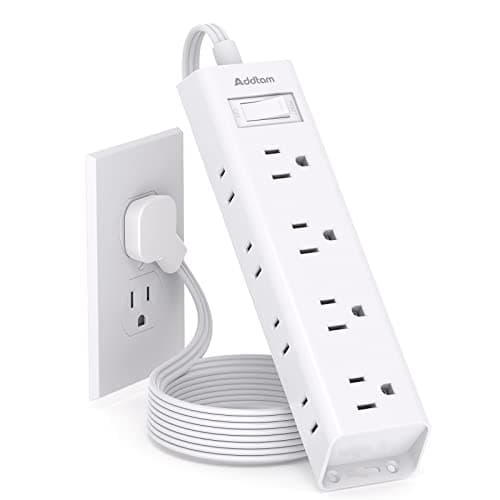
Addtam Flat-Plug Power Strip (12 outlets)
The flat plug is the point: a normal brick stops a desk sitting flush to the wall and costs you two inches of depth you do not have.
$11.99Amazon#ad · Our top pick in The Best Power Strips for a Desk
Bias lighting
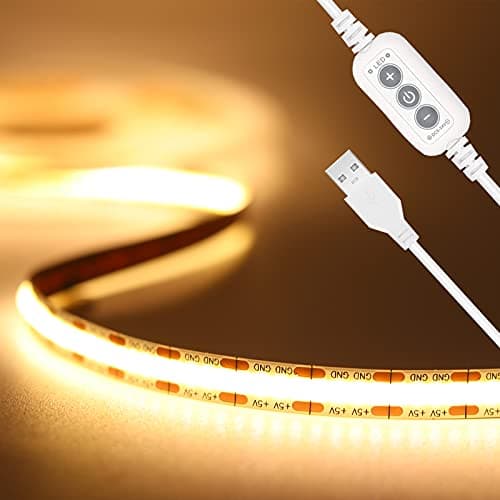
PAUTIX COB LED Strip (6.56ft, 3000K)
Sticks under a shelf or behind the monitor and lights the wall instead of the desk, so it takes no surface at all.
$9.19Amazon#ad · Our top pick in The Best LED Strip Lights for a Desk
Headphone mount
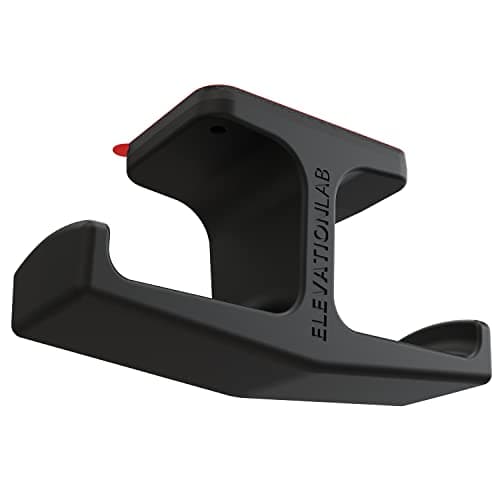
Elevation Lab The Anchor Under-Desk Headphone Mount
Adhesive, mounts under the desk, and clears the one bulky object that otherwise lives permanently on a small surface.
$11.99Amazon#ad · Our top pick in The Best Headphone Stands for Small Desks
Cable box
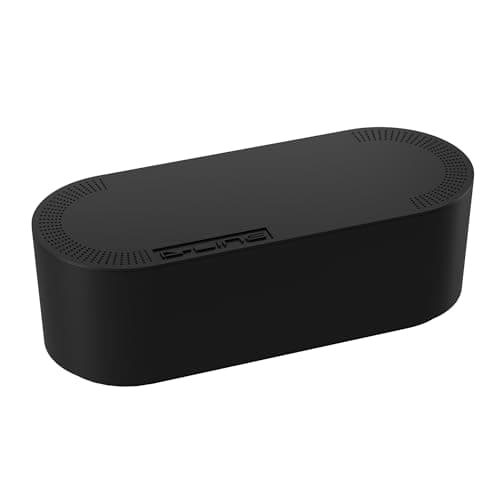
D-Line Cable Management Box (Large)
Puts the strip and the wall-warts in one closed box so the floor under a desk in a studio does not read as a nest.
$27.99Amazon#ad · Our top pick in The Best Desk Cable Management for a Small Setup
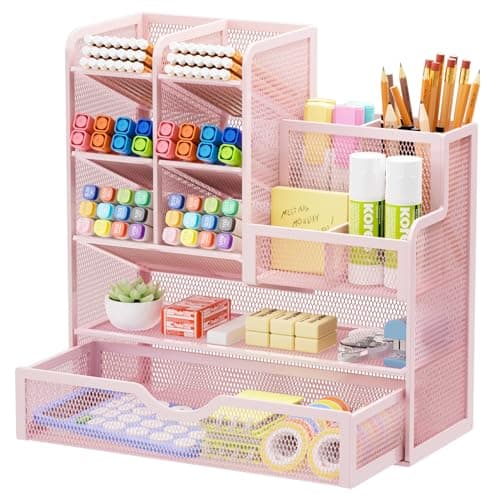
Desk organizer
Marbrasse Mesh Desk Organizer with Drawer
Goes vertical with the pens and notebooks that otherwise spread flat across the only surface you have.
$22.99Amazon#ad · Our top pick in The Best Desk Organizers for Small Desks
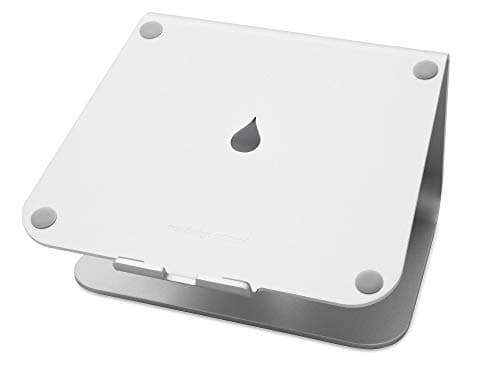
Laptop stand
Rain Design mStand Laptop Stand
Lifts the screen to eye level and opens the space underneath for a keyboard, which is how a 40-inch desk fits a full setup.
$38.99Amazon#ad · Our top pick in The Best Laptop Stands for a Small Desk
Keep reading
Related
- Best under-desk storageThe cheapest storage you already own.
- Best small-desk organizersConsolidators that shrink a footprint, not add one.
- Desk cable managementMost small-desk clutter is cable, not object.
- Small apartment desk setupThe full build, in order.
- The bedroom office splitClosed storage that can leave the room at 10pm.
Receipts
Sources
- OSHA — Computer Workstations eTool: good working positions (reach zones and layout)
- OSHA — Computer Workstations eTool: workstation components
We do not run a testing lab, and we do not pretend to. Specifications come from the manufacturer or retailer listing; the footprint and clearance math is ours and reproducible. Where we could not verify a number, we say so on the page rather than quietly leaving it out. Read our full method.