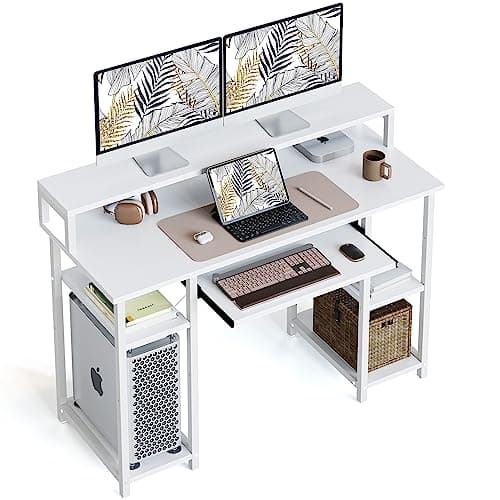
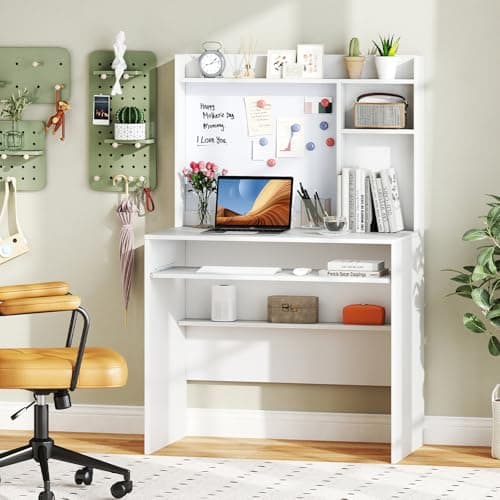
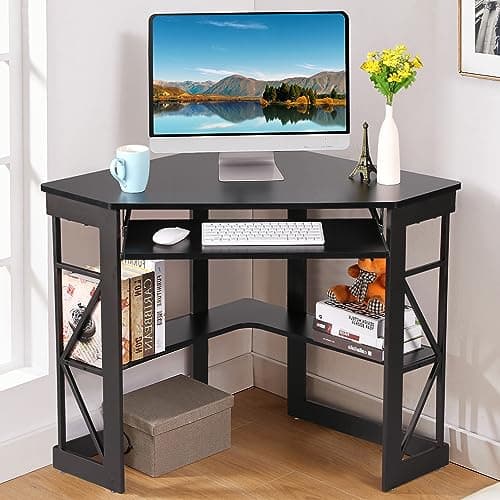
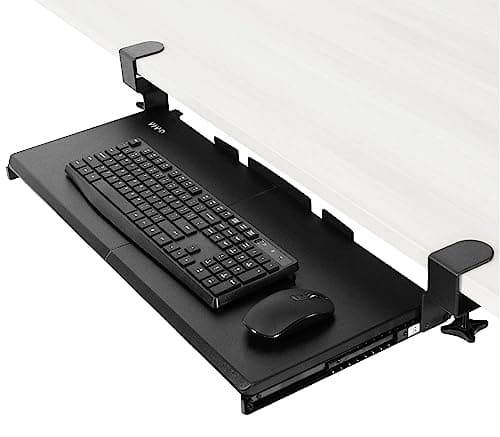
A keyboard tray is the most underrated feature on a small desk. Moving the keyboard onto a sliding platform below the top does two things at once: it hands back the front six to ten inches of surface, which on a 20-inch-deep desk is most of your usable area, and it drops the typing height by two to four inches — which happens to be exactly the amount the standard 29–30in desk is too tall for most adults.
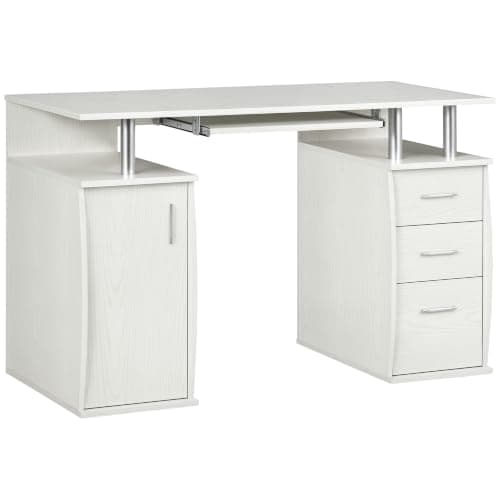
Our pick is the HOMCOM 47-inch desk: a sliding tray, an enclosed cabinet for the clutter and published load limits for every part of it. The CubiCubi adds a monitor stand and X-braced crossbars on the same idea; the Giantex hutch desk is the value option at 35 inches wide; the VECELO is the corner version for a room with no clear wall. And if you already own a desk you like, skip to the VIVO clamp-on tray, which adds the feature for a fraction of a new desk.
Every dimension and rating below is from the manufacturer listing; the methodology covers the scoring. The buying guide under the picks covers the two numbers that decide whether a tray will actually work for you: knee clearance and travel.
What a tray actually buys you
Two things, and the second is the one people do not expect.
Depth.A keyboard and a place for your wrists occupy roughly 6–10 inches of the front of a desk. Move them below the top and that area comes back for a notebook, a mug and the job in front of you. On a 19–22in-deep desk — every desk on this page — that is between a third and a half of the usable surface.
Height.The standard desk is built at 29–30 inches for a six-foot user. A tray sits 2–4 inches below the top, which is almost exactly the gap most adults have to close. If you have been raising your chair to fix your arms and then losing the floor under your feet, a tray fixes the cause rather than the symptom. The numbers by height are in our desk height guide.
The clearance check, before you buy
A tray takes its space from your knees. Measure the distance from the floor to the underside of your desk, then subtract the tray thickness — you want roughly 24 inches of clear height left at knee level and 15 inches of clear depth. On a desk under 29 inches tall, or one with a drawer box under the top, a tray can leave you nowhere to put your legs. That is the single most common reason a keyboard tray gets removed a week after it is fitted.
Built-in versus clamp-on
| Factor | Built into the desk | Clamp-on tray |
|---|
| Rigidity | Part of the frame — no flex | Depends on the clamp and the top |
| Cost | Included in the desk | Small fraction of a new desk |
| Fits your desk? | You buy the whole desk | Needs a clear edge and a top under 1.25in |
| Height adjustable | Usually fixed | Usually fixed, some tilt |
| Renter-friendly | Yes — it is furniture | Yes — no drilling with a C-clamp version |
If you like your current desk, the clamp-on route is obviously better value. The full field is in best under-desk keyboard trays.
A tray and a monitor arm are the same strategy
Both are moves to get objects off a small desktop. A tray removes the keyboard from the front; a monitor arm removes the screen base from the back. Do both on a 20-inch-deep desk and the entire surface becomes free area, which is the closest thing to buying a bigger desk without buying one. Watch for one conflict: desks with a built-in monitor stand or hutch (the CubiCubi and Giantex here) occupy the back edge a clamp arm needs, so pick one approach or the other.
Sliding trays and desk wobble
Pulling a tray toward you applies a forward force to the desk every single time. On a light frame that shows up as a rock, and it gets blamed on the tray when the desk was always the weak part. Buy a braced frame if you can — the Bestier’s X-brace is there for exactly this — and if your existing desk already moves, fix that before you add a tray. Our wobble guide covers the leveling and bracing order.