HUB 05 · Small-Space Setups
How Much Weight Can a Monitor Arm Hold?
Most desk arms carry 4.4 to 19.8 lb, and the bottom of that range matters as much as the top — a gas-spring arm that is too strong for a light screen will not stay down.
We earn a commission when you buy through our Amazon links, at no extra cost to you. It never affects our rankings, and we say so when the cheaper product is the better buy. How this works.
Monitor arm listings advertise one number — “holds up to 19.8 lb” — and that number is only half the specification. A gas-spring arm is a calibrated spring, and a spring has a working range. Hang a screen that is too light on a strong arm and it will drift upward every time you let go; hang one that is too heavy and it will sag no matter how far you turn the tension screw. Both failures look like a broken arm and neither one is.
This guide covers the actual ranges you will see, how to find your monitor’s real weight (not its shipping weight), what the VESA plate has to do with it, and what to do when your screen falls outside the range.
The ranges you will actually see
| Arm class | Typical rated range | Suits |
|---|---|---|
| Single gas-spring desk arm | 4.4–19.8 lb | Most 24–32in monitors |
| Dual gas-spring desk arm | 4.4–19.8 lb per arm | Two 24–27in screens |
| Heavy-duty / ultrawide arm | Up to 33–44 lb | 34–49in ultrawides, large curved panels |
| Mechanical-spring / tension arm | Fixed band, often 6–17 lb | Budget setups with a known screen weight |
Rated ranges are published per arm, not per pair — on a dual arm, each side carries its own rating, so two 15 lb screens on a “19.8 lb” dual arm is fine. Every rated figure on this site is taken from the manufacturer listing for the specific model, and we say so in Sources on every page.
Find your monitor’s real weight
The number you need is the monitor weight without the stand, and it is almost never the number on the retail page. Three ways to get it, best first:
- The manufacturer spec sheet.Look for a line reading “weight without stand”, “panel weight” or “VESA weight”. This is the correct figure.
- Subtract the stand.If only “weight with stand” is published, the stand is usually 2–4 lb of that on a 24–27in monitor. Subtracting 3 lb gets you close enough to check against a range.
- Weigh it. Take the stand off, stand on a bathroom scale holding the panel, and subtract your own weight. Crude, but it is a measurement rather than a guess.
Do not use the shipping weight from the retail listing. That includes the box, the foam, the stand and the cables, and it will overstate the panel by 8–12 lb — which is exactly the sort of error that sends people buying a heavy-duty arm they did not need.
Why the minimum matters as much as the maximum
A gas-spring arm holds position because the spring force balances the weight hanging off it. The tension screw adjusts that force across the rated band. If your screen sits belowthe bottom of the band — a 6 lb 22-inch panel on an arm rated 9–19.8 lb, say — then even at minimum tension the spring is stronger than the load, and the arm floats back up every time you push it down. There is no adjustment left to make. The same physics in reverse produces the familiar slow sag of an overloaded arm.
This is the single most common “my monitor arm is defective” complaint, and it is usually a specification mismatch rather than a fault. If your screen is very light, look for an arm whose range starts at 4.4 lb or lower, or choose a mechanical friction arm, which holds by friction rather than spring balance and does not care about a light load.
VESA pattern is a separate check
Weight and VESA are two independent gates and you have to pass both. VESA is the bolt pattern on the back of the screen, measured in millimeters between hole centers — 75×75 and 100×100 cover most desk monitors, while 200×100 and 200×200 show up on larger panels. An arm rated for your weight but drilled for the wrong pattern still will not mount. Many monitors with a curved or recessed back also need the VESA adapter plate that shipped in the monitor box.
If your monitor has no VESA holes at all — common on thin consumer displays and on iMacs — you need a VESA adapter bracket that grips the panel, and you must add its weight to the panel weight before checking the arm’s range. Our desk-fit guide covers the other half of the compatibility question: whether the clamp fits your desk at all.
Desk-side limits nobody prints
The arm’s rating assumes the mount itself is solid. Two things quietly undercut it on a small desk. First, desktop thickness and material: a clamp rated for a 0.4–3.4in edge will still crush a thin hollow-core or particleboard top under a heavy screen unless you spread the load with a steel plate or a wide backing washer. Second, desk stability: a 17 lb screen on a 20-inch arm creates real leverage, and a lightweight desk will rock even though the arm is well within spec. If yours does, the wobble guide fixes the desk rather than blaming the arm.
What to do when your screen is out of range
- Too heavy. Move up a class — the heavy-duty arms in best monitor arms for ultrawide carry 33–44 lb. Do not solve it by over-tightening a lighter arm; you will strip the tension mechanism.
- Too light.Choose an arm whose band starts low, or a mechanical friction arm. A cheap fix that works: leave the monitor’s VESA adapter plate on, which adds useful weight.
- Two screens. Check the per-arm rating, not a combined figure, and read dual arm vs two single arms— two singles often give you more headroom on both weight and placement.
- Right weight, wrong desk. A wall-mounted arm takes the desk out of the equation entirely, if you can drill.
Questions
Frequently asked
How much weight can a monitor arm hold?
What happens if a monitor is too light for a monitor arm?
How do I find my monitor's weight without the stand?
Does VESA size affect weight capacity?
Can a monitor arm be too heavy for my desk?
Finish the setup
Under $40: the parts that finish a small desk
A desk is the expensive decision. These are the cheap ones that decide whether it actually works in a small room — each is the top pick from one of our own roundups, and each clamps, sticks or stands rather than needing a drill. Prices live as of Sep 25, 2026.

Monitor arm
Amazon Basics Single Monitor Arm (Gas Spring)
Clamps to the back edge and gives you back the whole footprint the monitor stand was standing on — the single biggest surface win on a narrow desk.
$25.49Amazon#ad · Our top pick in The Best Monitor Arms for a Small Desk
Power strip
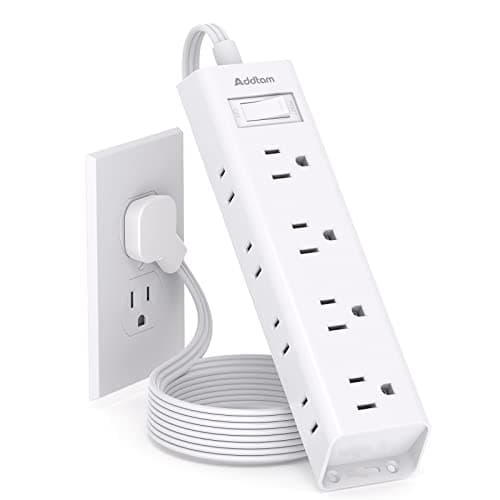
Addtam Flat-Plug Power Strip (12 outlets)
The flat plug is the point: a normal brick stops a desk sitting flush to the wall and costs you two inches of depth you do not have.
$11.99Amazon#ad · Our top pick in The Best Power Strips for a Desk
Bias lighting
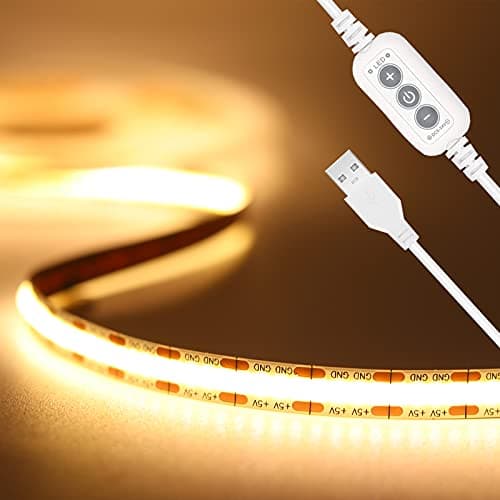
PAUTIX COB LED Strip (6.56ft, 3000K)
Sticks under a shelf or behind the monitor and lights the wall instead of the desk, so it takes no surface at all.
$9.19Amazon#ad · Our top pick in The Best LED Strip Lights for a Desk
Headphone mount
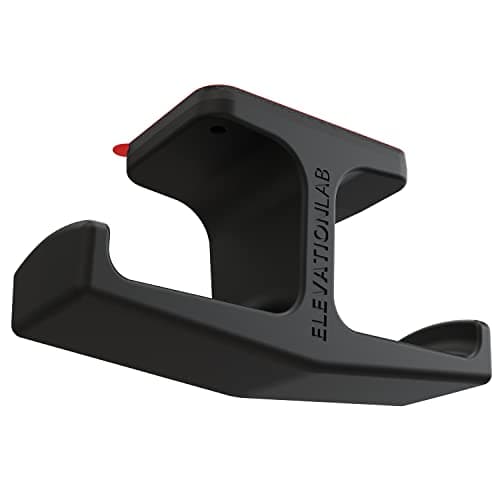
Elevation Lab The Anchor Under-Desk Headphone Mount
Adhesive, mounts under the desk, and clears the one bulky object that otherwise lives permanently on a small surface.
$11.99Amazon#ad · Our top pick in The Best Headphone Stands for Small Desks
Cable box
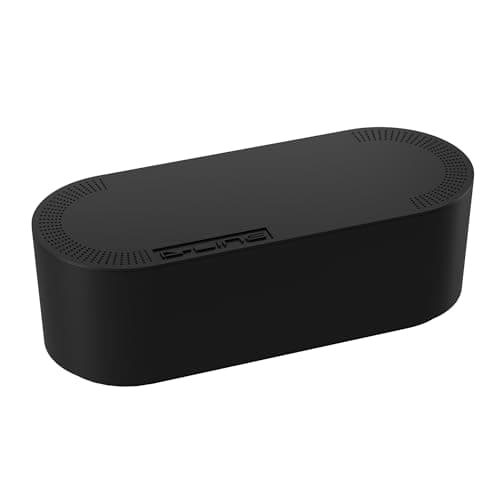
D-Line Cable Management Box (Large)
Puts the strip and the wall-warts in one closed box so the floor under a desk in a studio does not read as a nest.
$27.99Amazon#ad · Our top pick in The Best Desk Cable Management for a Small Setup

Desk organizer
Marbrasse Mesh Desk Organizer with Drawer
Goes vertical with the pens and notebooks that otherwise spread flat across the only surface you have.
$22.99Amazon#ad · Our top pick in The Best Desk Organizers for Small Desks
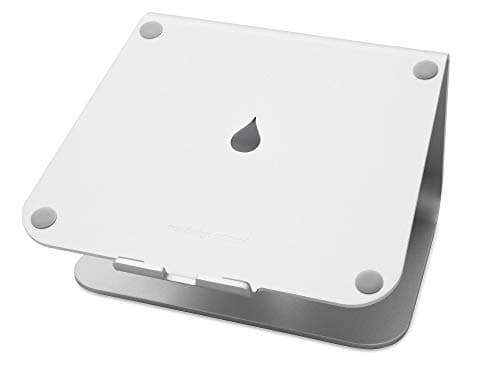
Laptop stand
Rain Design mStand Laptop Stand
Lifts the screen to eye level and opens the space underneath for a keyboard, which is how a 40-inch desk fits a full setup.
$38.99Amazon#ad · Our top pick in The Best Laptop Stands for a Small Desk
Keep reading
Related
- Will a monitor arm fit my desk?The clamp-side half of the compatibility check.
- Best monitor armsRated ranges published on every pick.
- Best monitor arms for 32in monitorsWhere the standard range starts to run out.
- Best budget monitor armPublished ratings on five cheap arms, side by side.
- Best arms for ultrawide33-44lb capacity for the big panels.
- How much weight can a desk hold?The desk's limit, which is a different question to the arm's.
Receipts
Sources
- VESA — Flat Display Mounting Interface (FDMI/MIS) standard overview
- OSHA — Computer Workstations eTool (monitor placement and viewing height)
We do not run a testing lab, and we do not pretend to. Specifications come from the manufacturer or retailer listing; the footprint and clearance math is ours and reproducible. Where we could not verify a number, we say so on the page rather than quietly leaving it out. Read our full method.