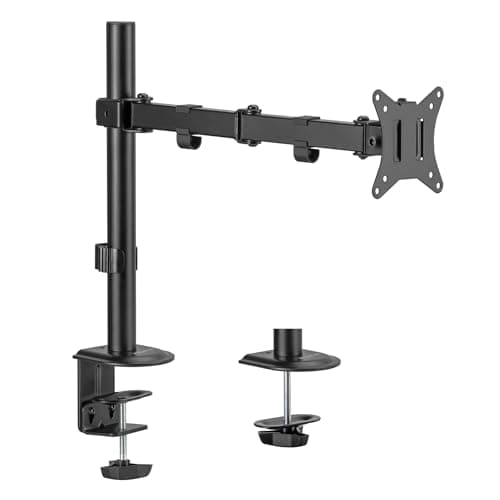
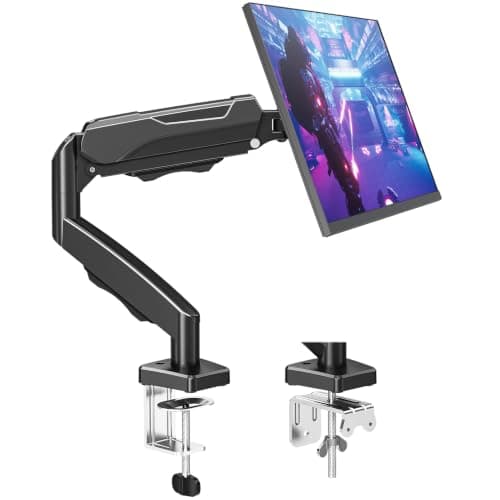
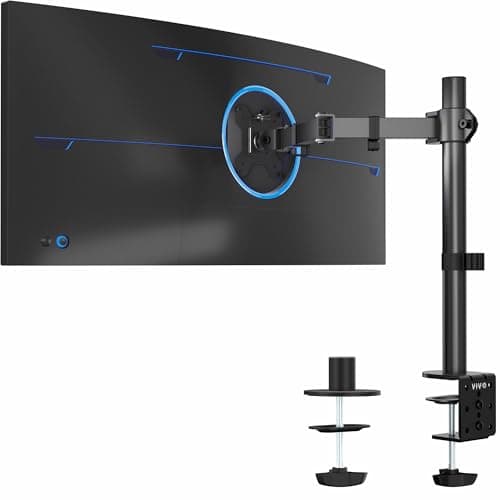
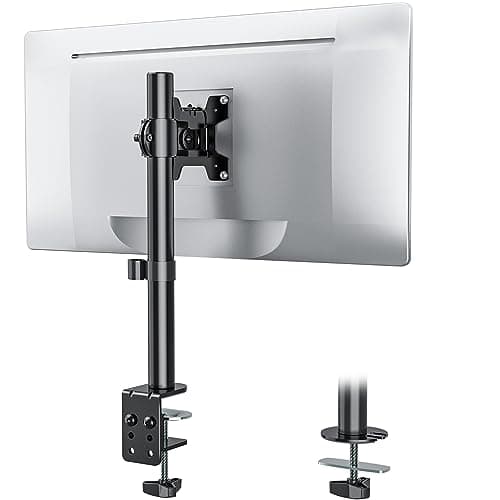
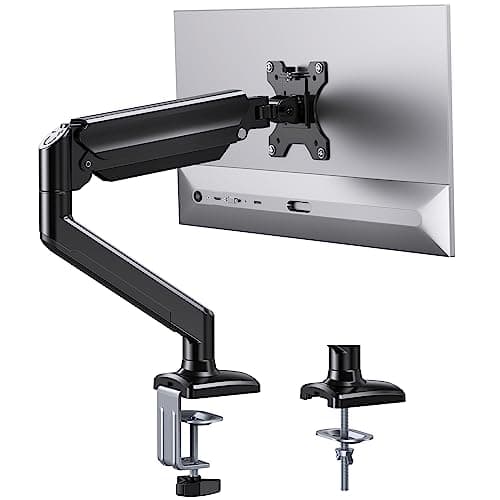
The main benefit of a monitor arm — recovering the 8–10 inches of depth the screen’s stand was using — is identical whether the arm cost twenty dollars or two hundred. On a small desk that is the whole point of the purchase, which makes this one of the few categories where the budget option is genuinely most of the product.
What you give up at the cheap end is real but specific: movement quality (a hex-key tension system or a pole lock rather than one-hand repositioning), long-term hold (a budget spring sags sooner), and weight headroom at the top of the range. If you set your screen once and leave it, none of those matter much. If you move it several times a day, or run a heavy 32-inch panel, they matter a lot.
Our pick is the ErGear 13–36in: aluminum alloy, a 22 lb rating that beats most of the standard field, and a gas spring the maker says passed 20,000 cycles. The Mount-It! is the set-and-forget pole mount, and the only arm here with a lifetime warranty; the MOUNTUP reaches furthest at 19.4 in; the VIVO is the cheapest arm here that still takes 22 lb and clamps a 3.25 in desktop; and the WALI is the long-standing safe choice, with ten years of cover. Specs come from the manufacturer listings, re-checked on 22 September 2026; the methodology explains the scoring.
Budget monitor arms compared
Every arm here takes a 75 × 75 or 100 × 100 mm VESA pattern and ships with both a clamp and a grommet base, so neither of those specs decides anything. The four columns below are what actually separates them — and the live price sits in the row, so you do not have to scroll back up to act on it.
#ad · Live prices from the Amazon Product API, as of Sep 26, 2026. Where we have no verified live price the button says so rather than showing a number that has rotted.
How to choose a budget monitor arm: five checks
1. Your monitor’s weight without its stand
This is the check that decides whether the arm survives. The number that matters is the panel weight without the stand, which is usually listed separately on the manufacturer’s spec page. The arms on this page are rated to 19.8 lb (Mount-It!, MOUNTUP) or 22 lb (ErGear, VIVO, WALI). Go over the rating and the arm sags within weeks, and no amount of tightening brings it back. Minimums matter too: MOUNTUP publishes a 4.4 lb floor, and a pre-loaded tension arm will push a lighter panel upward. The full method is in how much weight a monitor arm can hold.
2. Your desktop — thickness, and whether it has a grommet hole
Budget clamps are the narrowest part of the category. ErGear and MOUNTUP both publish 0.39–2.76 in; VIVO takes desks up to 3.25 in and tightens by hand with no tools; WALI quotes a 3.5 in C-clamp with a 3 in grommet base. If your top is thicker than the clamp, the arm does not fit at all — there is no workaround. Watch for the split spec as well: ErGear’s clamp takes 2.76 in but its grommet base stops at 2.17 in. Measure your edge with desk thickness for clamp-on gear, and decide which base to use in clamp vs grommet.
3. How often you will actually move the screen
This is what the mechanism column is really asking. A gas spring(ErGear) counterbalances the screen so it stays where you push it — the right choice if you reposition daily or share the desk, and the only one that is pleasant on a sit-stand desk. A tension arm (MOUNTUP) is a spring you pre-load with a hex key: cheap and stable once set, a nuisance if you keep changing height. A pole mount (Mount-It!, VIVO, WALI) clamps the screen to a post at a fixed height — the most stable and the least convenient, and perfect for a screen you set once. All three free the same desk surface, so pick by how often you will touch it, not by which sounds more advanced.
4. Height travel — can it actually reach eye level?
The published travel here runs 17.5 in (ErGear), 16.9 in (MOUNTUP) and 16 in along the pole (VIVO, WALI); Mount-It! does not publish a figure, which is worth knowing before you buy rather than after. Travel is measured from the desk, so a tall person on a standard 29–30 in desk needs most of it to get the top of the screen to eye level. Work out the height you are aiming for with the desk height guide and monitor size and distance for small desks.
5. Warranty — the one spec that does not follow price
Cover at this end of the market is wildly inconsistent, and it is free to check: Mount-It! publishes a lifetime warranty, WALI ten years, MOUNTUP ten years of support, VIVO three years, and ErGear publishes no warranty period on its listing at all. A sagging spring in year two is exactly the failure a long warranty covers, so if two arms suit you equally, this is the tiebreaker.
What a cheap arm gives up — and what it does not
| Attribute | Budget arm | Premium arm |
|---|
| Desk space freed | Identical | Identical |
| Screen at eye level | Yes | Yes |
| Repositioning | Loosen, move, retighten (except a gas spring) | One hand, holds anywhere |
| Hold over years | Springs soften over time | Constant-force keeps its set |
| Weight ceiling | 19.8–22 lb | Up to 44 lb on heavy-duty models |
| Warranty | Anything from none published to lifetime | Often 10 years, always published |
Read the top two rows first: the two things you are actually buying an arm for are the same at every price. That is why a budget arm on a small desk is a good decision rather than a compromise. Spend more only if you reposition the screen constantly, or if your panel is heavy enough to need the headroom.
The false economy to avoid
There is one way to waste money at the budget end: buying an arm whose rating your monitor exceeds. An overloaded arm sags within weeks, and no amount of tightening fixes it — you replace it, having spent the cost of a better arm anyway. The gap between the 19.8 lb arms and the 22 lb arms here is small, but it is exactly where heavier 32-inch panels land. Get your monitor’s weight without the stand before you order — the method is in how much weight a monitor arm can hold, and the size that punishes a marginal arm has its own page in best monitor arms for 32-inch monitors.
Which budget arm for your situation
| If this is you | The arm | Why |
|---|
| You move the screen several times a day | ErGear | The only gas spring here, with the most height travel (17.5 in) |
| You set it once and never touch it again | Mount-It! | A pole lock that cannot drift, plus a lifetime warranty |
| Deep desk, or the screen has to reach out over a keyboard tray | MOUNTUP | 19.4 in of extension, the longest on this page |
| An ultrawide panel, or a desktop up to 3.25 in thick | VIVO | Rated to 38 in ultrawide and the widest clamp range here |
| You want a proven mount and long cover, nothing clever | WALI | Ten years of warranty on a simple two-stage lock |
The desk is the real constraint at this price
Budget arms are more sensitive to a marginal desk than premium ones, because the clamp hardware is lighter and spreads load over a smaller area. On a thin or hollow-core top, a cheap clamp can dent the surface under a heavy screen. Two mitigations that cost almost nothing: use the grommet mount instead of the clamp if your desk has a hole, since it spreads load through the desktop rather than pinching an edge; and put a thin steel plate or a wide washer under the clamp pad to distribute the pressure. Check your top against the arm’s published range in will a monitor arm fit my desk.
When to spend more instead
Three cases where the budget end is the wrong call. A heavy or ultrawide panel — see best arms for ultrawide. A sit-stand desk, where you will raise and lower the screen every day and a hex key becomes intolerable. And a desk you cannot clamp, where the answer is a wall mount or a freestanding stand rather than a cheaper clamp arm.