HUB 05 · Small-Space Setups
How to Set Up a Desk in a Small Apartment
The whole workspace, in order: measure the corner, pick the desk, get the monitor off the surface, light it, tame the cables, and store the rest below.
We earn a commission when you buy through our Amazon links, at no extra cost to you. It never affects our rankings, and we say so when the cheaper product is the better buy. How this works.
Setting up a desk in a small apartment is less about taste and more about arithmetic. Do it in the wrong order — buy the desk you like, then discover the monitor eats the whole top and the chair blocks the closet — and you return furniture. Do it in the right order and a corner most people write off becomes a genuine workspace. Here is that order: measure, pick the desk to the space, lift the monitor off the surface, light it, tame the cables, then store everything else below the top rather than beside it.
None of this needs a big budget or a spare room. It needs a tape measure and the discipline to size the workspace before you shop for it. Work through the six steps below in sequence.
The six steps at a glance
| Step | What you do | What it buys you |
|---|---|---|
| 1. Measure | Wall run, depth to the walkway, chair clearance | The maximum desk that fits without blocking the room |
| 2. Pick the desk | Match width and depth to the numbers from step 1 | A surface that fits the wall, not the showroom |
| 3. Lift the monitor | Move the screen onto a clamp arm | The whole desktop back, and the screen at eye level |
| 4. Light it | Clamp lamp or monitor light bar, not a base lamp | Task light that costs zero surface |
| 5. Tame cables | Under-desk tray, one power feed, labeled leads | A clear top and a floor you can vacuum |
| 6. Store below | Under-desk drawer or rolling cart | Clutter off the surface without a wider desk |
Step 1: Measure before you shop
Three numbers decide everything. First, the wall run— the length of clear wall the desk will sit against. Subtract a couple of inches of breathing room at each end; the result is your maximum desk width. Second, the depth to the walkway— how far the desk can stick out before it narrows the path through the room. In a small apartment a walkway wants to stay around 30 inches clear, so if the wall-to-path distance is 45 inches, a 24-inch-deep desk leaves 21 inches of walkway, which is tight; a 16-inch-deep desk leaves 29, which is fine. Third, the chair clearance— you need roughly 24 inches behind the desk to sit and about 36 inches to push the chair back and stand up. Write those three numbers on your phone before you open a single product page. Our desk-size guide turns them into exact width and depth bands.
Step 2: Pick the desk to fit the space
Now shop to the numbers, not to a photo. For most people in an apartment the answer is a narrow rectangular desk around 40 inches wide and 16–20 inches deep, placed against one wall — wide enough for a laptop plus a single monitor, shallow enough to keep the walkway open. If even 40 inches is too much wall, drop to a 31–32-inch desk and run a single screen. If the desk has to disappear on some days, a folding desk earns the flex. Start from the best desks for small apartments for the apartment-specific shortlist, or the broader best small desks ranking if you want the full field. The rule that saves the most regret: buy the depth you need for how the monitor will sit (see step 3), and no more.
Step 3: Get the monitor off the surface
This is the single move that makes a small desk feel twice its size. A monitor on its own stand needs 8–10 inches of depth for the base, which on a 16-inch-deep desk leaves you almost no room for a keyboard. Put the monitor on a clamp monitor arm instead and the base disappears: you get the whole depth back for the keyboard and your hands, and the screen floats at the right height for your neck rather than sitting too low on a stand. In a rental where you cannot drill, use a no-drill clamp arm that grips the desk edge and comes off cleanly when you move. If you work on a laptop alone, a laptop standdoes the same job — it lifts the screen to eye level and frees the space underneath for an external keyboard.
Step 4: Light it without spending a surface
A base lamp is the enemy of a small desk: it claims a corner of the exact surface you just fought to clear. Two better options take no surface at all. A clamp desk lampgrips the back edge of the desk and swings its light over the work area, and it comes off with a twist when you move — ideal for renters. A monitor light bar sits on top of the screen, lights the desk in front of it, and casts nothing back at your eyes. Either one keeps the top clear; a floor lamp beside the desk works too if the floor has the room the desk does not.
Step 5: Tame the cables
Loose cables are what make a small setup read as clutter even when the desk is tidy. The plan is boring and it works: feed the desk from one power source, run every lead to an under-desk tray or channel so nothing hangs, and leave a little slack so the chair does not drag on a cord. A clamp arm and a clamp lamp both route their cables up the clamp, which keeps them off the floor for free. For the full method — trays, sleeves, adhesive clips and the reversible options for rentals — see desk cable management. Ten minutes here is the difference between a workspace and a nest.
Step 6: Store below, not beside
The instinct in a small apartment is to add a shelf or a second cabinet, which eats the floor you were protecting. Store under the desk instead. An under-desk drawer or rolling cartmoves notebooks, chargers and the paperwork off the top and into space that was already empty. A rolling cart has the bonus of moving with the desk if the room has to change use. The goal for the surface is nothing but the keyboard, the pointer, and whatever you are working on right now — a clear top is what actually makes a compact desk feel spacious.
The shopping list
Put together, a complete small-apartment setup is one item from each category below. Buy them to the measurements from step 1 and you will not be returning anything.
- The desk — best desks for small apartments, or the wider field in best small desks.
- The screen lift — a monitor arm (or a laptop stand if you work laptop-only).
- The light — a clamp desk lamp or a monitor light bar.
- The cables — an under-desk tray and sleeves from desk cable management.
- The storage — under-desk storage to keep the top clear.
Renting and worried about the deposit? Every item above has a no-drill, fully reversible version — the renter-friendly desk setup guide swaps each one for a version that leaves no marks behind. And if the open question is still which wall the desk goes on, where to put a desk in a one-bedroom apartment scores the five candidates against each other.
Questions
Frequently asked
How do I set up a desk in a small apartment?
Where should I put a desk in a small apartment?
How do I make a small apartment desk feel bigger?
What do I actually need for a small apartment desk setup?
Do I need a standing desk in a small apartment?
Finish the setup
Under $40: the parts that finish a small desk
A desk is the expensive decision. These are the cheap ones that decide whether it actually works in a small room — each is the top pick from one of our own roundups, and each clamps, sticks or stands rather than needing a drill. Prices live as of October 21, 2026.

Monitor arm
Amazon Basics Single Monitor Arm (Gas Spring)
Clamps to the back edge and gives you back the whole footprint the monitor stand was standing on — the single biggest surface win on a narrow desk.
$27.29Amazon#ad · Our top pick in The Best Monitor Arms for a Small Desk
Power strip
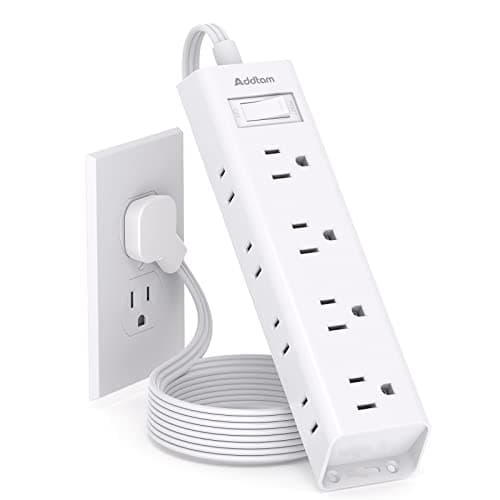
Addtam Flat-Plug Power Strip (12 outlets)
The flat plug is the point: a normal brick stops a desk sitting flush to the wall and costs you two inches of depth you do not have.
$9.98Amazon#ad · Our top pick in The Best Power Strips for a Desk
Bias lighting
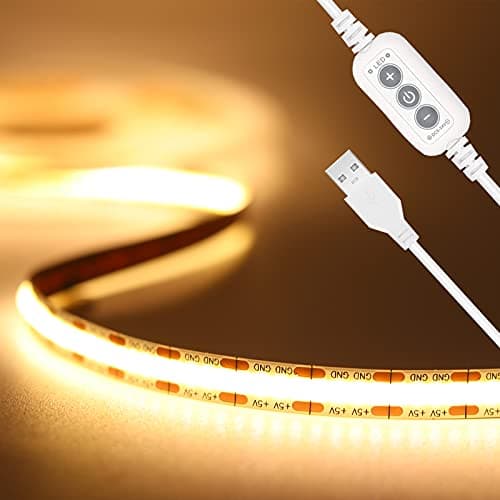
PAUTIX COB LED Strip (6.56ft, 3000K)
Sticks under a shelf or behind the monitor and lights the wall instead of the desk, so it takes no surface at all.
$9.19Amazon#ad · Our top pick in The Best LED Strip Lights for a Desk
Headphone mount
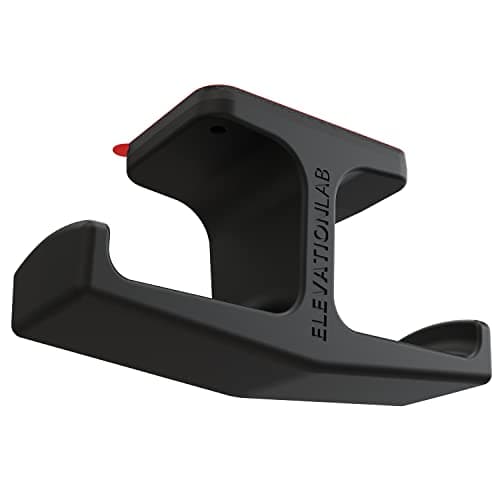
Elevation Lab The Anchor Under-Desk Headphone Mount
Adhesive, mounts under the desk, and clears the one bulky object that otherwise lives permanently on a small surface.
$11.99Amazon#ad · Our top pick in The Best Headphone Stands for Small Desks
Under-desk drawer
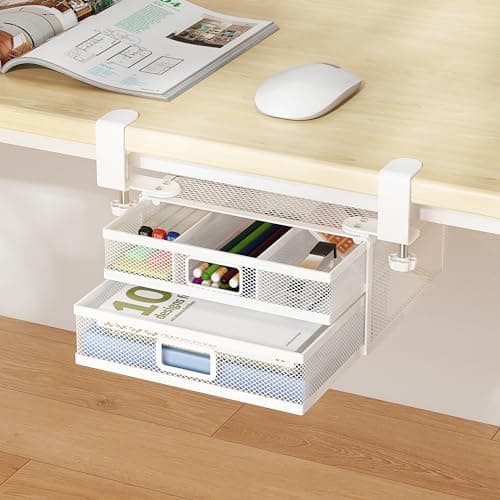
ROLIZOE 2-Drawer Clamp-On Under-Desk Organizer
Clamps on, adds storage in dead space beneath the top, and comes off without a mark when the lease ends.
$34.99Amazon#ad · Our top pick in The Best Under-Desk Storage for a Small Desk
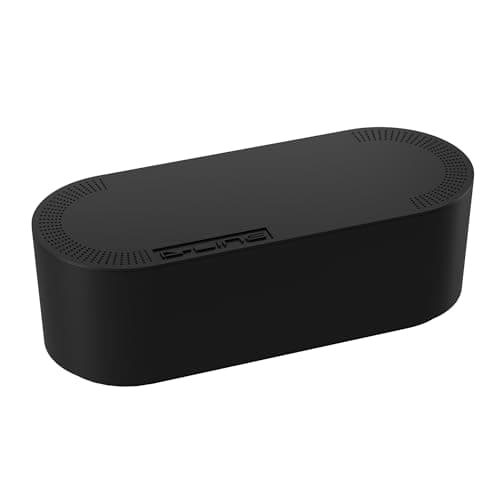
Cable box
D-Line Cable Management Box (Large)
Puts the strip and the wall-warts in one closed box so the floor under a desk in a studio does not read as a nest.
$27.99Amazon#ad · Our top pick in The Best Desk Cable Management for a Small Setup
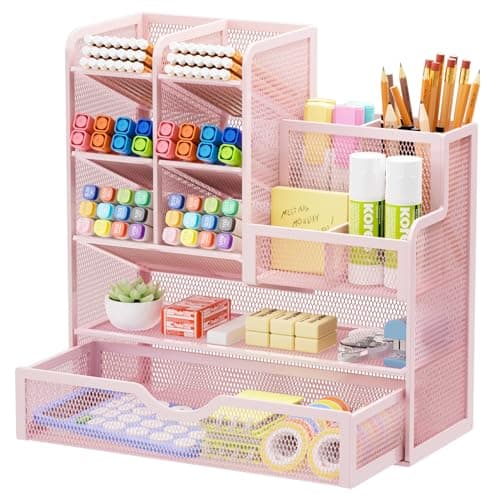
Desk organizer
Marbrasse Mesh Desk Organizer with Drawer
Goes vertical with the pens and notebooks that otherwise spread flat across the only surface you have.
$22.99Amazon#ad · Our top pick in The Best Desk Organizers for Small Desks
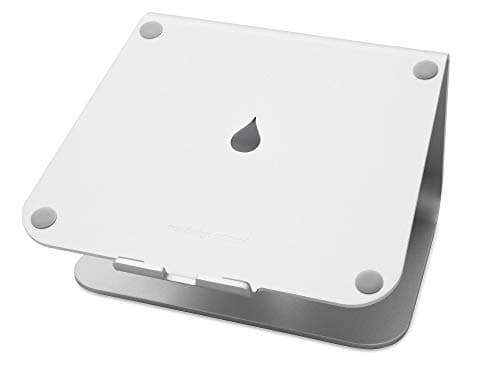
Laptop stand
Rain Design mStand Laptop Stand
Lifts the screen to eye level and opens the space underneath for a keyboard, which is how a 40-inch desk fits a full setup.
$39.90Amazon#ad · Our top pick in The Best Laptop Stands for a Small Desk
Keep reading
Related
- Renter-friendly desk setupEvery step above, in a no-drill version that keeps your deposit.
- What size desk for a small spaceTurn your wall and depth measurements into exact desk dimensions.
- Best desks for small apartmentsThe apartment-specific shortlist to start step 2.
- Two monitors on a small deskIf step 3 has to handle two screens.
- How to stop a desk wobblingThe ten-minute fix after assembly.
- How to organize a small deskKeeping the surface clear once it is set up.
- Closet desk setupThe version for an apartment with no spare corner.
- The studio corner office buildThe same six steps as a shopping list, at three budgets.
Receipts
Sources
- OSHA — Computer Workstations eTool (working height, clearance and layout guidance)
- CDC / NIOSH — office ergonomics and musculoskeletal health resources
We do not run a testing lab, and we do not pretend to. Specifications come from the manufacturer or retailer listing; the footprint and clearance math is ours and reproducible. Where we could not verify a number, we say so on the page rather than quietly leaving it out. Read our full method.