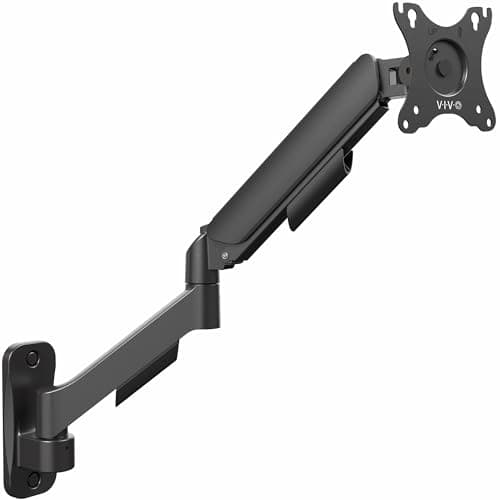
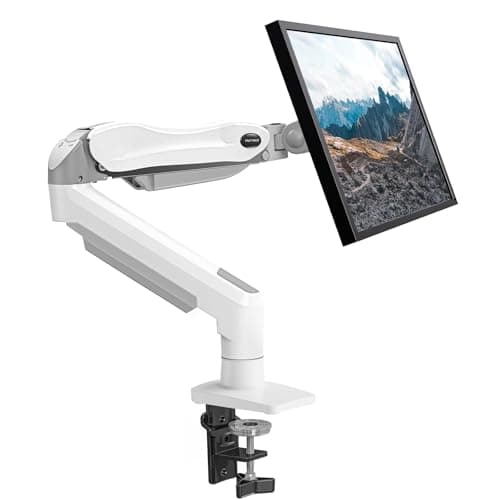
Both formats do the same thing to a screen: they take it off its factory stand and hold it in the air. The difference is where the load goes. A desk mount clamps to the desk edge or bolts through a grommet hole, so the desk carries the weight. A wall mount screws into the structure of the room, so the wall does.
For small-space buyers that distinction has consequences the general reviews skip. Wall mounting is the only way to free the entire desk, because even a clamp arm keeps a few inches of desk edge and a post behind the screen. But it needs a stud, it needs holes, and in a rental it needs a conversation. A desk mount needs nothing but a suitable desk edge and comes off in ten minutes leaving no trace. That is why our renter setup guide leads with clamps.
The comparison in one table
| Desk mount | Wall mount |
|---|
| Desk space freed | Monitor base only (8–10 in of depth) | Everything — base, post and clamp |
| What it needs | A desk edge of adequate thickness | A stud, or solid masonry |
| Damage | None | Permanent holes |
| Install time | 10 minutes, no tools beyond the supplied key | An hour, with a stud finder and a drill |
| Moves with you | Yes | Yes, but the holes stay |
| Works with a glass desk | Rarely | Always — it never touches the desk |
| Desk wobble | Transmits it to the screen | Immune to it |
The two cases where a wall mount is clearly right
Your desk cannot take a clamp.Glass tops, hollow-core doors on trestles, thin folding desks and wall-mounted fold-down desks either fail the clamp's thickness range or are not solid enough to grip. The screen has to hang from somewhere, and the wall is the only remaining option. This is common enough in small apartments that we flag it on every folding and floating desk we recommend.
The desk is tiny and every square inch counts.On a 31.5 or 32-inch desk, a clamp post occupies real estate you notice. A wall arm gives the entire top back, and it also lets the screen swing away completely when the desk becomes a dining table — which in a studio it does. Our wall-mount arm roundup ranks the field.
Studs are not optional
A monitor on an extended arm applies a large moment to the fixing, far more than the screen's weight alone suggests, because the load sits at the end of a lever. Drywall anchors are not adequate for that; the arm must be through-fixed into timber studs or into solid masonry with the correct plugs. Studs in US homes are typically 16 inches apart on center, which means your screen can be positioned where a stud is, or 16 inches away from where a stud is, and rarely anywhere in between. Find the studs before you decide where the desk goes, not after — that ordering saves the most rework.
Renting: the honest position
We do not recommend drilling a rented wall without permission, and a wall-mounted monitor arm is not a small hole. It is four fixings taking a dynamic load, and the correct reinstatement is filling, sanding and painting an area of wall. If your tenancy allows fixings with agreement, this is a reasonable thing to ask about; many landlords say yes to a mount and no to shelves. If it does not, the desk clamp is the answer and it is not much of a compromise — you keep the post, you lose nothing else. The full renter toolkit is in renter-friendly desk setup, and no-drill monitor arms covers the clamp options in depth.
The hybrid nobody mentions
If your desk cannot take a clamp and your wall cannot take holes, there is a third route: a free-standing riser or a heavy-based stand that sits on the desk. It does not free the footprint the way an arm does — that is the whole trade — but it sets the screen height correctly, which is the health half of the problem. See monitor risers and arm vs stand for where the line falls.