HUB 05 · Small-Space Setups
How to Set Up a Dorm Desk
A 30-inch desk you are not allowed to modify, one socket, and a roommate. Six moves that make an institutional desk genuinely workable.
We earn a commission when you buy through our Amazon links, at no extra cost to you. It never affects our rankings, and we say so when the cheaper product is the better buy. How this works.
A dorm desk is the most constrained workspace we cover. It is typically 30 inches wide and 20 deep, it is bolted or built in so you cannot replace it, there is one socket in an inconvenient place, and there is another person in the room. Every upgrade therefore has to be reversible— clamp-on, not screwed in — and it has to leave no marks when you move out in June.
Here is the order that works. It is deliberately front-loaded: the first three moves cost very little and make the most difference.
1. Measure the desk edge before you buy anything
Almost every good dorm upgrade clamps to the desk, so the edge is your platform. Measure three things: the thickness of the top at the front and back edges, whether there is a rail, hutch or back panel blocking the rear edge, and how much clear width you have along that edge. Institutional desks often have a reinforcing rail or a fixed hutch exactly where a clamp wants to go, and finding that out before you order saves a return.
2. Get the screen up, and off the desk
Whether you use a laptop or a monitor, the screen is almost certainly too low, and it is claiming surface you need. Two options depending on your edge measurement. If the rear edge is clampable, a clamp monitor arm or a clamp-on shelf lifts the screen and frees the whole surface. If it is not, a freestanding riser or a laptop stand lifts the screen and gives you a slot underneath for a keyboard, which on a 30-inch desk is most of the win.
3. Light the desk without lighting the room
The overhead fitting in a dorm room is harsh, shared and out of your control, so a desk lamp is not a luxury. The format matters more than the brand: a clamp or clip lamp uses the edge rather than your surface, and a cordless lampworks when the nearest socket is behind the bed. What you want either way is a lamp that dims and goes warm — being able to work at 2700K and 10% brightness at 1am is what keeps you and your roommate on speaking terms. Our dorm lamp picks are chosen on exactly those criteria, and the color-temperature guide explains the numbers.
4. Solve the one-socket problem properly
Nearly every dorm has fewer sockets than devices, and the fix is one good surge-protected strip rather than a daisy chain of cheap ones. Check your housing rules first — many halls prohibit extension leads without surge protection, and some ban them entirely. Then reduce the number of things that need mains at all: a lamp with USB-A and USB-C ports charges your phone from the lamp, and a riser with built-in outlets turns one socket into four connections at desk height.
5. Add storage that hangs, not stands
Desktop organizers use the surface you are trying to protect. The dorm answer is to hang storage: a clamp-on under-desk drawer for stationery, and an under-desk keyboard trayif your edge allows one — that recovers the entire keyboard-and-mouse zone, which is roughly two square feet of a very small desk. Both come off in minutes at the end of the year and leave no fixings behind.
6. Tidy the cables so the room stays safe
In a shared room you cross in the dark, a trailing lead is a genuine hazard rather than an aesthetic problem. Bundle the run from the desk to the socket in a sleeve, route it along a wall rather than across the floor, and use removable adhesive clips rather than staples or tacks — the same reversibility rule as everything else here. Our renter-friendly guide covers the no-damage fixings in more detail; they apply exactly the same way in halls.
Check the housing rules before you buy, and plan for June
Halls have rules, and they are usually specific about exactly the things on this list. The four worth checking in your housing contract or handbook before you order anything: extension leads and power strips (many halls require surge protection and ban daisy-chaining; some ban leads entirely), anything screwed or drilled into a desk, wall or door frame, adhesive fixings (some contracts specifically prohibit anything that can lift paint), and halogen or incandescent lamps, which are occasionally banned on fire-safety grounds while LEDs are fine. Every recommendation in this guide is chosen to sit on the safe side of those rules, but the wording varies by institution.
Then plan the exit while you are buying. Prefer clamps over screws, removable adhesive strips over permanent ones, and gear that packs flat— a folding stand, a clamp lamp and a cable sleeve all fit in a suitcase, while a 36-inch desk riser does not. Photograph the desk and walls when you arrive so there is a record of pre-existing marks, keep the boxes for anything you clamped, and budget half an hour at the end of the year to unclamp everything and fill any adhesive marks. The reversibility rule is not just about the deposit — it is what makes the same kit work in next year’s room, which will be a different shape.
If you can bring your own desk
Some halls allow it, and if yours does, the constraint changes from “work around the desk” to “pick one that moves twice a year”. That means light, tool-free and compact: a narrow desk at 15–16 inches deep, or a folding desk that arrives assembled and folds flat for the trip home. Both are covered with dimensions and live prices in those roundups. If your setup is a desktop PC rather than a laptop, the 32- and 40-inch picks in our small gaming desks roundup publish a load rating and include the cable grommets a dorm desk never has.
The shortlist, in priority order
| Priority | What to buy | What it fixes |
|---|---|---|
| 1 | Clamp lamp or cordless lamp | Harsh overhead light; no desk space for a base lamp |
| 2 | Riser, clamp shelf or laptop stand | Screen too low; surface lost under the laptop |
| 3 | Surge strip (rules permitting) | One badly placed socket |
| 4 | Clamp-on drawer or keyboard tray | No storage; keyboard eating the desk |
| 5 | Cable sleeve and adhesive clips | Trip hazard; visible clutter |
Questions
Frequently asked
What do you actually need for a dorm desk?
Can you clamp things to a dorm desk?
How do you fit two people's desks in one dorm room?
How do you work at night without waking your roommate?
Finish the setup
Under $40: the parts that finish a small desk
A desk is the expensive decision. These are the cheap ones that decide whether it actually works in a small room — each is the top pick from one of our own roundups, and each clamps, sticks or stands rather than needing a drill. Prices live as of Sep 25, 2026.

Monitor arm
Amazon Basics Single Monitor Arm (Gas Spring)
Clamps to the back edge and gives you back the whole footprint the monitor stand was standing on — the single biggest surface win on a narrow desk.
$25.49Amazon#ad · Our top pick in The Best Monitor Arms for a Small Desk
Power strip
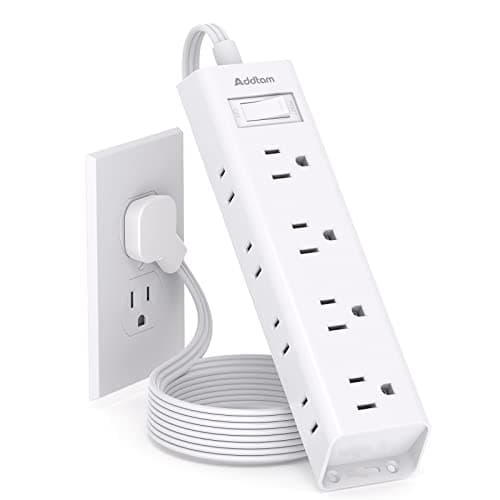
Addtam Flat-Plug Power Strip (12 outlets)
The flat plug is the point: a normal brick stops a desk sitting flush to the wall and costs you two inches of depth you do not have.
$11.99Amazon#ad · Our top pick in The Best Power Strips for a Desk
Bias lighting
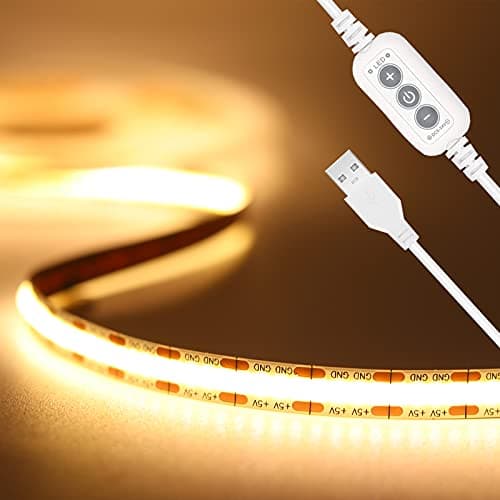
PAUTIX COB LED Strip (6.56ft, 3000K)
Sticks under a shelf or behind the monitor and lights the wall instead of the desk, so it takes no surface at all.
$9.19Amazon#ad · Our top pick in The Best LED Strip Lights for a Desk
Headphone mount
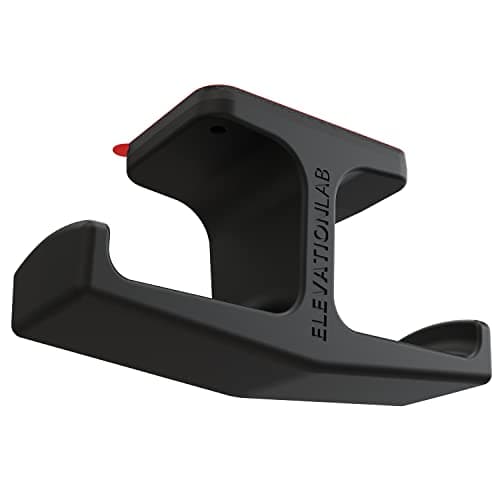
Elevation Lab The Anchor Under-Desk Headphone Mount
Adhesive, mounts under the desk, and clears the one bulky object that otherwise lives permanently on a small surface.
$11.99Amazon#ad · Our top pick in The Best Headphone Stands for Small Desks
Cable box
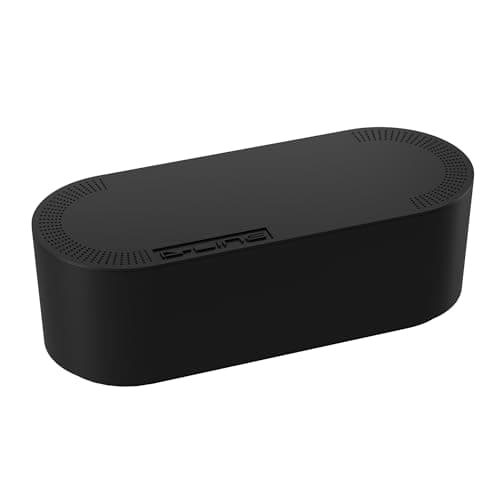
D-Line Cable Management Box (Large)
Puts the strip and the wall-warts in one closed box so the floor under a desk in a studio does not read as a nest.
$27.99Amazon#ad · Our top pick in The Best Desk Cable Management for a Small Setup
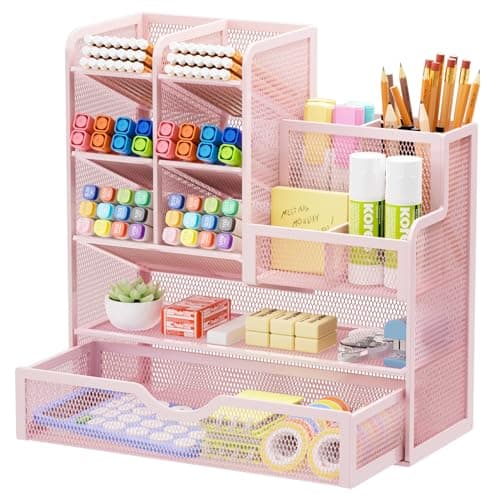
Desk organizer
Marbrasse Mesh Desk Organizer with Drawer
Goes vertical with the pens and notebooks that otherwise spread flat across the only surface you have.
$22.99Amazon#ad · Our top pick in The Best Desk Organizers for Small Desks
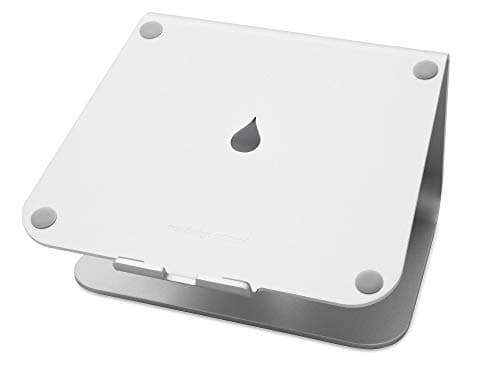
Laptop stand
Rain Design mStand Laptop Stand
Lifts the screen to eye level and opens the space underneath for a keyboard, which is how a 40-inch desk fits a full setup.
$38.99Amazon#ad · Our top pick in The Best Laptop Stands for a Small Desk
Keep reading
Related
- Best desk lamps for dormsClip-on, cordless and USB-charging picks.
- Best monitor risersLift the screen with no fixings.
- Best narrow desksIf you can bring your own desk.
- Renter-friendly desk setupThe no-damage fixings, in detail.
- Two people working from home in one apartmentSharing a small room with someone else's schedule.
- Renter-friendly acoustic panelsTreatment that goes up without touching the wall.
- Desk gear that survives a moveWhat still works in the next place in June.
Receipts
Sources
- U.S. Consumer Product Safety Commission — extension cord and power strip safety
- OSHA — Computer Workstations eTool (screen height, keyboard position)
- U.S. Department of Energy — LED lighting basics
We do not run a testing lab, and we do not pretend to. Specifications come from the manufacturer or retailer listing; the footprint and clearance math is ours and reproducible. Where we could not verify a number, we say so on the page rather than quietly leaving it out. Read our full method.