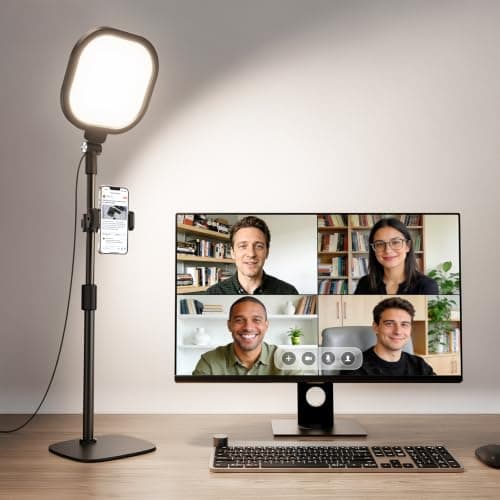
The standard advice for video calls — a large ring light on a floor stand — assumes a room with floor to spare. In a small apartment the desk is against the wall, the floor beside it is a walkway, and a light stand is one more thing to move every time someone needs to get past. The lights below all mount to the monitor, the laptop or the desk edge, so they occupy no floor and, in most cases, no desktop either.
The problem itself is nearly always the same: your face is lit from behind by a window and from in front by a screen. The camera exposes for the bright background, so your face goes dark; then it corrects, and the window blows out. A modest, front-facing light at roughly eye level fixes it completely, and it does not need to be bright — it needs to be in the right place with decent color.
The spec that matters is CRI, color rendering index. Skin tones are the hardest thing for a cheap LED to render, and a low-CRI light makes people look gray or faintly green on camera regardless of how bright it is. Two picks here publish CRI figures above 97, which is why they rank where they do. Live prices below; the methodology explains the scoring.
The short answer
Quick picks
#ad · Live prices from the Amazon Product API, as of October 21, 2026. Where we have no verified live price we show none — we would rather leave a gap than print a number that has rotted.
In detail
The picks, in full
Best overall
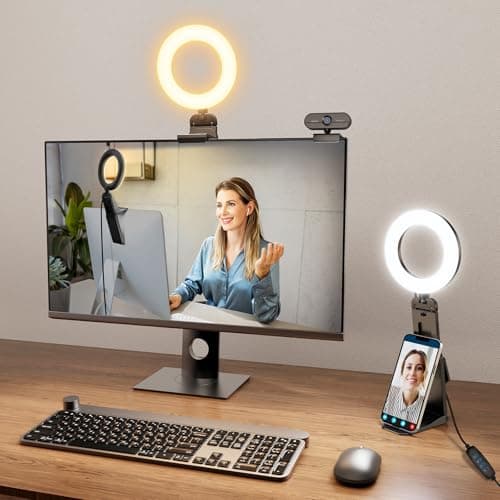
Desk Ring Light with Stand (CRI 97.8, 30 modes)
- Color rendering
- CRI 97.8
- Modes
- 30 light modes
- Mount
- Desk stand / webcam mount
- Use
- Meetings, streaming, calls
- Power
- USB
The best published color rendering here at CRI 97.8, with 30 brightness-and-temperature combinations and a compact desk stand rather than a floor tripod.
- Color accuracy
- 9.8
- Placement
- 8.4
- Footprint saved
- 7
- Control
- 9.4
- Value
- 8.4
Pros
- +CRI 97.8 published — skin tones render properly rather than gray
- +30 combinations of brightness and color temperature
- +Desk stand rather than a floor tripod, so it fits a small room
- +Doubles as a task light between calls
Cons
- −The stand does occupy desk surface, unlike the clip-on picks
- −Ring format can show as a visible ring in glasses
Skip this if…
…you wear glasses on every call and the reflection bothers you. A wide diffuse panel like the yAyusi shows less of a distinct shape in a lens.
Best zero-footprint
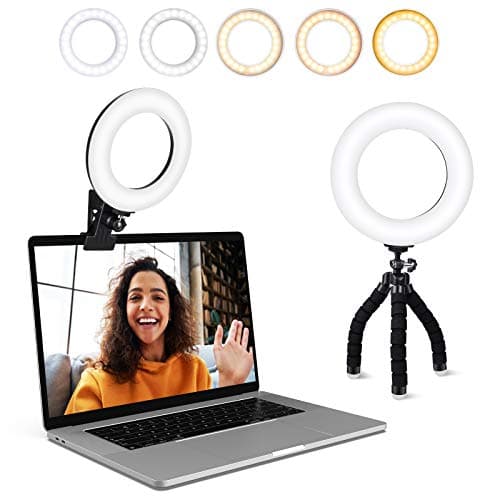
ACMEZING Clip-On Conference Light (LT-R6)
- Mount
- Spring clamp + mini tripod
- Desk footprint
- None on the clamp
- Color temperature
- 3200–6500 K, 5 settings
- Brightness
- 5 levels, 64 lamp beads
- Power
- USB, 6.5 ft cable
Clips over the top bezel of a monitor, which puts the light exactly where a webcam wants it and costs you no desk at all.
- Color accuracy
- 7
- Placement
- 9.4
- Footprint saved
- 9.8
- Control
- 8.2
- Value
- 8.8
Pros
- +Sits on the monitor bezel — nothing on the desk, nothing on the floor
- +Light comes from the same place as the camera, which is where it should
- +Foam-cushioned metal clamp, plus an octopus tripod for laptop-only setups
- +USB powered from the monitor or a desk hub, on a 6.5-foot cable
Cons
- −No published CRI figure
- −Needs a bezel it can grip — awkward on very thin-bezel panels
Skip this if…
…color accuracy is important — a recorded video, a client call where you appear on a big screen. Where CRI is unpublished, assume it is unremarkable.
Best light quality
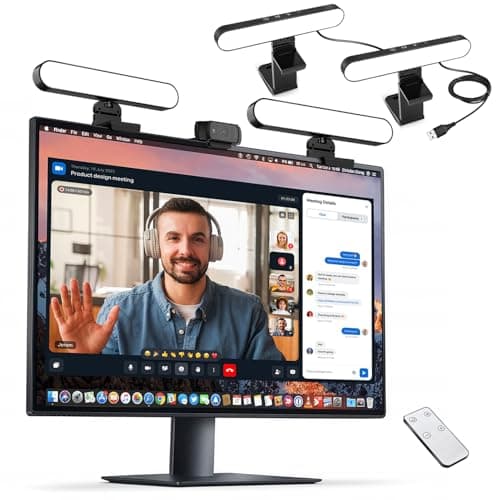
yAyusi Dual-Lamp Video Conference Light
- Heads
- 2 (key + fill)
- Control
- Remote + touch
- Mount
- Monitor / laptop
- Use
- Calls, streaming, recording
- Power
- USB
Two heads instead of one, which is the actual studio principle: a key light and a fill light kill the hard shadow a single source puts down one side of your face.
- Color accuracy
- 8
- Placement
- 8.8
- Footprint saved
- 8.8
- Control
- 9.6
- Value
- 8
Pros
- +Two sources soften the shadow a single light casts across the face
- +Remote control means adjusting mid-call without reaching across the desk
- +Wide heads produce a softer, less ring-shaped catchlight in glasses
- +Works as background lighting for recorded video too
Cons
- −Two heads is more hardware on a small monitor
- −No published CRI figure
Skip this if…
…you only ever take internal calls. A single clip-on light is enough for a stand-up and costs a third as much.
Best portable
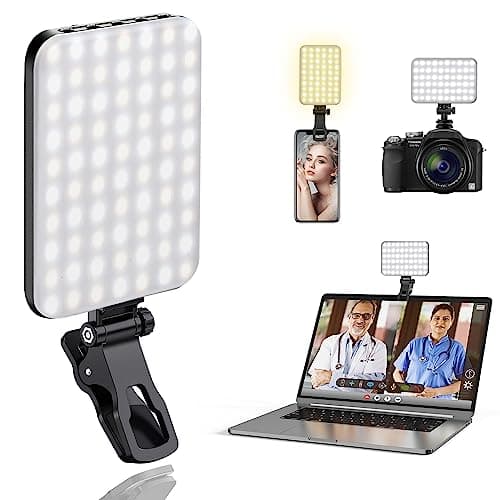
ALTSON 60-LED Portable Light (CRI 97+, 2200mAh)
- Color rendering
- CRI 97+
- Battery
- 2200 mAh, rechargeable
- LEDs
- 60
- Modes
- 3 light modes
- Mount
- Clip + tripod adapter
CRI 97+ and a 2200mAh battery in a clip small enough to live in a laptop bag — the pick if your calls happen wherever you happen to be sitting.
- Color accuracy
- 9.6
- Placement
- 8.6
- Footprint saved
- 9.6
- Control
- 7.2
- Value
- 9.6
Pros
- +CRI 97+ published, at the lowest price in the roundup
- +Battery powered, so no cable to the laptop and no outlet needed
- +Clip plus a tripod thread covers both mounting approaches
- +Small enough to carry to a coffee shop or a co-working desk
Cons
- −60 LEDs is modest output — a fill light rather than a key light in a bright room
- −Battery means one more thing to remember to charge
Skip this if…
…your desk faces a bright window. In strong backlight this will not have the output to balance it — take a mains-powered pick.
Best for a laptop
Evershop 5in Clip-On Conference Light
- Size
- 5 in
- Mount
- Clip (laptop / monitor / phone)
- Power
- USB
- Format
- Ring
- Use
- Zoom / video calls / recording
A 5-inch clip that fits a laptop lid as easily as a monitor bezel — the simplest way to stop being a silhouette on a laptop-only setup.
- Color accuracy
- 7
- Placement
- 9
- Footprint saved
- 9.8
- Control
- 7.4
- Value
- 9.4
Pros
- +Small enough to clip on a laptop lid without unbalancing it
- +Works on a phone or a webcam too
- +USB powered from the laptop itself — one cable, no adapter
- +Cheap enough to keep a second one in a bag
Cons
- −5in ring is a small source, so the light is harder than a wide panel
- −No published CRI figure
Skip this if…
…you are on camera daily for client-facing work. A larger, softer, higher-CRI source is a visible difference and not an expensive one.
Placement beats brightness
A modest light in the right place looks better than a powerful one in the wrong place. Three rules cover nearly everything:
- In front, not above. A ceiling fitting lights the top of your head and puts your eyes in shadow. The light needs to come from roughly where the camera is, at about eye level or slightly higher.
- Not behind you. A window or a lamp behind you forces the camera to expose for the bright background. If your desk faces away from the window, either turn the desk or close the blind during calls.
- Slightly off-axis. Dead-on light is flat and unflattering. Angle the source 15 to 30 degrees to one side and you get a little shaping without a hard shadow.
CRI, and why gray faces happen
Color rendering index measures how faithfully a light reproduces color compared with a reference source. Skin is the hardest test, because it depends on a broad spread of wavelengths that cheap LEDs simply do not emit. A CRI 80 light can be perfectly bright and still make everyone on the call look slightly ill; a CRI 95-plus light at half the output looks natural. Two picks here publish figures above 97, and that is the single specification worth paying for in this category.
Color temperature: match the room
| Situation | Set the light to |
|---|
| Daylight through a window | 5000–5600K, so the two sources match |
| Warm room lamps, evening call | 2700–3200K |
| Mixed, or you cannot tell | 4000K — the least wrong compromise |
Mismatched sources are what makes a call look amateurish: a daylight-balanced light beside a warm room lamp gives you one blue cheek and one orange one. Pick one temperature and make everything in shot agree with it. Our color temperature guide covers the numbers in more detail.
What about the desk lamp you already own?
It may well be enough. A clamp lamp or swing-arm lamp aimed at the wall besideyour screen — not at your face — bounces a large, soft light back at you and costs nothing extra. Bounced light from a white wall is softer than any small panel and is what professional setups do at scale. If your existing lamp is dimmable and reasonably neutral, try that before buying anything; our clamp lamp picks and swing-arm picks both work this way.
The small-desk constraint
Everything in this roundup either clips to a screen or stands in a footprint smaller than a coaster, because on a 40-inch desk a light stand is not a realistic object. If you use a monitor arm, remember the light has to move with the screen — a bezel clip does, a desk stand does not. And if the call light lives permanently on the monitor, check it clears the top of a light bar if you already have one there; the two formats compete for the same three inches of bezel.
How we picked
We do not run a testing lab
We compiled the published manufacturer specifications, did the footprint and clearance math ourselves, and read aggregated owner reviews, then scored each product against a published rubric. The scores are judgments from documented research — they are not measurements we took, because we do not have a lab and we are not going to pretend we do. Every spec traces back to a listing or manual named in Sources.
Questions
Frequently asked
What is the best lighting for video calls in a small room?+
A clip-on light on the monitor bezel or the laptop lid, positioned at roughly eye level and angled slightly off-center. It costs no floor space and no desk surface, which is the constraint a floor-standing ring light fails. Prioritize a published CRI figure above 95 over raw brightness.
Why do I look dark on video calls?+
Almost always because there is a window or a bright wall behind you. The camera exposes for the brightest thing in frame, so your face goes to shadow. Adding a modest front-facing light at eye level fixes it, and so does turning the desk so the window is in front of you rather than behind.
Do you need a ring light for Zoom calls?+
No — you need light in front of you with decent color rendering, and a ring is only one way to get it. A dimmable desk lamp bounced off the wall beside your screen produces a softer result than a small ring and costs nothing if you already own one. Rings are popular because they are compact and put a neat catchlight in the eye, not because the shape is required.
What CRI do you need for a video call light?+
Above 95 if you can get it, and the two picks here that publish 97-plus figures are the reason. Skin tone is the hardest thing for an LED to render, and a low-CRI light makes people look gray or slightly green no matter how bright it is. Where a listing publishes no CRI at all, assume the number is unremarkable.
Can a monitor light bar work as a video call light?+
Not really. A
light baris designed to throw light down onto the desk and deliberately not forward — that asymmetric optic is the whole point of the format. It is excellent for eye comfort and useless for lighting your face. The two are complementary purchases, not alternatives.
Receipts
Sources
We do not run a testing lab, and we do not pretend to. Specifications come from the manufacturer or retailer listing; the footprint and clearance math is ours and reproducible. Where we could not verify a number, we say so on the page rather than quietly leaving it out. Read our full method.