Skip to content
Desk & Dowel

HUB 02 · Monitor Arms & Mounts

The Best Monitor Arms for Standing Desks

A desk that moves changes three things about the arm you buy: what the clamp can grip, how far the cables travel, and how much wobble the arm adds at full height. Five ranked on those.

By Stephen V.Updated How we pick
#ad

We earn a commission when you buy through our Amazon links, at no extra cost to you. It never affects our rankings, and we say so when the cheaper product is the better buy. How this works.

A monitor arm and a standing desk are the two upgrades people most often buy together, and the pairing is usually sold with the wrong argument — that a desk which moves needs an arm with a bigger height range. It does not. If the desk is set correctly it sits at elbow height in both positions, and the distance from your elbow to your eyes does not change when you stand up. The screen belongs at the same height relative to the desk either way, so the vertical travel printed on the box is rarely the reason to choose one arm over another.

What a moving desk genuinely changes is three things, and none of them is on the front of the box:

  • What the clamp has to grip.A sit-stand frame puts a steel crossbeam and two top brackets under the desk. A C-clamp needs a clear span of edge that is not sitting over one of them — and on some frames there is no such span at the back at all. WorkWhileWalking's arm guide names this explicitly, warning that the clamp has to “work around any metal components under the desktop, such as crossbars,” and citing Vari converters whose rear frame member blocks all but Vari's own arms.
  • How far the cables travel.A desk running from 28 to 46 inches lifts every lead by about a foot and a half, twice a day. BTOD's installation guide puts it plainly: on a standing desk the required cable length is longer, and too little slack ends with cables “physically pulled from the PC when height adjustments are made.”
  • How much wobble the arm adds. A two-column frame moves most at full extension, because the overlap between the telescoping leg sections is shortest when raised. Hang a screen on 20 inches of cantilever and you have built a lever that amplifies whatever the frame is already doing.

So this page ranks on the specifications those three problems actually turn on: published clamp and grommet ranges at both ends (thin sit-stand tops fail the bottom of a clamp range as often as thick butcher block fails the top), capacity headroom rather than raw capacity, reach, and whether the cable route is an enclosed channel or a row of clips. Every number below comes from the manufacturer listing or spec sheet named in Sources.

Our pick is the ErGear heavy-duty arm, for a dual C-clamp that spreads its bite across the desk edge and a 37.4 lb rating that leaves real headroom. The VIVO STAND-V101H is the best-documented fit, the VIVO STAND-V220Q is the two-screen answer, the Mount-It! MI-1771B has the longest reach, and the Amazon Basicsarm is the cheapest way in — with one clamp caveat that rules out the thinnest tops. Live prices below; the methodology explains the scoring.

The short answer

Quick picks

#ProductBest forScorePrice
01
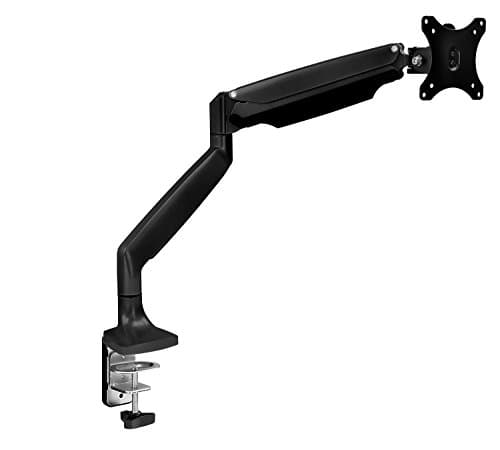
ErGear ErGear Heavy Duty Monitor Arm (13–49in)
ErGear Heavy Duty Monitor Arm (13–49in)

The dual C-clamp is the reason this wins: it spreads its bite across two points of the desk edge instead of pinching one, which is what a thin sit-stand top and a frame that moves both want.

Best overall
9.0
$39.99Amazon
02
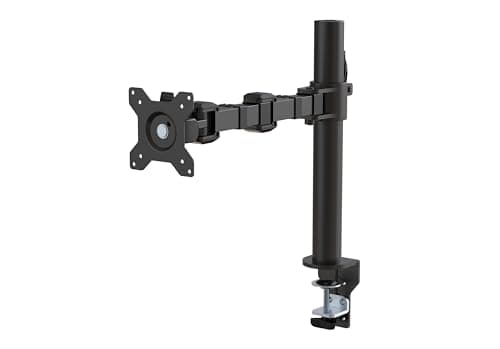
VIVO VIVO Heavy Duty Pneumatic Single Arm (STAND-V101H)
VIVO Heavy Duty Pneumatic Single Arm (STAND-V101H)

The only arm here that publishes every number you need to check a sit-stand desk before you order — clamp range, grommet range, height travel, extension, pole height and base footprint.

Best documented fit
8.8
$59.99Amazon
03
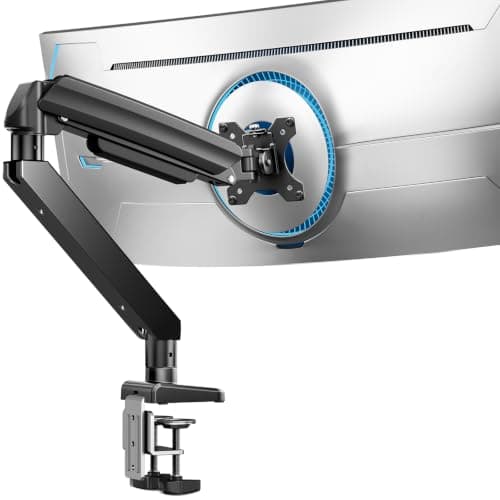
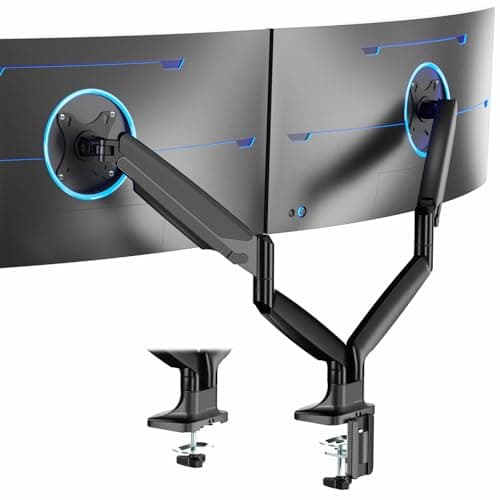
VIVO VIVO Premium Aluminum Dual Ultrawide Arm (STAND-V220Q)
VIVO Premium Aluminum Dual Ultrawide Arm (STAND-V220Q)

Thirty pounds per screen and a 39.5-inch span from a single clamp point — which on a sit-stand desk is the whole argument for a dual arm over two singles, because one clamp is one span you have to keep clear of the frame.

Best for two screens
8.6
Check price →
04
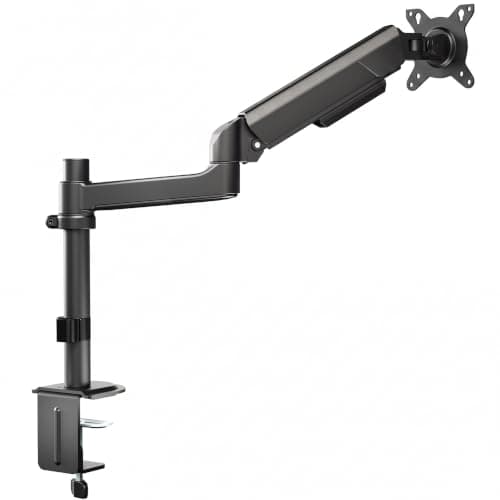
Mount-It! Mount-It! MI-1771B Gas-Spring Single Arm
Mount-It! MI-1771B Gas-Spring Single Arm

The longest reach here at 24 inches and the most arm height travel at 13 — and the only pick whose maker mentions sit-stand desks at all, though that is a line of copy rather than a specification.

Best reach
8.0
$99.99Amazon
05
Amazon Basics Amazon Basics Single Monitor Stand with Cable Management
Amazon Basics Single Monitor Stand with Cable Management

The cheapest way to get a monitor base off a sit-stand top, with a cable channel built in — provided your desk measures more than about 0.8 inches at the edge, which is where this one is fussier than the rest.

Best budget
7.6
$27.29Amazon

#ad · Live prices from the Amazon Product API, as of Sep 25, 2026. Where we have no verified live price we show none — we would rather leave a gap than print a number that has rotted.

In detail

The picks, in full

01
ErGear ErGear Heavy Duty Monitor Arm (13–49in)

Best overall

ErGear Heavy Duty Monitor Arm (13–49in)

Screens
1, 13–49 in
Capacity
37.4 lb
Clamp range
0.39–3.15 in
Grommet range
0.39–2 in
Extension
21.2 in
9.0/10

The dual C-clamp is the reason this wins: it spreads its bite across two points of the desk edge instead of pinching one, which is what a thin sit-stand top and a frame that moves both want.

Sit-stand fit
9
Stability headroom
9.6
Cable travel
8.2
Reach
8.6
Value
9.4

Pros

  • Dual C-clamp spreads the load across the edge rather than pressing one point into a soft top
  • 37.4 lb is roughly double the budget class, so a 27 or 34in panel sits well inside the rating
  • Grommet range runs to 2in — wider than either VIVO here, which matters when the frame blocks the edge
  • Costs less than half of the two premium arms in this roundup

Cons

  • The listing publishes no height-adjustment range, so the arm's own vertical travel is unknown
  • A 49in screen ceiling is far beyond what a small sit-stand top should be asked to carry

Skip this if…

…the rear edge of your desk is obstructed along its whole length by the frame. A dual C-clamp wants more clear edge than a single one, not less — measure the clear span before you order.

$39.99View on Amazon

$59.9933% off

Price as of Sep 25, 2026. Prices change — Amazon's is the one that counts.

#ad · we may earn a commission from this link to ErGear Heavy Duty Monitor Arm (13–49in)

02
VIVO VIVO Heavy Duty Pneumatic Single Arm (STAND-V101H)

Best documented fit

VIVO Heavy Duty Pneumatic Single Arm (STAND-V101H)

Screens
1, 17–40 in
Capacity
26.4 lb flat / 24.2 lb curved
Clamp range
0.4–3.5 in
Grommet range
0.4–1.5 in
Height / reach
12 in travel, 22.3 in extension
8.8/10

The only arm here that publishes every number you need to check a sit-stand desk before you order — clamp range, grommet range, height travel, extension, pole height and base footprint.

Sit-stand fit
9.4
Stability headroom
8.6
Cable travel
8.4
Reach
9
Value
8.4

Pros

  • Separate flat and curved capacities (26.4 / 24.2 lb) — curved panels hang their mass further from the plate, and almost no listing says so
  • 3.5in clamp ceiling is the highest published figure in this roundup
  • 12in of arm height travel and 22.3in of extension, both published
  • A 4.1 x 4.3in base and a 12.3in pole, so clearance behind the desk can be checked on paper

Cons

  • The grommet range stops at 1.5in, so a thick top with a cable hole may still force you back to the clamp
  • 26.4 lb is comfortable but leaves less headroom than the ErGear on a frame that moves

Skip this if…

…your top is thicker than 1.5 inches AND the frame blocks the rear edge. That combination leaves neither mount viable and a wall mount is the honest answer.

$59.99View on Amazon

Price as of Sep 25, 2026. Prices change — Amazon's is the one that counts.

#ad · we may earn a commission from this link to VIVO Heavy Duty Pneumatic Single Arm (STAND-V101H)

03
VIVO VIVO Premium Aluminum Dual Ultrawide Arm (STAND-V220Q)

Best for two screens

VIVO Premium Aluminum Dual Ultrawide Arm (STAND-V220Q)

Screens
2, 13–40 in each
Capacity
30 lb flat / 24 lb curved, per screen
Clamp range
0.4–3.14 in
Grommet range
0.4–1.57 in
Span / height
39.5 in span, 8.5–20 in height
8.6/10

Thirty pounds per screen and a 39.5-inch span from a single clamp point — which on a sit-stand desk is the whole argument for a dual arm over two singles, because one clamp is one span you have to keep clear of the frame.

Sit-stand fit
8.8
Stability headroom
9.2
Cable travel
8.4
Reach
8.2
Value
8.2

Pros

  • 30 lb per screen is genuine headroom for two 27in panels on a frame that moves
  • One clamp point means one clear span to find under the top instead of two
  • Aluminum resists the sway a loaded steel pole develops at standing height
  • 8.5–20in of published height positioning covers eye level for most people either way

Cons

  • Two 40in screens exceed what any small sit-stand top should carry, and the 39.5in span overhangs a 40in desk
  • The grommet range stops at 1.57in, narrower than the clamp range as usual

Skip this if…

…your desk is under about 47 inches wide. Two screens will overhang the ends whatever the arm does — read two monitors on a small desk before you buy the mount.

Check price on Amazon →

No buyable offer at the last price check (Sep 25, 2026). We show nothing rather than a stale number.

#ad · we may earn a commission from this link to VIVO Premium Aluminum Dual Ultrawide Arm (STAND-V220Q)

04
Mount-It! Mount-It! MI-1771B Gas-Spring Single Arm

Best reach

Mount-It! MI-1771B Gas-Spring Single Arm

Screens
1, 13–32 in
Capacity
20 lb
Table thickness
Up to 3.3 in
Height travel
Up to 13 in
Extension
24 in
8.0/10

The longest reach here at 24 inches and the most arm height travel at 13 — and the only pick whose maker mentions sit-stand desks at all, though that is a line of copy rather than a specification.

Sit-stand fit
8.4
Stability headroom
7.4
Cable travel
7.6
Reach
9.6
Value
7

Pros

  • 24in of extension brings the screen forward off a desk pushed hard against a wall
  • 13in of arm height travel is the most in the roundup
  • The C-clamp doubles as a grommet mount, so one purchase covers both routes under the frame
  • Mounts on tables up to 3.3in thick

Cons

  • 20 lb is the lowest capacity here and this is the most expensive arm in the roundup
  • Cable management is clips rather than an enclosed channel — the weaker format when the run moves 18 inches twice a day
  • The sit-stand claim is qualified in the maker's own words: 'depending on the user and desk height'

Skip this if…

…you are mounting a 32-inch or curved panel near the top of its weight range. A 20 lb ceiling leaves no headroom on a frame that already moves.

$99.99View on Amazon

Price as of Sep 25, 2026. Prices change — Amazon's is the one that counts.

#ad · we may earn a commission from this link to Mount-It! MI-1771B Gas-Spring Single Arm

05
Amazon Basics Amazon Basics Single Monitor Stand with Cable Management

Best budget

Amazon Basics Single Monitor Stand with Cable Management

Screens
1, 13–30 in
Clamp range
2–10 cm (about 0.8–3.9 in)
VESA
75 × 75 / 100 × 100
Tilt
−15° to +85°
Capacity
Not published
7.6/10

The cheapest way to get a monitor base off a sit-stand top, with a cable channel built in — provided your desk measures more than about 0.8 inches at the edge, which is where this one is fussier than the rest.

Sit-stand fit
6.8
Stability headroom
6.6
Cable travel
8
Reach
7.6
Value
9.2

Pros

  • Frees exactly the same 8–10in of desk depth a premium arm does, for a fraction of the money
  • A cable management channel rather than loose clips, which suits a run that travels
  • 3.9in clamp ceiling is the highest here — useful on a thick or edge-banded top
  • Steel build with a 1-year Amazon Basics warranty

Cons

  • The published clamp minimum of about 0.8in is the highest minimum in this roundup, and thin bamboo or MDF sit-stand tops routinely fall under it
  • The listing publishes no weight capacity at all, so a heavy 30in panel is a guess
  • No grommet hardware, so a blocked rear edge leaves no second option

Skip this if…

…your desk top measures under about 0.8 inches at the edge. This is the one arm here that will not close on a thin top, and thin tops are common on budget sit-stand frames.

$27.29View on Amazon

$29.999% off

Price as of Sep 25, 2026. Prices change — Amazon's is the one that counts.

#ad · we may earn a commission from this link to Amazon Basics Single Monitor Stand with Cable Management

Why the height range is not the reason to buy

Set a sit-stand desk properly and the top lands at elbow height both seated and standing. Your elbow-to-eye distance is a fixed body measurement, so if the screen was at the right height when you were sitting, it is still at the right height when you stand — the desk carried it up with you. The arm does not need to do anything. That is why we score arm height travel below clamp fit and capacity on this page, and it is the opposite of how the category is normally sold.

There are two honest exceptions. If you share the desk with someone of a very different height, the arm has to make up the difference the desk cannot. And if you are tall enough that the desk tops out below your standing elbow height — the mirror of the problem in standing desks for short people — the arm ends up compensating for a frame that is out of range. In both cases, buy the travel. Otherwise, spend the money on clamp specification instead.

Check the frame before you check the arm

A sit-stand desk is a top bolted to a steel frame, and the frame is in the way. Almost all of them run a crossbeam between the two columns and carry two mounting brackets that reach out under the top. A C-clamp needs a clear, flat span of edge with 2 to 3 inches of clearance behind itfor the lower jaw — the same check as on any desk, except that here the obstruction is steel rather than a drawer. Some frames, converter-style ones in particular, put a member so close to the rear edge that no standard clamp fits at all.

Three minutes with a tape measure answers it. Take these four numbers:

  • Top thickness at the point the clamp will sit: ____ in
  • Longest clear span of rear edge with nothing behind it: ____ in
  • Depth of clear space behind that edge, front to back: ____ in (need 2–3)
  • Grommet hole present, and is it somewhere useful: yes / no

Then add the fifth one nobody thinks of: the controller keypad. On most powered desks it is screwed to the underside near the front right corner, and on a narrow top a clamp base can collide with it or with its cable run. Check where yours sits before you decide which end of the desk the arm goes on. The general version of this check lives in will a monitor arm fit my desk, and the published clamp ranges for every clamp-on product on this site are collected in desk thickness for clamp-on gear.

The published clamp and grommet ranges, side by side

ArmClamp rangeGrommet rangeCapacityReach
ErGear Heavy Duty0.39–3.15 in0.39–2 in37.4 lb21.2 in
VIVO STAND-V101H0.4–3.5 in0.4–1.5 in26.4 lb22.3 in
VIVO STAND-V220Q (dual)0.4–3.14 in0.4–1.57 in30 lb per screen19.5 in
Mount-It! MI-1771BUp to 3.3 inSame bracket20 lb24 in
Amazon Basics~0.8–3.9 inNone suppliedNot publishedNot published

Two patterns are worth reading off that table. Grommet ranges are narrower than clamp rangeson every product that publishes both — a grommet bolt has a fixed length and a thick top runs out of thread, so the mount that is stronger in principle is the one more likely to be ruled out by your desk. And the cheapest arm has the highest minimum: about 0.8 inches, against 0.39 for the ErGear. On a budget sit-stand frame with a thin laminate or bamboo top, that single number decides the purchase.

Cable travel: the 18 inches the arm makes worse

A desk moving from 28 to 46 inches raises everything on it by about a foot and a half. An arm adds two problems to that. It puts the monitor connector higher than the desk surface, so the run is longer to begin with; and it routes that cable along the arm, where it can be pinched or dragged as the arm articulates. The fix is the same drop loopa standing desk needs anyway — every lead bundled into one sleeved U that hangs from under the desk to the wall, long enough at the highest position and tidy at the lowest — but the arm's own run has to reach the bottom of that loop with slack to spare.

Which is why an enclosed channel beats clips on a desk that moves. A channel holds the lead against the arm through the full range of motion; clips let it work loose and then catch. Four of the five listings here describe integrated cable management without naming the format; the Mount-It! is specific that it uses clips, and it is the one place that otherwise excellent arm loses points. Whatever the arm supplies, check the route yourself once at full height before you trust it. The full method is in desk cable management, and the no-adhesive version in cable management without wall damage.

Wobble: buy headroom, not stiffness claims

Every lifting desk moves more raised than lowered, because the telescoping leg sections overlap least at full extension. An arm cannot fix that, but it can make it worse: a screen held 20 inches out on a cantilever is a lever, and it turns a small frame oscillation into a visible one at the top of the screen. WorkWhileWalking makes the same point about treadmill desks, recommending arms with stiff joints or hex-key-tightened ones over anything loose.

Practically, three things help and none of them is a marketing word. Capacity headroom— an arm rated well above your screen carries it with the joints under less strain, which is most of why the 37.4 lb ErGear ranks first here for a 15 lb monitor. Keeping the screen close— retract the arm to the shortest reach that still gives you the right viewing distance, because every inch of extension is more lever. And pushing the desk against a wall, which damps the frame far more effectively than anything you can buy. If the desk itself is the problem rather than the arm, start at how to stop a desk from wobbling.

When to skip the desk clamp entirely

Two cases. If the frame blocks every usable span of rear edge and there is no grommet hole, a desk mount is simply not available to you — the answer is a wall-mount arm, which uses neither the top nor its edge. Be honest about the trade first: a wall mount needs timber studs or solid masonry, it leaves holes, and on a desk that moves it means the screen no longer travels with the top, so you are back to adjusting height at every transition. In a rental, read what damage-free mounting can hold before you commit.

The second case is the light one. If you run a single small screen and only want the base off the desk, a monitor risertravels with the desk, clamps to nothing and costs a fraction of any arm — at the price of the desk depth it stands on. On a sit-stand top that is often the right call, because the cheapest sit-stand desks have exactly the thin, hollow tops a clamp likes least.
How we picked

We do not run a testing lab

We compiled the published manufacturer specifications, did the footprint and clearance math ourselves, and read aggregated owner reviews, then scored each product against a published rubric. The scores are judgments from documented research — they are not measurements we took, because we do not have a lab and we are not going to pretend we do. Every spec traces back to a listing or manual named in Sources.

Questions

Frequently asked

Do you need a special monitor arm for a standing desk?
No — there is no separate product class, and any well-specified arm works. What changes is which specifications matter. On a fixed desk you can buy on motion quality and price; on a sit-stand desk you have to check the clamp range against your top, find a span of rear edge the frame is not occupying, and leave enough cable slack for the full travel. Get those three right and the arm itself is the same purchase as any other. The field without the sit-stand constraint is ranked in best monitor arms for small desks.
Clamp or grommet mount on a sit-stand desk?
Clamp if you have a clear span of rear edge, grommet if the frame has taken it. A grommet bolt spreads load through the full thickness of the top rather than pinching an edge, which is the stronger fixing, and it lets you site the arm further forward than the edge allows. The catch is that grommet ranges are consistently narrower than clamp ranges — 1.5 to 2 inches across the arms here — and the hole has to already be somewhere useful. Full comparison in clamp vs grommet monitor mount.
Will a monitor arm make a standing desk wobble more?
At standing height, usually yes, a little. The frame already moves most at full extension, and an arm holds the screen out on a cantilever that amplifies it. The mitigations are capacity headroom (an arm rated well above the screen), keeping the arm retracted to the shortest comfortable reach, and pushing the desk against a wall. None of them removes the movement; a heavier or cross-braced frame is the only thing that really does.
How much cable slack does a monitor arm need on a standing desk?
Enough to reach the desk's highest position with the arm at full extension, and then some. A desk running 28 to 46 inches travels about 18 inches, and an arm adds both height above the surface and length along the arm itself, so measure at the worst case rather than at the position you use most. Bundle everything into one sleeved drop loop under the desk so it moves as a single thing instead of several leads catching separately.
Can you clamp a monitor arm to a thin bamboo standing desk top?
Usually, but check the clamp's minimumrather than its maximum — that is the number that fails. The arms here that publish a minimum start at 0.39 to 0.4 inches, except the Amazon Basics, whose published minimum is about 0.8. Soft tops have a second problem: BTOD's guide notes that leverage presses a clamp unevenly into wood, rubberwood or bamboo and leaves indentations. A hardwood plate above and below the clamp point spreads the load and solves both. More in desk thickness for clamp-on gear.
Do you have to re-adjust the monitor every time you stand up?
No, and if you do, the desk height is wrong rather than the arm. A correctly set sit-stand desk puts the top at elbow height in both positions, and your elbow-to-eye distance does not change, so the screen stays at the right height relative to the desk. If you find yourself raising the screen at every transition, check the desk height first — the fix is usually a couple of inches on the desk, not a different arm.

Keep reading

Receipts

Sources

We do not run a testing lab, and we do not pretend to. Specifications come from the manufacturer or retailer listing; the footprint and clearance math is ours and reproducible. Where we could not verify a number, we say so on the page rather than quietly leaving it out. Read our full method.