HUB 05 · Small-Space Setups
Renter-Friendly Desk Setup: No Drilling, No Damage
Deposit-safe by design. Clamp the monitor, clamp the light, keep the furniture freestanding, and route cables reversibly, so the walls look untouched at move-out.
We earn a commission when you buy through our Amazon links, at no extra cost to you. It never affects our rankings, and we say so when the cheaper product is the better buy. How this works.
A renter-friendly desk setup starts from one rule: nothing goes through the wall. Not because drilling is hard, but because a standard lease treats holes, anchors and adhesive scars as damage that comes out of your deposit — and because you may have to undo the whole thing in a year anyway. The good news is that almost every drilled solution has a clamp-on, freestanding or reversible equivalent that works just as well. This guide walks the swaps one for one, so you can build a complete workspace and leave the walls looking untouched.
Why drilling is off the table
Two reasons. First, money: most residential leases classify drilled holes, wall anchors and the adhesive residue from mounting tape as tenant damage, which means the cost of patching, sanding and repainting comes out of your security deposit. Second, reversibility: a small apartment often has to change function, and a workspace you screwed to the wall is one you cannot move without tools and touch-up paint. A clamp-and-freestanding setup moves with you in an afternoon and leaves nothing to explain at the final inspection.
Walls are the obvious deposit risk; the floor is the quiet one. A desk chair rolling on the hard nylon casters it shipped with wears a visible arc into laminate or vinyl plank over a year, and swapping them for soft wheels is the same kind of five-minute, fully reversible fix as everything else in this guide.
The one-for-one swap list
For every part of a bolted-down setup, there is a renter-safe version that does the same job. This is the whole guide in one table; the sections below explain the trickier swaps.
| Drilled solution | Renter-safe swap | Why it works |
|---|---|---|
| Wall-mounted fold-down desk | Folding or rolling floor desk | Same disappear-when-done benefit, zero holes |
| Wall-mounted (VESA) monitor | Clamp monitor arm | Grips the desk edge; frees the surface either way |
| Hardwired or wall sconce lamp | Clamp desk lamp or light bar | Clamps to the desk; plugs into a normal outlet |
| Screwed-in cable clips | Adhesive channel + under-desk tray | Removable clips route cable without the wall |
| Screwed pegboard / shelf | Freestanding shelf or rolling cart | Storage that stands on the floor, not the wall |
Clamp everything you can
The clamp is the renter’s best friend, because it turns the edge of your desk into the mounting surface the wall would have been. Two clamps do most of the work. A no-drill clamp monitor armgrips the back edge of the desk with a C-clamp and holds the screen out over the surface, giving you the same cleared desktop and eye-level screen a wall mount would — without touching the wall. (If your desk has a solid edge and you are open to either method, the wider field of monitor arms covers clamp and grommet options.) A clamp desk lampdoes the same for light: it grips the edge, swings over the work area, and unscrews in seconds at move-out. Between them, the two things you would normally bolt to a wall — the screen and the light — are now carried by the desk itself.
Furniture that stands, folds, or rolls
A fold-down wall desk is genuinely great, but it needs to be anchored into studs, which puts it out of reach for most renters. The workaround delivers the same benefit a different way: a folding floordesk gives you the disappear-when-done trick with no holes — you fold it flat and slide it behind a door or under the bed. The wall-mounted and folding desks roundup ranks the folding floor options alongside the mounted ones, so you can pick the freestanding pick and skip the drill. For everyday storage, choose freestanding: a rolling cart or a standing shelf holds what a wall shelf would, moves when the room changes, and never needs a wall anchor.
Reversible routing and adhesives
Cables are where renters most often reach for a screw or a permanent clip — and where reversible options work fine. Route leads through an under-desk tray or an adhesive cable channel that peels off cleanly rather than screw-in clips. When you do use adhesive strips, two habits protect the paint: buy the removable, stretch-release kind rated for the weight you are hanging, and take them off the right way — pull the tab slowly straight down along the wall, and warm a stubborn strip gently with a hair dryer so the adhesive releases instead of tearing paint. Keep the strips to light duty; they are for cables and small organizers, not for a monitor or a shelf that will hold books. The full routing method is in desk cable management.
What Command strips can and cannot do
It is worth being blunt about adhesive strips, because overloading them is how renters actually damage a wall. Removable strips are excellent for light, distributed loads — cable clips, a small caddy, string lights. They are not a substitute for a stud when the load is heavy or the leverage is high: a monitor, a fold-down desk, or a loaded shelf will pull a strip — and a chunk of paint — off the wall. The renter-safe answer for those loads is not a stronger strip; it is a clamp (for the monitor and light) or a freestanding piece (for the shelf and the desk). Match the method to the load and nothing comes off the wall that you did not intend to.
Before you commit: read the lease
Leases vary. Some allow small nail holes for pictures and only draw the line at anchors; others forbid any fixing at all. Before you buy, skim the clause on alterations and fixtures, and if it is ambiguous, ask the landlord in writing — a short email keeps you clear at move-out. When in doubt, default to the clamp-and-freestanding setup above, which stays within even the strictest lease because it never fixes anything to the building.
Questions
Frequently asked
How do I set up a desk without drilling any holes?
Do clamp monitor arms damage the desk?
Will Command strips hold a monitor or a shelf?
Can I use a wall-mounted fold-down desk in a rental?
How do I remove adhesive strips without peeling the paint?
What is the most reversible desk setup for a renter?
Finish the setup
Under $40: the parts that finish a small desk
A desk is the expensive decision. These are the cheap ones that decide whether it actually works in a small room — each is the top pick from one of our own roundups, and each clamps, sticks or stands rather than needing a drill. Prices live as of October 21, 2026.

Monitor arm
Amazon Basics Single Monitor Arm (Gas Spring)
Clamps to the back edge and gives you back the whole footprint the monitor stand was standing on — the single biggest surface win on a narrow desk.
$27.29Amazon#ad · Our top pick in The Best Monitor Arms for a Small Desk
Power strip
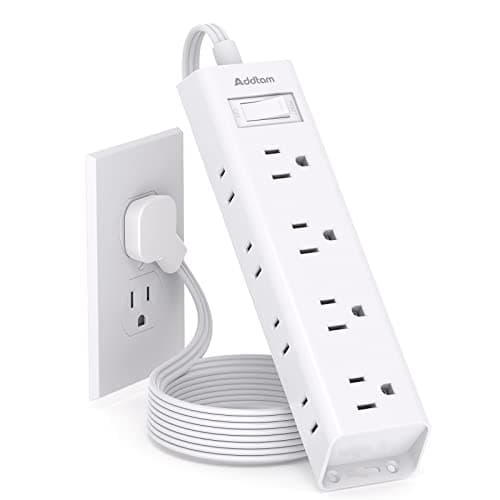
Addtam Flat-Plug Power Strip (12 outlets)
The flat plug is the point: a normal brick stops a desk sitting flush to the wall and costs you two inches of depth you do not have.
$9.98Amazon#ad · Our top pick in The Best Power Strips for a Desk
Bias lighting
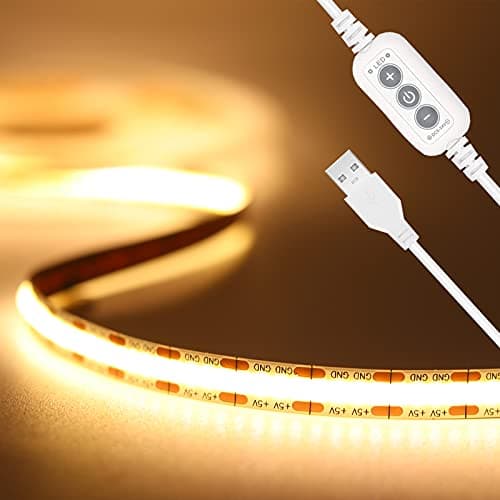
PAUTIX COB LED Strip (6.56ft, 3000K)
Sticks under a shelf or behind the monitor and lights the wall instead of the desk, so it takes no surface at all.
$9.19Amazon#ad · Our top pick in The Best LED Strip Lights for a Desk
Headphone mount
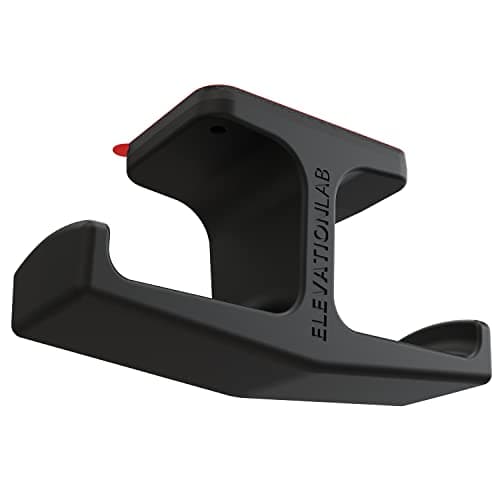
Elevation Lab The Anchor Under-Desk Headphone Mount
Adhesive, mounts under the desk, and clears the one bulky object that otherwise lives permanently on a small surface.
$11.99Amazon#ad · Our top pick in The Best Headphone Stands for Small Desks
Under-desk drawer
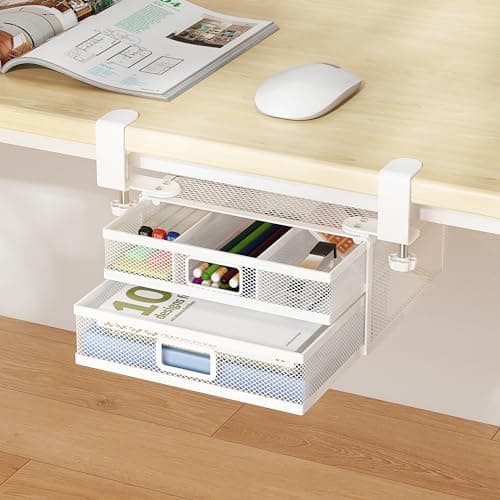
ROLIZOE 2-Drawer Clamp-On Under-Desk Organizer
Clamps on, adds storage in dead space beneath the top, and comes off without a mark when the lease ends.
$34.99Amazon#ad · Our top pick in The Best Under-Desk Storage for a Small Desk
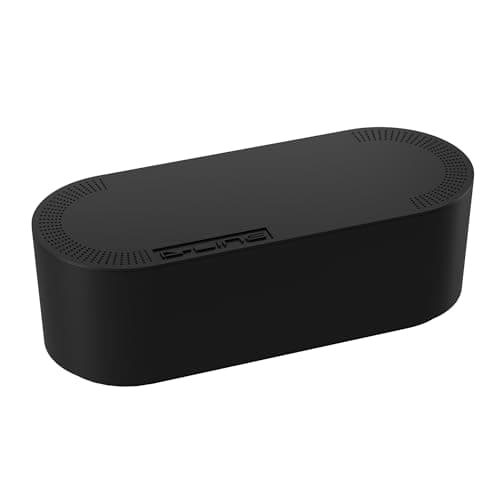
Cable box
D-Line Cable Management Box (Large)
Puts the strip and the wall-warts in one closed box so the floor under a desk in a studio does not read as a nest.
$27.99Amazon#ad · Our top pick in The Best Desk Cable Management for a Small Setup
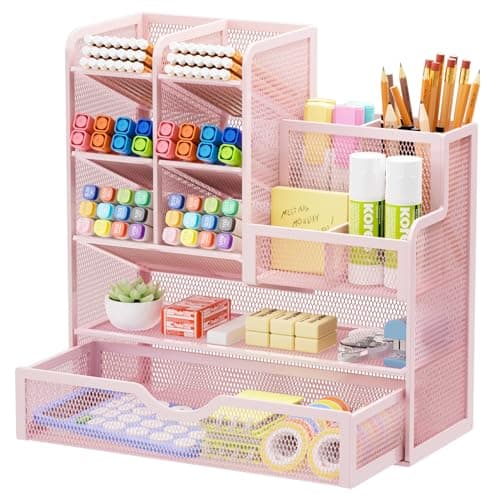
Desk organizer
Marbrasse Mesh Desk Organizer with Drawer
Goes vertical with the pens and notebooks that otherwise spread flat across the only surface you have.
$22.99Amazon#ad · Our top pick in The Best Desk Organizers for Small Desks
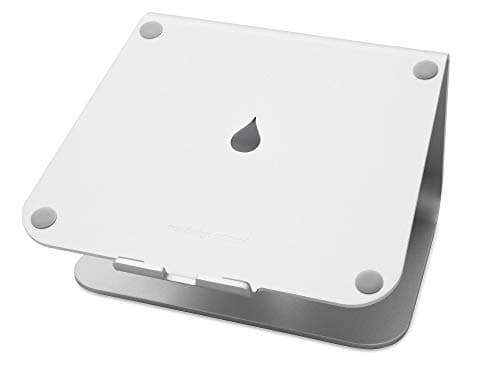
Laptop stand
Rain Design mStand Laptop Stand
Lifts the screen to eye level and opens the space underneath for a keyboard, which is how a 40-inch desk fits a full setup.
$39.90Amazon#ad · Our top pick in The Best Laptop Stands for a Small Desk
Keep reading
Related
- Best no-drill monitor armsClamp-on arms that free the desk without touching the wall.
- Wall-mounted & folding desksThe folding floor picks are the renter's fold-down desk.
- Best clamp desk lampsTask light that grips the desk edge and leaves no marks.
- Best ladder desksVertical storage with one small anti-tip screw.
- Under-desk keyboard traysClamp-on trays that leave no holes in a rented desk.
- Closet desk setupA workspace that closes, with no holes in the walls.
- Best desk power stripsPower at the desk without touching the wiring.
- Gifts for tiny-apartment workersThe same no-drill rule, applied to buying for someone else.
- Desk gear that survives a moveBuying for the apartment after this one.
Receipts
Sources
- OSHA — Computer Workstations eTool (desk, monitor and lighting layout guidance)
- CDC / NIOSH — office ergonomics resources
We do not run a testing lab, and we do not pretend to. Specifications come from the manufacturer or retailer listing; the footprint and clearance math is ours and reproducible. Where we could not verify a number, we say so on the page rather than quietly leaving it out. Read our full method.