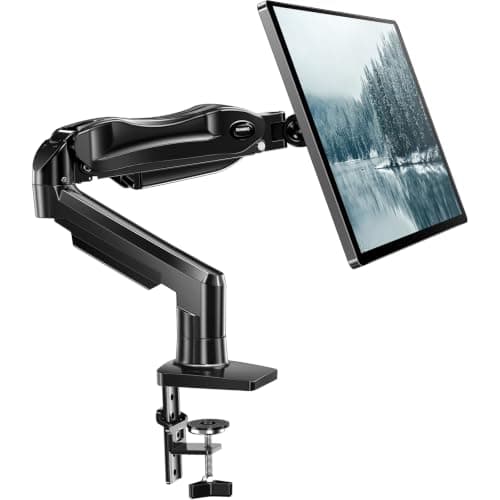
If your desk is hard against the wall, the problem is not the arm — it is the clamp. A C-clamp has a jaw that hooks over the back edge and a cable channel behind the post, and together they want one to two inches of air behind the desktop. In a small apartment the desk is against the wall precisely because there is no spare floor to pull it forward onto. Our pick is the Amazon Basics gas-spring arm, because it ships with a grommet base as well as a clampand its published thickness range for both is the widest here at 0.39–4 inches. A grommet base bolts down through the desktop, so rear clearance stops mattering entirely.
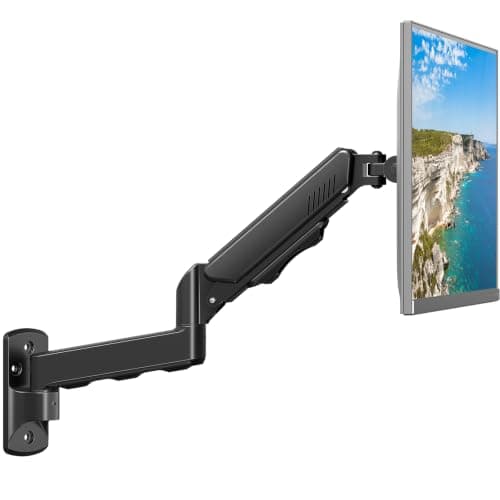
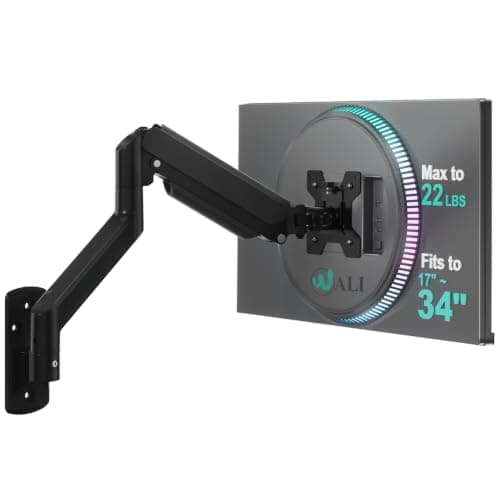
The HUANUO FlowLiftis the same trick for a bigger screen — grommet or clamp, 13 to 32 inches, 4.4 to 19.8 lb. If the desk has no grommet hole and you cannot drill one, the answer moves to the wall: the MOUNT PRO wall mount extends 22 inches, which is the most reach here, and the WALI wall mounttakes the widest and heaviest screens at up to 34 inches and 22 lb.
Before ordering, check for a hole. Most flat-pack desks ship with a cable grommet already cut, and if yours has one, you are done — a grommet mount is also more rigid than a clamp, because the load goes through the top rather than being pinched at the edge. If there is no hole, drilling one is permanent, which makes it a decision for a desk you own. Our clamp vs grommet comparison has the full trade-off.
Why a clamp fails on a flush desk, specifically
Three things sit behind the post of a clamp arm, and all three need air. The lower jaw hooks under and behind the desktop, which on most arms protrudes roughly an inch past the back edge. The cable channel runs down the back of the post. And the tightening knob is almost always underneath and behind, where your hand has to go. Push the desk flat to the wall and you have taken away the jaw room, the cable route and the access to the knob in one move.
The usual advice is “pull the desk forward two inches”. In a studio that is two inches of walkway you do not have, and it is also two inches of desk depth you lose off the front — so the fix costs you the thing you bought the arm to gain. The real answers are to mount through the desk or to mount on the wall.
The three bases, compared
| Base | Rear clearance needed | Leaves holes in | Best when |
|---|
| C-clamp | 1–2 in behind the top | Nothing | The desk can come forward |
| Grommet | None | The desktop (or use an existing hole) | The desk already has a cable hole |
| Wall mount | None | The wall | The desk is thin, hollow, glass, or not yours |
For a renter the ranking is usually grommet first (a hole in your own desk is your business), wall mount second (needs permission, and usually a stud), clamp third (only if the desk can move). That is the reverse of the order most roundups use, and it is why our no-drill picks and this page recommend different things: no-drill means no holes in the wall, and a grommet base satisfies that while a wall mount does not.
Reach matters more than usual here
On a free-standing desk you rarely use an arm’s full extension. Against a wall you might have to. The correct viewing distance for a 24 to 27-inch screen is roughly arm’s length — about 20 to 28 inches from your eyes — and if the arm base is at the back of a 16-inch-deep desk, the screen has to come forward to get there. That is why the MOUNT PRO’s 22 inches and the Amazon Basics’ 20.5 inches are ranked as features rather than footnotes. Our monitor size and distance guide has the numbers by screen size.
One caution that applies to every arm: full extension is also the position of maximum leverage on whatever the base is gripping, and the least stable configuration of the joints. If you are running the arm near full reach with a heavy screen, buy weight headroom rather than exactly enough — see how much weight a monitor arm can hold.
Cables, when there is no gap behind the desk
A flush desk has nowhere for cables to drop. Two practical moves: run the monitor and power leads along the back edge inside a slim raceway rather than down behind it, and use a flat-plug power strip so the desk can stay flat to the wall instead of being held off it by a wall-wart. Our desk power strip picks lead with the flat-plug models for exactly this reason, and cable management without wall damage covers the adhesive-free options.
Before you buy, run the fit checks
Rear clearance is only one of five things that decide whether an arm works on your desk. The others are top thickness, top material, your monitor’s VESA pattern and its weight without the stand. All five, with the fix for each failure, are in will a monitor arm fit my desk— worth five minutes before you spend anything. If the answer comes back no on more than one count, a monitor riser gets you eye height with no mounting at all.