Skip to content
Desk & Dowel

HUB 03 · Desk Lighting

The Best Monitor Light Bars for Small Desks

A monitor light bar rests on the screen, takes zero desk space and won't glare on the display. Four ranked by light quality, glare control and controls.

By Stephen V.Updated How we pick
#ad

We earn a commission when you buy through our Amazon links, at no extra cost to you. It never affects our rankings, and we say so when the cheaper product is the better buy. How this works.

A monitor light bar is the closest thing to free desk lighting: it rests on the top bezel of the monitor you already own, draws power from a spare USB port, and takes no surface at all. The clever part is the optic — it is asymmetric, throwing light down onto the desk and keyboard while keeping it off the screen, so you get task lighting without the washed-out reflection a normal lamp aimed near a display would cause. For a small desk that is close to ideal.

Our pick is the BenQ ScreenBar Halo 2: the best light quality here, a wireless dial, auto-dimming to the room, and a rear ambient glow that eases screen contrast. The ScreenBar Pro is the value BenQ; the Xiaomi is a strong mid-range with a wireless knob; the Quntisis the budget way in. The one requirement is a compatible bezel — very thick or curved-back monitors and most laptops do not suit them. Specs trace to the manufacturer listings, and the methodology explains the scores.

The short answer

Quick picks

#ProductBest forScorePrice
01
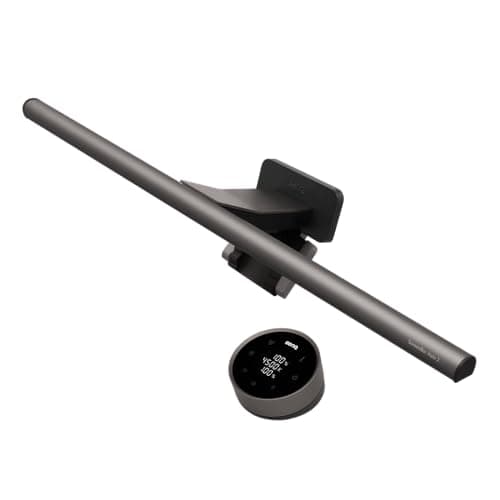
BenQ BenQ ScreenBar Halo 2
BenQ ScreenBar Halo 2

The best monitor light bar here: top light quality, a wireless dial, auto-dimming to the room and a rear ambient glow — all resting on the screen for zero desk footprint.

Best overall
8.9
$199.00Amazon
02
BenQ BenQ ScreenBar Pro
BenQ ScreenBar Pro

The value BenQ: the same asymmetric optic and clean light as the flagship, with a presence sensor and on-bar touch controls, for less than the Halo 2.

Best value BenQ
8.8
$139.00Amazon
03
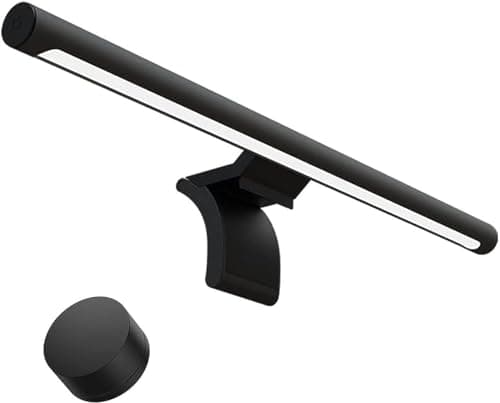
Xiaomi Xiaomi Mi Computer Monitor Light Bar
Xiaomi Mi Computer Monitor Light Bar

A strong mid-range bar with a wireless control knob and warm-to-cool color, resting on the monitor for no desk footprint. The value sweet spot.

Best mid-range
8.6
$67.99Amazon
04
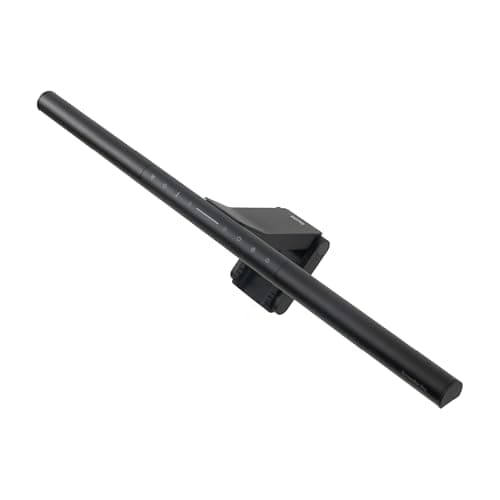
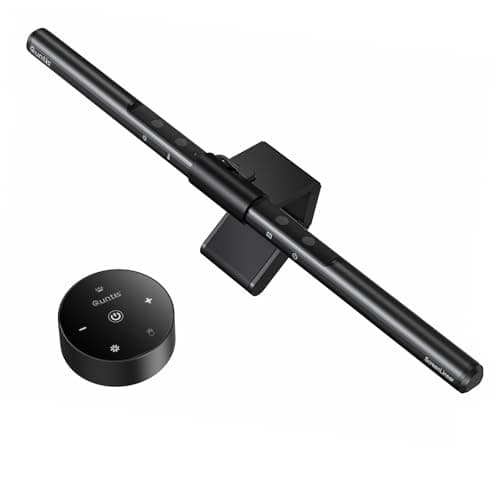
Quntis Quntis Monitor Light Bar
Quntis Monitor Light Bar

The budget way into monitor-bar lighting: the asymmetric optic that keeps glare off the screen, USB-powered, at the lowest tier here. Basic but does the core job.

Best budget
8.4
$33.96Amazon

#ad · Live prices from the Amazon Product API, as of Jul 24, 2026. Where we have no verified live price we show none — we would rather leave a gap than print a number that has rotted.

In detail

The picks, in full

01
BenQ BenQ ScreenBar Halo 2

Best overall

BenQ ScreenBar Halo 2

Mount
Counterweight clip on bezel
Color temp
2700–6500K
Optic
Asymmetric, no screen glare
Controls
Wireless dial + auto-dim
Rear light
Ambient backlight
8.9/10

The best monitor light bar here: top light quality, a wireless dial, auto-dimming to the room and a rear ambient glow — all resting on the screen for zero desk footprint.

Light quality
9.4
Glare control
9.6
Controls
9.2
Value
7.4

Pros

  • Best light quality and glare control here
  • Wireless dial and auto-dimming
  • Rear ambient light eases screen contrast
  • Zero desk footprint on the bezel

Cons

  • Premium price tier
  • Needs a compatible monitor bezel

Skip this if…

budget is the priority — the ScreenBar Pro or Xiaomi cover the essentials for less.

$199.00View on Amazon

Price as of Jul 24, 2026. Prices change — Amazon's is the one that counts.

#ad · we may earn a commission from this link to BenQ ScreenBar Halo 2

02
BenQ BenQ ScreenBar Pro

Best value BenQ

BenQ ScreenBar Pro

Mount
Counterweight clip on bezel
Color temp
2700–6500K
Optic
Asymmetric, no screen glare
Controls
On-bar touch + auto-dim
Sensor
Presence auto-on
8.8/10

The value BenQ: the same asymmetric optic and clean light as the flagship, with a presence sensor and on-bar touch controls, for less than the Halo 2.

Light quality
9.2
Glare control
9.4
Controls
8.8
Value
7.8

Pros

  • BenQ's asymmetric optic and clean light
  • Presence sensor turns it on automatically
  • On-bar touch controls plus auto-dim
  • Zero desk footprint

Cons

  • No wireless dial like the Halo 2
  • No rear ambient light

Skip this if…

you want the wireless dial and rear glow — that is what the Halo 2 adds.

$139.00View on Amazon

Price as of Jul 24, 2026. Prices change — Amazon's is the one that counts.

#ad · we may earn a commission from this link to BenQ ScreenBar Pro

03
Xiaomi Xiaomi Mi Computer Monitor Light Bar

Best mid-range

Xiaomi Mi Computer Monitor Light Bar

Mount
Counterweight clip on bezel
Color temp
2700–6500K
Optic
Asymmetric, no screen glare
Controls
Wireless dial
Power
USB-powered
8.6/10

A strong mid-range bar with a wireless control knob and warm-to-cool color, resting on the monitor for no desk footprint. The value sweet spot.

Light quality
8.6
Glare control
8.8
Controls
8.2
Value
8.8

Pros

  • Wireless control knob for brightness and color
  • Asymmetric optic keeps glare off the screen
  • Warm-to-cool color range
  • Zero desk footprint

Cons

  • No presence sensor
  • Needs a compatible bezel

Skip this if…

you want auto-on presence sensing or a rear ambient light — the BenQ bars add those.

$67.99View on Amazon

Price as of Jul 24, 2026. Prices change — Amazon's is the one that counts.

#ad · we may earn a commission from this link to Xiaomi Mi Computer Monitor Light Bar

04
Quntis Quntis Monitor Light Bar

Best budget

Quntis Monitor Light Bar

Mount
Clip on bezel
Color temp
Adjustable, warm to cool
Optic
Asymmetric, no screen glare
Controls
Touch / remote
Power
USB-powered
8.4/10

The budget way into monitor-bar lighting: the asymmetric optic that keeps glare off the screen, USB-powered, at the lowest tier here. Basic but does the core job.

Light quality
8.2
Glare control
8.4
Controls
7.8
Value
9

Pros

  • Asymmetric optic keeps glare off the screen
  • USB-powered, rests on the bezel
  • Lowest price tier here
  • Simple to set up

Cons

  • Fewer control niceties than the BenQ bars
  • Light quality a step below the premium picks

Skip this if…

you want the best color accuracy and controls — the BenQ bars are worth the step up.

$33.96View on Amazon

$39.9515% off

Price as of Jul 24, 2026. Prices change — Amazon's is the one that counts.

#ad · we may earn a commission from this link to Quntis Monitor Light Bar

Why the asymmetric optic matters

An ordinary lamp placed behind a monitor lights the screen as much as the desk, and you see it as glare. A monitor light bar uses an asymmetric lens that aims all the light forward and down onto the work surface, leaving the display dark and readable. That single design choice is why a light bar beats a desk lamp for anyone who stares at a screen all day — and why it is worth checking that a cheaper bar actually has the optic, not just a row of LEDs.

Check the fit before you buy

A light bar clips over the monitor’s top edge with a counterweight, so bezel depth and screen curvature decide whether it sits level. Most flat monitors are fine; very thick bezels, sharply curved backs and laptop lids usually are not. Measure if in doubt. For controls, a wireless dial or auto-dimming is nicer to use than reaching behind the screen. Pair the bar with a monitor arm and the desk surface stays completely clear.

How we picked

We do not run a testing lab

We compiled the published manufacturer specifications, did the footprint and clearance math ourselves, and read aggregated owner reviews, then scored each product against a published rubric. The scores are judgments from documented research — they are not measurements we took, because we do not have a lab and we are not going to pretend we do. Every spec traces back to a listing or manual named in Sources.

Questions

Frequently asked

Do monitor light bars cause screen glare?
No — that is the point of them. The asymmetric optic aims light down onto the desk and away from the screen, so you get task lighting without the reflection a normal lamp would bounce off the display.
Will a light bar fit my monitor?
Most flat-screen monitors work. The bar clips over the top bezel with a counterweight, so very thick bezels, strongly curved backs and laptop screens are the usual exceptions. Check bezel depth if you are unsure.
Are monitor light bars bright enough to work by?
For desk and keyboard task lighting, yes — they are designed to light the work area in front of the screen. They are not room lights; if you need to illuminate the whole space, add a floor or ceiling light as well.
Monitor light bar or desk lamp?
For a small desk a light bar usually wins on footprint and glare, but a desk lamp lights a wider area and can point away from the screen. See our light bar vs desk lamp comparison.

Keep reading

Receipts

Sources

We do not run a testing lab, and we do not pretend to. Specifications come from the manufacturer or retailer listing; the footprint and clearance math is ours and reproducible. Where we could not verify a number, we say so on the page rather than quietly leaving it out. Read our full method.