Skip to content
Desk & Dowel

HUB 01 · Compact Desks

The Best Small Desks with Power Outlets

Old apartments have one outlet, and it is behind the bed. Five compact desks with sockets and USB built into the furniture — plus the clamp-on fix for the desk you own.

By Stephen V.Updated How we pick
#ad

We earn a commission when you buy through our Amazon links, at no extra cost to you. It never affects our rankings, and we say so when the cheaper product is the better buy. How this works.

Apartment wiring was not designed around a workspace. Older buildings give a bedroom two outlets, usually both in the wrong place, and the result is the thing every small setup ends up with: an extension lead running along the skirting board and a tangle of bricks on the floor. A desk with power built into it solves that at the furniture level — one cord to the wall, everything else plugged in at the desk.

Our pick for most small rooms is the HOOBRO 31.5in, which puts an outlet and USB charging on a desk narrow enough for a bedroom wall. The Coleshome L-shapedis the one with the most power — three AC outlets, a USB-A and a USB-C — and the Bestier 42in is the compact corner version. The Topeakmart rolling desk takes power with it when it moves. And if you already own a desk, the ACOZVIN clamp strip adds nine outlets and eight USB ports to it for a fraction of the price of new furniture.

One thing to read before you buy anything in this category: the safety section below. A desk with an outlet block in it is still an extension lead, and it inherits every rule that applies to one. Specs are from the manufacturer listings; the methodology explains the scoring.

The short answer

Quick picks

#ProductBest forScorePrice
01
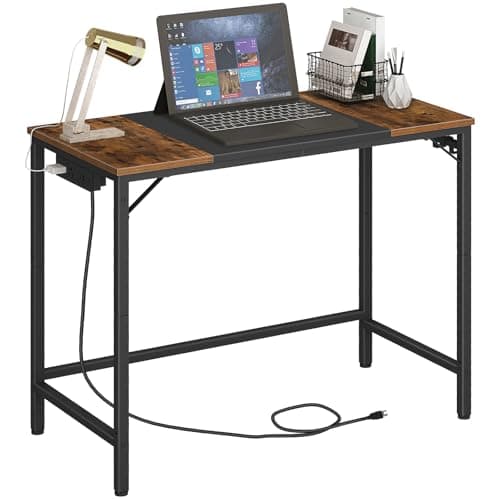
HOOBRO HOOBRO 31.5in Desk with Power Outlet
HOOBRO 31.5in Desk with Power Outlet

The best fit for a small room: outlets and USB charging on a desk only 31.5 × 15.7in, with three hooks on the frame and adjustable feet for uneven apartment floors.

Best overall
7.8
$47.99Amazon
02
Coleshome Coleshome 55in L-Shaped Desk with Power Outlet
Coleshome 55in L-Shaped Desk with Power Outlet

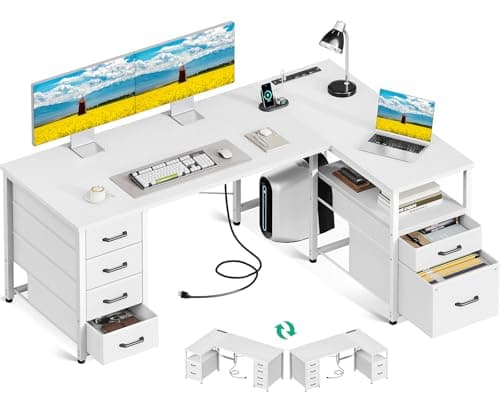
The most power of any desk here: three AC outlets, a USB-A and a USB-C built into a reversible L-shaped top, with six fabric drawers including a file drawer.

Most outlets
8.1
$129.99Amazon
03
Bestier Bestier 42in L-Shaped Desk with Charging
Bestier 42in L-Shaped Desk with Charging

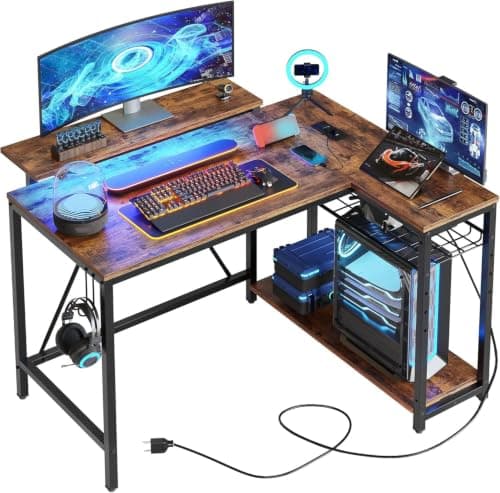
The compact corner option: charging built in on a 42in L-shape with reversible shelves, a two-way upper stand that works as a monitor riser or a display shelf, and a strip light under it.

Best compact corner
8.0
$75.99Amazon
04
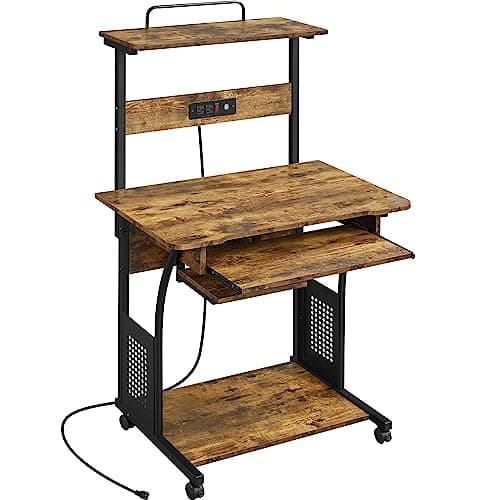
Topeakmart Topeakmart 3-Tier Rolling Desk with Power Outlet
Topeakmart 3-Tier Rolling Desk with Power Outlet

Power that moves with the desk: a 31.5in rolling workstation with a 1500W outlet block, two AC sockets and USB, plus a keyboard tray and a printer shelf, all on wheels.

Best mobile
8.2
$68.39Amazon
05
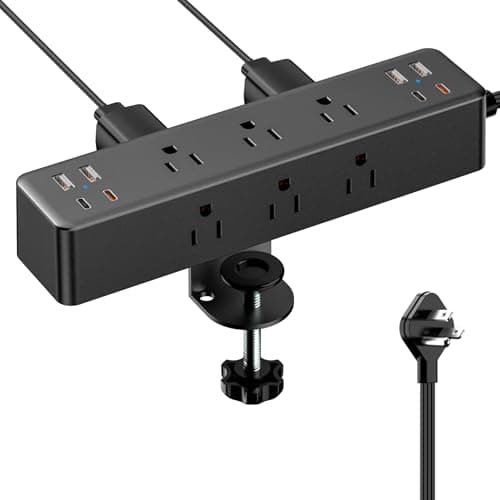
ACOZVIN ACOZVIN Desk Clamp Power Strip
ACOZVIN Desk Clamp Power Strip

The retrofit that beats buying a new desk: nine AC outlets and eight USB ports (four USB-C) on a clamp that grips any top up to 1.7in, on a 10ft flat-plug cord.

Best retrofit
7.9
$25.64Amazon

#ad · Live prices from the Amazon Product API, as of Aug 12, 2026. Where we have no verified live price we show none — we would rather leave a gap than print a number that has rotted.

In detail

The picks, in full

01
HOOBRO HOOBRO 31.5in Desk with Power Outlet

Best overall

HOOBRO 31.5in Desk with Power Outlet

Width
31.5 in
Depth
15.7 in
Height
30.3 in
Power
Outlet + USB charging ports
Weight
16.3 lb
7.8/10

The best fit for a small room: outlets and USB charging on a desk only 31.5 × 15.7in, with three hooks on the frame and adjustable feet for uneven apartment floors.

Power provided
7.8
Footprint
9.4
Storage
5.4
Sturdiness
7.6
Value
9

Pros

  • 31.5in wide — fits a bedroom wall a bigger desk cannot
  • Power at the desk on the narrowest top here
  • Adjustable feet plus two under-top stiffening plates
  • Three frame hooks for bags, headphones and cables

Cons

  • 15.7in depth leaves no room for a monitor on its stand
  • No drawers — the power is the feature, not storage

Skip this if…

a monitor has to sit on the desk. At 15.7 inches deep you need a clamp arm, and the arm competes with the socket block for the back edge.

$47.99View on Amazon

$57.9917% off

Price as of Aug 12, 2026. Prices change — Amazon's is the one that counts.

#ad · we may earn a commission from this link to HOOBRO 31.5in Desk with Power Outlet

02
Coleshome Coleshome 55in L-Shaped Desk with Power Outlet

Most outlets

Coleshome 55in L-Shaped Desk with Power Outlet

Width
55 in
Depth
31.5 in
Height
29.6 in
Power
3 AC + USB-A + USB-C
Storage
6 fabric drawers
8.1/10

The most power of any desk here: three AC outlets, a USB-A and a USB-C built into a reversible L-shaped top, with six fabric drawers including a file drawer.

Power provided
9.6
Footprint
5.8
Storage
8.8
Sturdiness
8
Value
8.2

Pros

  • Three AC outlets plus USB-A and USB-C in the furniture
  • Reversible — the drawer side mounts left or right
  • Corner layout uses space a straight desk wastes
  • Six drawers including a deep file drawer

Cons

  • 55 × 31.5in is a lot of floor for a small apartment
  • Fabric drawers, not wooden ones

Skip this if…

your room cannot give up a full corner. The Bestier 42in does the same job in a much smaller footprint.

$129.99View on Amazon

$139.997% off

Price as of Aug 12, 2026. Prices change — Amazon's is the one that counts.

#ad · we may earn a commission from this link to Coleshome 55in L-Shaped Desk with Power Outlet

03
Bestier Bestier 42in L-Shaped Desk with Charging

Best compact corner

Bestier 42in L-Shaped Desk with Charging

Width
41.9 in
Depth
32.3 in
Height
35.9 in
Power
Built-in charging
Extras
Reversible shelves + LED strip
8.0/10

The compact corner option: charging built in on a 42in L-shape with reversible shelves, a two-way upper stand that works as a monitor riser or a display shelf, and a strip light under it.

Power provided
8
Footprint
7.4
Storage
8
Sturdiness
7.8
Value
8.6

Pros

  • 42in corner footprint suits a bedroom or a rental
  • Shelves mount either side, so the desk fits your outlet wall
  • Upper stand doubles as a monitor riser
  • Integrated strip light removes the need for a lamp footprint

Cons

  • The upper stand occupies the edge a monitor arm would clamp to
  • Corner desks are harder to place than straight ones

Skip this if…

you want to run a monitor arm. Between the shelf and the stand there is no clear back edge left.

$75.99View on Amazon

$89.9916% off

Price as of Aug 12, 2026. Prices change — Amazon's is the one that counts.

#ad · we may earn a commission from this link to Bestier 42in L-Shaped Desk with Charging

04
Topeakmart Topeakmart 3-Tier Rolling Desk with Power Outlet

Best mobile

Topeakmart 3-Tier Rolling Desk with Power Outlet

Width
31.5 in
Depth
19.9 in
Height
51.8 in
Power
1500W block, 2 AC + USB, 2m cord
Mobility
Casters
8.2/10

Power that moves with the desk: a 31.5in rolling workstation with a 1500W outlet block, two AC sockets and USB, plus a keyboard tray and a printer shelf, all on wheels.

Power provided
8.6
Footprint
8.8
Storage
8.4
Sturdiness
6.6
Value
8.6

Pros

  • Rolls between rooms without unplugging everything
  • Three tiers plus a drawer over a 31.5in footprint
  • Keyboard tray included on a compact desk
  • 2m cord means it reaches the one outlet you have

Cons

  • 51.8in tall and narrow — keep the heavy items low
  • Casters trade some rigidity for mobility

Skip this if…

you want a rock-solid typing surface. Anything on wheels moves a little; a fixed desk does not.

$68.39View on Amazon

$79.9915% off

Price as of Aug 12, 2026. Prices change — Amazon's is the one that counts.

#ad · we may earn a commission from this link to Topeakmart 3-Tier Rolling Desk with Power Outlet

05
ACOZVIN ACOZVIN Desk Clamp Power Strip

Best retrofit

ACOZVIN Desk Clamp Power Strip

Outlets
9 AC (1875W / 15A)
USB
8 ports (4 USB-A, 4 USB-C)
Cord
10 ft, 0.3in flat plug
Clamp
Fits tops up to 1.7 in
Mounting
Edge clamp + screws
7.9/10

The retrofit that beats buying a new desk: nine AC outlets and eight USB ports (four USB-C) on a clamp that grips any top up to 1.7in, on a 10ft flat-plug cord.

Power provided
9.8
Footprint
9.6
Storage
2
Sturdiness
8.4
Value
9.6

Pros

  • Adds more power than any desk here, to the desk you own
  • 10ft flat-plug cord reaches an awkward outlet and sits flush
  • Clamps to the back or side edge, out of the way
  • Four USB-C ports, two at 20W

Cons

  • 40W is the total USB output, shared across all eight ports
  • Needs 1.7in or less of edge thickness to clamp

Skip this if…

your desk edge is glass or over 1.7 inches thick. Use a mounted under-desk strip instead.

$25.64View on Amazon

$29.9915% off

Price as of Aug 12, 2026. Prices change — Amazon's is the one that counts.

#ad · we may earn a commission from this link to ACOZVIN Desk Clamp Power Strip

Read this before you buy: a desk outlet is still an extension cord

The socket block in a desk is a power strip in a nicer housing, and it inherits the rules that apply to one. Three that matter, all standard fire-safety guidance:

  • Never plug it into another strip. Daisy-chaining strips is the single most common cause of overload in home offices. The desk plugs into a wall outlet, full stop.
  • Nothing with a heating element. Space heaters, kettles and hot plates draw far more current than a furniture outlet block is designed for. Computers, monitors, lamps and chargers are what these are for.
  • Do not run the feed cord under a rugor through a doorway where it gets crushed. If the cord will not reach safely, move the desk or have an outlet added — do not add another lead.

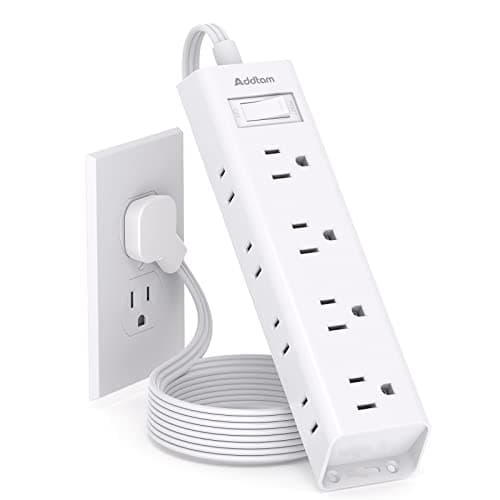
Also worth knowing: many furniture outlet blocks provide convenience power, not surge protection. If you want your machine protected from spikes, put a surge-protected stripin the chain, or check the desk’s listing for a joule rating — if there is not one, assume there is no protection.

Built-in or clamp-on?

FactorBuilt into the deskClamp-on strip
TidinessBest — nothing visibleVery good — clamps to the rear edge
Outlet countTypically 1–3 AC plus USBUp to 9 AC plus 8 USB
CostYou buy the whole deskA small fraction of a desk
Moves with youYes, it is the furnitureYes — unclamp it in seconds
Replaceable if it failsNo — it is part of the deskYes

That last row deserves weight. A furniture outlet block that dies takes the feature with it permanently; a clamp strip is a twenty-dollar replacement. If you already own a desk you like, the retrofit is the better decision on almost every axis except pure tidiness.

USB-C, and reading the wattage honestly

Desks and strips advertise big USB numbers, and the number is almost always a totalshared across every port. The ACOZVIN here is explicit about it: 40W total, with two USB-C ports capable of 20W each — so one laptop-class charge, or several phones, but not both at once. That is normal and it is fine for a desk; just do not expect to charge a laptop over USB-C from furniture power while three other things are plugged in.

Where the outlet sits matters more than how many there are

On a small desk, a socket block along the back edge competes with the two things you most want back there: a monitor arm clamp and a clamp lamp. Before ordering, look at the product photos and work out which edge the block occupies and how much clear edge is left. It is the most common regret in this category — power arrives, and the arm no longer has anywhere to grip.

If you skip the built-in route

A perfectly good alternative is one good strip mounted underneath the desk, out of sight, with everything feeding into it. That is the approach in desk cable management, and it costs less than the price difference between a desk with power and the same desk without.
How we picked

We do not run a testing lab

We compiled the published manufacturer specifications, did the footprint and clearance math ourselves, and read aggregated owner reviews, then scored each product against a published rubric. The scores are judgments from documented research — they are not measurements we took, because we do not have a lab and we are not going to pretend we do. Every spec traces back to a listing or manual named in Sources.

Questions

Frequently asked

Are desks with built-in power outlets safe?
They are as safe as any power strip, and they follow the same rules: plug the desk directly into a wall outlet and never into another strip, keep heating appliances off it, and do not run the feed cord under a rug or through a doorway. Many furniture outlet blocks provide convenience power rather than surge protection - check the listing for a joule rating.
Is a desk with built-in outlets better than a power strip?
It is tidier, but a clamp-on strip gives you far more outlets for a fraction of the price and can be replaced if it fails, which a built-in block cannot. If you already own a desk you like, retrofit it. If you are buying a desk anyway, built-in power is a genuine convenience — see best desk power strips for the alternative.
Can you charge a laptop from a desk's USB-C port?
Sometimes, and slowly. The advertised wattage is a total shared across every port - 40W total with two 20W USB-C ports is typical - so you get one laptop-class charge only if nothing much else is plugged in. For full-speed laptop charging, use the laptop's own adapter in an AC outlet.
Will a built-in outlet block get in the way of a monitor arm?
Often, yes — both want the back edge of the desk. Check the product photos for which edge the block occupies and how much clear edge remains before ordering, and confirm the thickness against the clamp’s jaw range in our desk-fit guide.
How do I add outlets to a desk I already own?
Clamp a power strip to the rear edge or mount one under the top. A clamp strip like the ACOZVIN here fits edges up to 1.7 inches and needs no drilling, so it works in a rental; an under-desk mounted strip hides completely. Either way, run one feed cord to the wall rather than several — the method is in desk cable management.

Keep reading

Receipts

Sources

We do not run a testing lab, and we do not pretend to. Specifications come from the manufacturer or retailer listing; the footprint and clearance math is ours and reproducible. Where we could not verify a number, we say so on the page rather than quietly leaving it out. Read our full method.