Skip to content
Desk & Dowel

HUB 02 · Monitor Arms & Mounts

The Best Laptop Wall Mounts

A laptop on the wall frees the whole desk, or stands in for one. Five ranked on the numbers that decide whether it works: the tray limit, the minimum load, how flat it folds and what it has to be screwed into.

By Stephen V.Updated How we pick
#ad

We earn a commission when you buy through our Amazon links, at no extra cost to you. It never affects our rankings, and we say so when the cheaper product is the better buy. How this works.

A laptop wall mount does something no stand and no clamp arm can: it takes the laptop off the desk completely, and in a room with no space for a desk at all, it can stand in for one. Every listing in the category sells that the same way, as “free up desk space.” The numbers that decide whether it will actually work with your laptop and your wall are almost never in the title.

Four of them decide it, and they are what this page ranks on:

  • The tray limit, not the arm rating.Most of these mounts are sold as 2-in-1s: take the tray off and the arm holds a monitor. The headline weight is usually the arm's. VIVO publishes both for its MOUNT-V001GL, and they are not close — the arm is rated 4.4 to 19.8 pounds, the laptop tray 9.9. Mount-It!'s wall-or-pole laptop arm shows the same split, 15.4 pounds for the arm and 9.9 for the tray. A listing that gives one number for “laptop or monitor” has not told you the tray limit.
  • The minimum load.A counterbalance arm needs weight to push against. VIVO states it plainly: the arm “must hold at least 4.4 lbs to work properly.” Apple lists the 13-inch MacBook Air at 2.7 pounds, the 15-inch at 3.3 and the 2024 14-inch MacBook Pro at 3.5. Some of the most common laptops sold today weigh less than the 4.4-pound minimum that both the MOUNT-V001GL and the MOUNTUP publish.
  • Folded depth. In a small room the question is not only how far the mount reaches, but how far it still sticks out when you are done. The spread is real: 2.1 inches for the flat-folding VIVO tray, 3 inches for the VIVO pneumatic tray folded up, and nothing published at all for the cheapest arm.
  • What the wall is made of. All three arms here specify wood studs, concrete or brick, and MOUNTUP says outright that its mount is not recommended for drywall-only installation. That is the same rule as for wall-mount monitor arms, and a laptop tray adds a load a screen does not: you type on it and lean on it.

There is also a decision to make before any of that, because a laptop is a screen and a keyboard joined together. Mount it with the screen at eye level and you need a separate keyboard; mount it at typing height and you are looking down. Cornell's ergonomics group puts it in one line: “if the keyboard is in an optimal position for the user, the screen isn't and if the screen is optimal the keyboard isn't.” The picks below split along exactly that line, and the buying guide under them explains how to choose.

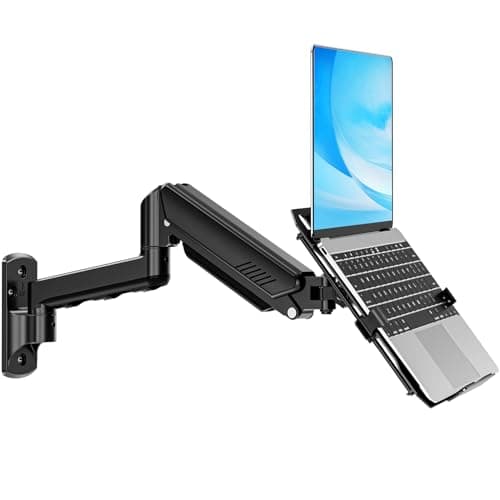
Our pick is the VIVO MOUNT-KB35L, a pneumatic tray that works as a floating laptop desk and folds up to a 3-inch profile. The VIVO MOUNT-V001GL is the best-documented screen-height arm, the MOUNTUP 2-in-1 is the cheapest arm here that takes a 17-inch laptop, the VIVO MOUNT-FDLAP1 is the answer for a laptop too light for any spring, and the ELETIUO holder is the no-drill way to store a closed, docked laptop on the wall or under the desk. Live prices below; the methodology explains the scoring.

The short answer

Quick picks

#ProductBest forScorePrice
01
VIVO VIVO Pneumatic Laptop Tray Wall Mount (MOUNT-KB35L)
VIVO Pneumatic Laptop Tray Wall Mount (MOUNT-KB35L)

The only mount here built to be a floating laptop desk rather than a screen holder — 10.6 inches of pneumatic height travel, a tray that tilts back for typing, and a 3-inch profile once it folds up against the wall.

Best overall
8.3
$99.99Amazon
02
VIVO VIVO Pneumatic Arm Laptop Wall Mount (MOUNT-V001GL)
VIVO Pneumatic Arm Laptop Wall Mount (MOUNT-V001GL)

The best-documented arm in the category — tray limit, arm rating, minimum load, height travel, reach and wall-base size are all published — as long as your laptop clears its 4.4-pound floor.

Best screen-height arm
8.1
$49.99Amazon
03
MOUNTUP MOUNTUP 2-in-1 Laptop Wall Mount
MOUNTUP 2-in-1 Laptop Wall Mount

The cheapest arm here that takes a 17-inch laptop, and the one that becomes a monitor mount later — with one number to treat carefully, because its 22-pound rating is not split between tray and arm.

Best value 2-in-1
7.9
$35.99Amazon
04
VIVO VIVO Flip-Down Laptop Tray Holder (MOUNT-FDLAP1)
VIVO Flip-Down Laptop Tray Holder (MOUNT-FDLAP1)

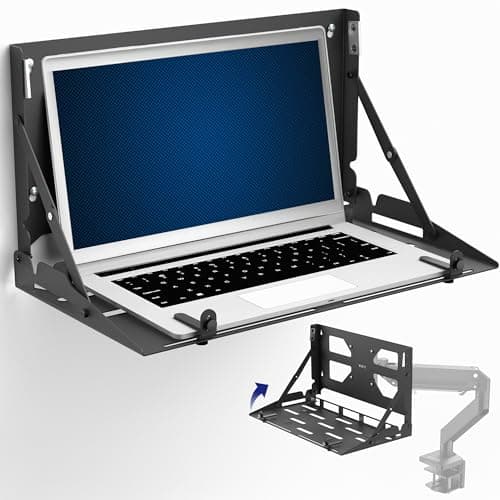
The slimmest mount here once folded — 2.1 inches off the wall — and the only one with no spring listed, so there is no minimum load and a 2.7-pound ultralight sits on it as well as a 17-inch machine does.

Best for light laptops
7.8
$79.99Amazon
05
ELETIUO ELETIUO Wall & Under-Desk Laptop Holder (2-pack)
ELETIUO Wall & Under-Desk Laptop Holder (2-pack)

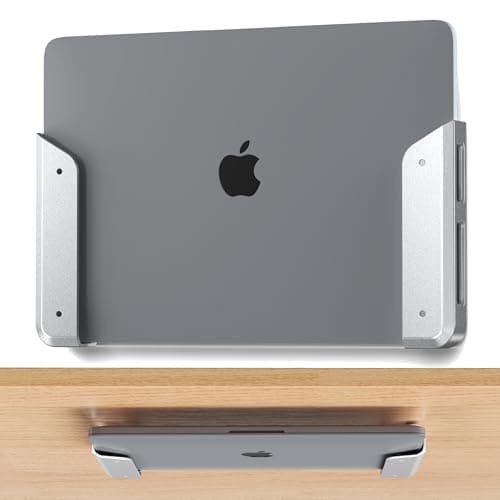
Not a working mount but a holder for a closed laptop. If you run the laptop shut and docked to a monitor, this puts it on the wall or under the desk for much less than any arm, with an adhesive option that needs no drill at all.

Best no-drill option
7.5
$14.99Amazon

#ad · Live prices from the Amazon Product API, as of Sep 25, 2026. Where we have no verified live price we show none — we would rather leave a gap than print a number that has rotted.

In detail

The picks, in full

01
VIVO VIVO Pneumatic Laptop Tray Wall Mount (MOUNT-KB35L)

Best overall

VIVO Pneumatic Laptop Tray Wall Mount (MOUNT-KB35L)

Laptop
Up to 17 in, 13.2 lb
Tray
14 × 11.9 in
Height travel
10.6 in
Reach from wall
15–37.8 in
Folded profile
3 in
8.3/10

The only mount here built to be a floating laptop desk rather than a screen holder — 10.6 inches of pneumatic height travel, a tray that tilts back for typing, and a 3-inch profile once it folds up against the wall.

Laptop fit
8.4
Stowed profile
9
Adjustment
9.2
Wall demands
6.8
Value
8

Pros

  • Folds up to a 3in profile, so the room gets its floor space back between work sessions
  • The 13.2 lb figure is a laptop limit, not a monitor-mode rating, so there is no arm-versus-tray guesswork
  • 10.6in of pneumatic height travel, +90° to −20° tilt so the tray can angle back for typing, and 180° swivel
  • 3-year warranty and a published 3.3 × 7in wall plate

Cons

  • VIVO publishes no minimum load for this one, and it states 4.4 lb for its other pneumatic laptop mount — ask before ordering if your laptop is lighter than that
  • At its full 37.8in reach the tray swings more than three feet into the room, which is a collision zone in a hallway or beside a door
  • Wood stud or concrete/brick walls only
  • VIVO lists no VESA conversion, so it stays a laptop tray if your setup changes

Skip this if…

…you want the laptop screen at eye level while you type on a separate keyboard. This is a typing-height tray; for a screen-height arm, the VIVO MOUNT-V001GL below is the better shape.

$99.99View on Amazon

$119.9917% off

Price as of Sep 25, 2026. Prices change — Amazon's is the one that counts.

#ad · we may earn a commission from this link to VIVO Pneumatic Laptop Tray Wall Mount (MOUNT-KB35L)

02
VIVO VIVO Pneumatic Arm Laptop Wall Mount (MOUNT-V001GL)

Best screen-height arm

VIVO Pneumatic Arm Laptop Wall Mount (MOUNT-V001GL)

Laptop
10–15.6 in, 9.9 lb max
Arm load
4.4–19.8 lb
Height travel
9.75 in
Reach from wall
3–20.5 in
Wall base
2 × 6.75 in
8.1/10

The best-documented arm in the category — tray limit, arm rating, minimum load, height travel, reach and wall-base size are all published — as long as your laptop clears its 4.4-pound floor.

Laptop fit
7.2
Stowed profile
8.2
Adjustment
8.8
Wall demands
7.2
Value
9

Pros

  • Publishes both the tray limit (9.9 lb) and the arm window (4.4–19.8 lb), the split most 2-in-1 listings leave out
  • Retracts to just 3in from the wall and reaches 20.5in when you want the screen closer
  • The 2 × 6.75in wall base is the smallest published mounting footprint on this page
  • Removable VESA plate, 360° rotation, +90° to −45° tilt and a 3-year warranty

Cons

  • The 4.4 lb minimum load is above Apple's published weight for the 13in (2.7 lb) and 15in (3.3 lb) MacBook Air
  • Laptops stop at 15.6in and 9.9 lb, so a 16 or 17in machine is out
  • Wood stud or brick/concrete walls only

Skip this if…

…your laptop weighs under 4.4 pounds. VIVO states the arm needs at least that to work properly and does not say whether the tray counts toward it — check with VIVO first, or choose the spring-free MOUNT-FDLAP1.

$49.99View on Amazon

$59.9917% off

Price as of Sep 25, 2026. Prices change — Amazon's is the one that counts.

#ad · we may earn a commission from this link to VIVO Pneumatic Arm Laptop Wall Mount (MOUNT-V001GL)

03
MOUNTUP MOUNTUP 2-in-1 Laptop Wall Mount

Best value 2-in-1

MOUNTUP 2-in-1 Laptop Wall Mount

Laptop / monitor
Up to 17 in / up to 32 in
Load
4.4–22 lb (not split by mode)
Height travel
11 in
Reach
Up to 20.7 in
VESA
75 × 75 / 100 × 100
7.9/10

The cheapest arm here that takes a 17-inch laptop, and the one that becomes a monitor mount later — with one number to treat carefully, because its 22-pound rating is not split between tray and arm.

Laptop fit
7.6
Stowed profile
7
Adjustment
8.6
Wall demands
6.8
Value
9.4

Pros

  • Takes laptops up to 17in, which the VIVO arm above does not
  • Remove the tray and it is a monitor arm for screens up to 32in, useful if a move changes your setup
  • 11in of height travel and 20.7in of reach
  • A latch locks the laptop into the tray

Cons

  • The 4.4–22 lb range covers laptop OR monitor with no separate tray limit, so the real laptop ceiling is not published
  • The same 4.4 lb minimum as the VIVO arm, which a MacBook Air is under
  • No folded or retracted depth is published
  • Not recommended for drywall-only installation, per the listing

Skip this if…

…you are mounting a heavy 17-inch laptop that sits well up that 22-pound range. Without a published tray limit, the headroom is a guess.

$35.99View on Amazon

$49.9928% off

Price as of Sep 25, 2026. Prices change — Amazon's is the one that counts.

#ad · we may earn a commission from this link to MOUNTUP 2-in-1 Laptop Wall Mount

04
VIVO VIVO Flip-Down Laptop Tray Holder (MOUNT-FDLAP1)

Best for light laptops

VIVO Flip-Down Laptop Tray Holder (MOUNT-FDLAP1)

Laptop
13–17 in, up to 22 lb
Open size
18.8 × 10.8 × 10.4 in
Folded depth
2.1 in
Adjustment
None listed (fixed height)
Mounting
Wall, or VESA 75 / 100
7.8/10

The slimmest mount here once folded — 2.1 inches off the wall — and the only one with no spring listed, so there is no minimum load and a 2.7-pound ultralight sits on it as well as a 17-inch machine does.

Laptop fit
9
Stowed profile
9.6
Adjustment
5
Wall demands
7.6
Value
7.6

Pros

  • Folds to 2.1in, the thinnest stowed profile in this roundup
  • No gas spring and no minimum load listed, which suits the thin-and-light laptops spring arms struggle with
  • 22 lb rating on a steel frame, and folded up it doubles as a holder for the closed laptop
  • Also bolts to a VESA 75 or 100 plate, so it can ride on a monitor arm you already own

Cons

  • No height, tilt or reach adjustment is listed — the height you drill at is the height you get
  • Ships drywall hardware, but VIVO publishes no drywall-specific weight rating; for a surface you type on, use a stud
  • The 13in minimum laptop size rules out the smallest machines

Skip this if…

…more than one person will use it, or you are not sure of your working height. With nothing to adjust, a mounting mistake means new holes.

$79.99View on Amazon

Price as of Sep 25, 2026. Prices change — Amazon's is the one that counts.

#ad · we may earn a commission from this link to VIVO Flip-Down Laptop Tray Holder (MOUNT-FDLAP1)

05
ELETIUO ELETIUO Wall & Under-Desk Laptop Holder (2-pack)

Best no-drill option

ELETIUO Wall & Under-Desk Laptop Holder (2-pack)

Device thickness
Up to 1.02 in (26 mm)
Fixing
Adhesive strips or screws
In the box
2 holders, anchors, screws, screwdriver
Weight rating
Not published
7.5/10

Not a working mount but a holder for a closed laptop. If you run the laptop shut and docked to a monitor, this puts it on the wall or under the desk for much less than any arm, with an adhesive option that needs no drill at all.

Laptop fit
6
Stowed profile
9.8
Adjustment
3
Wall demands
9.6
Value
9

Pros

  • Adhesive strips mean no holes at all for a light device
  • Screws can go into the underside of your own desk instead of the landlord's wall
  • Cut-out design leaves the ports reachable, so the laptop can stay plugged in while it is stored
  • Anchors for concrete/brick and for drywall/wood studs are included

Cons

  • Holds the laptop closed — you cannot work on it in this holder
  • No weight rating is published, and the maker says adhesive is ideal for lighter and smaller devices, with screws for heavier laptops
  • A 1.02in thickness ceiling — check your laptop's closed thickness on its spec sheet
  • The shorter included screws are 16 mm (about 0.63 in) long, so a thin desktop needs checking before you drive them in

Skip this if…

…you want to use the laptop while it is on the wall. This stores it; for working on it, every other pick on this page is the answer.

$14.99View on Amazon

Price as of Sep 25, 2026. Prices change — Amazon's is the one that counts.

#ad · we may earn a commission from this link to ELETIUO Wall & Under-Desk Laptop Holder (2-pack)

The published numbers, side by side

MountLaptop limitMinimum loadHeight travelReach / foldedWall
VIVO MOUNT-KB35LUp to 17 in, 13.2 lbNot published10.6 in15–37.8 in; folds to 3 inWood stud, concrete/brick
VIVO MOUNT-V001GL10–15.6 in, 9.9 lb (arm 19.8 lb)4.4 lb9.75 in3–20.5 inWood stud, concrete/brick
MOUNTUP 2-in-1Up to 17 in; 22 lb covers laptop or monitor4.4 lb11 inUp to 20.7 in; folded not publishedWood stud, concrete, solid brick
VIVO MOUNT-FDLAP113–17 in, 22 lbNone listed (no spring)None listed10.8 in open; folds to 2.1 inWood stud, drywall, concrete/brick
ELETIUO holderClosed, up to 1.02 in thick; no weight published——Not publishedAdhesive or screws

Two things are worth reading off that table. The biggest number in it is the least informative one: the MOUNTUP's 22 pounds covers laptop mode and monitor mode together, while the two VIVO listings that do separate them show the laptop limit sitting well below the arm's. And the minimum-load column matters more than the maximum for most people shopping this category, because a modern laptop is far more likely to be too light for a spring arm than too heavy for one.

The minimum-load problem with thin laptops

A pneumatic or gas-spring arm holds its position by balancing a spring against the load. Put too little weight on it and the spring wins: the tray creeps upward and will not stay where you set it. It is the same failure as a monitor that is too light for its arm, and the published minimum is, in effect, the lightest load the tension adjustment was designed for.

That floor is 4.4 pounds on the VIVO MOUNT-V001GL and the MOUNTUP, and the same 4.4 appears on the MOUNT PRO, PUTORSEN and ErgoFocus arms we also checked. Against it, Apple publishes 2.7 pounds for the 13-inch MacBook Air, 3.3 for the 15-inch and 3.5 for the 2024 14-inch MacBook Pro. None of the listings say whether the tray's own weight counts toward the minimum. So if your laptop is well under 4.4 pounds, you have two honest routes: ask the maker with your exact model before you order, or choose the VIVO MOUNT-FDLAP1, which lists no spring and no minimum at all. Heavier 16- and 17-inch laptops are the easy case — for those, check the tray limit instead.

Decide the job first: screen height or typing height

The ergonomics research is consistent on laptops, and it changes which mount you want. Cornell's guidance separates occasional users, who are “better off sacrificing neck posture rather than wrist posture,” from people who use a laptop as their main computer, who should “use a separate keyboard and mouse.” UCLA's ergonomics program says the same: “If you work regularly on a laptop, you should use an external keyboard,” because that is what lets you raise the screen to a proper height. Translated into mounts:

  • The laptop is your main computer and you use it for hours. Buy a screen-height arm (the VIVO MOUNT-V001GL or the MOUNTUP) and put a separate keyboard and mouse on the desk. The mount does the job of a laptop standwithout the stand's footprint.
  • Short sessions, standing work, or no desk at all.Buy a typing-height tray (the MOUNT-KB35L or the MOUNT-FDLAP1) and use the laptop's own keyboard. Set it to your working height rather than to eye level; the numbers for that are in the desk height guide.
  • The laptop runs closed with an external monitor. You do not need a working mount at all. A holder like the ELETIUO, or a vertical laptop stand on the desk, does the job without an arm.

Find a stud, then measure the swing zone

Start with the wall, because it rules mounts in or out before anything else does. All three arms here want a wood stud, concrete or brick. A stud finder removes the guesswork before you drill; if the only wall you have is drywall with nothing solid where you need it, a wall arm is off the table, and the rental section below is where to go next.

Then think about where the laptop goes when it moves, which is the check that gets missed in a small room. The MOUNT-KB35L reaches 37.8 inches from the wall at full extension — more than three feet into the room — while the two arms reach 20.5 and 20.7 inches. Stand where the tray will be at full reach and make sure you can still walk past it, open the door and get into bed. Then check the stowed position: the two VIVO trays publish a folded depth (3 and 2.1 inches), the V001GL arm retracts to 3 inches, and the MOUNTUP publishes neither.

With the MOUNT-FDLAP1 the height decision is permanent, because nothing adjusts. Before you drill, rest the laptop on a stack of books at the height you are planning, work at it for a while, and only then mark the wall. For the charging cable, route it down the wall rather than letting it hang from the tray; the damage-free way to do that is in cable management without wall damage.

Renting? Two ways around the drill

The first is not to mount to the building at all. The ELETIUO holder can go up with adhesive strips for a light device, or be screwed into the underside of a desk you own rather than the wall you rent — check that the desktop is thicker than the 16 mm screws first. Before trusting adhesive with anything valuable, read what damage-free mounting can actually hold, because the ELETIUO listing publishes no weight rating for its strips.

The second is to keep the laptop on the desk but off its surface. A clamp arm with a laptop tray grips the desk edge, needs no holes anywhere, and still clears the desktop — that field is ranked in monitor arms with a laptop tray. And if what you really want on the wall is a full work surface rather than a tray, a wall-mounted folding desk holds a laptop, a keyboard and a mouse at once and folds away the same way. Whether a few screw holes in a stud are acceptable in your apartment is a lease question, not a product one, so check yours before you choose.

What we checked and did not rank

  • Mount-It! MI-1765LT wall-or-pole laptop arm.The same 10–15.6-inch, 9.9-pound tray class as the VIVO MOUNT-V001GL, at a higher price and with no published height-travel figure. Its pole clamp only helps if you already have a pole, which is sold separately.
  • MOUNT PRO 2-in-1 laptop wall mount.A published spec very close to the MOUNTUP's — one 4.4–19.8-pound range for both modes, with 11.8 inches of height travel — for more money, and the same missing tray limit.
  • ErgoFocus 2-in-1 laptop wall mount. A similar spec again, but the listing showed only five units left in stock when we checked availability, and we do not feature a product we cannot confirm is reliably purchasable.
How we picked

We do not run a testing lab

We compiled the published manufacturer specifications, did the footprint and clearance math ourselves, and read aggregated owner reviews, then scored each product against a published rubric. The scores are judgments from documented research — they are not measurements we took, because we do not have a lab and we are not going to pretend we do. Every spec traces back to a listing or manual named in Sources.

Questions

Frequently asked

Can you put a laptop wall mount on drywall?
Not the arms. All three spring arms here specify wood studs, concrete or brick, and MOUNTUP says its mount is not recommended for drywall-only installation. VIVO's flip-down MOUNT-FDLAP1 does ship drywall hardware, but VIVO publishes no drywall-specific weight rating, and a laptop tray is a surface you type on and lean on. Find a stud. The same rule, for screens, is explained in wall-mount monitor arms.
Will a laptop wall mount hold a MacBook Air?
The trays can carry it easily; the question is whether a spring arm will stay put under it. Apple lists the 13-inch MacBook Air at 2.7 pounds and the 15-inch at 3.3, and the spring arms here publish a 4.4-pound minimum load. None of the listings say whether the tray counts toward that. If your laptop is that light, confirm with the maker before ordering, or choose the VIVO MOUNT-FDLAP1, which lists no spring and no minimum.
Do you need an external keyboard with a laptop wall mount?
If you mount the screen at eye level, yes. UCLA's ergonomics program advises that anyone who works regularly on a laptop should use an external keyboard, because that is what allows the screen to be raised to a proper height. If the mount holds the laptop at typing height instead, you can use the built-in keyboard, at the cost of looking down, which Cornell's guidance treats as acceptable for occasional use.
Laptop wall mount or a monitor arm with a laptop tray?
A wall mount frees the whole desk, including the edge a clamp would use, and works with no desk at all, but it needs a stud and leaves holes. A clamp arm with a laptop tray needs no holes and moves with the desk, but it still needs a desk with an edge it can grip. In a rental, the clamp arm is usually the easier answer; the field is ranked in monitor arms with a laptop tray.
Can a laptop wall mount replace a desk?
For short sessions, yes. A typing-height tray like the VIVO MOUNT-KB35L is a floating laptop desk that folds out of the way. For full-time work it is a weaker substitute, because the ergonomics guidance says a laptop used for hours needs a separate keyboard and mouse, and those need a surface. If you want a real desk that disappears, look at wall-mounted folding desks.
Can one wall mount hold a laptop and a monitor?
Not the 2-in-1s on this page. They switch between the two: with the tray fitted they hold a laptop, and with the tray removed the same arm holds a monitor on its VESA plate. For a laptop and a screen side by side you need two mounts, or a desk-clamp arm built for both.

Keep reading

Receipts

Sources

We do not run a testing lab, and we do not pretend to. Specifications come from the manufacturer or retailer listing; the footprint and clearance math is ours and reproducible. Where we could not verify a number, we say so on the page rather than quietly leaving it out. Read our full method.