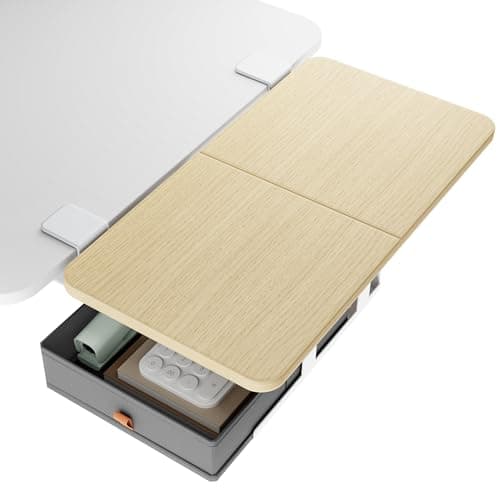
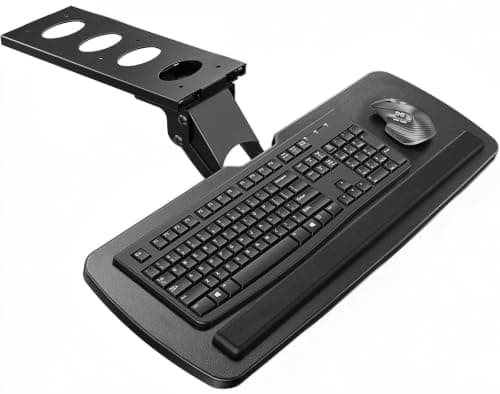
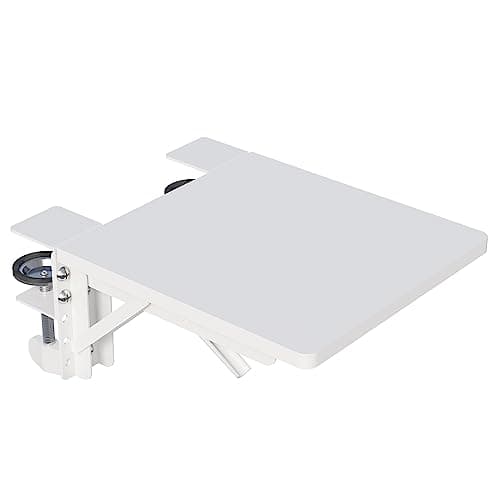
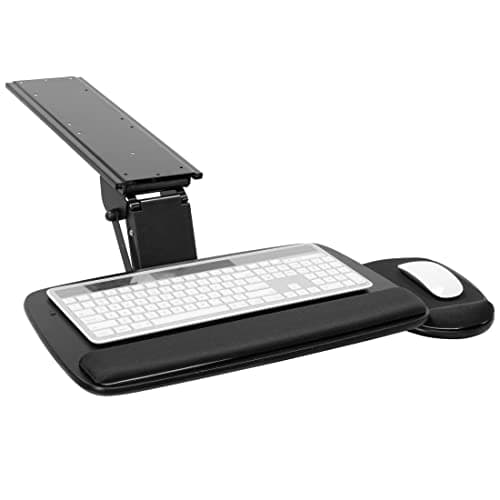
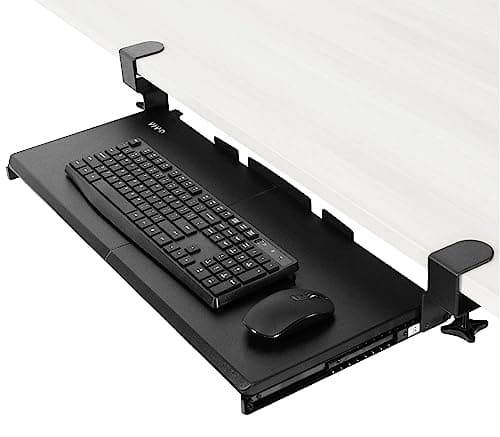
If your desk is too shallow or too high — which is most small desks — buy the keyboard tray, and the VIVO clamp-on tray is the one to buy, because it takes a full-size keyboard and a mouse and needs no screws. Buy a desk extender instead when depth is fine and you simply need somewhere to put a second thing: the PEGZONE 24 × 12 in tray adds two square feet rated to 55 lb. If your desk has no clear 22-inch span anywhere, the folding BONTEC is the only pick here that fits.
The two products look like cousins — both clamp on, both cost about the same, both promise a bigger desk. They are not cousins. A keyboard tray returns surface you already paid for by moving the keyboard below the top. A desk extender adds new surface at the same height and takes width to do it. One is a depth fix with an ergonomic side effect; the other is an area fix with no ergonomic effect at all.
The short answer
Measure the depth of your desk. Under about 22 inches, and the keyboard is the thing eating it: buy the tray. Over 24 inches deep but short on places to put a laptop, a printer or a notebook: buy the extender. Desk the wrong height for your chair: buy the tray, every time — an extender cannot change the height of anything.
The decision table
| Factor | Keyboard tray | Desk extender |
|---|
| What it changes | Returns 10–11 in of depth on the top | Adds up to 2 sq ft beside the top |
| Height of the new surface | Below the desk, adjustable 5.5–6.3 in | The same as the desk |
| Helps your wrists | Yes — negative tilt to −25° | No |
| Load rating | 11–12 lb | 33–55 lb |
| What it demands of the desk | Clear underside, often 18 in depth, ≤1.25 in top | 22–23 in of clear flat edge |
| Takes a printer or a laptop | No | Yes, on the 55 lb trays |
| Can be hidden | Yes, 8.5–15 in of slide travel | Only the folding BONTEC |
The depth arithmetic
A full-size keyboard is about 6 inches deep, and the clear space you need in front of it for your hands takes the total to 10 or 11 inches of desk. On a 20-inch-deep desk that is more than half the surface, spent on a device you could hang underneath. Moving it below the top returns that depth to the one job a shallow desk is bad at: putting the monitor far enough away. Our guide to making a small desk feel bigger ranks every move by the depth it returns, and the tray sits near the top of that list for exactly this reason.
An extender returns nothing. It is new surface, which is genuinely useful if the thing you cannot place is a printer, a second laptop or a pile of paper — but it lands at desk height, out to one side, where it does not relieve the crowded strip in front of you. Buying an extender to fix a shallow desk is the most common mistake in this category.
Check three measurements before you order either
Top thickness. The VIVO tray stops at 1.25 inches; the extenders here clamp from 0.59 to 2.56 inches. Measure the actual edge, not the apron. Our desk thickness guide for clamp-on gear covers the odd cases — bevels, lips and hollow cores.
Clear span. A tray needs its clamp width (32.5 inches on the VIVO) or a clear underside with no crossbar inside 14 inches of the edge. An extender needs 22 to 23 inches of flat, unobstructed edge.
Desk depth.The Mount-It! tray requires 18 inches of depth to mount at all, which rules it out on the shallowest desks — the ones that most want a tray. That is an irritating piece of arithmetic and it is worth knowing before the box arrives.
The honest case for buying the extender
Three situations where it is the better purchase. If your keyboard is already on a shallow shelf or a converter and the problem is that nothing else fits. If you need to put something heavy down — the 55 lb trays here take a printer, which no keyboard tray will. And if your desk is deep but narrow, which is common with narrow desks: an extender bolted to the side is effectively a second desk leg’s worth of surface, and it is far cheaper than replacing the desk.
The honest case for buying neither
If the desk is simply the wrong height for you, a tray is a workaround and the right answer may be a different desk. Read what to do when your desk is too high and when it is too low— a chair and a footrest fix one of those cases for less than a tray costs. And if the real shortage is depth for the monitor rather than for your hands, an arm returns 8 to 10 inches in one purchase: are monitor arms worth it does that arithmetic.
The five compared
| Pick | Class | Surface | Load | Mount |
|---|
| VIVO MOUNT-KB05E | Tray | 26.8 × 11 in | 11 lb | C-clamps, no drilling |
| HUANUO tray | Tray | 25 × 9.84 in | Not published | Screws |
| Mount-It! slide-out | Tray | Platform + mouse tray | 12 lb | Screws, wood/MDF only |
| PEGZONE extender | Extender | 24 × 12 in | 55 lb | Clamp 0.6–2.4 in |
| BONTEC folding | Extender | 9.5 × 9.1 in | 33 lb | Knob clamp, range not published |
Note which column is empty: HUANUO publishes no load rating for its tray, and BONTEC publishes no clamp range. We are not estimating either figure. Where a maker is silent on a decisive spec, the sensible move is to buy the pick that states it — which on this page means the VIVO on the tray side and the PEGZONE on the extender side.
Can you use both?
Yes, and on a genuinely small desk it is a reasonable end state: the tray below the front edge for the keyboard, an extender clamped to one side for the laptop or the printer. The one conflict to watch is clamp real estate — both want a flat edge, and a tray’s clamps plus an extender’s clamp can easily want the same 33 inches. Lay them out on the desk with a tape measure before ordering the second one. Installation order matters too; our tray installation guide explains why the tray goes on first.
Prices render from the live price layer with their own “as of” date, so the cheapest route on the day you read this may not be the cheapest route we wrote about. The ranking here is on what each product returns, which does not move with the price.