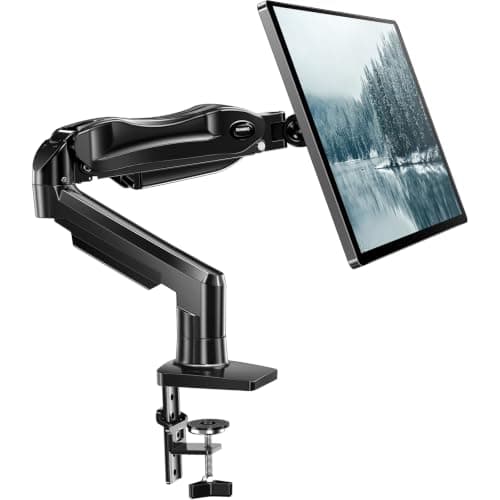
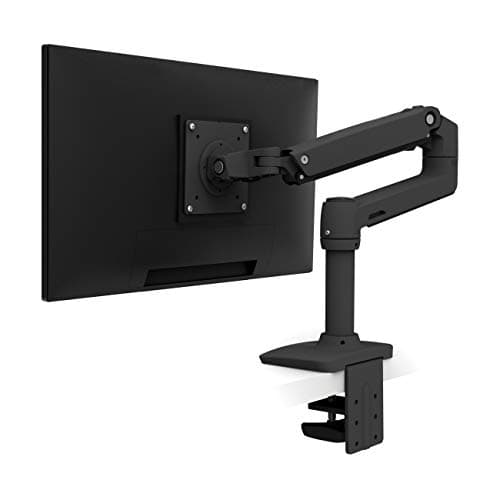
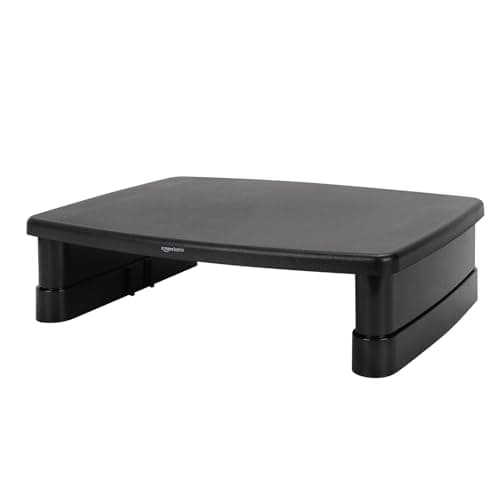
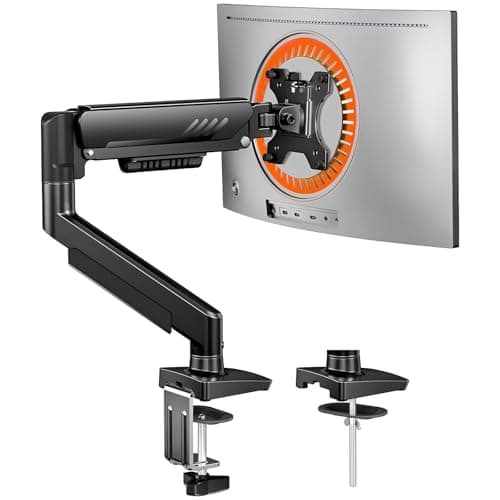
Yes — on a desk under about 24 inches deep, a monitor arm is the highest-value thing you can buy for it, and the ErGear single arm is the one most small desks should buy. An arm returns the 8 to 10 inches of deptha monitor’s own foot occupies and sets the screen at eye height at the same time. Nothing else on this site fixes two problems at once for that money. The honest no-cases are specific: a glass or hollow-core top, a desk pushed flush against a wall, or a monitor with no VESA holes.
That is the whole answer, so the rest of this page is the arithmetic behind it and the three ways it goes wrong.
The arithmetic: what an arm actually returns
A monitor on its factory stand costs you a plastic foot plus the backward lean of the panel — eight to ten inches of depth on a typical 24-inch screen. On a 20-inch-deep desk, that is roughly half the surface, and it is the half directly in front of you where a keyboard and your hands want to be. Clamp the screen to an arm instead and the entire footprint goes: the clamp occupies about an inch of the rear edge, behind where you were already not working.
Compare that with the alternatives at the same price. A keyboard trayreturns 10 to 11 inches, but only for the keyboard, and it needs a clear underside. A deeper desk returns the depth too — for several times the money and a disposal problem. A riser returns nothing and fixes only the height. That ordering is why every depth-ranked list on this site puts the arm at or near the top: see how to make a small desk feel bigger.
The second half of the value: height
Most monitor stands put the top of the panel below seated eye level, which pulls your head down and forward. The usual fix is a stack of books, which works and looks like a stack of books. An arm gives you 17.5 inches of height travel on the ErGear, plus tilt, so the screen can be set once and left. If you share the desk with someone taller, or alternate between sitting and a standing desk, that adjustability is the feature rather than a bonus — our desk height guide has the numbers for both positions.
Three cases where an arm is the wrong purchase
1. A glass, plastic or hollow-core top.Clamps concentrate force on one edge, and HUANUO’s own listing recommends wooden tops with a beam-free underside. On glass the answer is a freestanding or wall mount — we rank those in monitor arm alternatives, and will a monitor arm damage my desk covers the materials one by one.
2. A desk flush against a wall. A clamp needs clearance behind the rear edge and most arms need room to swing. If the desk cannot move forward an inch or two, read monitor arms for a desk against a wall before buying anything.
3. No VESA holes.Plenty of budget monitors omit them, and nothing bridges that gap reliably. Check the back of your screen for a 75 × 75 or 100 × 100 mm square of threaded holes first; if there are none, the riser below is the purchase, not an arm. Our no-VESA mounting guide covers the adapter options and why we do not recommend most of them.
What to look for, if the answer is yes
Four specs decide it, in this order. Weight range — both ends. A gas spring tuned for 19.8 lb will float a 7 lb screen upward; the arms that publish a minimum (HUANUO 4.4 lb, Ergotron 7 lb) are the ones you can match honestly. See monitor arm weight capacity.
Clamp thickness range. Measure your desk edge, not the apron; desk thickness for clamp-on gear has the awkward cases. Reach.On a shallow desk, reach is what lets you push the screen back over the rear edge — 18 inches is plenty. Grommet option. Worth having even if you never use it, because it is the fallback when a clamp cannot grip.
Is an arm worth it for one screen, or only for two?
For one, clearly — the depth return is per screen, and the first screen is the one sitting in front of you. For two, it stops being optional: two stands on a small desk leave no usable surface at all, and side-by-side screens need the swivel an arm provides to angle inward. Our two monitors on a small desk guide works through the layouts, and dual arm versus two single arms settles which hardware to buy for it.
What an arm does not fix
It does not make a desk wider — width is the dimension that decides whether two screens fit at all, and that arithmetic is in ultrawide versus dual monitors. It does not stabilise a wobbly desk; if anything it amplifies the wobble, because the screen now sits on a lever arm (see how to stop a desk from wobbling). And it does not replace a keyboard tray: the keyboard is still on the top, still occupying the depth the arm just handed back. Those two purchases are complements, not substitutes — keyboard tray versus desk extender explains which to buy first.
The honest cost comparison
| Purchase | Depth returned | Fixes height | Works on any desk |
|---|
| Monitor arm | 8–10 in | Yes, 17.5 in of travel | No — needs a clampable edge and VESA |
| Monitor riser | None | Yes, 2.87–4.8 in fixed steps | Yes |
| Keyboard tray | 10–11 in (for the keyboard) | Yes, for your wrists | No — needs a clear underside |
| Deeper desk | However much you buy | No | Needs the floor space |
| Freestanding VESA stand | Partial — one footprint for another | Yes | Yes, including glass |
One honest note on the last row: a freestanding stand returns the depth the monitor’s foot used and then puts its own base back down in the same region, so the gain is the difference between two footprints rather than the whole 8 to 10 inches. That correction and the picks that come with it are in monitor arm alternatives.
How long does an arm last?
This is where the price bands separate. A budget gas spring is a sealed cylinder: it holds position well for a year or two and then may need its tension screw retightened as the screen and the spring settle. The Ergotron’s Constant Force mechanism is the one built for a decade of re-mounting, and that is what the extra money buys — not a better day one. Either way, setting the tension with the screen already hanging on the arm is what prevents the sag everyone complains about; our installation guide covers the order.
Prices here render from the live price layer with their own “as of” date. If you have already decided, our single monitor arm roundup ranks the class in full, including the no-drill and budget options this page does not repeat.