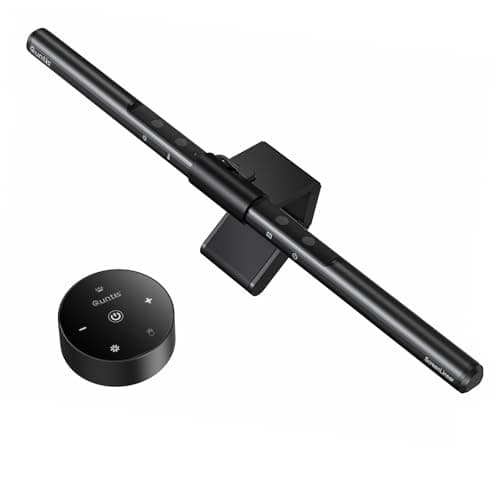
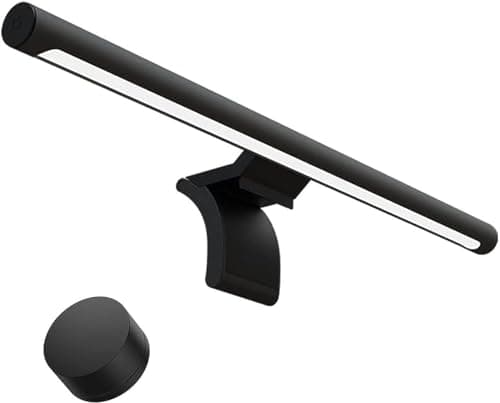
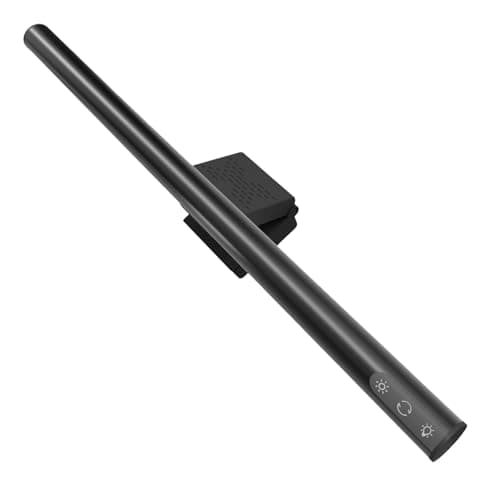
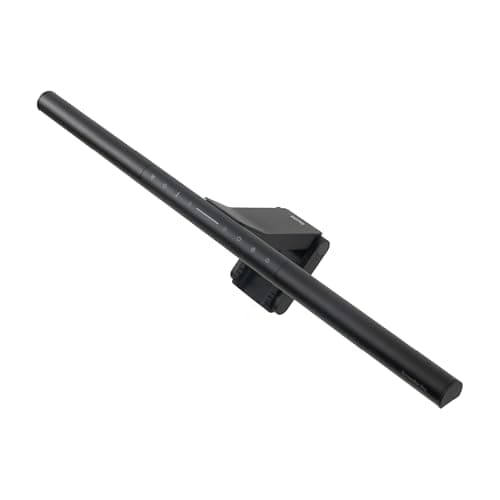
Yes, if there is a monitor on your desk and no surface to spare — a light bar is the only desk light that takes no desk. The BenQ ScreenBar Pro is the one to buy if you want to stop thinking about it; the Quntis bar is the cheap way to find out whether you like the format. The no-cases are just as clear: if you work on a laptop with no external screen, if your work is color-critical, or if you need to light the room rather than the desk, buy a lamp instead.
That is the verdict. What follows is what the money is actually buying, and the one specification almost nobody in this category publishes.
What a light bar is really for
Not brightness. A desk lamp will out-light any bar on this page. The bar’s advantage is geometric: it sits on the monitor’s top edge, in the air, and lights the desk from above the screen. That means zero desk footprint— no base, no clamp on the edge, no arm swinging over the surface. On a 20-inch-deep desk, where a lamp base claims a patch you were using and a clamp lamp wants the edge your keyboard tray also wants, that is worth a premium.
The second thing it buys is an asymmetric optic. A normal lamp pointed at your desk from above the screen would bounce light straight back off the panel. An asymmetric reflector throws the light forward and down, away from the glass, which is why a bar can sit where a lamp cannot. When a listing does not mention an asymmetric optic, treat the product as a strip light rather than a light bar — our LED strip versus light bar page covers that distinction and the far cheaper thing a strip is good at.
Three setups where a lamp still wins
1. Laptop only.A bar needs a monitor to sit on. A laptop screen’s lid is too thin, too mobile and too short to carry one. The equivalent zero-footprint answer there is a clamp lamp on the desk edge.
2. Color-critical work.Of the four bars here, none publishes a CRI figure except through its own marketing language, and we will not invent one. If you edit photos, match paint or sew, buy a lamp that states its color rendering — the mains lamps in our eye-strain roundup include a CRI94 option.
3. Lighting the room.A bar lights a patch roughly the width of your desk and nothing else. If the overhead light is bad and the room is dim, that contrast between a bright desk and a dark room is itself fatiguing — a floor lamp beside the desk solves a problem no bar can touch.
What to look for before you buy one
Bezel fit.Clip-on bars publish a thickness range (0.3–1.4 inches on the iQuincy); gravity-rest bars need a flat top edge. A sharply curved monitor can sit either type at an angle, which puts the light where you did not want it.
Coverage, if it is published.Almost no maker states one. The iQuincy’s 34 by 15 inch figure is the exception on this site, and it is the number that tells you whether a 17.5-inch bar can actually light a 40-inch desk (it cannot, end to end).
Color temperature range. 2700K at the bottom is what makes a bar usable in the evening; a bar that only goes down to 4000K is an office fixture in a bedroom. Our color temperature guide has the ranges by time of day.
Power.USB from the monitor is tidiest — one fewer wall plug, and the bar turns off with the screen. Check the monitor has a spare USB-A port that stays live.
Do light bars help with eye strain?
Indirectly, and the mechanism is worth stating precisely rather than claiming a health benefit we cannot measure. Eye discomfort at a screen is usually driven by three things: glare on the panel, a large brightness difference between the screen and its surroundings, and long spells without a distance break. A light bar addresses the second — it raises the brightness of the desk and the area around the screen, which reduces the contrast your eyes are constantly adapting to. It addresses the first by construction, because its optic keeps light off the glass. It does nothing about the third. Our eye-strain lighting page goes further into flicker and color rendering, which are the other two levers.
Light bar, desk lamp, or both?
| Factor | Monitor light bar | Desk lamp |
|---|
| Desk footprint | None | A base, or an edge for a clamp |
| Needs a monitor | Yes | No |
| Glare on the screen | Designed out, with an asymmetric optic | Depends on placement |
| Published CRI | Rare in this class | Common — CRI94 on the Honeywell |
| Lights the room | No | Partly |
| Coverage | About the width of the bar | A pool, aimable with an arm |
On a desk with a monitor and a drawing pad, both is a legitimate answer: the bar for the keyboard and the general field, a small clamp or cordless lamp aimed at the paper. On a desk with a monitor and nothing else, the bar alone is enough, and it is the reason this class has taken over small-desk setups. Monitor light bar versus desk lamp ranks the two head to head with picks on both sides.
What you are paying extra for at the top of the range
Going from the Quntis to the ScreenBar Pro does not buy more light. It buys automation and control: a presence sensor that switches the bar on when you sit, auto-dimming against ambient light, and a counterweight clip that holds position on a thinner bezel. Those are convenience features, and the honest version of the sentence is that they make the light get usedrather than switched on three times a week. Whether that is worth the difference is a reasonable thing to decide against the price on the day — and our budget light bar roundup exists precisely because for many people it is not.
The honest gaps in this category
Three, and they apply across the price range. Most bars publish no CRI. Most publish no lumen or lux figure, so you cannot compare one with a desk lamp on output at all — the arithmetic in how many lumens a desk lamp needs cannot be run on a product that states none. And almost none publish a coverage area, which is the figure that decides whether the bar lights your whole desk or a 20-inch strip of it. Where a maker does publish one, we quote it; where they do not, this site says so rather than filling the gap.
Prices render from the live price layer with their own “as of” date. If you have already decided the class is worth it, our monitor light bar roundup ranks it in full, including the models with a rear ambient glow this page does not cover.