Standard desk ergonomics is built on two assumptions: that your hands stay roughly where you put them, and that your eyes read the middle of the screen. Both are true for email. Neither is true for a shooter, a strategy game or anything played with a mouse at low sensitivity.
That is not a reason to throw the rules out — the chain of four heights on our seated desk ergonomics page still applies, in the same order. It is a reason to know the three specific places gaming breaks it, because each break has a different answer and two of them are answers the office version gets wrong.
Break one: the mouse needs horizontal travel
An office setup is happy with a mouse parked in one spot. A game played at anything under about 1,000 DPI needs the mouse to travel— several inches in each direction, at keyboard level, repeatedly. That single difference invalidates the standard fix for a desk that is too high.
An under-desk keyboard trayis the correct tool for office typing posture, and it is the wrong tool here: the trays in that class are 11 inches deep, which is enough for a keyboard and a stationary mouse and not enough for a mouse that moves. Put a gaming mouse on an 11-inch tray and you will hit the edge mid-flick. The honest consequence is that a gaming setup on a too-high desk has fewer options than an office one — you are down to the chair and a footrest, or a desk whose height you can change.
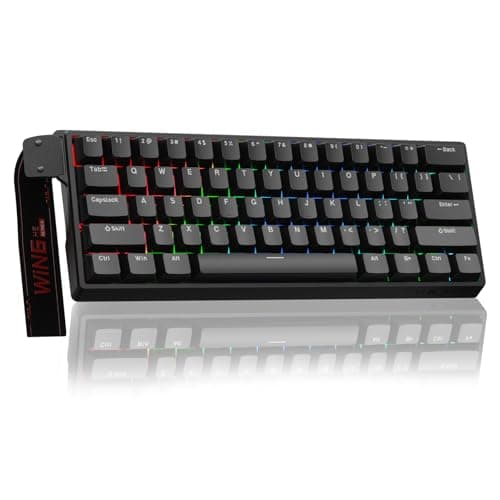
What you can fix is width, and this is where a small desk is actually the easier case to solve. A full-size keyboard with a number pad is about 17.3 inches wide. It sits centered on your body, so your mouse hand ends up six to eight inches outboard of your shoulder, and that reach comes from the shoulder rather than the wrist. A 60% board publishes 11 inches. On a 40-inch desk, dropping the number pad is the single biggest change you can make to where your mouse hand lives, and it costs less than any other item on this page. Our compact keyboards page ranks the layouts, including the 65% and 75% boards that keep the arrow keys.
Break two: the screen is scanned, not read
Office advice puts the screen at roughly an arm's length with the top edge at or just below eye level, and it works because you are reading a column in the middle of the display. In a game you are reading the corners— a minimap, a health bar, movement at the edge of the frame. The further away the panel is, the more of that you catch with your eyes alone; the closer it is, the more you catch by moving your head.
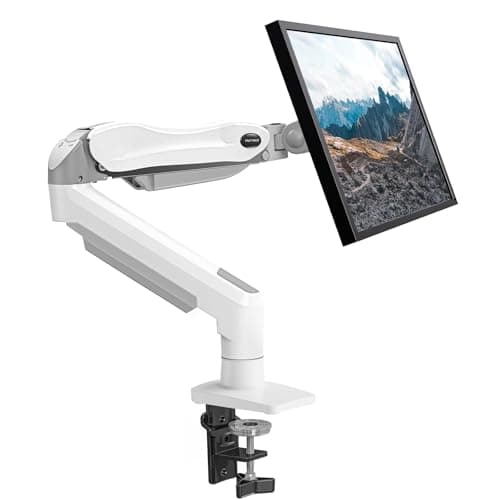
That interacts badly with a compact desk. A 27-inch panel wants more distance than a 19.7-inch top gives it once a monitor foot has eaten eight to ten inches of that depth. Our monitor size and distance guide has the figures; the practical outcome is that on a shallow desk you have three choices and only three: a smaller panel, a deeper desk, or get the panel off its foot and back over the rear edge with a monitor arm. The arm is the cheapest of the three by a wide margin and it is the one that also fixes height — the case in full is on are monitor arms worth it.
One more geometric point that gets missed: a tall panel's top edge should be tilted down toward you rather than standing vertical, because the top of a 27-inch screen at close range is further from your eyes than the middle of it. Tilt is a specification — the arm on this page publishes −50 to +30 degrees — and it is free.
Break three: the session does not break itself
An office day interrupts you. Meetings, a kettle, someone at the door. A match does not, and that changes what “good enough” means: a position that is fine for 40 minutes at a time is not the same as a position held for three hours without standing up. We are not going to tell you how long to play, and we are not making a health claim — but the practical consequence is worth stating, because it is the thing that fails first.
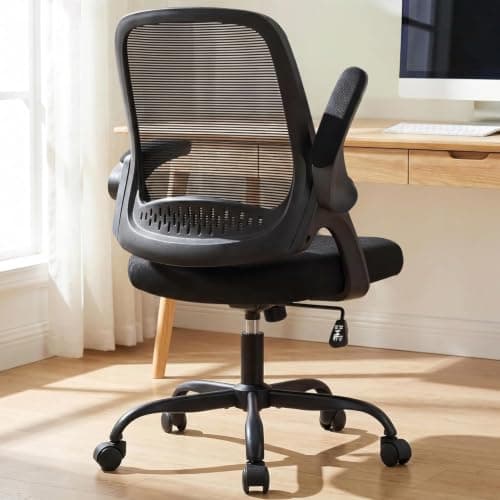
What fails first is the mousing arm, and specifically the armrest. A fixed armrest set too low leaves the forearm unsupported, so the shoulder holds the arm up. A fixed armrest set too high lifts the shoulder instead. Both are worse than no armrest, which is why a racing-style gaming chair with fixed wings is often a downgrade from a plain task chair with flip-up arms— and the wings are also the reason the chair will not tuck under a 19.7-inch-deep desk. Office chair fit for small spaces has the measurement to take before you buy one.
The rest of the chain is unchanged
Everything else transfers from the office version without modification, and it is worth saying so rather than inventing differences:
- Seat heightis still set from your seated forearm height, and a fixed 29 or 30-inch gaming desk has the same too-high problem as any other fixed desk — see desk too high.
- Feet flat on the floor or on a footrest, for the same reason.
- Wrists straight or slightly dropped, which means leaving the keyboard's flip-out feet folded. They tilt the far edge up, which is backwards.
- Light on the room, not just on the screen.A bright panel against a dark wall is a contrast problem, and the fix is light behind the screen — a strip or a light bar, not a brighter monitor.
Where this page sits next to the others
Best small gaming desks ranks the desks themselves on footprint and published load; this page assumes you have one and asks how to set it up. Seated desk ergonomicsis the office version of the same sequence and is the page to read if the desk is for work — the four heights there are the foundation this page modifies in three places. Two monitors on a small desk covers the second-screen question, which on a 40-inch top is mostly a width problem. And if the setup is a laptop rather than a tower, laptop-only desk setup is the one that applies, because a laptop welds the screen to the keyboard and the fixes change.
What to change, in order of effect per dollar
| Change | What it fixes | Why it is in this position |
|---|
| Drop the number pad | Where your mouse hand sits relative to your shoulder | About 6 in of width returned, for the least money on the page |
| Fold the keyboard feet down | Wrist angle | Free, and takes five seconds |
| Monitor arm | Screen distance and height together | Returns 8–10 in of depth a foot was using |
| Chair with flip-up arms | Forearm support that gets out of the way | Fixes the part that fails first in a long session |
| Light behind the screen | Screen-to-wall contrast | Cheap, and the alternative is turning the panel brighter |
Four measurements before you buy anything
One: desk depth. Under about 22 inches and a 27-inch screen on a factory foot is too close, full stop. That is an arm or a smaller panel, not a posture adjustment.
Two: your seated forearm height against the desk top. Floor to the underside of your forearm, elbows at 90 degrees. A fixed gaming desk is usually 29 to 30 inches and that number is the one that tells you whether it fits you.
Three: the width your mouse actually uses. Play for ten minutes and look at where the mouse has been. If it is hitting the edge of a pad or the edge of the desk, the keyboard is the thing to change first.
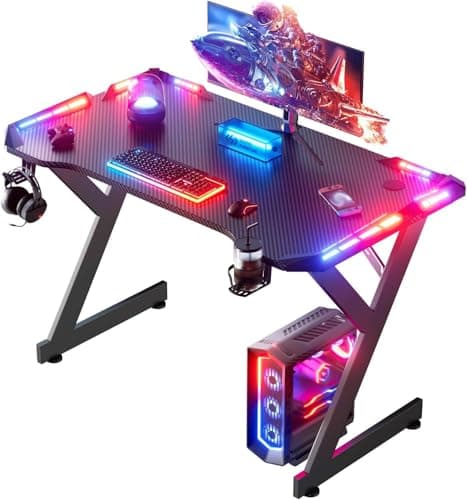
Four: the clearance under your rear edge.Gaming desks often have a steel brace right where a monitor arm clamp wants to go, and a carbon-fiber-look top is a laminate over particle board rather than anything structural. Check it before ordering an arm — will a monitor arm fit my desk is the checklist.
What a “gaming chair” does and does not solve
The racing-seat format is sold on recline and on wings that wrap the torso. Both are real features and neither addresses the two things that actually go wrong at a compact gaming desk: armrest height under a traveling mouse hand, and tucking the chair under a shallow top. A plain mesh task chair with flip-up arms addresses both and costs less, which is why that is the pick on this page rather than a bucket seat. If recline is what you are buying, buy it knowingly rather than as ergonomics.
What this page does not claim
Geometry and published specifications only. We have not measured anyone's posture, we are not citing a study, and we are not telling you how long to play or that any arrangement prevents or treats an injury — a clinician who can see you is the right source for that. What the changes above do is remove reaching, head movement and unsupported arm weight that a mismatched desk forces on you. Our methodology page states what our scores are and are not, in those words.