“Minimalist desk setup” is usually sold as a look: a wooden top, a plant, a notebook squared to the edge. On a small desk it is not a look, it is a subtraction problem with a measurable answer— and the answer is the same whether you like the aesthetic or not, because the objects on a 40 by 20 inch desk run out of room long before the desk does.
Start with the number. A 40 by 20 inch top is 800 square inches. Of that, a keyboard and the space your hands occupy in front of it takes a band roughly 10 to 11 inches deep across the full width — call it 400 square inches, and it is not negotiable, because it is where you work. That leaves about 400 square inches for everything else, and four objects routinely take most of it: the monitor’s foot, a lamp base, a laptop lying flat, and the power strip with its adapters.
Every one of those four has a replacement that costs zerodesk surface. That is the whole page. The picks below are ranked by square inches returned per dollar, which is a different order from the one a styling guide would give you — and the first item returns more than the other four put together.
The four objects, and what replaces each
| What owns the surface | What replaces it | Desk footprint after |
|---|
| Monitor foot | Clamp-mounted arm on the rear edge | None |
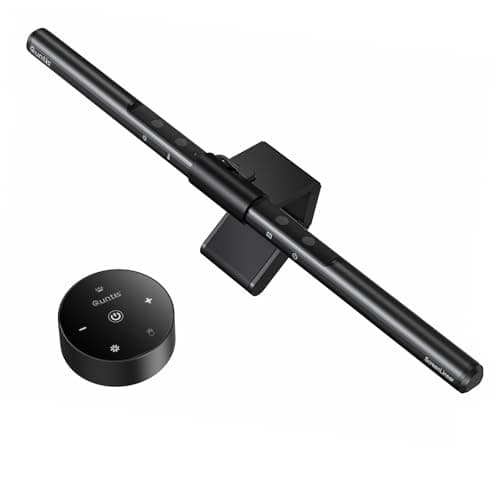
| Lamp base | Light bar on the monitor bezel (or a clamp lamp) | None |
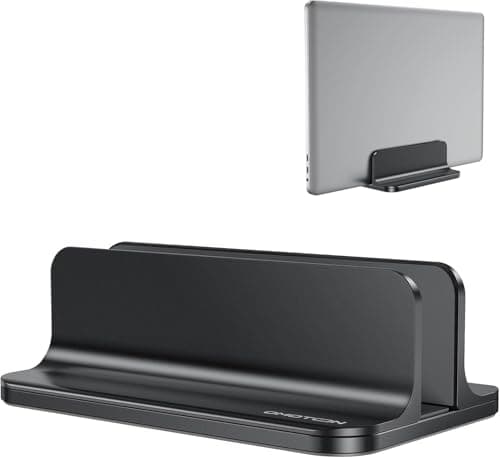
| Laptop lying flat | Vertical stand, published base 5.9 × 3.7 in | ≈22 sq in |
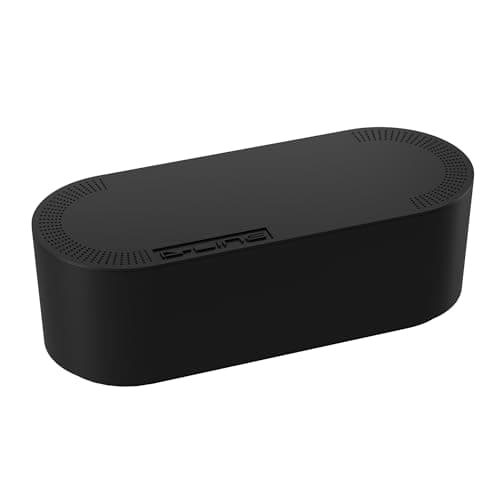
| Power strip + adapters | Cable box — on the floor, not the desk | None (relocated) |
One honest note on that table before you use it. We are not publishing a square-inch figure for a monitor foot or a lamp base, because almost no maker publishes one. Monitor listings give you screen size and panel specs; lamp listings give you an overall height and a reach. The replacement products dopublish their dimensions, which is why the right-hand column has numbers and the left-hand column does not. HUANUO states that a clamp or grommet base “saves more than 80% desktop space compared to a vertical monitor stand with a heavy-duty base” — that is a manufacturer’s claim about its own category, and it is the closest thing to a published figure that exists here.
Why the monitor arm comes first, every time
Because it is the only subtraction that is also an upgrade. A factory monitor stand sets the screen at one height, which is usually two to four inches below where your eye line wants it, and charges you the deepest object on the desk for the privilege. Removing it returns surface and fixes the height — the argument in full is on are monitor arms worth it, and the fit-check before you buy one is on will a monitor arm fit my desk.
It is also the subtraction most likely to be impossible, which is worth knowing before you plan around it. A glass, hollow-core or very thin top cannot take a clamp; HUANUO’s own listing recommends a wooden top with a beam-free underside. A desk pushed flat against a wall with no gap behind it has nowhere for the clamp to go. And a monitor with no VESA pattern cannot be mounted at all. In each of those cases the honest minimal answer is a riser, which raises the screen without returning any surface, or a freestanding stand, whose gain is the difference between two footprints rather than the whole thing.
The lamp is the second-biggest object and the easiest to remove
A base lamp is a weighted disc sitting on the surface you are trying to clear. Three formats replace it and none of them touches the desk: a light bar on the monitor bezel, a clamp lamp on the desk edge, or a floor lampbeside the desk. They are not interchangeable — a bar lights the desk and not the room, a clamp lamp needs a free edge under 1.25 to 2 inches thick, and a floor lamp trades desk inches for floor inches. Our desk lamp vs floor lamp comparison works through which surface you can actually afford to give up, and monitor light bar vs desk lamp covers the first pair.
One figure to notice while you are choosing: the light bar on this page publishes a cross section of 0.79 by 0.79 inches. Every base lamp on this site publishes an overall height and a reach and nota base footprint — which tells you something about which number each category would rather you looked at.
What a minimal desk must not remove
Three things get cut in pursuit of a clean photograph and all three are mistakes.
- The second light. A bright screen in front of a dark wall is a contrast problem, and the fix is light behind the monitor — a strip costs nothing on the desk and is the most-skipped item in a minimal setup.
- Cable slack. A cable pulled taut for tidiness is a cable that unplugs the first time the desk or the monitor moves. Route with a visible loop; our cable management picks are the clips that do it, and cable management without wall damage is the renter version.
- Surface for your hands.The 10 to 11 inch band in front of the keyboard is not clutter. If you have been clearing it by pushing the keyboard back, you have been moving the problem to your shoulders — see seated desk ergonomics.
The order to do it in, on any budget
If you are doing this one purchase at a time, the order is the pick order above and it is not arbitrary: arm, then light, then laptop, then cables, then keyboard. The arm returns the most and fixes a second problem; the light bar returns the next most and removes an object entirely; the vertical stand has the best ratio of inches to dollars; the cable box is a visual fix rather than a surface fix; and the keyboard-and-mouse set is about removing receivers and wrist-rest height, not inches.
If you are starting from an empty desk rather than a cluttered one, read small-apartment desk setupfirst — it is the full walkthrough, and it ends in a parts list. This page is the one to use when the desk already exists and the problem is what is on it. And if the surface itself is the constraint rather than the objects, how to make a small desk feel bigger is organized the other way round: by the four directions you can move things off a top.
What each replacement publishes
| Item | Published size | Desk footprint | Removes |
|---|
| Amazon Basics gas-spring arm | Arm 4.18 lb; fits 15–27 in, 4.4–15.4 lb | Rear-edge clamp only | The monitor foot |
| Quntis monitor light bar | 16.14 × 0.79 × 0.79 in | None — bezel clip | The lamp base |
| OMOTON vertical laptop stand | Base 5.9 × 3.7 × 1.9 in | ≈22 sq in | A laptop lying flat |
| D-Line cable box (large) | 16.5 × 6.5 × 5.25 in | None if floor-sited | The strip and its bricks |
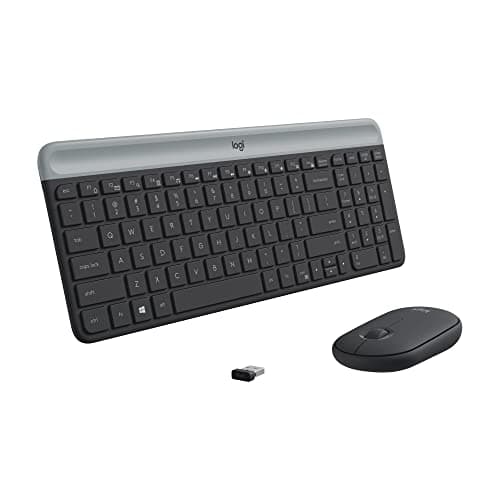
| Logitech MK470 set | 17.95 × 6 × 1.4 in | Keyboard band (unchanged) | One receiver, and height |
Published figures only, captured 2026-10-28. The footprint column is arithmetic you can check with a tape measure, not a measurement we took.
Four checks before you buy any of it
One: what is your top made of, and how thick is it at the edge? That single answer decides whether the arm and the clamp lamp are available to you at all. The number you want is the thickness at the front or rear edge, not at the apron — desk thickness for clamp-on gear has the limits per product class, and will a monitor arm damage my desk covers glass and hollow-core.
Two: does the monitor have VESA holes, and what does it weigh? Both. The arm here publishes a 4.4 to 15.4 lb window and monitors are heavier than people assume. If there is no VESA pattern, how to mount a monitor without VESA is the page.
Three: does the laptop run lid-closed?If yes, the vertical stand is close to free surface. If you use the laptop screen as a second display, skip it entirely — the laptop belongs on a riser at eye level, and laptop stands is the roundup for that.
Four: where will the cable box physically sit?If the honest answer is “on the desk”, do not buy it. At a published 16.5 by 6.5 inches it is the biggest object in this list, and a minimal setup that adds the largest object on the page to the surface has gone backwards.
The one-cable question
There is a fifth subtraction worth naming even though it is not a pick here: the number of cables arriving at the laptop. A USB-C dockcollapses power, monitor, keyboard receiver and network into one connector you plug in once — which is the difference between a tidy desk and a desk you can walk away from in two seconds. It costs more than everything on this page and it adds an object, so whether it belongs in a minimal setup depends on whether your laptop moves. If it never leaves the desk, a dock is overkill. If it leaves daily, it is the best money on the list.
What this page does not claim
We have not measured anyone’s desk, and the square-inch figures above are arithmetic from published dimensions rather than lab measurement. We have not tested the light bar’s output, and we are not repeating the eyesight claims its listing makes. Our methodologypage states what our scores are and are not in those words — they are judgments from documented research, published specifications and footprint math you can reproduce with a tape measure.