Skip to content
Desk & Dowel

HUB 02 · Monitor Arms & Mounts

How to Choose a Monitor Arm

Four of these six checks are preferences. Two are hard gates: a desk edge the mount cannot grip, and a screen outside the arm's published load window at either end. Run those two first and the rest is shopping.

By Stephen V.Updated How we pick
#ad

We earn a commission when you buy through our Amazon links, at no extra cost to you. It never affects our rankings, and we say so when the cheaper product is the better buy. How this works.

Monitor-arm listings lead with the specification that sells: capacity. It is not the one that decides the purchase. Two of the six checks below are hard gates— if your desk or your monitor fails them, no arm at any price works, and there is no adjustment, adapter or technique that rescues it. The other four are genuine preferences. Almost everyone runs them in the wrong order, which is why the commonest monitor-arm story is a returned box.

The order is: can the mount grip your desk, is your monitor inside the published load window at both ends, then clamp or grommet, then gas spring or pole, then reach against your desk depth, then the VESA pattern. The first two are the gates. The rest you can trade against price.

That ordering is the only thing this page does that the rest of the site does not. Each check has a page of its own already — will a monitor arm fit my desk is the four-measurement version of check 1, monitor arm weight capacity is check 2, clamp vs grommet is check 3 and gas spring vs mechanical is check 4. What none of them say is which checks are gates and which are shopping. If you have not decided whether you want an arm at all, start at are monitor arms worth it instead.

The five products below are not a ranking of the best arms — that is best monitor arms, and the cheap end is best budget monitor arms. Each one here is on the page because it illustrates one of the checks, including the last one, which is a monitor riser rather than an arm because sometimes the honest answer is that you cannot have an arm. Every figure quoted is the listing’s own published number; where a maker publishes nothing, the spec row says so.

The short answer

Quick picks

#ProductBest forScorePrice
01
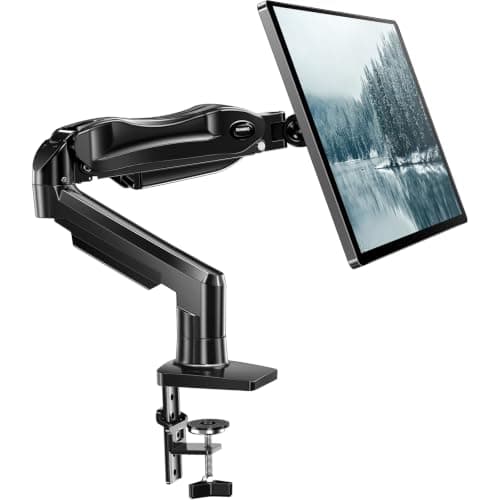
HUANUO HUANUO FlowLift Single Monitor Mount
HUANUO FlowLift Single Monitor Mount

The arm that lets you defer check 3. Both bases are in the box and both cover the same published 0.59-3.54 in range, so you can decide clamp-or-grommet after the arm arrives and you have had a proper look under your desk. Most arms force that decision at checkout.

Deferring the base decision
9.0
$38.99Amazon
02
Amazon Basics Amazon Basics Gas Spring Single Monitor Arm
Amazon Basics Gas Spring Single Monitor Arm

Here as the warning, and it is a useful one: this arm publishes the widest desk range on the page at 0.39-4 in, and the narrowest screen window at 15-27 in and 4.4-15.4 lb. Pass check 1 on it and you can still fail check 2. That is exactly why the order on this page is the order it is.

Widest desk range, narrowest screen window
8.4
$35.99Amazon
03
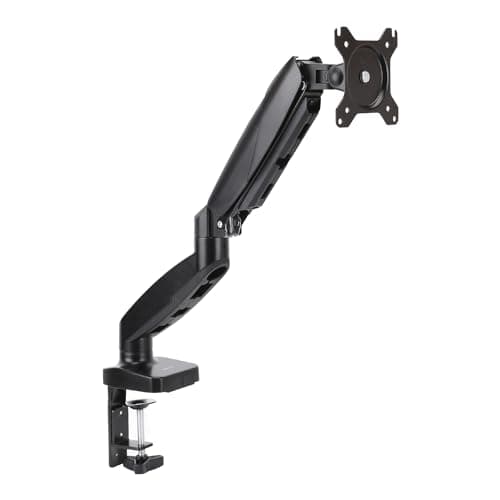
HUANUO HUANUO Single Monitor Mount (Gas Spring)
HUANUO Single Monitor Mount (Gas Spring)

The safest answer to check 2 for an ordinary desk setup: 4.4 to 19.8 lb is wide at both ends, and the bottom of that window matters as much as the top because a screen lighter than the floor floats upward instead of staying put.

The safest standard load window
9.0
$42.99Amazon
04
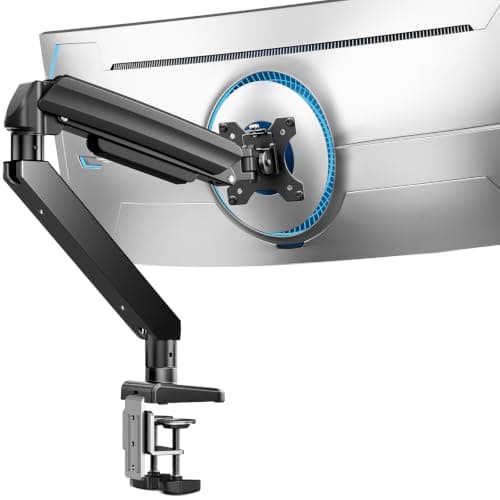
ErGear ErGear Heavy Duty Monitor Arm (13–49 in)
ErGear Heavy Duty Monitor Arm (13–49 in)

The answer when check 2 fails upward. A published 37.4 lb capacity and a 13-49 in fit range cover the panels that push an ordinary arm past its ceiling, and the dual C-clamp spreads the bite across more desk edge rather than pressing one point into a soft top.

When the screen is outside the standard window
8.9
$42.99Amazon
05
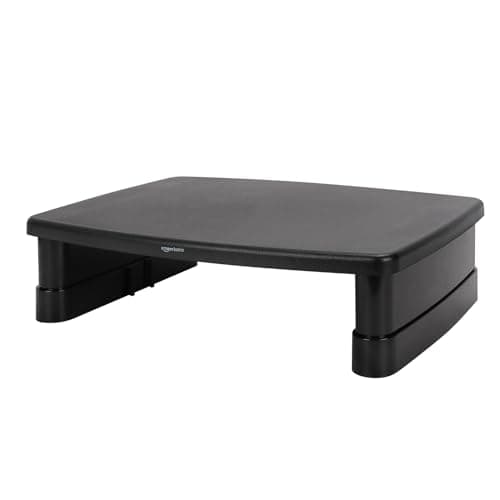
Amazon Basics Amazon Basics 3-Level Monitor Riser
Amazon Basics 3-Level Monitor Riser

The honest answer when a gate fails and no arm can pass it: a glass top, a hollow-core top, a desk whose rear edge has no clear span, or a monitor with no VESA holes. It buys height and nothing else, and it costs you the desk area underneath — which is the trade an arm exists to avoid.

When no arm passes the gates
8.0
$21.59Amazon

#ad · Live prices from the Amazon Product API, as of November 4, 2026. Where we have no verified live price we show none — we would rather leave a gap than print a number that has rotted.

In detail

The picks, in full

01
HUANUO HUANUO FlowLift Single Monitor Mount

Deferring the base decision

HUANUO FlowLift Single Monitor Mount

Screen fit
13–32 in, 4.4–19.8 lb
Mounting
C-clamp or grommet, 0.59–3.54 in
VESA
75 × 75 / 100 × 100 mm
Build
One-piece, 20,000 motion tests (maker)
Install
Two steps, hardware included
9.0/10

The arm that lets you defer check 3. Both bases are in the box and both cover the same published 0.59-3.54 in range, so you can decide clamp-or-grommet after the arm arrives and you have had a proper look under your desk. Most arms force that decision at checkout.

Desk compatibility
9.6
Load window
9
Adjustability
8.4
Install ease
9.2
Value
9

Pros

  • Clamp and grommet bases both included, covering the same published thickness range
  • 3.54 in is the widest clamp ceiling published by any arm on this site
  • 4.4–19.8 lb window is wide at both ends, which is what prevents sag and drift alike
  • One-piece arm, so there is no mid-assembly alignment to get wrong

Cons

  • The listing recommends a wood top and an underside clear of beams — a sit-stand frame often is not
  • No published figure for extension or height travel, so reach has to be checked another way

Skip this if…

…your desk top is glass or hollow-core. HUANUO's own listing recommends a wood top, and no clamp range makes glass safe.

$38.99View on Amazon

$47.9919% off

Price as of November 4, 2026. Prices change — Amazon's is the one that counts.

#ad · we may earn a commission from this link to HUANUO FlowLift Single Monitor Mount

02
Amazon Basics Amazon Basics Gas Spring Single Monitor Arm

Widest desk range, narrowest screen window

Amazon Basics Gas Spring Single Monitor Arm

Screen fit
15–27 in, 4.4–15.4 lb
Mounting
C-clamp or grommet, 0.39–4 in
Motion
−90°/+85° tilt, ±90° swivel, 360° rotate
Extension
Up to 20.5 in
VESA
75 × 75 / 100 × 100 mm
8.4/10

Here as the warning, and it is a useful one: this arm publishes the widest desk range on the page at 0.39-4 in, and the narrowest screen window at 15-27 in and 4.4-15.4 lb. Pass check 1 on it and you can still fail check 2. That is exactly why the order on this page is the order it is.

Desk compatibility
9.8
Load window
6.4
Adjustability
9
Install ease
8
Value
8.8

Pros

  • 0.39–4 in published mounting range takes thicker tops than any dedicated clamp here
  • Publishes its extension (20.5 in), which most arms in this band do not
  • Tilt range is the widest published on the page at −90° to +85°
  • Gas spring with adjustable tension rather than a hex-key friction joint

Cons

  • 15.4 lb ceiling is the lowest here — a 32-inch panel will usually exceed it
  • 15 in minimum screen size rules out a small secondary panel
  • The listing warns the joints ship deliberately stiff and need adjusting before use

Skip this if…

…your monitor is 32 inches or heavier than 15.4 lb. Check the figure on your own spec sheet — the ErGear below is the one built for that end of the range.

$35.99View on Amazon

Price as of November 4, 2026. Prices change — Amazon's is the one that counts.

#ad · we may earn a commission from this link to Amazon Basics Gas Spring Single Monitor Arm

03
HUANUO HUANUO Single Monitor Mount (Gas Spring)

The safest standard load window

HUANUO Single Monitor Mount (Gas Spring)

Screen fit
13–32 in, 4.4–19.8 lb
Mounting
C-clamp or grommet, both included
Mechanism
Gas spring, adjustable tension
VESA
75 × 75 / 100 × 100 mm
Build
Automotive-grade gas spring core (maker)
9.0/10

The safest answer to check 2 for an ordinary desk setup: 4.4 to 19.8 lb is wide at both ends, and the bottom of that window matters as much as the top because a screen lighter than the floor floats upward instead of staying put.

Desk compatibility
9
Load window
9.4
Adjustability
8.6
Install ease
9.2
Value
8.8

Pros

  • 4.4–19.8 lb covers almost every 24-inch and most 27-inch panels with headroom
  • 13 in minimum takes a small secondary screen the Amazon Basics arm cannot
  • Gas spring holds position without a repeated screw adjustment
  • Maker states a clamp or grommet base saves more than 80% of the desktop a heavy-base stand claims

Cons

  • Publishes no extension or height-travel figure, so check 5 has to be answered elsewhere
  • 32 in screen ceiling, which an ultrawide will pass before it passes the weight limit

Skip this if…

…your monitor weighs under 4.4 lb. That is the published floor, and below it a gas spring pushes the screen up rather than holding it — see monitor arm problems for why.

$42.99View on Amazon

$49.9914% off

Price as of November 4, 2026. Prices change — Amazon's is the one that counts.

#ad · we may earn a commission from this link to HUANUO Single Monitor Mount (Gas Spring)

04
ErGear ErGear Heavy Duty Monitor Arm (13–49 in)

When the screen is outside the standard window

ErGear Heavy Duty Monitor Arm (13–49 in)

Screen fit
13–49 in, up to 37.4 lb
Extension
Up to 21.2 in
Motion
+30°/−40° tilt, ±90° swivel, 360° rotate
Mounting
Dual C-clamp or grommet
VESA
75 × 75 / 100 × 100 mm
8.9/10

The answer when check 2 fails upward. A published 37.4 lb capacity and a 13-49 in fit range cover the panels that push an ordinary arm past its ceiling, and the dual C-clamp spreads the bite across more desk edge rather than pressing one point into a soft top.

Desk compatibility
8.4
Load window
9.8
Adjustability
9.2
Install ease
8.4
Value
8.6

Pros

  • 37.4 lb is roughly double the standard budget ceiling, which is the whole point of it
  • 49 in fit range covers super-wide and curved panels no other arm here reaches
  • Dual C-clamp distributes load across the edge instead of a single pressure point
  • Publishes a 21.2 in extension — the longest reach on this page

Cons

  • Oversized for a 24-inch panel; the capacity you are paying for does nothing at that weight
  • A dual clamp needs a longer clear run of rear desk edge than a single one

Skip this if…

…your screen is a 24-inch panel on a shallow desk. The HUANUO gas spring does that job for less and takes up less of the rear edge.

$42.99View on Amazon

$59.9928% off

Price as of November 4, 2026. Prices change — Amazon's is the one that counts.

#ad · we may earn a commission from this link to ErGear Heavy Duty Monitor Arm (13–49 in)

05
Amazon Basics Amazon Basics 3-Level Monitor Riser

When no arm passes the gates

Amazon Basics 3-Level Monitor Riser

Top surface
≈11.6 × 11 in (tapered)
Heights
2.87 / 4.2 / 4.8 in
Capacity
22 lb
Material
ABS, detachable legs
Desk needs
None — it sits on the top
8.0/10

The honest answer when a gate fails and no arm can pass it: a glass top, a hollow-core top, a desk whose rear edge has no clear span, or a monitor with no VESA holes. It buys height and nothing else, and it costs you the desk area underneath — which is the trade an arm exists to avoid.

Desk compatibility
10
Load window
6.8
Adjustability
4.6
Install ease
9.8
Value
9

Pros

  • Needs nothing from the desk — no clamp, no hole, no VESA pattern
  • Three published heights rather than one fixed lift
  • Reversible in seconds, which is the renter's version of this problem
  • Cheapest route to a higher screen by a wide margin

Cons

  • 4.8 in is the maximum lift, which is often less than the gap you are trying to close
  • Claims about 128 sq in of the desktop an arm would have returned
  • 22 lb ceiling, and no side-to-side or depth adjustment at all

Skip this if…

…your desk and monitor both pass the six checks. An arm returns the surface this takes, and that is the main thing you are buying.

$21.59View on Amazon

Price as of November 4, 2026. Prices change — Amazon's is the one that counts.

#ad · we may earn a commission from this link to Amazon Basics 3-Level Monitor Riser

The six checks, in order

Checks 1 and 2 are gates. Do them with a tape measure and your monitor’s spec sheet before you open a single product page, because they eliminate most of the catalog in about four minutes.

Check 1 (gate) — can the mount grip your desk?

Three numbers, and a material. Edge thicknesshas to sit inside the arm’s published clamp range at bothends — a top thinner than the minimum is as much of a fail as one thicker than the maximum, and the ranges here run from 0.39–4 in on the Amazon Basics kit to 0.59–3.54 in on the HUANUO. Rear clearance is the one nobody checks: a C-clamp needs one to two inches of air behind the top for its lower jaw and the tightening knob, and a desk pushed against a wall usually has none, which is what arms for a desk against a wall is about. Clear spanmatters on a sit-stand frame, where a steel crossbeam or a top bracket can occupy the exact stretch of edge you wanted. And the material decides the rest: HUANUO’s listing recommends a wood top with an underside free of beams, and glass or hollow-core is a straight fail — see will a monitor arm damage my desk.

Measure at the exact point you intend to clamp. Edge banding and the area around a grommet hole are routinely a different thickness from the middle of the top; desk thickness for clamp-on gear has the ranges for every clamp-on category, not just arms.

Check 2 (gate) — is your monitor inside the window at both ends?

Every arm publishes a range, not a maximum, and the floor is the half that gets ignored. A screen heavier than the ceiling sags no matter how far you tighten the tension. A screen lighterthan the floor — typically 4.4 lb — floats upward and will not stay where you put it, because a counterbalance needs weight to push against. Those are opposite faults with one cause, and they are the two commonest complaints in the category: monitor arm problems covers both mechanisms.

Get the figure from your monitor’s own specification page, and get the one withoutthe factory stand — manufacturers usually publish both and the difference is several pounds. Then check the screen-size range as well as the weight: the Amazon Basics arm on this page starts at 15 in, so a 13-inch secondary panel fails it on size while passing it comfortably on weight.

Check 3 — clamp or grommet?

A C-clamp pinches a narrow strip of rear edge. It is reversible, leaves no mark and is the renter’s default. A grommet bolt passes through an existing cable hole and spreads load through the full thickness of the top, which is more rigid and the better answer for a heavy screen, a thin top or an arm used at full extension. Two things to know: grommet ranges are usually published narrower than clamp ranges on the same product, and most arms ship both bases in the box, so this is often not a purchase decision at all. The full version is clamp vs grommet; if you cannot drill and cannot clamp, no-drill monitor arms is the shortlist.

Check 4 — gas spring, mechanical spring or pole?

A gas spring moves with one hand and holds position, costs least and loses pressure slowly over years. A mechanical coil spring is unaffected by temperature and is commonly warranted far longer, for several times the money. A pole mountfixes the screen at a height you set once with a hex key: no free-float, but nothing to sag either, and it is the cheapest way to get a screen off the desk. If you set your screen once and never touch it, paying for a counterbalance is paying for a feature you will not use — gas spring vs mechanical arms has the warranty terms side by side.

Check 5 — reach against desk depth, not against the biggest number

Extension is published inconsistently and often not at all: of the arms here, Amazon Basics publishes 20.5 in, ErGear publishes 21.2 in and neither HUANUO publishes a figure. What you actually need is set by your desk, not by the arm: the correct viewing distance for a 24–27 in screen is roughly an arm’s length, and the base sits at the back of the top, so a 16-inch-deep desk needs the arm to push the screen away and a 30-inch-deep desk needs it to pull the screen forward. The arithmetic is in monitor size and distance for small desks. More extension also means more oscillation at full stretch, so the longest reach is not automatically the best one.

Check 6 — VESA, which is a yes-or-no

Nearly every arm takes 75 × 75 mm and 100 × 100 mm, and nearly every monitor publishes one of the two, so this check passes or it fails outright. The failure case is a consumer panel with no VESA holes at all, which is commoner than it should be on cheap 24-inch screens. The options then are an adapter bracket with the caveats in how to mount a monitor without VESA or the riser at the bottom of this page. Check the screw depth too: the Amazon Basics listing makes a point of spacer selection, and a screw that bottoms out before the bracket is tight is the quiet cause of a head that will not hold tilt.

The same six checks as a table

#CheckGate?What fails it
1Desk edge — thickness, rear clearance, clear span, materialHard gateGlass or hollow top, no rear clearance, a crossbeam in the way
2Monitor weight and size against the published rangeHard gateOver the ceiling (sags) or under the floor (floats up)
3Clamp or grommet basePreferenceRarely — most arms include both bases
4Gas spring, mechanical spring or polePreferencePaying for free-float you never use
5Extension against your desk depthPreferenceToo little on a deep desk, wobble on a long one
6VESA pattern and screw depthPass or failA panel with no VESA holes at all

The published figures on this page, side by side

MountScreen fitLoad windowDesk rangeExtension
HUANUO FlowLift13–32 in4.4–19.8 lb0.59–3.54 inNot published
Amazon Basics gas spring15–27 in4.4–15.4 lb0.39–4 in20.5 in
HUANUO gas spring13–32 in4.4–19.8 lbNot publishedNot published
ErGear heavy duty13–49 inUp to 37.4 lbNot published21.2 in
Amazon Basics riserAny (no VESA needed)22 lbNot applicableNot applicable

Three “not published” cells in a five-row table is the honest state of this category, and it is worth saying plainly rather than filling them in. Makers publish the numbers that flatter them: capacity ceilings are always there, clamp ranges usually are, extension often is not, and height travel almost never is.

What not to pay extra for

Capacity you will not use. A 24-inch panel without its stand is commonly under 10 lb. A 37 lb arm holds it no more steadily than a 19.8 lb one.

An integrated USB hub, if you expected a dock.The hub on an arm post is a passive extension that still needs one upstream cable, carries no video and will not charge a laptop — arms with USB ports is honest about what it is for.

A dual arm when two singles would do.Two independent clamps often fit a small desk better than one wide base, and they fail independently — the arithmetic is in dual arm vs two single arms.

And one thing that isworth paying for on a small desk: nothing on the spec sheet. It is the desk area the arm returns, which is the base footprint of the stand you are removing — usually 8 to 10 inches square, and HUANUO’s own listing claims a clamp base saves more than 80% of what a heavy-base stand takes.
How we picked

We do not run a testing lab

We compiled the published manufacturer specifications, did the footprint and clearance math ourselves, and read aggregated owner reviews, then scored each product against a published rubric. The scores are judgments from documented research — they are not measurements we took, because we do not have a lab and we are not going to pretend we do. Every spec traces back to a listing or manual named in Sources.

Questions

Frequently asked

What is the single most important monitor arm specification?
The published clamp range for your desk edge, because it is the one that cannot be worked around. A monitor outside the load window can be solved by buying a different arm; a glass or hollow-core top cannot be solved by any arm. Measure the edge at the exact clamping point first, then read the weight figure off your monitor's spec sheet without the factory stand.
Do I need to know my monitor's weight before buying a monitor arm?
Yes, and the figure you want is the weight without the stand, which manufacturers usually publish separately. Both ends of the arm's range matter: above the ceiling the screen sags, below the published floor - typically 4.4 lb - a counterbalance pushes it upward instead of holding it.
Is a gas spring monitor arm better than a pole mount?
Only if you move the screen. A gas spring repositions with one hand and holds station; a pole mount sets the height once with a hex key and cannot sag because there is no spring to lose tension. If your screen lives at one height, the pole mount is the cheaper arm and the more durable one.
How much extension does a monitor arm need?
It depends on your desk depth, not on the arm. The base sits at the rear of the top and the right viewing distance for a 24-27 inch screen is roughly an arm's length, so a shallow desk needs the arm to push the screen away and a deep desk needs it to pull the screen forward. Published figures on this page run 20.5 to 21.2 inches, and two of the five arms publish none at all.
What if my desk cannot take a monitor arm at all?
Then the honest options are a wall mount, which removes the desk from the equation but needs studs or masonry and leaves holes, or a riser, which needs nothing from the desk but buys only a few inches and costs you the surface underneath. The riser at the bottom of this page publishes heights of 2.87, 4.2 and 4.8 inches and a 22 lb capacity.
Do monitor arms come with both a clamp and a grommet base?
Most do, including four of the five mounts on this page. That makes check 3 a decision you can take after the arm arrives rather than at checkout - which is worth knowing, because the clearance under your own desk is much easier to judge with the hardware in your hand.

Keep reading

Receipts

Sources

We do not run a testing lab, and we do not pretend to. Specifications come from the manufacturer or retailer listing; the footprint and clearance math is ours and reproducible. Where we could not verify a number, we say so on the page rather than quietly leaving it out. Read our full method.