Under $25 you are not choosing between lamps — you are choosing between formats. A clamp lamp, a monitor light bar, a cordless clip-on and a COB strip, ranked on where the light actually lands.
We earn a commission when you buy through our Amazon links, at no extra cost to you. It never affects our rankings, and we say so when the cheaper product is the better buy. How this works.
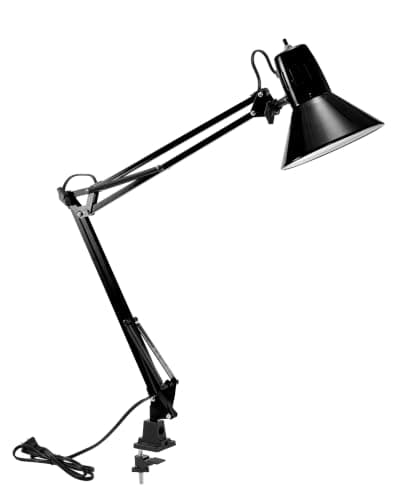
The verdict: the best desk lighting under $25 is the Bostitch Office VLF100— a clamp-on swing-arm LED with dimming, colour-temperature modes and a USB charge port, which is more function than anything else in the band and costs no desk surface because it clamps. It is for the apartment or dorm worker with one small desk and no spare square inches. The budget pick is the PAUTIX COB strip, which publishes a CRI above 90 for a fraction of the band — a second layer of light rather than a task lamp.
The useful thing to understand about this price band is that it crosses four different product formats, and the format matters far more than the brand. For $25 you can buy a clamp lamp, a monitor light bar, a rechargeable clip-on, or an adhesive COB strip — and they put light in genuinely different places. Our other lighting pages each rank one format against itself. This one ranks the choice between them, which is the decision a buyer with $25 is actually making.
Three criteria do the work. Where the light lands: a swing arm can be aimed at a page, a light bar washes a band in front of the screen, a strip fills the space behind it. How much desk it costs: everything here is clamped, clipped, adhesive or bezel-mounted, because a weighted base at this price eats surface a small desk does not have. What the listing actually publishes:two of these five publish a CRI figure and one publishes lumens. Where a maker publishes nothing, this page says so instead of estimating — see desk lamp lumens for what the numbers mean when they are given.
We do not run a lab; every figure below is the listing’s own published number and the scores are editorial judgments against a published rubric. Prices are live, with the as of date under every table.
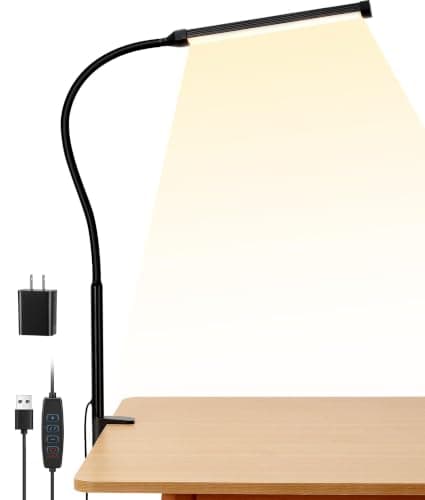
The most lighting per dollar under $25 and the only pick here that does the whole job: a clamp-on swing arm that puts light exactly where the work is, dims, changes colour temperature, and charges a phone from its own USB port.
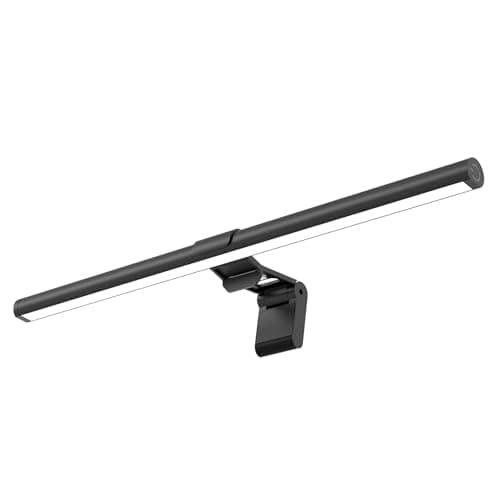
A monitor light bar for the price of a lamp. It sits on the top bezel on a counterweight clip, lights the desk rather than the screen, and takes up no part of the desk whatsoever.
The only pick here with a published colour-rendering figure, and the only one that needs no cable: a 4000 mAh battery, CRI of 90 or better, and a clip that grabs a shelf, a headboard or a desk edge.
The dorm pick: a clamp lamp with three colour modes, touch dimming and a memory function, at a price that survives being left behind at the end of a lease.
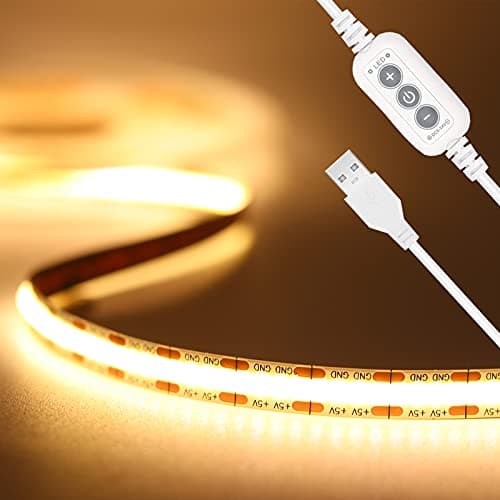
The budget pick, and the one that changes the room rather than the task: a COB strip with a published CRI above 90 that hides under a shelf or the front lip of the desk and throws an even wash with no visible dots.
#ad · Live prices from the Amazon Product API, as of November 12, 2026. Where we have no verified live price we show none — we would rather leave a gap than print a number that has rotted.
In detail
The picks, in full
01
Best overall under $25
Bostitch Office VLF100 Swing-Arm LED Lamp
Mount
Clamp + swing arm
Color temp
Multiple modes
Brightness
Dimmable levels
Controls
Dimmer + USB-charge port
Desk footprint
None (clamped)
8.4/10
The most lighting per dollar under $25 and the only pick here that does the whole job: a clamp-on swing arm that puts light exactly where the work is, dims, changes colour temperature, and charges a phone from its own USB port.
Light placement
9.2
Desk space claimed
9
Controls
8.4
Published data
5.6
Value
9.6
Pros
+Clamps to the desk edge, so it costs no surface at all on a small top
+A real swing arm — you can move the light to the page rather than the page to the light
+Dimming and colour temperature modes, which almost nothing else in this band has
+USB charge port doubles as the phone charger you no longer need on the desk
Cons
−The listing does not publish lumens or a CRI figure, so brightness is a judgement rather than a number
−A clamp needs a free stretch of desk edge, which may already be taken by a monitor arm
Skip this if…
…the desk edge is glass, under about half an inch thick, or fully occupied by a monitor arm clamp. Take the ReinHoo clip-on or the PAUTIX strip instead.
900 lux central, 35 × 25 in area (distance not stated)
Range
3000–6500K, stepless, with memory
Mount
Counterweight clip, tool-free
8.1/10
A monitor light bar for the price of a lamp. It sits on the top bezel on a counterweight clip, lights the desk rather than the screen, and takes up no part of the desk whatsoever.
Light placement
7.8
Desk space claimed
9.8
Controls
8.2
Published data
5
Value
9.8
Pros
+Zero desk footprint — it lives on the monitor, not the top
+Asymmetric optic throws light forward onto the desk rather than back at the screen
+Stepless 3000-6500K with memory, so it comes back on where you left it
+No clamp needed, so it does not compete with a monitor arm for the rear edge
Cons
−The 900 lux figure is published without a measuring distance, which makes it hard to compare
−No CRI figure published
−A counterweight clip needs a reasonably flat top bezel; very thin or steeply curved bezels are a poor fit
Skip this if…
…you read or write on paper at the desk as much as you work on screen. A bar lights a band in front of the monitor; a swing-arm lamp lights wherever you point it.
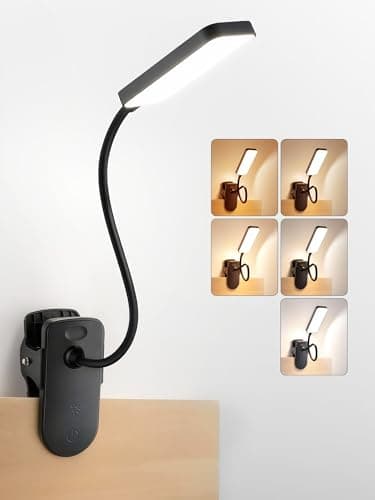
The only pick here with a published colour-rendering figure, and the only one that needs no cable: a 4000 mAh battery, CRI of 90 or better, and a clip that grabs a shelf, a headboard or a desk edge.
Light placement
8
Desk space claimed
9.6
Controls
7.6
Published data
9.4
Value
9
Pros
+Publishes both lumens and CRI, which almost nothing in this band does
+No cable at all — the one honest answer when the only outlet is across the room
+A clip rather than a clamp, so it attaches to shelves and bed frames as well as desks
+Rated 5-48 hours depending on brightness, so a working day is comfortably covered
Cons
−450 lm is modest; it lights a task area, not a room
−A battery is a consumable — it is the part that will end the product's life
−An 11.8 in gooseneck has much less reach than a swing arm
Skip this if…
…you want one light for the whole desk. This is a task light for a book, a keyboard or a sketchpad.
The dorm pick: a clamp lamp with three colour modes, touch dimming and a memory function, at a price that survives being left behind at the end of a lease.
Light placement
8.2
Desk space claimed
9.4
Controls
8.4
Published data
5
Value
9.4
Pros
+No desk footprint and no screw holes — the two things a dorm or rental needs
+Touch dimming with memory, so it returns to the brightness you chose
+Three colour modes cover daytime work and evening reading
+Cheap enough to be a sensible loss if it does not come home with you
Cons
−No published lumens or CRI figure
−A shorter arm than the Bostitch, so the light sits closer to the edge
Skip this if…
…the desk edge is already carrying a monitor arm. Two clamps competing for a 40-inch rear edge is a real constraint, not a theoretical one.
The budget pick, and the one that changes the room rather than the task: a COB strip with a published CRI above 90 that hides under a shelf or the front lip of the desk and throws an even wash with no visible dots.
Light placement
6.4
Desk space claimed
9.8
Controls
5.8
Published data
9.2
Value
9.8
Pros
+Publishes CRI above 90 at the lowest price on the page
+COB rather than discrete LEDs, so there are no visible dots in the line of light
+Adhesive-backed and reversible — no holes, which is the renter's requirement
+USB-powered, so it runs off a monitor port or a desk hub rather than a wall socket
Cons
−Not a task light. It fills a space; it will not light a page properly on its own
−Fixed 3000K — no colour-temperature control
−Needs a USB source rated at 2A or more, which some monitor ports are not
Skip this if…
…this is the only light you are buying. A strip is a second layer under a lamp or a bar, not a replacement for one.
#ad · Live prices from the Amazon Product API, as of November 12, 2026. Where we have no verified live price the button says so rather than showing a number that has rotted.
The “not published” entries are the finding, not a gap in our research. At this price only the ReinHoo clip-on and the PAUTIX strip publish a colour-rendering figure, and only the ReinHoo publishes lumens. That is why they score highest on published data and why the two clamp lamps — which are better lights in use — score low on it.
Which format for which desk
A clamp lamp, if the desk edge is free
A clamp swing-arm is the most light for the money and the most control over where it goes. The catch is the edge: the clamp needs a flat, accessible stretch of rear or side edge, and on a 40-inch desk that edge is often already carrying a monitor arm. Decide the clamp positions together — best clamp desk lamps covers the format in full, and desk thickness for clamp-on gear collects the published clamp ranges.
A monitor light bar, if the desk is all screen
If you work almost entirely on screen, a bar is the efficient choice: zero desk footprint, no clamp to compete for the edge, and an asymmetric optic that keeps the light off the panel. What it will not do is light a book properly, because it only illuminates the band directly in front of the monitor. The format is compared with lamps in monitor light bar vs desk lamp.
A cordless clip-on, if there is no outlet
In a dorm, a bedroom corner or a kitchen-table office, the nearest socket is often the real constraint. A rechargeable clip-on removes the cable entirely and can be clipped to a shelf or a headboard rather than a desk. Our best rechargeable desk lamps page ranks the cordless field properly, and rechargeable vs plug-in is the honest account of what a battery costs you over time.
A COB strip, as a second layer
A strip is the cheapest way to stop a bright screen sitting in a dark room, which is the actual cause of a lot of evening eye strain. It is a secondlight, under a shelf or along the front lip of the desk, and it should be bought alongside a lamp rather than instead of one — best LED strip lights for desks has the full field, and LED strip vs monitor light bar separates the two jobs.
What to spend more on, and when
Two things are worth leaving this band for. The first is published light quality: above $25 you start getting lumens, lux-at-distance and CRI figures as a matter of course, which is the difference between choosing a lamp and guessing at one. The second is automatic dimming, which only appears on premium light bars. If you work long evenings and read on paper, the step up is real — desk lamps for eye strain ranks on exactly those published figures, and BenQ ScreenBar alternatives covers the mid-market bars that sit between this band and the premium ones.
What we checked and did not rank
Weighted-base desk lamps under $25.They exist, and several are good lamps, but a base occupies 5–8 inches of the surface this site exists to protect. The format trade is argued in clamp lamp vs base lamp.
Ring lights and conference lights.Excluded as a different job. They light a face for a camera rather than a desk for work — desk lamps for video calls covers them.
Anything whose price-layer entry showed no live offer. A price-band page cannot honestly feature a product we cannot currently price.
How we picked
We do not run a testing lab
We compiled the published manufacturer specifications, did the footprint and clearance math ourselves, and read aggregated owner reviews, then scored each product against a published rubric. The scores are judgments from documented research — they are not measurements we took, because we do not have a lab and we are not going to pretend we do. Every spec traces back to a listing or manual named in Sources.
Questions
Frequently asked
What is the best desk light under $25?+
The Bostitch Office VLF100 clamp swing-arm, because it is the only pick in the band that dims, changes colour temperature, aims where you point it and costs no desk surface. If there is no free desk edge, the SAMPHON monitor light bar does the same job from the top bezel; if there is no outlet nearby, the ReinHoo rechargeable clip-on is the answer.
Is $25 enough for a usable desk lamp?+
For task lighting on a small desk, yes. What you give up is published data rather than light: at this price most makers publish no lumens and no CRI, so you are buying on format and controls rather than on measured output. Automatic dimming and lux-at-distance figures start above the band.
Should I buy a desk lamp or a monitor light bar for a small desk?+
A bar if your work is almost all on screen, because it uses none of the desk and does not compete with a monitor arm for the rear edge. A lamp if you read or write on paper, because a bar only lights the band directly in front of the monitor and a swing arm can be aimed anywhere. Many small desks end up with both - a bar for the screen and a strip for the room.
What does CRI mean on a desk light, and does it matter under $25?+
CRI is colour rendering index: how faithfully the light shows colour against a reference, on a 100-point scale. Above 90 is good for reading, drawing or anything where colour matters. It matters most if you work on paper or with images - and in this band only two of the five picks publish a figure at all, which is itself useful information when you are choosing.
Can I use an LED strip as my only desk light?+
No. A strip produces an even wash of low-intensity light that stops a bright monitor sitting in a dark room, which is worth having, but it will not put enough light on a page or a keyboard to work by. Treat it as a second layer underneath a lamp or a light bar.
We do not run a testing lab, and we do not pretend to. Specifications come from the manufacturer or retailer listing; the footprint and clearance math is ours and reproducible. Where we could not verify a number, we say so on the page rather than quietly leaving it out. Read our full method.