Four panels that carry a live price under $100, ranked on the trade this band actually forces — panel type against refresh rate against whether the stand can come off at all.
We earn a commission when you buy through our Amazon links, at no extra cost to you. It never affects our rankings, and we say so when the cheaper product is the better buy. How this works.
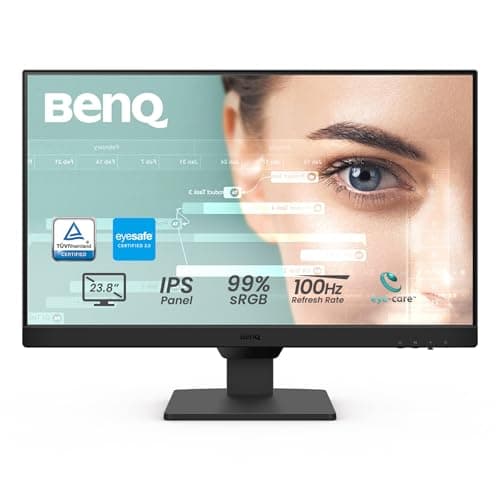
The verdict: the best monitor under $100 is the BenQ GW2490— a 24-inch IPS panel at 100 Hz with a thin bezel and, crucially, a VESA pattern, so the stand can come off and the desk footprint can go to zero. It is for anyone running one screen on a small desk who may put it on an arm. The budget pick is the KOORUI 22in E2212H, the cheapest panel here and still 120 Hz — it buys that with a VA panel and two fewer inches of screen.
The thing worth knowing about this band is that the specifications do not track price. The cheapest monitor on this page publishes the joint- highest refresh rate. The only pick with no VESA pattern at all is one of the more expensive. The one with the most inputs and the only height-adjustable stand has the lowest refresh rate. Under $100 you are not buying a better or worse monitor — you are choosing which single compromise you are willing to take.
On a small desk one of those compromises matters far more than the others. A VESA pattern is the spec that decides whether you get the desk back, because a 24-inch monitor’s own stand occupies 8–10 inches of depth, and the only way to recover it is to remove the stand and hang the panel off a compact monitor arm or a wall mount. That is why the LG, which is the best panel here on paper, is third: without VESA, that route is closed.
We do not run a lab. Every specification is the manufacturer listing’s own published figure — we have not measured brightness, colour gamut or response time and we are not going to claim otherwise. Scores are editorial judgments against a published rubric, and prices are live with an as of date under each table.
The best monitor under $100 for a small desk: a 24-inch IPS panel at 100 Hz with a thin bezel and a VESA pattern, which means the stand can come off and the footprint can go to zero on a monitor arm.
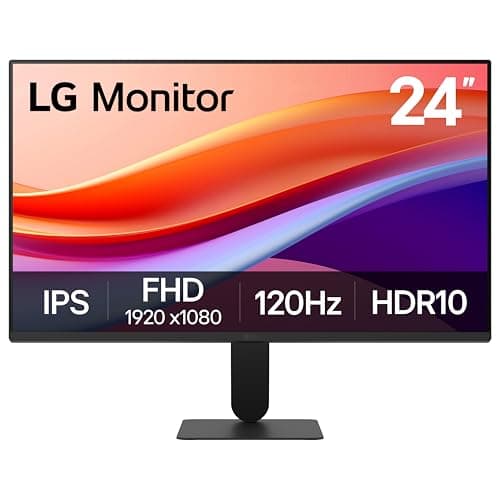
The highest refresh rate in the band at 120 Hz, on an IPS panel with a deliberately slim stand base — the pick if the monitor has to stand on the desk rather than hang off an arm.
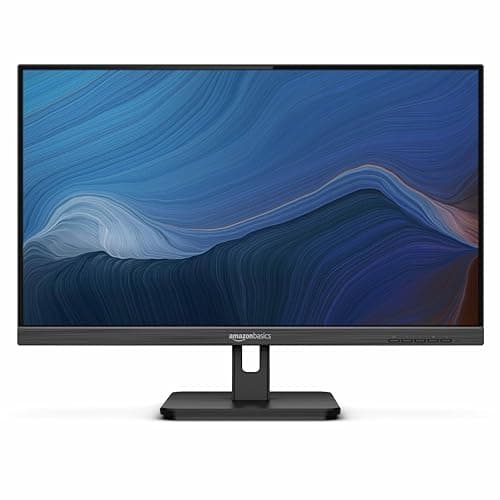
The one with the most inputs and an adjustable stand out of the box: HDMI, DisplayPort and VGA, so it will talk to an old dock, a work laptop and a desktop without an adapter drawer.
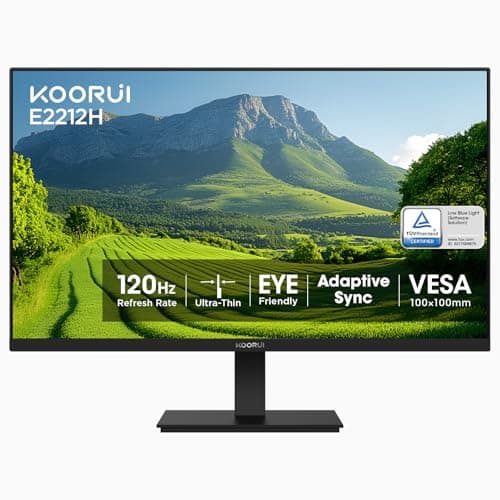
The budget pick, and the most interesting number on the page: it is the cheapest monitor here and it publishes 120 Hz, the joint-highest refresh rate — paid for with a VA panel instead of IPS and two fewer inches of screen.
#ad · Live prices from the Amazon Product API, as of November 12, 2026. Where we have no verified live price we show none — we would rather leave a gap than print a number that has rotted.
In detail
The picks, in full
01
Best overall under $100
BenQ GW2490 24in IPS Monitor
Size
24 in
Panel
IPS, 1920 × 1080, 100 Hz
Mounting
VESA wall/arm compatible
Bezel
Thin
Audio
Built-in speakers
9.0/10
The best monitor under $100 for a small desk: a 24-inch IPS panel at 100 Hz with a thin bezel and a VESA pattern, which means the stand can come off and the footprint can go to zero on a monitor arm.
Panel quality
8.8
Mountability
9.6
Small-desk fit
9
Refresh rate
8.4
Value in band
9.2
Pros
+IPS rather than VA, so colour holds up when you are not sitting dead centre
+VESA-mountable — the single most valuable spec on a small desk, because it lets you delete the stand
+100 Hz is comfortably above the 60 Hz most panels in this band stop at
+Thin bezel, which matters when two of these sit side by side on a 40-inch desk
+Built-in speakers remove one more object from the surface
Cons
−1080p at 24 inches is about 92 pixels per inch — sharp enough, but not a 'retina' panel
−The included stand is a conventional base, so the footprint is only saved if you mount it
Skip this if…
…you need more than 1080p. Nothing in this band offers it, and a 1440p panel is a different budget.
The highest refresh rate in the band at 120 Hz, on an IPS panel with a deliberately slim stand base — the pick if the monitor has to stand on the desk rather than hang off an arm.
Panel quality
8.8
Mountability
4
Small-desk fit
8.6
Refresh rate
9.6
Value in band
8.8
Pros
+120 Hz is the highest published refresh rate here
+Slim stand base is designed to claim less desk than a conventional footed stand
+Reader Mode and Flicker Safe are published features rather than marketing words
+IPS panel at a VA price
Cons
−No VESA pattern published, so it cannot go on a monitor arm — on this site that is a significant mark against it
−HDMI only; no DisplayPort
Skip this if…
…you intend to put the screen on an arm or a wall mount. Without a VESA pattern that route is closed, and freeing the surface is usually the point.
Price as of November 12, 2026. Prices change — Amazon's is the one that counts.
#ad · we may earn a commission from this link to LG 24U411A-B 24in IPS Monitor (slim stand base)
03
Best for mixed hardware
Amazon Basics 24in Full HD IPS Monitor
Size
24 in
Panel
IPS, 1080p, 75 Hz
Stand
Adjustable
Mounting
VESA compatible
Inputs
HDMI, DisplayPort, VGA
8.3/10
The one with the most inputs and an adjustable stand out of the box: HDMI, DisplayPort and VGA, so it will talk to an old dock, a work laptop and a desktop without an adapter drawer.
Panel quality
8
Mountability
9.4
Small-desk fit
8.2
Refresh rate
6.6
Value in band
9
Pros
+Three input types, including VGA — the only pick here that will take genuinely old hardware
+Height-adjustable stand included, which nothing else in the band publishes
+VESA compatible, so the stand can still be removed later
+IPS panel with built-in speakers
Cons
−75 Hz is the lowest refresh rate on this page
−An adjustable stand means a larger base than the LG's slim one
Skip this if…
…refresh rate matters to you at all. 75 Hz is fine for documents and video calls and visibly behind the 120 Hz LG for anything that moves.
The budget pick, and the most interesting number on the page: it is the cheapest monitor here and it publishes 120 Hz, the joint-highest refresh rate — paid for with a VA panel instead of IPS and two fewer inches of screen.
Panel quality
7.4
Mountability
9
Small-desk fit
9.6
Refresh rate
9.6
Value in band
9.6
Pros
+Cheapest panel here and still 120 Hz — the clearest illustration that refresh rate does not track price
+22 inches is the right size for a genuinely shallow desk; a 24 in panel at 20 in distance is too close
+VESA pattern, so it mounts on an arm
+1080p at 22 inches is roughly 100 pixels per inch, slightly sharper than the same resolution at 24
Cons
−VA panel, so off-axis colour shift is more noticeable than on the three IPS picks
−22 inches is a real step down in working area from 24
−Fewer published inputs than the Amazon Basics
Skip this if…
…you share the screen with someone sitting beside you, or you edit photos. A VA panel shifts colour off-axis in a way IPS does not.
#ad · Live prices from the Amazon Product API, as of November 12, 2026. Where we have no verified live price the button says so rather than showing a number that has rotted.
The three specs that decide it under $100
1. VESA, because it is worth 8 to 10 inches of desk
A VESA pattern (75×75 or 100×100 mm) is the difference between a monitor that stands on your desk and one that can hang off the back edge. On a 20-inch-deep top that is not a nicety — it is most of the usable surface. Three of these four publish one. Check the spec sheet rather than assuming: a surprising number of sub-$100 panels omit it to save a bracket, and how to mount a monitor without VESA covers the adapter route when a panel you already own has none.
2. Panel type, which decides how it looks off-axis
IPS holds colour and contrast when you are not sitting square in front of it; VA has deeper blacks on paper and shifts noticeably off-axis. On a small desk you are often closer and further off-centre than the spec sheets assume — a screen pushed into the corner of an L-shaped desk is viewed at an angle all day. That is the practical case for IPS here, and the single clearest reason the cheaper VA panel is not the top pick.
3. Size against desk depth, which is not the same as size against budget
A 24-inch screen wants roughly 20–28 inches between your eyes and the panel. On a 20-inch-deep desk, with a keyboard in front of it, you may not have that — which is why the 22-inch KOORUI scores highest here on small-desk fit despite being the cheapest. Monitor size and distance for small desks has the arithmetic for 22, 24, 27 and 32-inch panels, and best monitors for small desks ranks the same class on footprint without a price ceiling.
Two screens on this budget
Two panels from this page cost less than one mid-range monitor, which is why dual setups are so common at this price. The constraint is the desk, not the budget: two monitors on a small desk works out the width you actually need, and ultrawide vs dual monitors explains when one wider panel is the better answer. If you go dual, buy VESA-capable panels and put them on a dual monitor arm— two stands on a 40-inch desk leaves room for very little else.
What we checked and did not rank
Panels over the band. The ViewSonic VA2456A-MHD on our small-desk monitor page carries a live price above $100 and is excluded by the band rather than on merit.
Portable monitors.A different purchase with a different job — a second screen that packs away. They are ranked at best portable monitors.
1440p and 27-inch panels. Nothing in this band offers either honestly. A 27-inch 1080p panel at small-desk viewing distance is also the wrong purchase: the pixels get bigger, not the detail.
How we picked
We do not run a testing lab
We compiled the published manufacturer specifications, did the footprint and clearance math ourselves, and read aggregated owner reviews, then scored each product against a published rubric. The scores are judgments from documented research — they are not measurements we took, because we do not have a lab and we are not going to pretend we do. Every spec traces back to a listing or manual named in Sources.
Questions
Frequently asked
What is the best monitor under $100?+
The BenQ GW2490. It is the only pick in the band that combines an IPS panel, a refresh rate above 75 Hz and a VESA pattern, and on a small desk the VESA pattern is what lets you remove the stand and recover 8-10 inches of depth. The KOORUI 22in is the budget alternative and publishes a higher refresh rate.
Is a monitor under $100 good enough for working from home?+
For documents, email, video calls and coding, yes - all four panels here are 1080p IPS or VA with HDMI. What the band does not give you is more than 1080p, a colour-accurate panel for image work, or more than 24 inches of screen. If your work is photo or video editing, this is not the right budget.
Does a cheap monitor need to be VESA compatible?+
On a small desk it is the most valuable spec on the sheet. A 24-inch monitor's own stand takes 8-10 inches of depth, and the only way to get that back is to unbolt it and hang the panel from an arm or a wall mount. Three of the four panels on this page publish a VESA pattern; one does not, and that is why it is not ranked higher.
Is 22 inches or 24 inches better on a small desk?+
It depends on depth, not preference. A 24-inch panel wants roughly 20-28 inches of viewing distance; if the desk is 20 inches deep and a keyboard sits in front of the screen, you may be inside that. A 22-inch panel at the same distance is more comfortable and is also marginally sharper at 1080p, because the same pixels are spread over less area.
We do not run a testing lab, and we do not pretend to. Specifications come from the manufacturer or retailer listing; the footprint and clearance math is ours and reproducible. Where we could not verify a number, we say so on the page rather than quietly leaving it out. Read our full method.