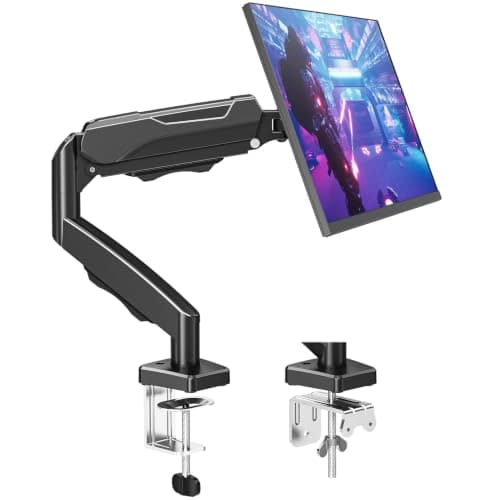
Five arms across the whole price ladder, with live prices - and a straight answer to the only question that matters: what does each step up actually buy, given that all of them free the same desk space?
We earn a commission when you buy through our Amazon links, at no extra cost to you. It never affects our rankings, and we say so when the cheaper product is the better buy. How this works.
The verdict: the best value arm on the whole price ladder is the Amazon Basics gas-spring single arm— the step from a coil-tension arm to a gas spring is the single biggest improvement money buys here, and after that the gains get small and specific. It is for almost anyone putting one 24–32″ screen on a small desk. The cheapest arm worth buying is the MOUNTUP MU0004, which frees exactly the same desk depth; the top rung is the Ergotron LX, and what its price buys is a ten-year warranty, not more space.
Start from the fact that governs this entire category: every clamp-on arm frees the same amount of desk. The 8–10 inches of depth you recover is a property of the monitor stand you are removing, not of the arm replacing it. A $25 arm and a $190 arm return identical surface. Any price comparison that implies otherwise is selling something.
So the money buys three other things, and it buys them in a clear order. First, mechanism— the jump from a coil tension you set with a hex key to a gas spring you nudge one-handed. That is the cheapest step and the one you feel every day. Second, weight headroom— past the standard 19.8 lb band into 26 lb and then 44 lb, which matters only if your panel is actually heavy. Third, published warranty— and this is the one that genuinely only exists at the top, where ten years is on offer and nothing cheaper publishes more than one.
The ladder below has five rungs and two findings worth noticing before you spend anything. The arm with the highestpublished capacity is not the most expensive — it is the fourth rung. And the most expensive arm here has a lower weight ceiling than two cheaper ones. Capacity and price are close to unrelated in this category; mechanism and warranty are what track it.
Every price in the table is live from the Amazon Product Advertising API with the as ofdate shown underneath — the only honest way to publish a page like this. Where a price cannot be verified, the button says so rather than printing a stale number. We do not run a lab; specifications are each listing’s own published figures and the scores are editorial judgments against a published rubric.
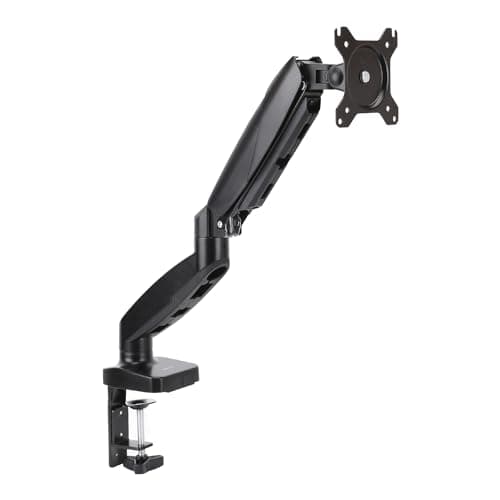
Rung one: the cheapest arm we are willing to recommend, and it still frees the full 8-10 inches of desk depth a stand was eating. The compromises are a 17.6 lb ceiling and hex-key tension.
Rung two, and the step that buys the most: a gas spring instead of coil tension, so the screen moves one-handed with no tool. This is where price stops buying desk space and starts buying how the arm feels.
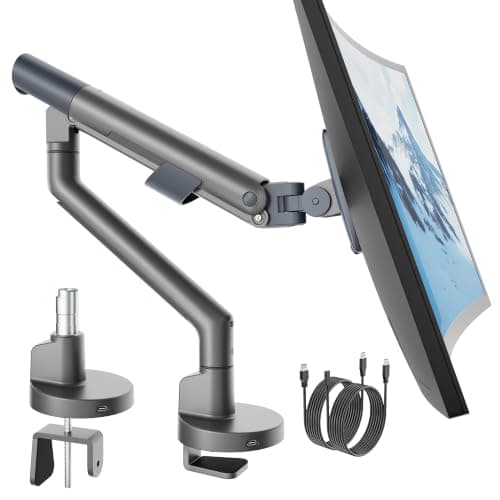
Rung three: roughly double rung two, and what it buys is headroom and ports - a published 26.4 lb capacity, a 40-inch screen ceiling and an integrated USB hub that saves a separate dock on the desk.
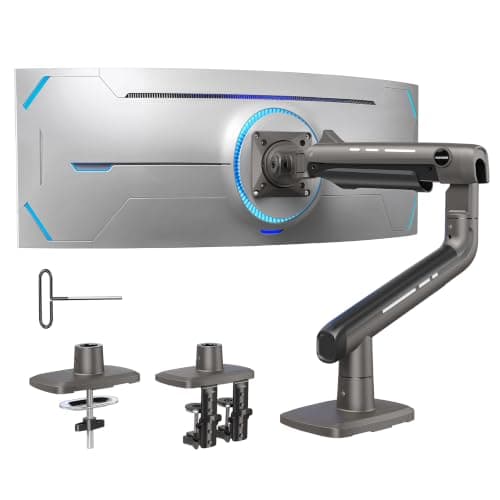
Rung four: the heavy-duty step. A 6.6-44 lb range and a 49-inch ceiling on a dual C-clamp - more published capacity than any other arm on this site, including the premium ones.
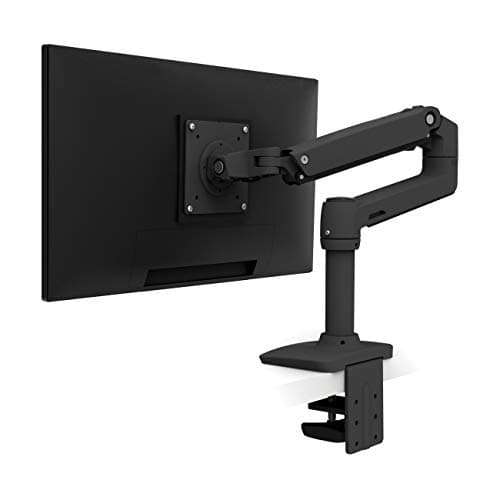
The top rung this site recommends, and the clearest answer to what the last step up buys: a ten-year warranty and Ergotron's Constant Force lift. Not more desk space, and not more capacity than the TitanLift - cover and mechanism.
#ad · Live prices from the Amazon Product API, as of November 12, 2026. Where we have no verified live price we show none — we would rather leave a gap than print a number that has rotted.
In detail
The picks, in full
01
Cheapest arm worth buying
MOUNTUP Single Monitor Desk Mount (MU0004)
Screen fit
17–32 in
Weight range
4.4–17.6 lb
Reach
Up to 19.6 in
Mechanism
Coil tension (hex key)
Warranty
None published
8.1/10
Rung one: the cheapest arm we are willing to recommend, and it still frees the full 8-10 inches of desk depth a stand was eating. The compromises are a 17.6 lb ceiling and hex-key tension.
Desk freed
9.2
Movement quality
7
Weight headroom
6.6
Published cover
4
Value
9.8
Pros
+Frees exactly the same desk depth as an arm ten times the price
+19.6 in of reach, which is more than several dearer arms
+Clamp and grommet bases both supplied
+Covered cable channels rather than loose clips
Cons
−17.6 lb ceiling is below the 19.8 lb standard band
−Tension needs a hex key whenever the load changes
−No published warranty period
Skip this if…
…your panel is over 17.6 lb without its stand, or you move the screen several times a day.
Rung two, and the step that buys the most: a gas spring instead of coil tension, so the screen moves one-handed with no tool. This is where price stops buying desk space and starts buying how the arm feels.
Desk freed
9.2
Movement quality
8.6
Weight headroom
7.8
Published cover
6.4
Value
9.6
Pros
+Gas spring — squeeze, move, let go, and it holds
+A published one-year warranty rather than nothing
+Clamp and grommet hardware both in the box
+The top pick on our flagship roundup, so it is the arm we recommend most often
Cons
−Standard 19.8 lb class rather than heavy-duty
−One year of cover is short next to the top of the ladder
Skip this if…
…you run a 34 in ultrawide or a heavy 32 in panel. Step up to the TitanLift rather than across.
Rung three: roughly double rung two, and what it buys is headroom and ports - a published 26.4 lb capacity, a 40-inch screen ceiling and an integrated USB hub that saves a separate dock on the desk.
Desk freed
9
Movement quality
8.2
Weight headroom
9.2
Published cover
4
Value
9
Pros
+26.4 lb published capacity beats several arms costing four times as much
+40 in ceiling covers a single ultrawide
+A USB hub in the base removes an object from the desk
+Single-arm loading is gentle on a thin apartment desk
Cons
−No published warranty period
−The listing does not state the USB generation
−One screen only
Skip this if…
…you need a warranty on a part that carries a $400 monitor. That is what the top of the ladder sells.
Rung four: the heavy-duty step. A 6.6-44 lb range and a 49-inch ceiling on a dual C-clamp - more published capacity than any other arm on this site, including the premium ones.
Desk freed
9
Movement quality
8.4
Weight headroom
9.8
Published cover
4
Value
8.6
Pros
+44 lb is the highest published capacity on this site
+Dual clamp spreads the load over two contact points
+49 in ceiling covers super-ultrawides
+Aluminium alloy with a reinforced VESA head
Cons
−Wooden desks only per the maker — no glass or plastic tops
−The largest base here; needs clear space behind the desk
−No published warranty period
Skip this if…
…your desk is glass or thinner than the stated 0.8 in minimum.
The top rung this site recommends, and the clearest answer to what the last step up buys: a ten-year warranty and Ergotron's Constant Force lift. Not more desk space, and not more capacity than the TitanLift - cover and mechanism.
Desk freed
9.2
Movement quality
9.4
Weight headroom
9
Published cover
9.8
Value
7.6
Pros
+Ten-year published warranty — nothing else on this ladder is close
+Constant Force lift holds position for years rather than drifting
+All-metal build survives repeated re-mounting across moves
+Clamp and grommet mounting both included
Cons
−The most expensive arm here by a wide margin
−25 lb ceiling is LOWER than two cheaper arms on this page
−Publishes a 7 lb minimum, so a light 22 in panel will float up
Skip this if…
…your screen is heavier than 25 lb or lighter than 7 lb. On pure capacity the money is better spent lower down the ladder.
#ad · Live prices from the Amazon Product API, as of November 12, 2026. Where we have no verified live price the button says so rather than showing a number that has rotted.
What each step up actually buys
Rung one to rung two: the mechanism, and it is the best money here
A coil-tension arm is set once with a hex key and is happiest left alone. A gas spring moves with a push and holds the new position. If you change height between sitting and standing, share the desk, or simply fidget, this is the step to pay for — and it is the smallest price increase on the ladder. Gas spring vs mechanical monitor arms covers the mechanisms properly. If you set a screen once a year, rung one is genuinely enough, and our best budget monitor arm page ranks that end on its own terms.
Rung two to rung four: headroom, if and only if the panel is heavy
Weigh your monitor without its stand— typically 25–40% below the boxed figure. If it clears 19.8 lb, you need to move up; if it does not, the extra capacity does nothing except cost money and add base size. Monitor arm weight capacity explains why running any arm at its ceiling is the real cause of the slow droop owners blame on a faulty spring, and best monitor arms for heavy monitors covers the 33 lb-plus field.
Rung four to rung five: the warranty, and nothing else
The top rung has less capacity than the one below it. What it has is a decade of published cover and a mechanism Ergotron makes itself. Over three desks and two moves that is cheap; over eighteen months it is not. If you want the capability without the cover, our Ergotron LX alternatives page matches it on reach and on capacity for less, and says plainly which gap you are accepting.
Where the money goes further than an arm
If the total budget is fixed, the honest comparison is not between arms — it is between an arm and the next thing. A mid-ladder arm plus an under-desk keyboard tray returns more usable surface than the top-rung arm alone, because the tray moves the keyboard off the top entirely. A mid-ladder arm plus a monitor light bar fixes the lighting problem the newly clear desk reveals, and the bar claims no surface at all. For a full price band rather than a ladder, see best monitor arms under $200; for the footprint question, compact monitor arms.
What we checked and did not rank
Arms above the Ergotron. The Humanscale M2.1 and Ergotron HX sit above this ladder and buy design and the last few percent of motion quality. They are on best monitor arms.
Anything below rung one. There are cheaper arms. We have not found one with a published weight range we would put a monitor on.
Dual arms and wall mounts. Both change the job rather than the price, so a single ladder would mislead. Dual arms and wall mounts are priced on their own pages.
How we picked
We do not run a testing lab
We compiled the published manufacturer specifications, did the footprint and clearance math ourselves, and read aggregated owner reviews, then scored each product against a published rubric. The scores are judgments from documented research — they are not measurements we took, because we do not have a lab and we are not going to pretend we do. Every spec traces back to a listing or manual named in Sources.
Questions
Frequently asked
How much should a monitor arm cost?+
Enough for a gas spring, which is the cheapest step that changes daily life with the arm, and enough to clear your panel's weight without its stand with headroom. For one 24-32 inch screen that is the second rung of this ladder. Spend more than that only for a long published warranty or for a genuinely heavy panel.
Do expensive monitor arms free more desk space?+
No, and it is the most useful thing to know about the category. All the reclaimed depth - 8 to 10 inches on a typical 24-27 inch screen - comes from removing the monitor's own stand, and that is identical whichever arm replaces it. Price buys mechanism, weight headroom and warranty.
What is the cheapest monitor arm worth buying?+
On this ladder, the MOUNTUP MU0004. It publishes a real weight range, supplies both clamp and grommet bases, and reaches further than several dearer arms. The two compromises are a 17.6 lb ceiling, which is below the standard band, and coil tension you set with a hex key rather than a spring you nudge.
Does a more expensive monitor arm hold more weight?+
Not reliably - and on this page it is the opposite. The arm with the highest published capacity (44 lb) is the fourth rung, and the most expensive arm here publishes 25 lb, less than two cheaper options. Buy capacity on the published figure, not on price.
Are the prices on this page up to date?+
They come from the Amazon Product Advertising API and every table carries an 'as of' date. If a price cannot be verified the button says 'Check price' rather than showing a number, because a price-comparison page that quotes a stale figure is worse than no page at all.
We do not run a testing lab, and we do not pretend to. Specifications come from the manufacturer or retailer listing; the footprint and clearance math is ours and reproducible. Where we could not verify a number, we say so on the page rather than quietly leaving it out. Read our full method.