What the BenQ ScreenBar is known for - an asymmetric optic, a 2700-6500K range and auto-dimming - and four light bars that match one or two of those for a fraction of the price.
We earn a commission when you buy through our Amazon links, at no extra cost to you. It never affects our rankings, and we say so when the cheaper product is the better buy. How this works.
The verdict: the best BenQ ScreenBar alternative is the Quntis Focus 16.1in — a 45-degree asymmetric optic over 76 LEDs, a publishedRa95 colour rendering, stepless 3000–6500K with memory, and a remote, for a small fraction of the ScreenBar Pro’s price. It is for anyone who wants to compare real numbers before buying. If you want the closest like-for-like, the Xiaomi bar publishes the same 2700–6500K range as the BenQ. The budget pick is the iQuincy 17.5in, which is also the only bar here that publishes a clamp range for curved bezels.
First, what the original is known for. BenQ effectively created this product category, and its listings publish three things that explain the price. One, an asymmetric optic— the lens throws light forward onto the desk and almost none back at the panel, which is the entire reason a light bar beats a desk lamp perched on a monitor. Two, a 2700–6500K colour-temperature range. Three, on the ScreenBar Pro, a presence sensor with auto-dimming: it comes on when you sit down and trims brightness to the ambient level. The ScreenBar Halo 2 adds a wireless dial. We rank the Halo 2 among our top picks on best monitor light bars, and this page is not an argument against either.
It is an argument about which of those three features actually carries the benefit. The asymmetric optic does nearly all of it, and the optic is available from several makers for a fraction of the money — one of them publishing a colour-rendering figure BenQ’s own listings do not. The colour range is matched by the Xiaomi exactly. The presence sensor and the auto-dimming are genuinely BenQ’s own: nothing below has them, and if that is what you want, buy the Pro.
So each pick is matched on a stated strength and the gap is named on the pick itself. Every figure is the listing’s own published number; where a maker publishes nothing — two of these four publish no CRI — the spec row says so rather than estimating. We do not run a lab; scores are editorial judgments against a published rubric, and prices are live with an as of date.
The closest match to the ScreenBar on the two specs that define it: the same published 2700-6500K colour range and the same asymmetric optic that keeps light off the panel, for roughly half the price of the Pro.
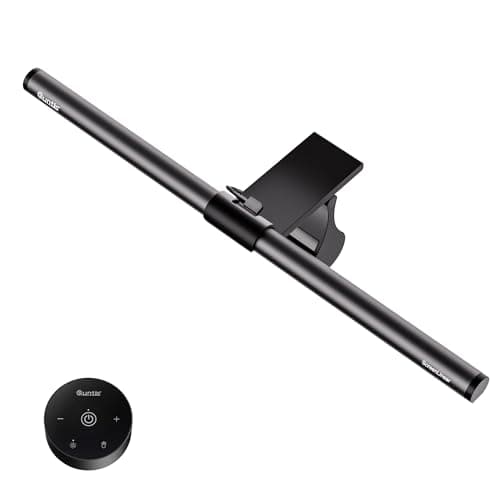
The alternative that beats the original on published data: a stated Ra95 colour rendering, a 45-degree asymmetric optic over 76 LEDs, and stepless 3000-6500K with memory - plus a remote the BenQ bars do not include at this price.
The simplest swap: clip on the bezel, USB power, asymmetric optic, adjustable colour temperature, touch or remote control. It does the ScreenBar's core job and nothing else.
The budget pick, and the one with the most honest fit data: a published 0.3-1.4 in clamp range for flat and curved bezels, an optic adjustable to 55 degrees, and the longest body here at 17.5 inches.
#ad · Live prices from the Amazon Product API, as of November 12, 2026. Where we have no verified live price we show none — we would rather leave a gap than print a number that has rotted.
In detail
The picks, in full
01
Closest match to the original
Xiaomi Computer Monitor Light Bar
Mount
Rests on monitor bezel
Color temp
2700–6500K
Optic
Asymmetric, no screen glare
Controls
On-bar touch
Desk footprint
None
8.4/10
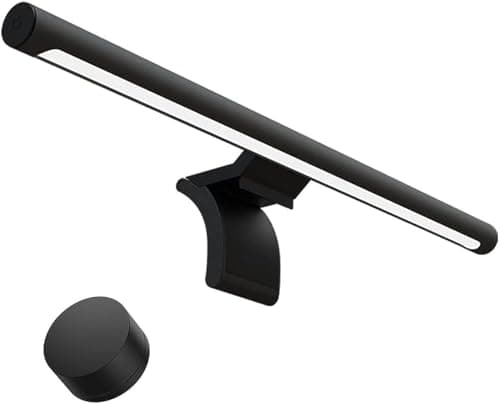
The closest match to the ScreenBar on the two specs that define it: the same published 2700-6500K colour range and the same asymmetric optic that keeps light off the panel, for roughly half the price of the Pro.
Optic match
9.2
Colour range match
9.6
Controls
8
Published data
6.4
Price advantage
8.6
Pros
+Publishes the same 2700-6500K range as the ScreenBar Pro
+Asymmetric optic — the feature that makes a light bar a light bar rather than a lamp on a monitor
+On-bar touch control, the same interaction as the BenQ
+Zero desk footprint, like every bar here
Cons
−No presence sensor or auto-dimming, which is the ScreenBar Pro's signature feature
−No CRI figure published
Skip this if…
…automatic dimming is the reason you were looking at the Pro. That is the feature this does not have, and no bar on this page does.
The alternative that beats the original on published data: a stated Ra95 colour rendering, a 45-degree asymmetric optic over 76 LEDs, and stepless 3000-6500K with memory - plus a remote the BenQ bars do not include at this price.
Optic match
9.2
Colour range match
8.4
Controls
9.4
Published data
9.6
Price advantage
9.2
Pros
+Publishes a colour-rendering figure (Ra95) — neither the Xiaomi nor most bars in this class do
+Stepless brightness from 20 to 100% with memory, so it returns to your setting
+A physical remote, which is easier than reaching over the monitor to a touch strip
+L-shaped USB-C plug sits flat against the bezel rather than sticking out
Cons
−Starts at 3000K rather than the ScreenBar's 2700K, so it will not go quite as warm
−16.1 in is short for an ultrawide bezel
−A remote is another object to lose
Skip this if…
…you want a very warm evening setting. 2700K on the BenQ and Xiaomi is noticeably warmer than 3000K.
Price as of November 12, 2026. Prices change — Amazon's is the one that counts.
#ad · we may earn a commission from this link to Quntis Focus 16.1in Monitor Light Bar with Remote
03
Best straightforward swap
Quntis Monitor Light Bar
Mount
Clip on bezel
Color temp
Adjustable, warm to cool
Optic
Asymmetric, no screen glare
Controls
Touch / remote
Power
USB-powered
8.3/10
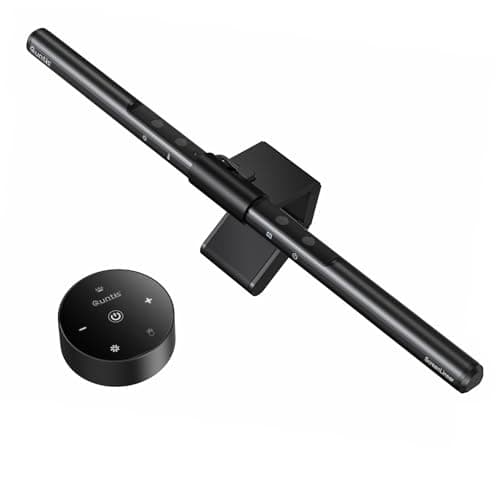
The simplest swap: clip on the bezel, USB power, asymmetric optic, adjustable colour temperature, touch or remote control. It does the ScreenBar's core job and nothing else.
Optic match
8.8
Colour range match
7.4
Controls
8.6
Published data
5.4
Price advantage
9.4
Pros
+The asymmetric optic, which is the one feature you must not give up when leaving the BenQ
+USB powered from the monitor or a desk hub — no wall socket needed
+Touch and remote control both available
+Appears on our gift and light-bar pages, so it is a known quantity on this site
Cons
−Publishes neither a colour-temperature range in kelvin nor a CRI figure
−No auto-dimming
Skip this if…
…you want to compare numbers before buying. The Quntis Focus above publishes far more of them.
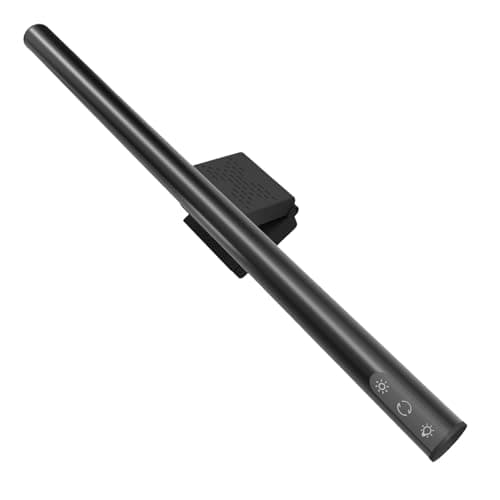
The budget pick, and the one with the most honest fit data: a published 0.3-1.4 in clamp range for flat and curved bezels, an optic adjustable to 55 degrees, and the longest body here at 17.5 inches.
Optic match
9.6
Colour range match
7
Controls
7.6
Published data
7.8
Price advantage
9.8
Pros
+Publishes a clamp range for both flat and curved bezels — the figure that decides whether a bar fits at all
+Optic angle is adjustable to 55 degrees rather than fixed
+Longest body here, so it covers a wider bezel than the 16.1 in bars
+The cheapest way onto an asymmetric optic on this site
Cons
−No colour-rendering figure published
−A counterweight bar on a curved bezel is always a fussier fit than on a flat one
Skip this if…
…your bezel is thicker than 1.4 in. That is a published limit and it is lower than some older panels.
#ad · Live prices from the Amazon Product API, as of November 12, 2026. Where we have no verified live price the button says so rather than showing a number that has rotted.
Read the last column and the ranking explains itself: only one of these four publishes a colour-rendering figure, and it is not the most expensive. That is the single most useful thing to know when leaving a brand whose reputation is built on light quality — one alternative lets you check the claim, and the others ask you to take it on trust.
What you must not give up, and what you can
Do not give up the asymmetric optic
This is the whole product. A symmetric LED strip mounted on a monitor lights the screen as much as the desk, which raises the black level of the panel and defeats the purpose. Every bar on this page publishes an asymmetric optic; the iQuincy goes further and makes the angle adjustable to 55 degrees. If a cheap “monitor lamp” does not say asymmetric, it is a strip light on a clip — LED strip vs monitor light bar explains the difference and when a strip is the right buy anyway.
You can usually give up auto-dimming
A presence sensor and ambient auto-dimming are real features and nice to live with. They are also the most expensive part of the Pro, and a touch strip or a remote does the same job in two seconds. If you work long evenings under changing light they may be worth the step up;are monitor light bars worth it makes the case for the category as a whole, including the premium end.
Check the bezel before you check anything else
Every bar here mounts with a counterweight clip over the top bezel, and that is the spec most likely to stop a purchase working. The iQuincy publishes 0.3–1.4 in and names curved panels; the others publish less fit data. Measure the bezel depth first. If your panel is unusually thin, steeply curved, or already carrying a webcam, a clamp desk lamp on the desk edge is the more reliable route to the same result.
What we checked and did not rank
The BenQ bars themselves. Both the ScreenBar Pro and the Halo 2 are registry products here and are ranked on best monitor light bars. They are the subject of this page, not candidates on it.
We compiled the published manufacturer specifications, did the footprint and clearance math ourselves, and read aggregated owner reviews, then scored each product against a published rubric. The scores are judgments from documented research — they are not measurements we took, because we do not have a lab and we are not going to pretend we do. Every spec traces back to a listing or manual named in Sources.
Questions
Frequently asked
What is the best BenQ ScreenBar alternative?+
The Quntis Focus 16.1in. It publishes a 45-degree asymmetric optic over 76 LEDs, an Ra95 colour-rendering figure, stepless 3000-6500K with memory and a remote, for a small fraction of the ScreenBar Pro's price. The Xiaomi bar is the closest like-for-like because it publishes the same 2700-6500K range as the BenQ, and the iQuincy 17.5in is the cheapest route onto an asymmetric optic.
What does the BenQ ScreenBar do that cheaper bars do not?+
On the ScreenBar Pro, a presence sensor with ambient auto-dimming - it turns on when you sit down and matches brightness to the room. The Halo 2 adds a wireless control dial. The asymmetric optic and the 2700-6500K colour range, which are the features that actually make the light good, are both available from other makers for much less.
Is a monitor light bar better than a desk lamp?+
On a small desk, usually yes, for one reason: it uses no desk surface at all and does not compete with a monitor arm for the rear edge. The trade is where the light lands - a bar illuminates the band in front of the screen, while a swing-arm lamp can be aimed at a book or a sketchpad. If you work on paper as much as on screen, you want the lamp or both.
Will a cheaper light bar fit a curved monitor?+
Check the published clamp range before you buy. The iQuincy on this page publishes 0.3-1.4 inches and explicitly names flat and curved bezels; most bars publish less fit data than that. A counterweight clip on a steeply curved bezel is always a fussier fit, and a very thin bezel can leave the bar tilting forward.
We do not run a testing lab, and we do not pretend to. Specifications come from the manufacturer or retailer listing; the footprint and clearance math is ours and reproducible. Where we could not verify a number, we say so on the page rather than quietly leaving it out. Read our full method.