Five arms that carry a live price under $200, ranked on motion, warranty, weight headroom and desk compatibility — plus the honest case for spending a quarter of the band instead.
We earn a commission when you buy through our Amazon links, at no extra cost to you. It never affects our rankings, and we say so when the cheaper product is the better buy. How this works.
The verdict: the best monitor arm under $200 is the Ergotron LX— a ten-year warranty, a Constant Force lift that is the smoothest motion in the band, and a 25 lb ceiling. It is for the person who expects the arm to outlive two desks and one apartment. The budget pick is the monTEK USB arm, which costs roughly a quarter of the band, publishes a higher capacity than the Ergotron does, and throws in a USB hub — it simply does not put a decade of warranty behind any of it.
$200 is an awkward number in this category, because the useful ladder is short. Below about $40 you are in budget monitor armterritory, where the 19.8 lb ceiling and hex-key tension are the compromises. Above $200 you are paying for design and the last 10% of motion quality — a Humanscale or an Ergotron HX. The band in between is where the three things a budget arm cannot give you actually become available: a real warranty, weight headroom past 20 lb, and a second screen on the same clamp.
Which of those three you need decides the page. Every arm below carries a verified live price under $200 at the time of the last refresh — the exact figure and the as ofdate are on every button, because a price band page that quotes last month’s number is worse than no page. None of these five appears on our budget roundup, so if you have already read that page this is a genuinely different shortlist.
We do not run a lab. Every specification is the manufacturer listing’s own published figure, and the scores are editorial judgments against a published rubric.
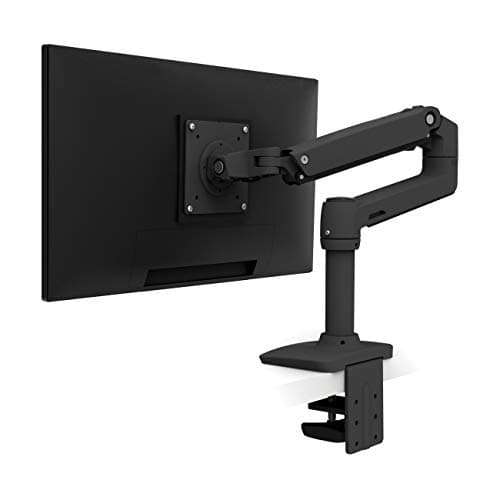
The best monitor arm you can buy under $200, and the only one here with a ten-year warranty behind it. Ergotron's Constant Force lift glides one-handed, takes a 25 lb screen, and survives being re-mounted on a new desk every couple of years.
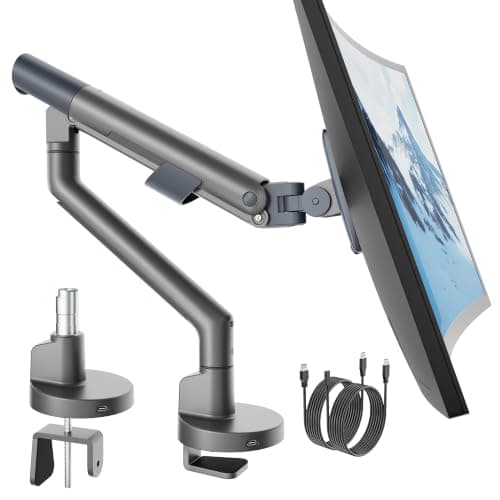
The most capacity per dollar in the band: a 6.6-44 lb range that covers any ultrawide sold, on a dual C-clamp that spreads the load across two contact points instead of one.
The longest reach in the band at 24 inches, with 13 inches of arm height travel — the pick when the desk is shoved against a wall and the screen has to come to you.
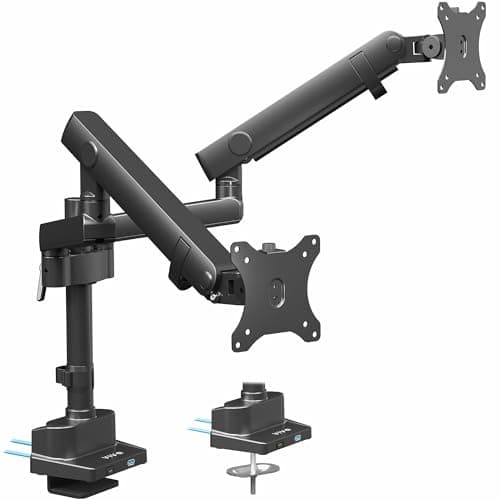
The only way to put TWO screens up inside this band without giving up aluminium construction: up to 40 inches per screen, a pole extension in the box, and USB ports built into the base.
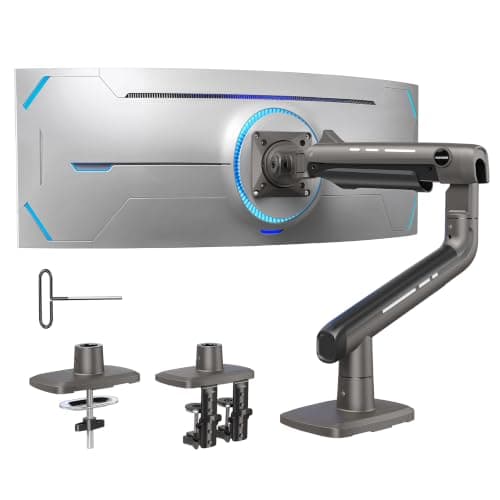
The budget pick of the band and the one that makes the strongest case against spending the rest of it: a published 26.4 lb capacity, a 17-to-40-inch range and an integrated USB hub, for roughly a quarter of what the Ergotron costs.
#ad · Live prices from the Amazon Product API, as of November 12, 2026. Where we have no verified live price we show none — we would rather leave a gap than print a number that has rotted.
In detail
The picks, in full
01
Best overall under $200
Ergotron LX Desk Mount Monitor Arm
VESA
75×75 / 100×100 mm
Mount
C-clamp + grommet
Fits
Up to 34 in
Weight
7–25 lb
Motion
Constant Force spring
9.0/10
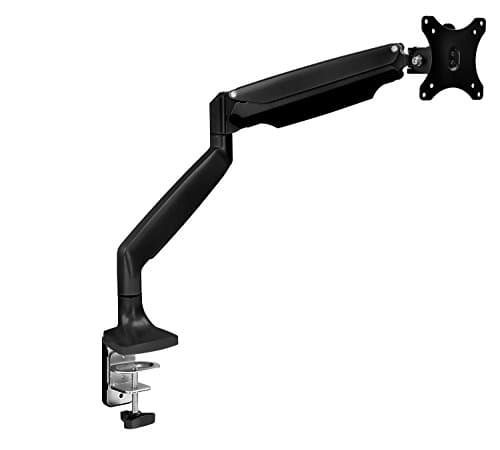
The best monitor arm you can buy under $200, and the only one here with a ten-year warranty behind it. Ergotron's Constant Force lift glides one-handed, takes a 25 lb screen, and survives being re-mounted on a new desk every couple of years.
Motion quality
9.4
Build and warranty
9.8
Weight headroom
9
Desk compatibility
8.8
Value in band
8
Pros
+Ten-year warranty — nothing else in this band publishes close to it
+Constant Force lift is the smoothest motion here and holds position for years
+25 lb ceiling covers a 32 in panel with headroom to spare
+All-metal build survives repeated re-mounting across apartment moves
+Clamp and grommet mounting both in the box
Cons
−The most expensive arm on this page, close to the band ceiling
−Tension is set with the supplied hex key before the motion becomes one-hand
−Publishes a 7 lb MINIMUM, so a light 22 in panel will float upward
Skip this if…
…your screen weighs under 7 lb or you will replace the whole setup inside a year. The LX earns its price over a decade, not on day one.
The most capacity per dollar in the band: a 6.6-44 lb range that covers any ultrawide sold, on a dual C-clamp that spreads the load across two contact points instead of one.
Motion quality
8.4
Build and warranty
8.6
Weight headroom
9.8
Desk compatibility
8
Value in band
9.2
Pros
+44 lb rating is more than double the standard 19.8 lb band
+Dual clamp spreads the load — kinder to a thin apartment desk than a single jaw
+49 in ceiling covers super-ultrawide panels
+Aluminium alloy with a reinforced VESA head
Cons
−Manufacturer specifies wooden desks only — no glass or plastic tops
−Physically the largest base here; it needs clear space behind the desk
−Tension is set with the supplied Allen key
Skip this if…
…your desk is glass, plastic-topped or thinner than the stated 0.8 in minimum. The maker is explicit about it.
The longest reach in the band at 24 inches, with 13 inches of arm height travel — the pick when the desk is shoved against a wall and the screen has to come to you.
Motion quality
8.8
Build and warranty
8.2
Weight headroom
7
Desk compatibility
9
Value in band
8.4
Pros
+24 in of extension — the most of any arm on this site
+Gas spring, so height changes need no tool once it is set
+The C-clamp doubles as a grommet mount
+Takes tops up to 3.3 in thick
Cons
−20 lb capacity is the lowest in this band
−Cable management is clips rather than an enclosed channel
−13 in of arm travel is less than several cheaper arms publish
Skip this if…
…you are mounting a 32 in or curved panel near the top of its weight range. A 20 lb ceiling leaves no headroom.
VIVO Premium Dual Monitor Mount with USB (STAND-V102BDU)
Screens
2, up to 40 in each
Ports
USB ports in the base
Material
Aluminum
Extras
Pole extension included
Lift
Gas-assisted lift engine
8.5/10
The only way to put TWO screens up inside this band without giving up aluminium construction: up to 40 inches per screen, a pole extension in the box, and USB ports built into the base.
Motion quality
8.6
Build and warranty
8.8
Weight headroom
9
Desk compatibility
7.4
Value in band
8.8
Pros
+Two screens on one clamp, which is one clamp fewer on a short rear edge
+40 in per screen covers panels most dual arms will not take
+USB ports in the base save a hub on a desk with no spare surface
+Aluminium resists the sway a tall pole otherwise develops
Cons
−A tall pole plus two large screens is a lot of leverage for a thin desk edge
−Two 40 in screens exceed what a genuinely small desk can hold
−The listing does not state the USB generation
Skip this if…
…your desk top is under about 1 in of solid material. This is the heaviest-loading mount here.
Price as of November 12, 2026. Prices change — Amazon's is the one that counts.
#ad · we may earn a commission from this link to VIVO Premium Dual Monitor Mount with USB (STAND-V102BDU)
05
Budget pick
monTEK USB Monitor Arm (17–40in)
Screens
1, 17–40 in
Capacity
26.4 lb
Ports
Integrated USB
Finish
Gray (also black)
Motion
Full motion
8.6/10
The budget pick of the band and the one that makes the strongest case against spending the rest of it: a published 26.4 lb capacity, a 17-to-40-inch range and an integrated USB hub, for roughly a quarter of what the Ergotron costs.
Motion quality
8.2
Build and warranty
7.2
Weight headroom
9.2
Desk compatibility
8.4
Value in band
9.8
Pros
+26.4 lb is a published figure and it beats the Ergotron's 25 lb ceiling
+40 in range covers a single ultrawide
+Single-arm loading is far gentler on a thin apartment desk than a dual
+Two finishes, so it can be made to disappear against the wall
Cons
−No published warranty period, against ten years on the Ergotron
−One screen only — no second-arm option later
−The listing does not state the USB generation
Skip this if…
…you want the arm to come with you through several desks and want a warranty to say so. That is exactly what the Ergotron's ten years buys and this does not.
#ad · Live prices from the Amazon Product API, as of November 12, 2026. Where we have no verified live price the button says so rather than showing a number that has rotted.
What the money actually buys between $40 and $200
Warranty, which is the spec that does not follow price
This is the clearest thing the band buys. Budget arms publish one year, or nothing at all. The Ergotron LX publishes ten. Mount-It! and VIVO sit in between. The monTEK, which is the cheapest arm here, publishes no period at all — and that is the single honest reason to pay four times as much for the Ergotron. Note how little warranty tracks price within the band: the second-cheapest arm has a longer published cover than the second most expensive.
Weight headroom, which is the spec most people get wrong
The number to check is your panel’s weight without its stand, which is typically 25–40% below the boxed weight on the spec sheet. Budget arms stop at 19.8 lb. In this band the HUANUO TitanLift reaches 44 lb and the monTEK publishes 26.4 lb — both above the Ergotron’s 25 lb. If you run a 34″ ultrawide or a 32″ panel, headroom is worth more than motion quality, and monitor arm weight capacity explains why running an arm near its ceiling is what causes the slow droop people blame on the spring.
A second screen, and whether your desk edge can take it
A dual mount is the cheapest route to two screens if — and only if — the rear edge can carry it. Two panels on one pole is a lot of leverage on a thin top, and the VIVO here is explicit that it wants about an inch of solid material. Dual arm vs two single arms runs the comparison, and two monitors on a small desk works out whether two screens fit the desk at all before you spend anything.
The case for not spending the whole band
On a small desk, the arm is rarely the bottleneck. If you have $200 to spend on the workstation and the desk is 40 inches wide, an arm at a quarter of the band plus an under-desk keyboard tray buys more usable surface than any single arm at any price, because the tray moves the keyboard off the top entirely. A monitor light bar is the other high-value add: it clamps to the bezel and claims no desk at all. Spending the whole band on the arm is the right call only when the arm has to last a decade or carry a heavy panel.
If footprint rather than price is your constraint, our best compact monitor arms page ranks the field on clamp range and edge footprint instead, and monitor arm price comparison lists every arm on this site by live price in one table.
What we checked and did not rank
Arms over the band. The Humanscale M2.1 and the Ergotron HX both carry live prices well above $200 and are excluded by the band, not on merit. Both appear on best monitor arms.
Sub-$40 budget arms. Excluded deliberately. They are a different purchase with different compromises and they have their own page; putting them here would make the band meaningless.
Any arm whose price-layer entry showed no live offer. A price-band page cannot feature a product we cannot currently price, so arms without a live price were held back regardless of how well they fit.
How we picked
We do not run a testing lab
We compiled the published manufacturer specifications, did the footprint and clearance math ourselves, and read aggregated owner reviews, then scored each product against a published rubric. The scores are judgments from documented research — they are not measurements we took, because we do not have a lab and we are not going to pretend we do. Every spec traces back to a listing or manual named in Sources.
Questions
Frequently asked
What is the best monitor arm under $200?+
The Ergotron LX. It is the only arm in the band with a ten-year published warranty, its Constant Force lift is the smoothest motion here, and its 25 lb ceiling covers a 32-inch panel. If you want the most capacity per dollar instead, the HUANUO TitanLift publishes 44 lb; if you want the lowest price that still works, the monTEK USB arm publishes 26.4 lb for roughly a quarter of the band.
Is a $200 monitor arm worth it over a $30 one?+
Only for three specific reasons: a published warranty measured in years rather than months, weight headroom above the 19.8 lb standard band, or a second screen on the same clamp. The space an arm frees on the desk is identical at both prices, because that figure belongs to the monitor stand you are removing. If none of those three reasons applies to you, buy the cheap arm and spend the difference on a keyboard tray.
How much should I spend on a monitor arm?+
Enough to clear your panel's weight without its stand with headroom, and no more unless you want a long warranty. For a 24-inch screen under 12 lb that is the budget tier. For a 32-inch or ultrawide panel, or a desk you expect to replace before the arm, this band is the right one. Running any arm at the very top of its rating is the main cause of the slow sag owners blame on a faulty spring.
Are the prices on this page current?+
They are pulled from the Amazon Product Advertising API and stamped with an 'as of' date under every table. If a price cannot be verified it is not shown at all - the button says 'Check price' instead of printing a number that has gone stale. That is deliberate: a price-band page is only as honest as its freshest number.
Does a more expensive monitor arm free more desk space?+
No. All of it comes from removing the monitor's own stand, which is 8-10 inches of depth on a typical 24-27 inch screen, and that is the same whether the arm cost $30 or $200. What a dearer arm buys is how the screen moves, how long the mechanism holds its position, and how much weight it will carry.
We do not run a testing lab, and we do not pretend to. Specifications come from the manufacturer or retailer listing; the footprint and clearance math is ours and reproducible. Where we could not verify a number, we say so on the page rather than quietly leaving it out. Read our full method.