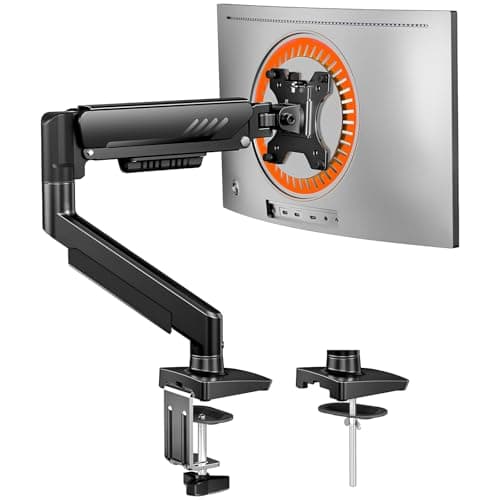
The verdict: the best compact monitor arm is the ErGear 13–34in— 18.1 in of reach and 17.5 in of height travel on a single-post clamp, which is the combination that lets a desk sit flat against a wall and still put the screen at arm’s length. It is for the apartment or dorm worker with a 16–24″-deep top and a 24–32″ screen. The budget pick is the MOUNTUP MU0004, which reaches furthest of all five and asks you to set its tension with a hex key in exchange.
“Compact” in this category does not mean a physically smaller arm. Every arm here frees the same 8–10 inches of depth a monitor stand was eating, because that figure is a property of the stand, not of the arm. What differs — and what nobody puts in a headline — is how much of the desk the arm itself takes back: the depth of the clamp jaw, how far the base post protrudes behind the rear edge, and whether the arm’s stated reach is usable at all once the desk is only 20 inches deep.
So this page ranks on three things the flagship best monitor arms roundup deliberately does not lead with. One, clamp jaw range— the single most common reason an arm gets returned, and the figure that varies most between these five (0.59–3.15 in on the Acer, about 0.8–3.9 in on the Amazon Basics). Two, edge footprint— a single-post base claims less rear edge than a twin-column design, which matters when the desk is 40 inches wide and a lamp has to clamp somewhere too. Three, usable reach— on a shallow top, reach is what buys viewing distance, because you cannot push the screen further away than the wall.
We do not run a lab. Every figure below is the manufacturer listing’s own published number, the footprint and clearance arithmetic is ours and reproducible, and the scores are editorial judgments against a published rubric. Prices are live from the Amazon Product Advertising API with the “as of” date shown under every table.
The short answer
Quick picks
| # | Product | Best for | Score | Price |
|---|
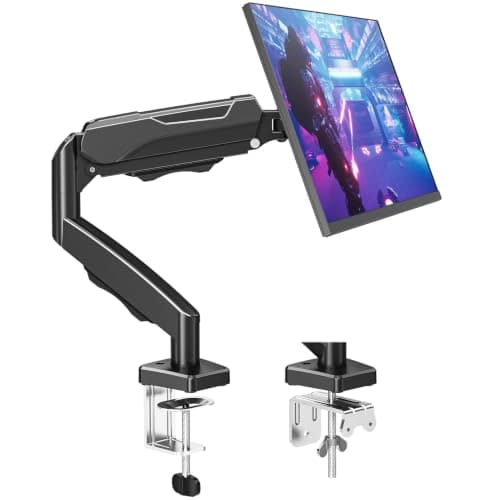
| 01 | ErGear Single Monitor Arm (13–34in)The most usable travel per inch of desk edge: 18.1 in of reach and 17.5 in of height on a single-post clamp, which means you can push the desk flat against the wall and still pull the screen to a comfortable distance. | Best overall compact arm | | $29.99·Amazon |
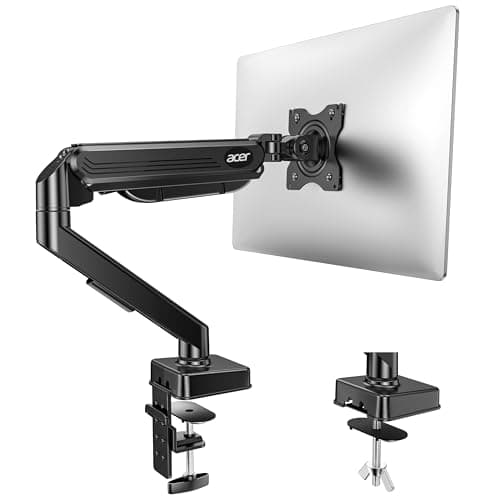
| 02 | Acer Single Monitor MountThe one to buy when the desk, not the screen, is the awkward part: a published 0.59–3.15 in clamp range covers the thin 0.6 in tops common on cheap apartment desks as well as a 3 in butcher block. | Best for an awkward desk edge | | $35.99·Amazon |
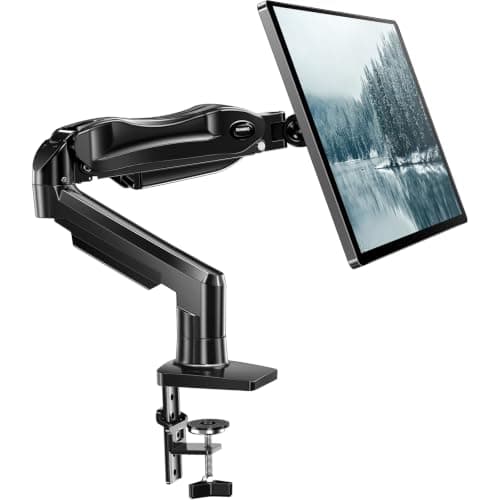
| 03 | HUANUO FlowLift Single Monitor MountThe fastest of these to live with: a one-piece gas-spring arm that installs in roughly three minutes and then moves one-handed, which matters more in a small room where the desk doubles as a dining table. | Best for a desk that changes jobs | | $38.99·Amazon |
| 04 | MOUNTUP Single Monitor Desk Mount (MU0004)The budget pick, and the longest reach here at 19.6 in. The honest limit is the 17.6 lb ceiling and a tension system you set with a hex key rather than a spring you nudge. | Budget pick | | $26.99·Amazon |
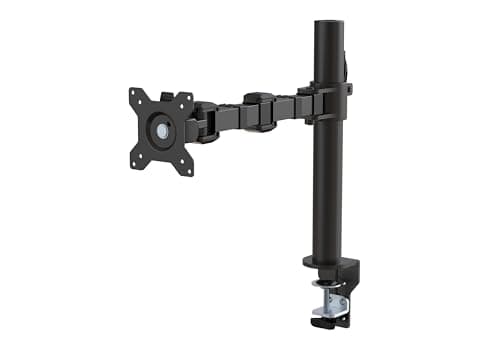
| 05 | Amazon Basics Single Monitor Stand with Cable ManagementThe pick when the cable run is the visible mess rather than the screen: an enclosed cable channel instead of clips, and the highest clamp ceiling here at about 3.9 in. Its published clamp MINIMUM of about 0.8 in is the catch. | Best cable management | | $30.23·Amazon |
#ad · Live prices from the Amazon Product API, as of November 12, 2026. Where we have no verified live price we show none — we would rather leave a gap than print a number that has rotted.
In detail
The picks, in full
Best overall compact arm
ErGear Single Monitor Arm (13–34in)
- Screen fit
- 13–34 in
- Weight limit
- 19.8 lb
- Height travel
- 17.5 in
- Reach
- 18.1 in
- Motion
- +80° / −50° tilt, ±90° swivel, 360° rotate
The most usable travel per inch of desk edge: 18.1 in of reach and 17.5 in of height on a single-post clamp, which means you can push the desk flat against the wall and still pull the screen to a comfortable distance.
- Edge footprint
- 9
- Usable reach
- 9.6
- Desk compatibility
- 8
- Install ease
- 8.8
- Value
- 9.4
Pros
- +18.1 in of reach is what lets a desk sit flat against a wall and still put the screen at arm's length
- +Single post rather than a twin-column base, so it claims less of the back edge
- +Tool-free VESA plate — useful when the desk has to move
- +Wider VESA head steadies a 32 in panel on a lightweight top
Cons
- −No published minimum weight, so a very light 22 in panel may float upward
- −19.8 lb ceiling is the standard band, not a heavy-duty one
Skip this if…
…your desk is deeper than about 28 inches and pushed away from the wall. All that reach is wasted and a shorter arm will be steadier.
Best for an awkward desk edge
Acer Single Monitor Mount
- Screen fit
- 17–34 in
- Weight range
- 4.4–19.8 lb
- Clamp range
- 0.59–3.15 in
- Height travel
- Up to 18.1 in
- Motion
- −60° to +90° tilt, ±90° swivel, 360° rotate
The one to buy when the desk, not the screen, is the awkward part: a published 0.59–3.15 in clamp range covers the thin 0.6 in tops common on cheap apartment desks as well as a 3 in butcher block.
- Edge footprint
- 8.4
- Usable reach
- 8.8
- Desk compatibility
- 9.6
- Install ease
- 8.4
- Value
- 8.6
Pros
- +Widest published clamp range of any arm on this site — thin and thick tops both
- +Publishes a minimum screen weight (4.4 lb), which most arms in this class omit
- +Clamp and grommet hardware both supplied
- +18.1 in of height travel reaches eye level even from a low desk
Cons
- −Five-minute install rather than three
- −Same 19.8 lb ceiling as the standard field
Skip this if…
…your desk edge measures under 0.59 in. Below that the jaw cannot close properly — check the figure against our desk-thickness table first.
Best for a desk that changes jobs
HUANUO FlowLift Single Monitor Mount
- Screen fit
- 13–32 in
- Weight range
- 4.4–19.8 lb
- VESA
- 75 × 75 / 100 × 100 mm
- Mount
- C-clamp or grommet
- Install
- One-piece, ~3 min
The fastest of these to live with: a one-piece gas-spring arm that installs in roughly three minutes and then moves one-handed, which matters more in a small room where the desk doubles as a dining table.
- Edge footprint
- 8.6
- Usable reach
- 8.2
- Desk compatibility
- 8.4
- Install ease
- 9.4
- Value
- 8.8
Pros
- +Gas spring: squeeze, move, let go — no hex key when the load changes
- +Covers the whole 4.4–19.8 lb standard band, top and bottom
- +One-piece arm, far less fiddly than two-part designs when you move apartments
- +Clamp and grommet bases both in the box
Cons
- −19.8 lb ceiling leaves little headroom for the heaviest 32 in panels
- −The listing discourages hollow tops — it wants solid material to bite on
Skip this if…
…your monitor weighs over 19.8 lb without its stand. Go to a 33 lb-plus heavy-duty arm instead.
Budget pick
MOUNTUP Single Monitor Desk Mount (MU0004)
- Screen fit
- 17–32 in
- Weight range
- 4.4–17.6 lb
- Reach
- Up to 19.6 in
- Height travel
- Up to 16.5 in
- Motion
- −45°/+90° tilt, ±180° swivel, 360° rotate
The budget pick, and the longest reach here at 19.6 in. The honest limit is the 17.6 lb ceiling and a tension system you set with a hex key rather than a spring you nudge.
- Edge footprint
- 8.8
- Usable reach
- 9.4
- Desk compatibility
- 8.2
- Install ease
- 7.8
- Value
- 9.6
Pros
- +19.6 in of reach — the longest on this page, on the cheapest arm
- +±180° swivel, so the screen can be turned out to a second person
- +Clamp and grommet bases both supplied
- +Covered cable channels rather than loose clips
Cons
- −17.6 lb ceiling is below the standard 19.8 lb — weigh your panel without its stand
- −Tension is set with a hex key, so it is not a one-hand arm
Skip this if…
…you move the screen several times a day. The money saved here is paid back in hex-key adjustments.
Best cable management
Amazon Basics Single Monitor Stand with Cable Management
- Screens
- 1, 13–30 in
- Clamp range
- 2–10 cm (about 0.8–3.9 in)
- VESA
- 75 × 75 / 100 × 100
- Tilt
- −15° to +85°
- Capacity
- Not published
The pick when the cable run is the visible mess rather than the screen: an enclosed cable channel instead of clips, and the highest clamp ceiling here at about 3.9 in. Its published clamp MINIMUM of about 0.8 in is the catch.
- Edge footprint
- 8
- Usable reach
- 7.6
- Desk compatibility
- 6.8
- Install ease
- 8.2
- Value
- 9.2
Pros
- +An enclosed cable channel, not loose clips — the difference you see in a studio where the desk is in the room you live in
- +3.9 in clamp ceiling is the highest here, useful on a thick or edge-banded top
- +Steel build with a 1-year Amazon Basics warranty
- +Frees the same 8–10 in of depth a premium arm does
Cons
- −Published clamp minimum of about 0.8 in is the highest minimum here, and thin MDF apartment desks routinely fall under it
- −The listing publishes no weight capacity at all
- −No grommet hardware, so a blocked rear edge leaves no fallback
Skip this if…
…your desk top measures under about 0.8 in at the edge. This is the one arm here that will not close on a thin top.
The five arms, specification by specification
#ad · Live prices from the Amazon Product API, as of November 12, 2026. Where we have no verified live price the button says so rather than showing a number that has rotted.
Measure three things before you order
1. The back edge, where the clamp bites
Measure the thickness of the desk at the rear edge, not in the middle, and measure the flatpart — a bevel, an edge band or a lip reduces the usable thickness. Then check it against the published jaw range. The Acer takes 0.59–3.15 in, the widest on this site; the Amazon Basics needs about 0.8 in minimum, which is more than some budget apartment desks have. Our desk thickness for clamp-on gear table collects every published clamp range on the site in one place, and will a monitor arm fit my desk runs the five checks in order.
2. How much clearance there is behind the desk
A C-clamp base needs a few inches of clear space behind the rear edge for the lower jaw, and the post itself sits behind the desk line. If the desk is hard against a wall with a baseboard, the baseboard sets the limit, not the arm. Push the desk out by the depth of the base before you decide the arm does not fit — monitor arms for a desk against a wall covers the wall-mount route when there is genuinely no clearance.
3. The desk’s depth, which decides whether reach matters
On a 30-inch-deep desk you will never use 19 inches of reach. On a 20-inch top you will use all of it, because the only way to get the screen to a comfortable viewing distance is to pull it forward over the keyboard rather than push it back into the wall. Monitor size and distance for small desks has the distance arithmetic for 22, 24, 27 and 32″ panels on a shallow top; it is the reason reach is weighted as heavily here as travel.
What a compact arm does not fix
An arm moves the screen off the surface. It does not make the surface bigger, and on a genuinely small desk the next constraint is usually the keyboard, not the monitor. Moving the keyboard below the top with an under-desk keyboard tray buys more usable area than any arm does, and the two are complementary rather than alternatives. If the screen is light and the desk is thin, a freestanding VESA stand sidesteps the clamp question entirely at the cost of the footprint you were trying to save.
If price rather than footprint is the question, the best budget monitor arm page ranks the cheap end on its own terms, and the best monitor arms under $200 covers the tier above. If you need two screens on one small desk, start at best dual monitor armsinstead — a dual arm on a 40-inch desk is a different footprint problem.
What we checked and did not rank
- Heavy-duty arms rated 33 lb and up.Excluded as a class. The post and base that carry 44 lb are physically larger and claim more rear edge, which is the opposite of what this page ranks for. They are on best monitor arms for heavy monitors.
- Dual arms and pole mounts. A shared pole is a sound way to put two screens on one clamp, but a single pole collar occupies more of the back edge than a single-post arm and the page would stop being about one screen on a small desk.
- Arms with no published clamp range. Excluded. The clamp range is the first thing this page ranks on; an arm that does not publish it cannot be compared honestly, and we are not going to estimate it from a photograph.
How we picked
We do not run a testing lab
We compiled the published manufacturer specifications, did the footprint and clearance math ourselves, and read aggregated owner reviews, then scored each product against a published rubric. The scores are judgments from documented research — they are not measurements we took, because we do not have a lab and we are not going to pretend we do. Every spec traces back to a listing or manual named in Sources.
Questions
Frequently asked
What makes a monitor arm compact?+
Not the size of the arm. Every clamp-on arm frees the same 8-10 inches of depth, because that figure belongs to the monitor stand it replaces. A compact arm is one whose base claims less of the rear desk edge (a single post rather than a twin column), whose clamp jaw fits a thin apartment desk, and whose reach is long enough to be usable when the desk is only 20 inches deep and cannot be pushed further from the wall.
Will a monitor arm fit a 40-inch-wide desk?+
Yes, and width is rarely the problem - the clamp only needs a few inches of rear edge. The two things that do bite on a narrow desk are sharing that edge with a clamp-on lamp or keyboard tray, and swivel: an arm with 180 degrees of swivel will turn the screen off the end of a 40-inch desk entirely. Plan the clamp positions together before you order both.
How much reach do I need on a small desk?+
Work back from viewing distance. A 24-inch screen wants roughly 20-28 inches from your eyes and a 27-inch screen a little more. On a 20-inch-deep desk pushed against a wall, the arm has to make up the difference by bringing the screen forward, so 15 inches of reach or more is useful. On a 28-30 inch desk almost any arm is long enough and you should buy for travel and mechanism instead.
Can a compact monitor arm go on a thin IKEA-style or MDF top?+
Often yes, but check two figures rather than one: the clamp's published minimum thickness, and whether the listing says anything about hollow or particle tops. Several makers specify solid material. A hollow-core top can be reinforced with a steel or hardwood backing plate under the jaw to spread the load - our desk-thickness guide covers the method and the arms whose published minimum is unusually high.
Is a compact monitor arm better than a monitor riser on a small desk?+
They solve opposite halves of the problem. A riser lifts the screen but still stands on the desk, so it keeps the footprint and gains you storage underneath; an arm removes the footprint entirely but needs a clamp-friendly edge. If the desk edge cannot take a clamp, the riser is the honest answer - our arm versus stand comparison lays out the trade in full.
Receipts
Sources
- ErGear single monitor arm 13-34in — manufacturer listing (19.8 lb limit, 17.5 in height travel, 18.1 in reach, tool-free VESA, tilt/swivel/rotate figures)
- Acer single monitor mount — manufacturer listing (17-34 in, 4.4-19.8 lb, published 0.59-3.15 in clamp range, up to 18.1 in height travel)
- HUANUO FlowLift single monitor mount — manufacturer listing (13-32 in, 4.4-19.8 lb, VESA 75/100, clamp or grommet, one-piece install)
- MOUNTUP MU0004 single monitor desk mount — manufacturer listing (17-32 in, 4.4-17.6 lb, 19.6 in reach, 16.5 in height travel)
- Amazon Basics single monitor stand with cable management — manufacturer listing (13-30 in, 2-10 cm clamp range, VESA 75/100, capacity not published)
- OSHA — Computer Workstations eTool: monitors (viewing distance and height guidance)
We do not run a testing lab, and we do not pretend to. Specifications come from the manufacturer or retailer listing; the footprint and clearance math is ours and reproducible. Where we could not verify a number, we say so on the page rather than quietly leaving it out. Read our full method.