Twenty-four inches is the size a shallow desk can actually seat. Ranked on the three things that separate these panels: pixel density, published stand depth and whether VESA is stated at all.
We earn a commission when you buy through our Amazon links, at no extra cost to you. It never affects our rankings, and we say so when the cheaper product is the better buy. How this works.
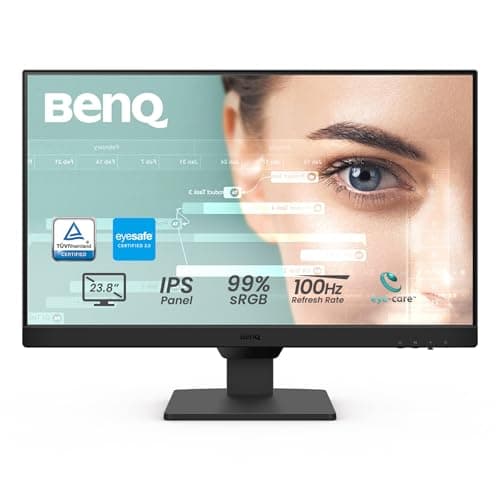
The verdict: the best 24-inch monitor for a small desk is the BenQ GW2490— for anyone who wants one screen that will work on the desk now and on an arm later, because it publishes VESA mounting, carries a thin bezel for a second panel beside it and puts speakers in the chassis instead of on the desktop. The budget pick is the Amazon Basics 24-inch IPS, the cheapest panel here that still arrives with an adjustable stand and stated VESA support.
The finding that organizes this page is arithmetic rather than opinion: inside one diagonal, the price ladder does not buy pixels.Four of the five panels below are 1920 × 1080 across 24 inches. A 16:9 panel with a 24-inch diagonal is 20.9 inches wide, so 1920 pixels across it is about 92 per inch— and that figure is identical on the cheapest 1080p pick and the dearest one. The only panel here that breaks out is the 1440p KOORUI at about 122 ppi, a third sharper, and no amount of money closes that gap on the other four because resolution is soldered in.
So what does the money buy? The stand and the ports.The dearest 1080p pick arrives with real height adjustment, USB-C and USB-A; the cheapest arrives with an adjustable stand and three inputs. Both put the same number of pixels in front of your eyes. That is a legitimate thing to spend on — height adjustment is the feature this class normally deletes, and it is the one that decides neck angle — but it is worth knowing you are buying furniture rather than picture.
Why 24 inches at all? Because it is the largest diagonal a shallow desk can honestly seat. A 24-inch panel wants roughly 22 to 26 inches of viewing distance against a 27-inch panel’s 25 to 30, and the published stand depths below run from 7.1 to 9 inches on a desk that may only be 20 deep. Our monitor size and distance table has the figures. This is the single-size page the monitor pages on this site did not have: best monitors under $100 and best monitors under $200 are price bands that mix 22, 24 and 27-inch panels, and best monitors for small desksranks on stand footprint with no price ceiling at all. We do not run a lab: every panel specification below is the manufacturer listing’s own published figure, every pixel density is computed from the published diagonal and resolution, and the one listing that does not state VESA support is marked as not stating it rather than assumed.
The best all-round 24-inch panel for a small desk: IPS at 100 Hz, a thin bezel, published VESA mounting so the stand can go in a cupboard on day one, and speakers that remove another object from the desktop.
The only 24-inch panel here that is not 1080p, and the sharpest screen on the page by a third: 2560 x 1440 across a 24-inch diagonal works out at about 122 pixels per inch against 92 for everything else.
Best for the most usable workspace without a bigger screen
The pick for a shallow desk with no arm: LG publishes a slim stand base, and on a 20-inch-deep top the base is worth more than any line on the panel specification.
The only pick here that arrives with real height adjustment and a USB-C port, and the clearest demonstration of what a 24-inch budget actually buys: a stand and ports, not pixels.
The budget pick: the cheapest 24-inch IPS panel here that still arrives with an adjustable stand and published VESA support, which is more than most of this price class manages.
Budget pick — cheapest with both an adjustable stand and VESA
#ad · Live prices from the Amazon Product API, as of November 22, 2026. Where we have no verified live price we show none — we would rather leave a gap than print a number that has rotted.
In detail
The picks, in full
01
Best overall 24-inch monitor
BenQ GW2490 24in IPS Monitor
Size
24 in
Panel
IPS, 1920 × 1080, 100 Hz
Pixel density
~92 ppi (computed)
Mounting
VESA wall/arm compatible
Audio
Built-in speakers
8.4/10
The best all-round 24-inch panel for a small desk: IPS at 100 Hz, a thin bezel, published VESA mounting so the stand can go in a cupboard on day one, and speakers that remove another object from the desktop.
Pixel density
7
Mountability
9.6
Stand footprint
7.6
Panel quality
8.6
Value
9
Pros
+VESA support is published rather than implied, which is the single most important line on a 24-inch listing if a small desk is involved — it is the difference between keeping 8 to 10 inches of depth and losing it
+A thin bezel is what makes two of these work side by side on a 40-inch desk
+Built-in speakers delete a speaker pair from the surface
+Low blue light and adaptive brightness on a mainstream-priced panel, which is the eye-comfort half of the decision
+100 Hz makes scrolling text visibly smoother than the 75 Hz class below it
Cons
−1920 × 1080 across 24 inches is about 92 pixels per inch — perfectly readable, not crisp
−The factory stand is a plate that still occupies desk depth until you mount the panel
−No USB-C, so a laptop needs its own charger
Skip this if…
…you edit photographs or video for a living. This is a good general-purpose office panel and not a color-critical one.
Best for the most usable workspace without a bigger screen
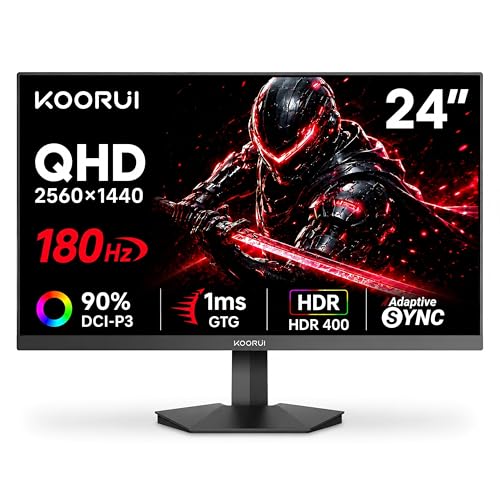
KOORUI G2421V 24in 1440p Fast IPS Monitor
Panel
Fast IPS, 2560 × 1440, 180 Hz
Pixel density
~122 ppi (computed)
Mounting
VESA 75 × 75 mm
Stand depth
9 in (listing dimensions)
Inputs
HDMI 2.0, DisplayPort 1.4
8.5/10
The only 24-inch panel here that is not 1080p, and the sharpest screen on the page by a third: 2560 x 1440 across a 24-inch diagonal works out at about 122 pixels per inch against 92 for everything else.
Pixel density
9.8
Mountability
8.6
Stand footprint
6
Panel quality
9.4
Value
8.6
Pros
+122 pixels per inch is the one specification on this page that no amount of money buys on the other four — resolution is soldered in
+More readable workspace at the same 22 to 26 inches of viewing distance a 24-inch panel wants, which is the distance a 20-inch desk can actually supply
+Published 90% DCI-P3 gamut, the widest colour claim here
+Published three-year spare-parts warranty and a 12-month replacement service — the longest support statement of the five
+180 Hz and 1 ms if the same screen also has to game after work
Cons
−A 9-inch published stand depth, the deepest here — on a 20-inch desk that is nearly half the depth gone before the keyboard
−VESA 75 × 75 mm only, where the BenQ and the Dell publish 100 × 100 — check your arm's plate
−180 Hz does nothing at all for documents, mail or calls
−The dearest 24-inch panel on the page
Skip this if…
…the monitor has to stand on a 20-inch-deep desk. The panel is the best here and the 9-inch base undoes it - this is the pick that most wants an arm.
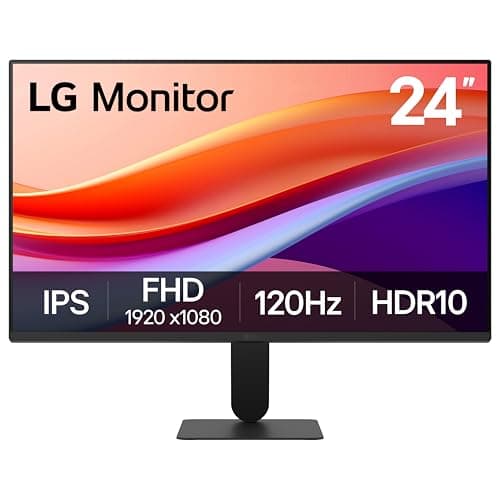
The pick for a shallow desk with no arm: LG publishes a slim stand base, and on a 20-inch-deep top the base is worth more than any line on the panel specification.
Pixel density
7
Mountability
6
Stand footprint
9.2
Panel quality
8.8
Value
8.8
Pros
+A slim stand base is the specification a shallow desk cares about most, and it is published rather than left to a dimension field
+120 Hz is the highest refresh of the four 1080p picks here
+Flicker Safe and Reader Mode address the eye-comfort side directly, by name
+LG panel consistency is a step up from the unbranded end of this category
Cons
−HDMI only — no DisplayPort, no USB-C
−HONEST GAP: the listing does not confirm VESA mounting, so we will not assume it. If an arm is in your plan, buy a panel that states its pattern
−Still 92 ppi, like three of the other four
Skip this if…
…an arm is part of the plan. Where VESA support is not published we will not assume it, and the BenQ states its.
Price as of November 22, 2026. Prices change — Amazon's is the one that counts.
#ad · we may earn a commission from this link to LG 24U411A-B 24in IPS Monitor (slim stand base)
04
Best stand and ports out of the box
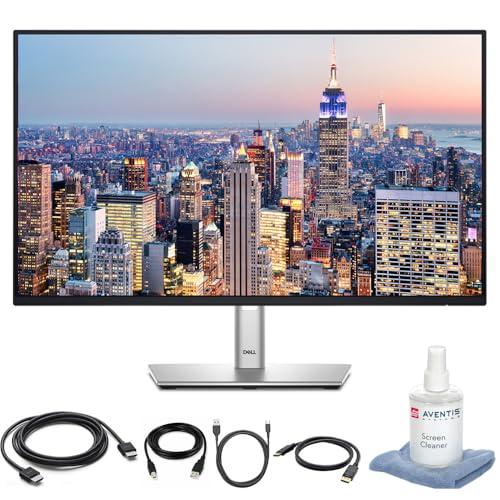
Dell P2425H 24in FHD IPS Monitor
Panel
IPS, 1920 × 1080, 100 Hz
Pixel density
~92 ppi (computed)
Stand
Height-adjustable, 7.1 in deep
Ports
HDMI, DisplayPort, USB-C 15 W, USB-A
Weight
15 lb (listing)
7.8/10
The only pick here that arrives with real height adjustment and a USB-C port, and the clearest demonstration of what a 24-inch budget actually buys: a stand and ports, not pixels.
Pixel density
7
Mountability
7.6
Stand footprint
8.8
Panel quality
8.2
Value
7.4
Pros
+Height adjustment in the box is the one ergonomic feature this class usually deletes, and it is the feature that sets neck angle
+The shallowest published stand depth on the page at 7.1 inches — almost two inches back from the KOORUI
+Bottom-bezel USB-C (15 W) and USB-A, so a phone or a drive does not go round the back
+Dell P-series anti-glare IPS with Comfortview Plus, and an LCD cleaning kit included
Cons
−The dearest 1080p panel here and about 92 ppi, the same density as the cheapest — which is the whole finding of this page
−15 lb is the heaviest panel of the five; subtract the stand before checking it against an arm's load window
−15 W of USB-C power delivery will trickle a laptop, not run one
Skip this if…
…you are going to mount it on an arm anyway. You would be paying for a stand you are about to remove, and the KOORUI gives you a third more pixels for the money.
Budget pick — cheapest with both an adjustable stand and VESA
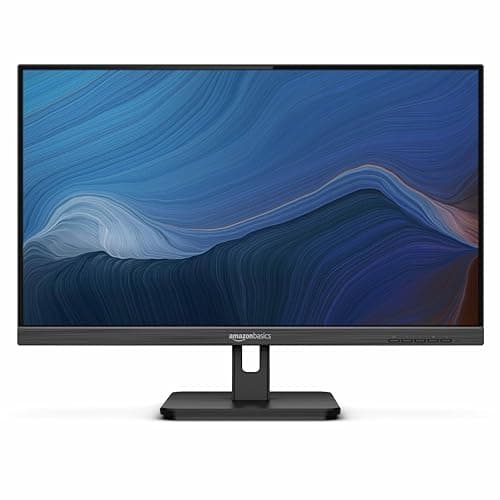
Amazon Basics 24in Full HD IPS Monitor
Size
24 in
Panel
IPS, 1080p, 75 Hz
Pixel density
~92 ppi (computed)
Stand
Adjustable
Mounting
VESA compatible
8.2/10
The budget pick: the cheapest 24-inch IPS panel here that still arrives with an adjustable stand and published VESA support, which is more than most of this price class manages.
Pixel density
7
Mountability
9.4
Stand footprint
7
Panel quality
8
Value
9.6
Pros
+Cheapest pick here and nothing structural is missing: IPS, adjustable stand, VESA, three inputs
+Adjustable stand sets screen height without buying a riser or an arm, which is unusual at this price
+VESA compatible, so the arm route stays open later
+Three inputs including VGA, which keeps an older machine alive
+Built-in speakers save desk space
Cons
−75 Hz, against 100 and 120 on the newer panels here
−An adjustable stand has a larger base than a fixed one, so the saving costs some depth
−Same ~92 ppi as the dearest 1080p pick, at a fraction of the price — which is the argument for buying this one
Skip this if…
…you already own a monitor arm. You would be paying for a stand mechanism you will remove, and a panel with no stand spend is better value.
#ad · Live prices from the Amazon Product API, as of November 22, 2026. Where we have no verified live price the button says so rather than showing a number that has rotted.
Density, stand depth and VESA, side by side
Pick
Resolution
Pixels per inch
Published stand depth
VESA published?
BenQ GW2490
1920 × 1080
~92
Not published
Yes
KOORUI G2421V
2560 × 1440
~122
9 in
Yes, 75 × 75 mm
LG 24U411A-B
1920 × 1080
~92
“Slim base”, no figure
Not stated
Dell P2425H
1920 × 1080
~92
7.1 in
Yes
Amazon Basics 24 in
1920 × 1080
~92
Not published
Yes
Three of five publish no stand depth, which is why the two that do carry so much weight in the ranking. One publishes no VESA pattern, and on this site that is treated as a missing specification rather than a safe assumption — the whole small-desk strategy depends on being able to get the panel off the surface.
The three checks, in order
1. Does it state a VESA pattern?
On a 20-inch-deep desk the monitor’s stand is the single biggest object you can delete, and an arm returns 8 to 10 inches of depth by doing it. That only works if the panel has the holes. Four of these five state a pattern; note that the KOORUI publishes 75 × 75 mmwhile the others publish 100 × 100, so check your arm ships both plates. Best monitor arms for 24-inch monitors is the companion page — at this size capacity never binds, so the choice is about travel and clamp fit — and how to mount a monitor without VESA covers the adapter route if a panel has no holes at all.
2. How deep is the base, if the panel is staying on the desk?
Between 7.1 and 9 inches here, which on a 20-inch desk is between a third and nearly half the depth, spent before you put a keyboard down. Subtract it from your desk depth, then subtract a desk pad if you use one (12 to 17 inches in its own right) and see what is left for your hands. If the answer is under about ten inches, the screen has to come off the surface.
3. Is 1080p enough at this size?
At 24 inches, 92 ppi is readable and has been the office default for a decade. 1440p at 122 ppi is noticeably crisper and, on a small desk, is worth more than a bigger coarse panel would be — because you cannot buy viewing distance. Everything else on this page can be added later: height comes from an arm or a riser, ports come from a dock, speakers come from anything. Resolution cannot.
Two 24-inch panels on one desk
Two of these side by side are about 42 inches of glass before bezels, which overhangs a 40-inch desk — and two factory stands at 7 to 9 inches deep each take the whole back half of it. Two monitors on a small desk runs the width arithmetic and ultrawide vs dual monitors covers when one wider panel is the better answer. If you do go dual, buy thin-bezel panels that publish a VESA pattern and put them on a dual monitor arm.
What we checked and did not rank
22-inch panels.Cheaper and shallower, and one sits in our registry with a published VESA pattern. Left off because 22 inches at 1080p is about 100 ppi on a panel small enough that most people end up scaling text anyway — the saving is real and the workspace is not. It is ranked in the under-$100 band instead.
27-inch panels. Not a 24-inch monitor, and on a 20-inch desk they are the wrong purchase for a reason we have published twice: a 27-inch screen wants 25 to 30 inches of viewing distance and 26 to 28 inches of desk depth on its own stand. They are ranked at best monitors under $200.
Any 24-inch panel whose listing publishes neither a VESA pattern nor a stand dimension. Several exist and some are cheaper than the budget pick here. With neither figure published there is nothing to rank on for a small-desk reader, so they are not on the page.
How we picked
We do not run a testing lab
We compiled the published manufacturer specifications, did the footprint and clearance math ourselves, and read aggregated owner reviews, then scored each product against a published rubric. The scores are judgments from documented research — they are not measurements we took, because we do not have a lab and we are not going to pretend we do. Every spec traces back to a listing or manual named in Sources.
Questions
Frequently asked
Is a 24-inch monitor big enough for working from home?+
For one screen on a small desk, yes - and it is often the better choice than 27 inches, because you cannot buy viewing distance. A 24-inch panel wants roughly 22 to 26 inches of distance against 25 to 30 for a 27, and its stand is shallower. If you need more workspace, a sharper 24-inch panel gives you more readable area than a coarser 27-inch one at the distance a 20-inch desk permits.
Is 1080p or 1440p better on a 24-inch monitor?+
1440p, and the gap is large: about 122 pixels per inch against 92. It is also the only specification on this page you cannot add later - height comes from an arm, ports come from a dock, but a coarse panel stays coarse. The trade on this page is that the 1440p pick also has the deepest published stand base, so it is the pick that most wants mounting.
Do 24-inch monitors come with VESA mounting?+
Most do, but not all, and the listings are inconsistent about saying so. Four of the five panels here state a pattern and one does not - we mark that as unstated rather than assume it. Check before you plan an arm, and check the pattern size too: one of these publishes 75 x 75 mm where the others publish 100 x 100.
How much desk does a 24-inch monitor take up?+
The published stand depths here are 7.1 and 9 inches, with three listings publishing no figure at all. On a 20-inch-deep desk that is between a third and nearly half your depth gone before the keyboard. An arm returns essentially all of it; a riser returns almost none, because the base goes back down on the desk.
We do not run a testing lab, and we do not pretend to. Specifications come from the manufacturer or retailer listing; the footprint and clearance math is ours and reproducible. Where we could not verify a number, we say so on the page rather than quietly leaving it out. Read our full method.