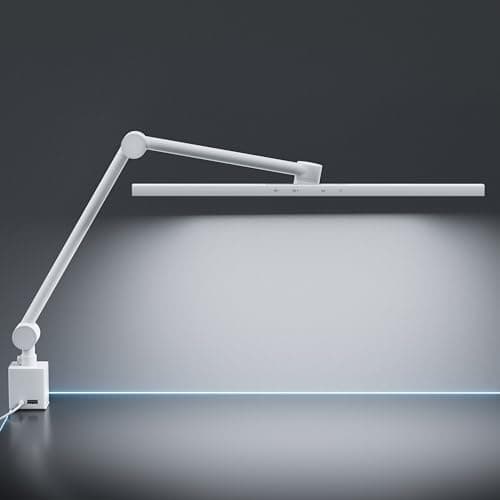
A lamp for computer work has one job the category rarely addresses: light the keyboard without putting anything on the screen. Ranked on optic and arm geometry, not wattage.
We earn a commission when you buy through our Amazon links, at no extra cost to you. It never affects our rankings, and we say so when the cheaper product is the better buy. How this works.
The verdict: the best desk lamp for computer work is the deeloop dual-arm clamp lamp— for anyone who spends the day at a screen and wants light on the keyboard with nothing reflected in the display, because it is the only lamp in this category that publishes a 45-degree asymmetric optic designed to do exactly that. The budget pick is the ZAPLIT 15 W lamp: the cheapest here that still gives you five brightness levels, three color temperatures and a gooseneck long enough to aim the light off-axis.
The finding that organizes this page is that lighting a computer desk is a geometry problem, not a brightness problem. A screen is a mirror. Put a bright head above or beside it and you have not lit your work, you have added a second image to the panel you are trying to read. What a computer-work lamp has to do is land light on the horizontal surfaces — keyboard, notepad, phone — while keeping the vertical one dark. Reach, head width and joint count decide that. Wattage does not.
Which is awkward, because wattage is nearly all this category publishes. Of the five lamps below, only two publish a lumen figure: the Lepro at 700 lumens from 11 W and the Sailstar at 800 lumens from 8 W. The lamp with the lower wattage publishes the higher output, which is the clearest possible demonstration that watts measure what a lamp consumes and not what it gives you. Our desk lamp lumens guidehas the task-by-task figures; this page notes a published lumen number where one exists and says “not published” where it does not, rather than converting watts into a number nobody stated.
Three of the five clamp to the desk edge. On a small desk that is closer to a requirement than a preference: a base lamp costs you the one corner a 20-inch-deep top cannot spare, which is the same argument our clamp desk lamp roundup makes about fit. This page is narrower than the general best desk lamps roundup and differently aimed from best desk lamps for eye strain, which ranks on flicker, blue light and CRI — the health side. This one is the geometry side. If your desk has no clampable edge and no spare surface at all, the format that solves it is a monitor light bar, which sits on the screen and uses no desk at all. We do not run a lab: every figure below is the manufacturer listing’s own published specification, and where a listing publishes nothing we say so.
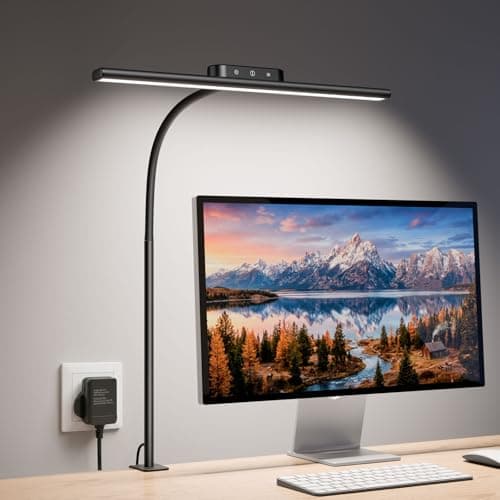
The only lamp here with an optic built for a screen: a 45-degree asymmetric beam that throws light forward onto the desk instead of sideways into the display, on two arms with six joints so the head can sit beside the monitor rather than above it.
The widest published coverage per dollar: a 16.1-inch head that lights about 39 inches of desk from one fitting, with 700 published lumens and five color temperatures from 2700K to 5700K.
Best for a desk with a keyboard and paper side by side
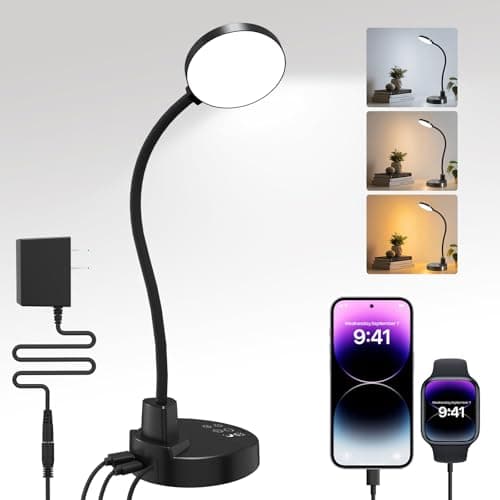
The budget pick, and the cheapest lamp here that still does the job properly: 15 W on a 360-degree gooseneck, three color temperatures, five brightness levels, four auto-off timers and both USB-A and USB-C in the base.
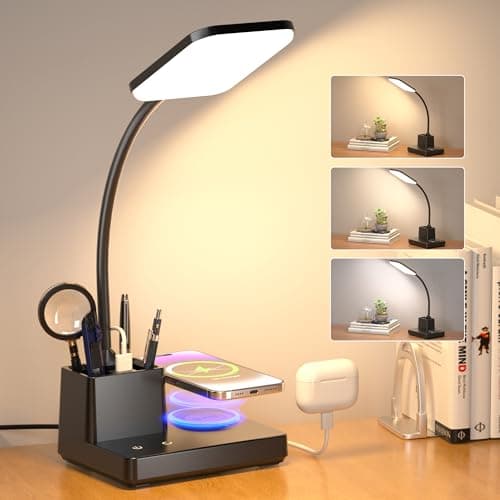
The pick for a desk that is also a phone dock: a Qi pad in the base and a switchable USB port under an 8 W head that publishes 800 lumens at 95 CRI, with a pen holder built into the body.
Best if the lamp has to replace a charger and a pen pot
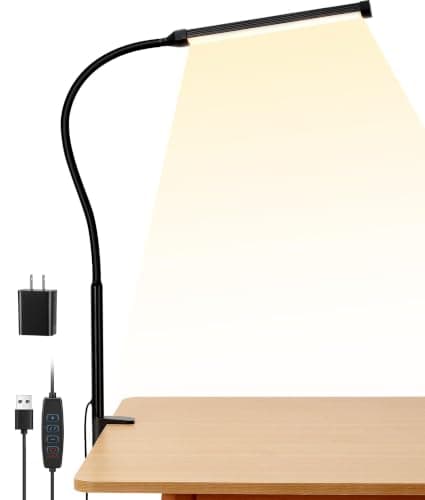
The cheapest way to get the lamp off the desk entirely: a C-clamp body with touch dimming and memory, for a desk where the surface matters more than the spec sheet.
#ad · Live prices from the Amazon Product API, as of November 22, 2026. Where we have no verified live price we show none — we would rather leave a gap than print a number that has rotted.
In detail
The picks, in full
01
Best overall for computer work
deeloop Dual-Arm Clamp Lamp with USB
Mount
Clamp, dual arm
Joints
6 adjustable
Optic
45° asymmetric
Color rendering
CRI 95+
Ports
USB
8.8/10
The only lamp here with an optic built for a screen: a 45-degree asymmetric beam that throws light forward onto the desk instead of sideways into the display, on two arms with six joints so the head can sit beside the monitor rather than above it.
Screen glare control
9.6
Keyboard coverage
9
Desk footprint
9.2
Color quality
9.4
Value
7
Pros
+An asymmetric optic is the only published feature in this category that addresses screen reflections by design rather than by aiming
+Six joints over two arms is enough articulation to clear a 24 or 27-inch monitor and come back down over the keyboard
+CRI 95+ is the highest published color-rendering figure of the five, which matters if you edit images or read proofs
+Clamps to the desk edge, so it costs no surface on a desk that already carries a keyboard, a mouse and a screen base
+A USB port on the lamp removes one wall plug from the cable run
Cons
−The dearest lamp on the page, and the gap is not small
−Two arms and six joints is a lot of visible hardware over a 40-inch desk
−No published lumen figure — deeloop publishes CRI and the beam angle but not output
−Like every clamp lamp it needs a free rear edge with clearance behind it
Skip this if…
…your desk is pushed flush to a wall with a hutch or shelf above it. There is nowhere for the arms to go, and a monitor light bar is the honest answer instead.
Best for a desk with a keyboard and paper side by side
Lepro LED Clamp Desk Lamp
Output
11W, 700 lumens (1500 lx center)
Head width
16.1 in
Coverage
≈39 in of desk
Color temp
2700K–5700K, 5 levels
Height
17–24 in gooseneck
8.8/10
The widest published coverage per dollar: a 16.1-inch head that lights about 39 inches of desk from one fitting, with 700 published lumens and five color temperatures from 2700K to 5700K.
Screen glare control
7.6
Keyboard coverage
9.4
Desk footprint
9.6
Color quality
8.6
Value
9
Pros
+One of only two picks here that publishes a lumen figure at all, which is why it anchors the table
+A 16.1-inch head spreads light across roughly 39 inches, so a keyboard and a notepad beside it are both lit from one source
+17 to 24 inches of gooseneck height clears a 27-inch monitor at full extension
+Five color temperatures with memory, so a morning and an evening setting both stay
+Clamped, so it returns the patch of desk a base lamp would take
Cons
−A wide head is a wide reflection if you aim it at the screen — this one relies on your positioning, not an asymmetric optic
−Repositioning means loosening the clamp rather than lifting a base
−A gooseneck holds a position but is not as locked as a jointed architect arm
Skip this if…
…your desk has a rear rail, a hutch or a glass top. There is nothing safe to clamp to, and a base lamp or a light bar is the right format.
The budget pick, and the cheapest lamp here that still does the job properly: 15 W on a 360-degree gooseneck, three color temperatures, five brightness levels, four auto-off timers and both USB-A and USB-C in the base.
Screen glare control
7.4
Keyboard coverage
8
Desk footprint
6.6
Color quality
8
Value
9.6
Pros
+Cheapest pick on the page by a wide margin, and nothing important is missing
+A 360-degree gooseneck is enough articulation to aim light off-axis from the screen
+Both USB-A and USB-C, which covers a phone and a pair of earbuds without another charger
+Four auto-off timers, the only feature here that addresses working late rather than working well
+Flicker-free 60-LED head with three color temperatures across the useful range
Cons
−It stands on the desk, so it costs surface the three clamp picks do not
−Ports are output-only and do not fast-charge anything
−No published lumen figure, only wattage
−No asymmetric optic, so you are relying on the gooseneck to keep light off the screen
Skip this if…
…your desk is 20 inches deep or less. A base lamp claims a patch of the surface you have least of; clamp the Lepro or the Voncerus to the edge instead.
Best if the lamp has to replace a charger and a pen pot
Sailstar Wireless Charging Desk Lamp
Output
8 W, up to 800 lm
Color rendering
95 CRI
Wireless
Qi pad in the base
USB port
5V/1A, switchable
Extras
Pen holder, 360° arm
7.8/10
The pick for a desk that is also a phone dock: a Qi pad in the base and a switchable USB port under an 8 W head that publishes 800 lumens at 95 CRI, with a pen holder built into the body.
Screen glare control
7.2
Keyboard coverage
7.8
Desk footprint
6.8
Color quality
9
Value
8.4
Pros
+The highest published lumen figure on the page (800 lm) from the lowest wattage (8 W), which is exactly why wattage is a poor proxy for brightness
+95 CRI published, second only to the deeloop
+A Qi pad and a pen holder in the base mean the lamp deletes two other desk objects rather than adding one
+360-degree arm aims the head away from the screen
Cons
−The USB port is 5V/1A — slow by any standard, and not a laptop charger
−The charging pad occupies part of the base, so that area is not usable for anything else
−A base lamp on a shallow desk is still a base lamp
−No asymmetric optic; glare control is down to how you aim it
Skip this if…
…your phone does not do Qi charging. Half of what you are paying for is then dead weight on the desk, and the ZAPLIT gives you more light control for less.
The cheapest way to get the lamp off the desk entirely: a C-clamp body with touch dimming and memory, for a desk where the surface matters more than the spec sheet.
Screen glare control
7
Keyboard coverage
7.4
Desk footprint
9.6
Color quality
6.4
Value
9.2
Pros
+Zero desk footprint for roughly the price of the cheapest base lamp here
+Touch dimming with memory, so it comes back on where you left it
+Unclamps in seconds, which matters in a rental or a shared room
+Adjustable arm and head, so the light can come in from the side of the screen
Cons
−Color temperature is published as three modes rather than Kelvin values, so you cannot match it to anything
−No published lumen or CRI figure at all — the least documented pick here
−Needs a free rear edge with clearance behind it
Skip this if…
…you need to know what the light actually is. For color-critical work the deeloop and the Sailstar publish CRI and this one does not.
#ad · Live prices from the Amazon Product API, as of November 22, 2026. Where we have no verified live price the button says so rather than showing a number that has rotted.
What published output actually exists
Pick
Published power
Published lumens
Published CRI
Beam / head
deeloop dual-arm
Not published
Not published
95+
45° asymmetric
Lepro clamp
11 W
700 lm
Not published
16.1 in head, ~39 in coverage
ZAPLIT 15 W
15 W
Not published
Not published
60-LED head, 360° gooseneck
Sailstar
8 W
800 lm
95
360° arm
Voncerus clamp
Not published
Not published
Not published
Adjustable arm + head
Nine of the fifteen cells in the three output columns read “not published”. That is the honest state of this category, and it is why this page ranks on the specifications makers dopublish — mount type, head width, reach and joint count — rather than on an output comparison that cannot be made.
The three checks that decide it
1. Can the head get beside the screen, not above it?
A lamp directly above a monitor shines down the front of the panel. One beside it, angled inwards and forwards, lights the keyboard and leaves the screen alone. That needs reach: the deeloop’s six joints do it, a short gooseneck struggles. Measure from your clamp point to the middle of your keyboard before buying anything — if that distance is over about 20 inches, a compact base lamp will not get there.
2. Does it cost you desk?
A base lamp claims roughly a 5 to 7-inch circle of surface, permanently, on the corner you reach across. Three picks here clamp instead and cost nothing. The trade is that a clamp needs a free edge of suitable thickness with clearance behind it, which a desk pushed hard against a wall or carrying a hutch does not have. Our desk thickness guide for clamp-on gear is the check to run first, and no-drill desk lighting covers the renter case where nothing can be screwed to a wall.
3. Does it put ports back?
Three picks carry USB. None of them charges a laptop and the Sailstar’s 5V/1A port barely charges a phone, so treat this as cable-count reduction rather than power: one fewer plug in the run, which on a small desk is worth something. If the real need is laptop power plus Ethernet, that is a docking station job and the lamp should stay a lamp.
Color temperature, and the one setting most people get wrong
Four of the five picks switch between warm and cool. For screen work the useful range is the middle: a neutral 4000K to 5000K keeps the desk and the panel at a similar color so your eyes are not re-adapting every time you look down. Very warm light under a cool screen is the setup that makes a lamp feel wrong without anyone being able to say why. Our color temperature guide has the full reasoning, and where to put a desk lamp covers the side, height and setback the beam wants once you have chosen one.
What we checked and did not rank
Monitor light bars.On paper the perfect answer — zero desk footprint, aimed down at the keyboard by design. They are not on this page because they are a different product class with three pages of their own, starting at best monitor light bars. If your desk has no clampable edge, go there instead of settling for a base lamp.
Architect and swing-arm lamps. Excellent reach and the right geometry, but they are ranked on exactly that criterion already at best swing arm desk lamps. Putting the same lamps here would be two pages aimed at one decision.
Ring lights and conference lights. Built to light a face toward a camera, which is the opposite vector from lighting a keyboard. Those belong on best desk lamps for video calls.
Cordless and rechargeable lamps. A battery is a placement feature, not a light-quality one, and the trade-offs are already worked through at rechargeable vs plug-in desk lamps. A lamp that lives in one spot beside a monitor has no reason to run on a battery.
How we picked
We do not run a testing lab
We compiled the published manufacturer specifications, did the footprint and clearance math ourselves, and read aggregated owner reviews, then scored each product against a published rubric. The scores are judgments from documented research — they are not measurements we took, because we do not have a lab and we are not going to pretend we do. Every spec traces back to a listing or manual named in Sources.
Questions
Frequently asked
Where should a desk lamp go if I work at a monitor?+
To the side of the screen rather than above or behind it, angled in towards the keyboard and slightly forward. A lamp above a monitor washes light down the front of the panel; one behind it puts a bright source in your field of view. The side position lights the horizontal surfaces and leaves the vertical one dark, which is the whole trick. Our guide on where to put a desk lamp has the setback and height figures.
How bright does a desk lamp need to be for computer work?+
Less than for paper work, because the screen supplies its own light - what you need is enough ambient level that the screen is not a bright rectangle in a dark room. Only two lamps on this page publish a lumen figure at all (700 lm and 800 lm) and both are comfortable for a small desk. Treat wattage as a cost figure rather than an output one: the 8 W pick here publishes more lumens than the 11 W pick.
Is an asymmetric desk lamp worth paying for?+
If you are at a screen all day, it is the one feature on this page that addresses the actual problem rather than working around it. An asymmetric optic throws the beam forward at an angle instead of spreading it evenly, so the keyboard is lit and the display is not. Everything else here relies on you aiming a symmetric head carefully and keeping it aimed. Only the deeloop publishes one.
Should I get a clamp lamp or a base lamp?+
On a desk 24 inches deep or less, clamp - a base lamp costs a 5 to 7-inch patch of the surface you have least of. The exception is a desk you cannot clamp to: glass tops, rear rails, thick fascias and desks pushed flush against a wall with no clearance behind. Check the edge thickness against the lamp's published clamp range first; our desk thickness guide covers the measurement.
We do not run a testing lab, and we do not pretend to. Specifications come from the manufacturer or retailer listing; the footprint and clearance math is ours and reproducible. Where we could not verify a number, we say so on the page rather than quietly leaving it out. Read our full method.