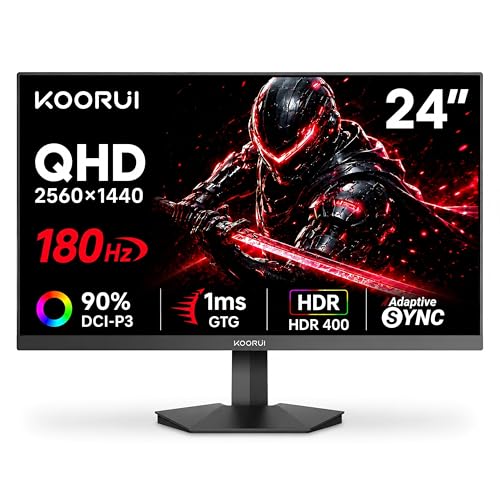
Five panels that carry a live price under $200, ranked on the thing this band actually buys: pixel density, not inches — and the two dearest picks have the least of it.
We earn a commission when you buy through our Amazon links, at no extra cost to you. It never affects our rankings, and we say so when the cheaper product is the better buy. How this works.
The verdict: the best monitor under $200 for a small desk is the KOORUI G2421V— 2560 × 1440 across a 24-inch diagonal, which works out at about 122 pixels per inch, the highest density in the band and a third sharper than any 27-inch 1080p panel here. The budget pick is the MSI PRO MP275Q, the cheapest monitor on the page and still a 27-inch 1440p IPS panel with 100 mm VESA.
The finding that organizes this page is simple and it is checkable from the spec sheets: between $100 and $200, the money buys pixels, not inches— and price does not track density at all. The cheapest monitor here is 27 inches at 1440p, about 109 pixels per inch. The dearest is 27 inches at 1080p, about 82. You can spend sixty percent more in this band and get a visibly coarser picture.
Those numbers are arithmetic, not opinion. A 16:9 panel with a 27-inch diagonal is 23.5 inches wide, so 1920 pixels across it is 82 per inch and 2560 is 109. A 24-inch diagonal is 20.9 inches wide, so 1920 is 92 per inch and 2560 is 122. Every density figure in the table below comes out of the published diagonal and the published resolution, and nothing else.
On a small desk density matters more than it does anywhere else, because you cannot buy viewing distance. Our monitor size and distance table puts a 27-inch panel at 25 to 30 inches of comfortable distance, needing 26 to 28 inches of desk depth on its own stand. A small desk is 20 inches deep. A sharper, smaller panel gives you more readable workspace at the distance the room actually permits — a bigger coarse one just fills the wall in front of your face.
This is the rung above best monitors under $100, which says in its own words that nothing in that band offers 1440p or 27 inches honestly. That is exactly where this page starts. If price is not the constraint at all, best monitors for small desksranks the same class on stand footprint with no ceiling. We do not run a lab: every specification above is the manufacturer listing’s own published figure, read on 18 November 2026, and where a listing publishes a figure we think is wrong we say so on the page rather than repeating it.
The most pixels per inch under $200 and the only 1440p panel here small enough for a shallow desk: 2560 x 1440 across a 24-inch diagonal is about 122 pixels per inch, a third sharper than any 27-inch 1080p screen in the band.
The budget pick and the best value in the band outright: a 27-inch 1440p IPS panel with a published 100% sRGB gamut and 100 mm VESA for less than most 27-inch 1080p monitors cost.
The one-cable pick: 27-inch 1440p IPS with USB-C carrying 15 W of power delivery, so a laptop arrives on one lead instead of a charger plus an HDMI cable plus an adapter.
The only pick here that arrives with a genuinely height-adjustable stand and a USB-C port, and the clearest illustration of what this band makes you trade: you buy the stand with pixels.
The most adjustable monitor in the band and the least sharp: tilt, swivel, pivot and height plus USB docking, on a 27-inch 1080p panel that works out at about 82 pixels per inch.
#ad · Live prices from the Amazon Product API, as of November 22, 2026. Where we have no verified live price we show none — we would rather leave a gap than print a number that has rotted.
In detail
The picks, in full
01
Best overall under $200
KOORUI G2421V 24in 1440p Fast IPS Monitor
Panel
Fast IPS, 2560 × 1440, 180 Hz
Pixel density
~122 ppi (computed)
Mounting
VESA 75 × 75 mm
Stand depth
9 in (listing dimensions)
Inputs
HDMI 2.0, DisplayPort 1.4
8.7/10
The most pixels per inch under $200 and the only 1440p panel here small enough for a shallow desk: 2560 x 1440 across a 24-inch diagonal is about 122 pixels per inch, a third sharper than any 27-inch 1080p screen in the band.
Pixel density
9.8
Small-desk fit
9.2
Mountability
8.6
Stand as supplied
6.6
Value in band
9.4
Pros
+1440p on a 24-inch diagonal is the highest pixel density in the band by a wide margin — more usable workspace without more desk
+A 24-inch panel wants roughly 22 to 26 inches of viewing distance, which a small desk can actually supply; a 27-inch panel wants 25 to 30
+Published 90% DCI-P3 gamut and a replaceable-stand design with a 75 × 75 mm VESA pattern
+Published three-year spare-parts warranty and a 12-month replacement service — the longest support statement on this page
+180 Hz and 1 ms if the same screen also has to game after work
Cons
−The listing's dimension fields give a 9-inch stand depth, the deepest base here — on a 20-inch desk that is almost half the depth gone
−180 Hz does nothing at all for documents, mail or calls; you are paying a little for a specification office work cannot use
−HDR400 at this price is a badge rather than a real high-dynamic-range experience
−VESA 75 × 75 mm only, where the 27-inch picks publish 100 × 100 — check your arm's plate before ordering
−No published height adjustment; tilt is −5° to 20° and that is all
Skip this if…
…you want the largest screen your money will buy. This is the sharpest screen in the band, not the biggest, and on a 27-inch budget the MSI is more panel for less money.
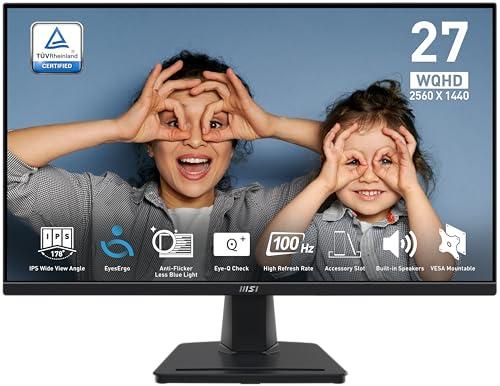
The budget pick and the best value in the band outright: a 27-inch 1440p IPS panel with a published 100% sRGB gamut and 100 mm VESA for less than most 27-inch 1080p monitors cost.
Pixel density
9
Small-desk fit
7
Mountability
9.6
Stand as supplied
5.8
Value in band
9.8
Pros
+Cheapest monitor on this page and the only 27-inch 1440p panel in the band at this price — 109 ppi against 82 for a 27-inch 1080p
+Published 100% sRGB with 10-bit color, 300 nits and a 1300:1 contrast ratio; most listings in this band publish none of those numbers
+100 × 100 mm VESA plus a tool-free stand, so the base comes off in moments and the footprint goes to zero on an arm
+TÜV Rheinland Eye Comfort certification for low blue light and anti-flicker is a third-party mark rather than a marketing phrase
+Built-in 2 W speakers and a cable-management clip remove two more objects from the desk
Cons
−Tilt-adjustable only — no height, no swivel, no pivot. You get the panel, not the stand
−A 27-inch screen wants roughly 25 to 30 inches of viewing distance and 26 to 28 inches of desk depth on its own stand, which a 20-inch desk does not have; this one really does need an arm or a deeper top
−The listing publishes an item weight of 3.95 lb, which is far too low for a 27-inch monitor with its stand — use the maker's panel weight, not this figure, when you check an arm's load window
−HDMI 2.0b and DP 1.2a only; no USB-C, so a laptop needs its own charger
Skip this if…
…your desk is 20 inches deep and the monitor has to stand on it. The panel is excellent value and the geometry still will not work.
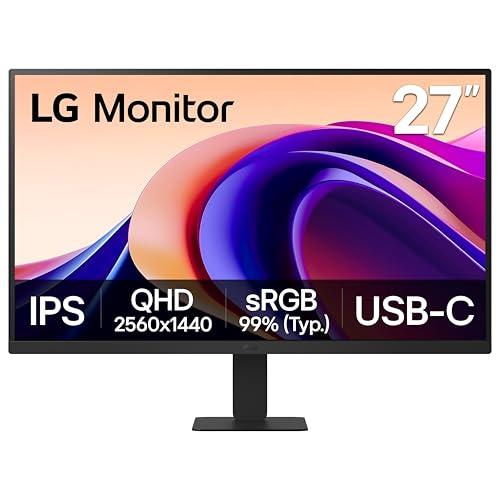
The one-cable pick: 27-inch 1440p IPS with USB-C carrying 15 W of power delivery, so a laptop arrives on one lead instead of a charger plus an HDMI cable plus an adapter.
Pixel density
9
Small-desk fit
8
Mountability
7
Stand as supplied
6.4
Value in band
8.8
Pros
+USB-C with 15 W power delivery is the single most useful port on a small desk, because it deletes a charger and a cable from the surface
+1440p across 27 inches at a price the band usually charges for 1080p
+Published 99% sRGB and HDR10, plus Reader Mode and Flicker Safe as named features rather than vague eye-care language
+9.7 lb published weight sits comfortably inside the load window of every arm we rank
Cons
−15 W of power delivery will trickle-charge a laptop but will not keep a working machine topped up under load; a 65 W dock still beats it
−No published height adjustment and no published VESA pattern in the listing text — confirm before you plan an arm
−8.46-inch stand depth, which on a 20-inch desk leaves under 12 inches in front of the panel
−A 27-inch panel at small-desk distance is still a 27-inch panel; the viewing-distance problem is the same as the MSI's
Skip this if…
…you need the monitor to power a laptop properly. For that the right purchase is a dock, and the monitor can stay on HDMI.
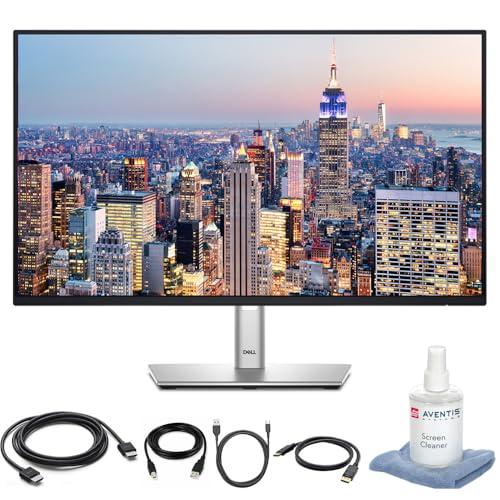
The only pick here that arrives with a genuinely height-adjustable stand and a USB-C port, and the clearest illustration of what this band makes you trade: you buy the stand with pixels.
Pixel density
7
Small-desk fit
8.8
Mountability
7.6
Stand as supplied
9.6
Value in band
7.4
Pros
+Height adjustment in the box, which is the one ergonomic feature this band normally deletes and the one that decides neck angle
+The shallowest published stand depth on the page at 7.1 inches — on a 20-inch desk that is nearly two inches back from the KOORUI
+Bottom-bezel USB-C (15 W) and USB-A quick-access ports, so a phone or a drive does not go round the back
+Dell P-series anti-glare IPS with Comfortview Plus, plus an LCD cleaning kit included
Cons
−1080p across 24 inches is about 92 ppi — more than a 27-inch 1080p panel and a long way behind the 122 ppi of the 24-inch 1440p pick, at a higher price
−15 lb is the heaviest panel here; check it against an arm's published load ceiling before you unbolt the stand
−The dearer end of the band for the fewest pixels of any 24-inch pick
−100 Hz is the whole motion story; there is no high-refresh or wide-gamut claim
Skip this if…
…you are going to mount it on an arm anyway. You would be paying for a stand you are about to remove, and the 1440p picks give you more screen for the money.
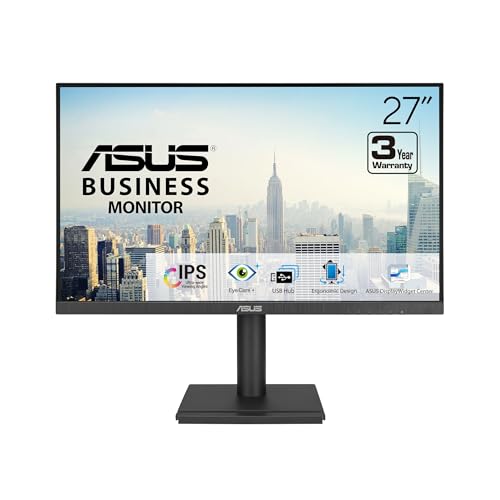
The most adjustable monitor in the band and the least sharp: tilt, swivel, pivot and height plus USB docking, on a 27-inch 1080p panel that works out at about 82 pixels per inch.
Pixel density
5.4
Small-desk fit
6.8
Mountability
8
Stand as supplied
9.8
Value in band
6.6
Pros
+The full set of stand adjustments — tilt, swivel, pivot and height — which nothing else here publishes
+Pivot means it rotates to portrait, genuinely useful for documents and code on a narrow desk
+USB docking and VGA alongside HDMI and DisplayPort; the only pick that will take genuinely old hardware
+TÜV Rheinland flicker-free and low-blue-light certification, and VESA wall-mountable
Cons
−About 82 ppi. This is the most expensive monitor on the page and it has the lowest pixel density of all five — text is visibly coarser than on either 1440p pick
−27 inches of 1080p at small-desk distance is the specific combination this site advises against: the pixels get bigger, not the detail
−8.8-inch stand depth and 12.8 lb; the adjustable stand is a large object in its own right
−Spends its price premium on the stand, which is the part an arm replaces for less
Skip this if…
…sharpness matters to you, or the screen is going on an arm. Both of those take away the only reasons to buy it.
#ad · Live prices from the Amazon Product API, as of November 22, 2026. Where we have no verified live price the button says so rather than showing a number that has rotted.
Pixels per inch, and why the dearest screen here has the fewest
Pick
Diagonal
Resolution
Pixels per inch
Position in the band
KOORUI G2421V
24 in
2560 × 1440
~122
Middle
MSI PRO MP275Q
27 in
2560 × 1440
~109
Cheapest
LG 27U631A-B
27 in
2560 × 1440
~109
Middle
Dell P2425H
24 in
1920 × 1080
~92
Second dearest
ASUS VA27DQFS
27 in
1920 × 1080
~82
Dearest
Read the last two columns together. The band’s price order and its density order are almost exactly inverted, and the reason is that the two expensive picks spend their premium on the stand and the portsrather than the panel. That is a legitimate thing to buy — height adjustment is the ergonomic feature this band usually deletes — but it is worth knowing you are buying it, and worth knowing that an arm or a riser buys the same height for less than the price gap.
The four specs that decide it under $200
1. Pixel density, because it is the only one you cannot fix later
A coarse panel stays coarse. Everything else on this list can be bought separately afterwards: height comes from an arm or a riser, ports come from a dock, speakers come from anything. Resolution is soldered in. In this band the sharpest option is also one of the cheaper ones, so there is rarely a reason to trade density away.
2. Stand depth, which is the footprint figure that actually exists
Monitor makers almost never publish a base footprint, but the listing dimension fields on all five of these do give a depth, and it ranges from 7.1 to 9 inches. On a 20-inch-deep desk that is between a third and nearly half the depth, spent before you have put down a keyboard. Subtract it from your desk depth and see what is left for your hands — and for a desk pad, which runs 12 to 17 inches deep in its own right; if the answer is under about ten inches, the screen needs to come off the surface. That is what a compact monitor arm is for, and will a monitor arm fit my desk is the check to run before you buy one.
3. VESA, and the pattern size nobody reads
Four of these five publish a VESA pattern and the fifth does not state one in its listing text, which is itself a finding. Note the size difference: the 24-inch KOORUI publishes 75 × 75 mm while the MSI publishes 100 × 100 mm. Most arms ship plates for both, but check yours rather than assuming — how to choose a monitor arm runs through the gates in order, and how to mount a monitor without VESA covers the adapter route if a panel has no holes at all.
4. One cable, if the computer is a laptop
Two picks here carry USB-C with 15 W of power delivery. That is enough to charge a tablet or trickle a laptop, not enough to run a working machine, and it is worth being precise about the difference because listings are not. What the port genuinely buys on a small desk is one lead instead of three— video, data and some power down a single cable, which is one less thing in the cable run. If the laptop needs real power, the honest answer is a dock plus HDMI.
Two screens in this band
Two 1440p panels for under $400 is the cheapest serious dual setup there has ever been, and on a small desk it is usually the wrong one. The constraint is width, not money: two 24-inch panels are about 42 inches of glass before bezels, which overhangs a 40-inch desk. Two monitors on a small desk works through the arithmetic, and ultrawide against dual explains when one wider panel is the better answer. If you do go dual, buy VESA-capable panels and put them on a dual monitor arm— two stands at 7 to 9 inches deep each will take the whole back half of the desk.
What we checked and did not rank
ASUS VA27AQ 27in 1440p.Verified In Stock with a live price in the band on 18 November 2026, 99% sRGB and frameless. Not ranked because it duplicates the MSI’s position at a higher price, and its own listing is internally inconsistent about refresh rate — the feature text says 75 Hz Adaptive-Sync while the title copy implies faster. We do not publish a figure a listing cannot agree with itself about.
ASUS VA27EHF 27in 1080p. In Stock and the cheapest 27-inch panel we found, but at about 82 ppi it belongs to the band below rather than this one.
Curved 1500R VA gaming panels at 180 Hz. Several sit inside the band. They are excluded on positioning: a curve is designed for a wide panel at a distance a small desk cannot provide, and VA shifts color off-axis exactly where a corner-mounted screen gets viewed from.
Ultrawides. A different purchase with a different footprint argument; they are covered at best monitor arms for ultrawide and in the ultrawide-against-dual comparison above.
Portable monitors. A second screen that packs away, ranked separately at best portable monitors.
How we picked
We do not run a testing lab
We compiled the published manufacturer specifications, did the footprint and clearance math ourselves, and read aggregated owner reviews, then scored each product against a published rubric. The scores are judgments from documented research — they are not measurements we took, because we do not have a lab and we are not going to pretend we do. Every spec traces back to a listing or manual named in Sources.
Questions
Frequently asked
What is the best monitor under $200?+
The KOORUI G2421V. It is the only 1440p panel in the band on a 24-inch diagonal, which works out at about 122 pixels per inch - the highest density of the five and a third sharper than any 27-inch 1080p monitor at the same price. The MSI PRO MP275Q is the budget alternative and the better buy if you want 27 inches, because it is the cheapest panel here and still 1440p.
Is a 27-inch monitor too big for a small desk?+
On its own stand, usually yes. A 27-inch panel wants roughly 25 to 30 inches of viewing distance and 26 to 28 inches of desk depth to supply it; a small desk is around 20 inches deep, and the stands on this page take 7 to 9 inches of that before you put a keyboard down. On a monitor arm the same panel needs about 22 to 24 inches of depth, which is why the arm is the thing that makes 27 inches possible rather than the desk.
Is 1440p worth it under $200?+
Yes, and in this band it does not even cost more. The cheapest monitor on this page is 1440p and the most expensive is 1080p. Resolution is the one specification you cannot add later - height, ports and audio can all be bought separately afterwards, but a coarse panel stays coarse - so there is rarely a reason to trade it away here.
Do I need a height-adjustable stand, or will an arm do?+
Either works, and on a small desk the arm does more. A height-adjustable stand raises the panel but keeps its 7 to 9-inch base on the desk; an arm raises the panel and removes the base entirely, which is worth 8 to 10 inches of depth. In this band the two monitors with adjustable stands are also the two with the lowest pixel density, so buying the stand costs you sharpness. A cheaper sharper panel plus an arm is usually the better pair.
Is USB-C on a monitor the same as a docking station?+
No. Both monitors here that have USB-C publish 15 W of power delivery, which will charge a phone or trickle a laptop but will not keep a working machine topped up. What the port buys is cable count: video, data and some power on one lead. If you need real laptop charging plus Ethernet and multiple USB ports, a dedicated dock is the right purchase and the monitor can stay on HDMI.
We do not run a testing lab, and we do not pretend to. Specifications come from the manufacturer or retailer listing; the footprint and clearance math is ours and reproducible. Where we could not verify a number, we say so on the page rather than quietly leaving it out. Read our full method.