Two screens is a width problem before it is a panel problem. Two 27-inch monitors are 47 inches of glass; two 22s are 38.4. Ranked on the arithmetic, then on the panel.
We earn a commission when you buy through our Amazon links, at no extra cost to you. It never affects our rankings, and we say so when the cheaper product is the better buy. How this works.
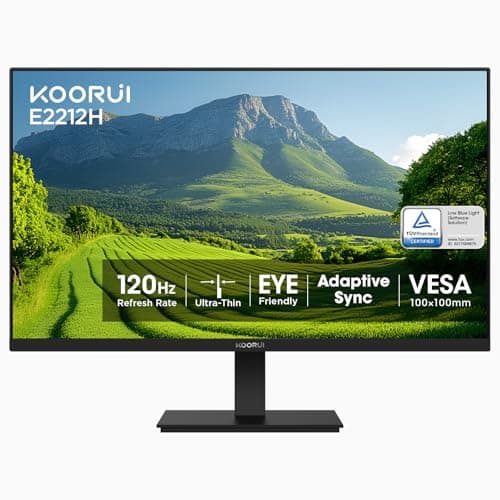
The verdict: the best monitor to buy two of for a dual setup on a small desk is the KOORUI E2212H 22-inch— for anyone working on a desk 40 inches or narrower, because at about 19.2 inches wide a pair is 38.4 inches of glass and it is the only panel here that fits at all. It is also the budget pick: the cheapest screen on this page, which means the whole pair costs less than one monitor from the band above.
The finding that organizes this page is arithmetic you can run before you shop. A dual setup is a width problem before it is a panel problem.A 16:9 monitor’s width is its diagonal multiplied by 0.871. So a 22-inch panel is about 19.2 inches wide, a 24-inch is 20.9, and a 27-inch is 23.5. Double each of those and you have the glass you have to seat: 38.4, 41.8 and 47.0 inches, before bezels and before any gap between the two. A 40-inch desk takes the first and nothing else. Our two monitors on a small desk guide works the same arithmetic without products; this is its commercial half.
The second number nobody runs is depth. Two factory stands cost you twice.The published stand depths on this page are 8.16, 8.46 and 8.8 inches — and two of them, side by side, occupy the entire back band of a 20-inch-deep desk before a keyboard goes down. That is why the ranking weights published VESA support so heavily: on a small desk, a dual setup is an arm setup, and two of the five listings here do not state a VESA pattern at all. We mark those as not stated rather than assuming them, because the whole plan collapses if the holes are not there.
One more consideration that only applies to pairs: panel type. On a single screen you sit square to it. On a dual setup you look at the second panel off-axis all day, which is precisely where a VA panel loses contrast and an IPS one does not. That is the one real argument against the top pick, and it is on its card as a con rather than buried here. The alternative route — one wider screen instead of two — is argued at ultrawide vs dual monitors on a small desk, and for one screen only, best 24-inch monitorsis the size page and shares no products with this one. We do not run a lab: every panel figure below is the manufacturer listing’s published specification and every width is computed from the published diagonal.
The only panel here you can honestly buy two of for a 40-inch desk: about 19.2 inches wide, so a pair is 38.4 inches of glass before bezels — and VESA is published, which on a dual setup is not optional.
Best overall for a dual setup on a small desk — and the budget pick
The 24-inch step up and the best panel here for an off-axis second screen: IPS at 120 Hz with three inputs, which also means the pair can serve a work laptop and a personal machine at once.
Best 24-inch pair, if the desk is 44 inches or wider
The pick for a desk that is genuinely wide: 27 inches at 1440p with 100 mm VESA and a tool-free stand, so the bases come off in moments and the pair goes straight onto an arm.
The pick when one of the two screens has to carry the laptop: USB-C with 15 W of power delivery on a 27-inch 1440p IPS panel, so the primary screen takes one lead and the second takes HDMI.
Best primary screen in a pair, if the computer is a laptop
The pick for a dual setup that is not going on an arm: tilt, swivel, pivot and height adjustment in the box, which is the only way two factory stands ever line up — and the pivot turns the second screen portrait, which is what saves the width.
#ad · Live prices from the Amazon Product API, as of November 22, 2026. Where we have no verified live price we show none — we would rather leave a gap than print a number that has rotted.
In detail
The picks, in full
01
Best overall for a dual setup on a small desk — and the budget pick
KOORUI 22in VESA Monitor (E2212H)
Size
22 in
Panel
VA, FHD, 120 Hz
Mounting
VESA
Extras
Low blue light
Model
E2212H
8.5/10
The only panel here you can honestly buy two of for a 40-inch desk: about 19.2 inches wide, so a pair is 38.4 inches of glass before bezels — and VESA is published, which on a dual setup is not optional.
Pair width
9.8
Mountability
9
Off-axis viewing
6.4
Panel quality
7.4
Value as a pair
9.8
Pros
+About 19.2 inches wide per panel: two of them are 38.4 inches, which is the only pair on this page that fits a 40-inch desk at all
+VESA is published, and on a dual setup that is a hard requirement rather than a nice-to-have — two factory stands take the entire back half of a small desk
+1080p across 22 inches is about 100 pixels per inch, sharper than the same resolution at 24 inches
+The cheapest panel on the page, which means the whole pair costs less than one monitor from the band above
+120 Hz, which is more than either 27-inch pick here publishes
Cons
−A VA panel has narrower viewing angles than the IPS picks, and on a dual setup you look at the second screen off-axis by definition — this is the one real argument against it
−22 inches is genuinely small if each screen has to hold two documents side by side
−The listing publishes no stand dimensions
Skip this if…
…each screen has to show two windows side by side all day. At 22 inches that is cramped, and a 24-inch pair plus a wider desk is the better answer.
Best 24-inch pair, if the desk is 44 inches or wider
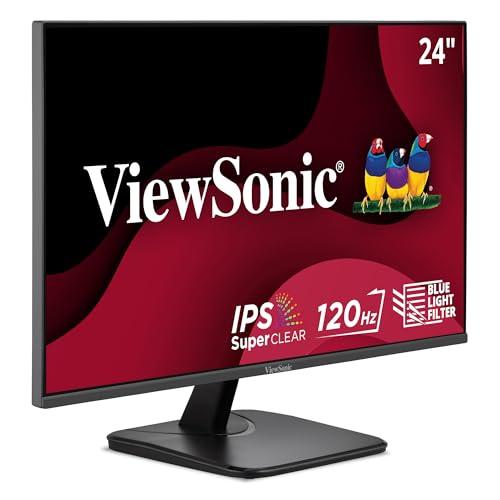
ViewSonic VA2456A-MHD 24in IPS Monitor
Size
24 in
Panel
IPS, 1080p, 120 Hz
Inputs
HDMI, DisplayPort, VGA
Extras
Eye Care technology
Use
Home and office productivity
8.0/10
The 24-inch step up and the best panel here for an off-axis second screen: IPS at 120 Hz with three inputs, which also means the pair can serve a work laptop and a personal machine at once.
Pair width
8
Mountability
6
Off-axis viewing
9
Panel quality
8.8
Value as a pair
8.6
Pros
+IPS rather than VA, which matters more on a dual setup than on a single one because you view the second panel at an angle all day
+About 20.9 inches wide per panel: a pair is 41.8 inches, which needs a 44-inch desk or wider once you allow bezels and a gap
+Three inputs per screen means a work laptop on one cable and a personal machine on another, without a switch
+120 Hz IPS at a mainstream price
Cons
−HONEST GAP: the listing publishes neither stand dimensions nor VESA support. On a dual setup, where an arm is close to mandatory, that is the most important missing line on the page
−1080p at 24 inches is about 92 ppi, lower than the 22-inch pick above
−No USB-C video, so a laptop needs a dock either way
Skip this if…
…the pair is going on a dual arm. VESA support is not published and we will not assume it - the KOORUI and the MSI both state theirs.
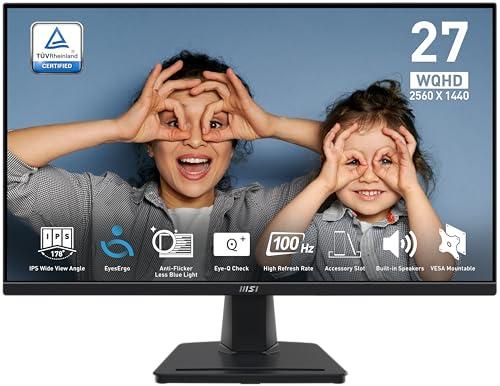
The pick for a desk that is genuinely wide: 27 inches at 1440p with 100 mm VESA and a tool-free stand, so the bases come off in moments and the pair goes straight onto an arm.
Pair width
5.4
Mountability
9.6
Off-axis viewing
8.6
Panel quality
9.4
Value as a pair
8.4
Pros
+1440p across 27 inches is about 109 ppi, the sharpest panel on this page — and on a dual setup resolution buys you the ability to actually use both screens rather than just fill them
+100 × 100 mm VESA plus a tool-free stand: the base comes off in moments, which on a pair is twice the saving
+Published 100% sRGB with 10-bit color, 300 nits and 1300:1 contrast — figures most panels at this level do not publish at all
+Built-in speakers, so a pair does not also need a speaker pair
+TÜV Rheinland Eye Comfort certification, a third-party mark rather than a phrase
Cons
−About 23.5 inches wide each: a pair is 47 inches of glass, which overhangs anything under a 50-inch desk
−Tilt-adjustable only — you get the panel, not the stand, and on a pair the alignment problem is worse
−An 8.16-inch stand depth, twice over, is most of a 20-inch desk
−The listing publishes an item weight of 3.95 lb, which is far too low for a 27-inch panel with a stand; use the maker's panel weight when checking an arm's load window
Skip this if…
…your desk is under about 50 inches. The panels are excellent and the geometry still will not work - two 22 or 24-inch screens will.
Best primary screen in a pair, if the computer is a laptop
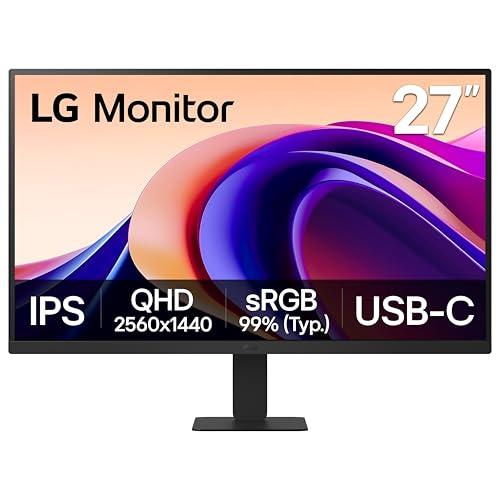
LG 27U631A-B 27in QHD IPS Monitor (USB-C)
Panel
IPS, 2560 × 1440, 100 Hz, 5 ms
Pixel density
~109 ppi (computed)
Ports
USB-C 15 W PD, HDMI
Extras
HDR10, 99% sRGB, Reader Mode, Flicker Safe
Weight
9.7 lb (listing)
7.6/10
The pick when one of the two screens has to carry the laptop: USB-C with 15 W of power delivery on a 27-inch 1440p IPS panel, so the primary screen takes one lead and the second takes HDMI.
Pair width
5.4
Mountability
7
Off-axis viewing
8.8
Panel quality
9
Value as a pair
8
Pros
+USB-C on the primary panel deletes a charger and a video cable from a desk that is about to carry twice the usual number of leads
+9.7 lb published weight sits comfortably inside the per-arm load window of every dual arm we rank, which is the figure that decides whether the pair can be mounted at all
+1440p across 27 inches at a price the band usually charges for 1080p
+Published 99% sRGB and HDR10, plus Reader Mode and Flicker Safe as named features
Cons
−15 W of power delivery trickle-charges a laptop; it will not keep a working machine topped up, and a dock still beats it
−No published VESA pattern in the listing text, which on a dual setup is the line you most need
−An 8.46-inch stand depth, and a pair of those is most of a small desk
−About 23.5 inches wide, so the same 47-inch pair problem as the MSI
Skip this if…
…you want the laptop properly powered. For that the right purchase is a dock, and both monitors can stay on HDMI and DisplayPort.
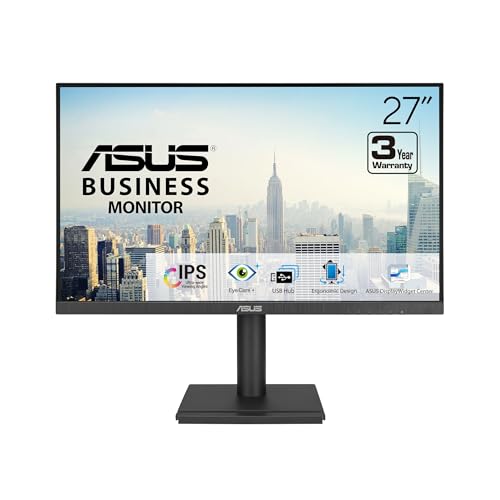
The pick for a dual setup that is not going on an arm: tilt, swivel, pivot and height adjustment in the box, which is the only way two factory stands ever line up — and the pivot turns the second screen portrait, which is what saves the width.
Pair width
7.4
Mountability
8
Off-axis viewing
8.6
Panel quality
6.4
Value as a pair
6.8
Pros
+The full set of stand adjustments, and on a pair that is the difference between two screens at the same height and two screens you keep noticing are not
+Pivot rotates it to portrait: a 27-inch panel turned on its side is about 13.2 inches wide instead of 23.5, which changes the width arithmetic completely for a secondary chat or document column
+VESA wall-mountable, with USB docking and VGA alongside HDMI and DisplayPort
+TÜV Rheinland flicker-free and low-blue-light certification
+Frameless design, which on a side-by-side pair is the bezel gap you stare at all day
Cons
−About 82 ppi, the lowest pixel density on this page — 27 inches of 1080p is the combination this site advises against at small-desk distance
−An 8.8-inch stand depth and 12.8 lb; two of those is a large amount of a small desk
−Most of the price premium goes to the stand, which is the part an arm replaces for less
Skip this if…
…the pair is going on a dual arm anyway. You would be paying twice for stands you are about to remove, and the MSI gives you a third more pixels.
#ad · Live prices from the Amazon Product API, as of November 22, 2026. Where we have no verified live price the button says so rather than showing a number that has rotted.
The width table, which is the whole decision
Pick
Diagonal
Width each (computed)
Pair width
Desk needed
KOORUI E2212H
22 in
~19.2 in
~38.4 in
40 in
ViewSonic VA2456A
24 in
~20.9 in
~41.8 in
44 in
ASUS VA27DQFS (one turned portrait)
27 in
~23.5 in / ~13.2 in
~36.7 in
40 in
MSI PRO MP275Q
27 in
~23.5 in
~47.0 in
50 in
LG 27U631A-B
27 in
~23.5 in
~47.0 in
50 in
Note the third row, because it is the result most people do not expect: a 27-inch panel turned portrait beside a 27-inch landscape one is narrower than two 24-inch screens side by side.23.5 plus 13.2 is 36.7 inches. If your second screen is for chat, a document, a terminal or a long web page, rotating it is the single biggest width saving available — and it needs a monitor that pivots, or an arm that rotates.
The four checks, in order
1. Measure the desk, then subtract
Take your desk width, subtract two inches at each end for clearance, and compare what is left with the pair widths above. If the number does not work, no amount of panel quality fixes it. Desk size for small spaces covers the clearances, and best small desks for dual monitors ranks the desks that take a pair properly if the desk itself is the thing to change.
2. Check VESA on both panels
A dual setup on a small desk is an arm setup, because two stands take the back half of the top. Two listings here publish a pattern, one publishes 100 × 100 mm specifically, and two publish nothing. Best dual monitor arms is the mount, and dual arm vs two single arms explains why one dual mount beats two clamps fighting for the same rear edge.
3. Weigh them, properly
A dual arm publishes a per-arm load window and both panels have to sit inside it. The published weights here run from 9.7 to 12.8 lb, with one listing publishing a 3.95 lb figure for a 27-inch panel that is plainly the panel without its stand or something stranger — use the maker’s own panel weight rather than a listing field, and never a shipping weight. Monitor arm weight capacity covers both ends of the window.
4. Pick the panel type for the second screen, not the first
You sit square to screen one and at an angle to screen two. IPS holds its contrast off-axis; VA does not. If the second screen is the one you read email and chat on for eight hours, that difference is worth more than a resolution step. If it is a reference window you glance at, it is not.
Two screens is not always the answer
On a desk under about 44 inches, the honest alternatives beat a cramped pair. One ultrawide gives comparable working width from a single stand and a single cable. A portable second monitor folds away when the desk has to be a dining table again. And two monitors and a laptop on a small desk covers the case where the laptop screen is already the second display and you only need one more.
What we checked and did not rank
Mismatched pairs. Two different monitors is cheaper and it is what most people actually end up with. It is also the setup that needs the most from the mount: an arm with independent VESA trim on each plate, because two different panels will not align otherwise. That hardware is at best dual monitor arms.
32-inch panels. Two of them are over 55 inches of glass. There is no small desk on this site that seats that, so they are not on this page.
The 24-inch panels from our size page. Several would work as a pair and they are ranked at best 24-inch monitors on density, stand depth and VESA. There is no product overlap between that page and this one on purpose, so the two lists stay separate decisions.
Vertical (stacked) dual setups. Height instead of width, which solves the desk problem and creates a neck one. The mounts are at best vertical monitor arms.
How we picked
We do not run a testing lab
We compiled the published manufacturer specifications, did the footprint and clearance math ourselves, and read aggregated owner reviews, then scored each product against a published rubric. The scores are judgments from documented research — they are not measurements we took, because we do not have a lab and we are not going to pretend we do. Every spec traces back to a listing or manual named in Sources.
Questions
Frequently asked
What size monitors are best for a dual monitor setup?+
On a small desk, 22 or 24 inches. The arithmetic is fixed: a 16:9 panel is 0.871 times its diagonal wide, so two 22-inch screens are 38.4 inches of glass, two 24s are 41.8 and two 27s are 47.0. Add clearance at both ends and a 40-inch desk takes the first pair only. On a 50-inch desk, 27 inches becomes reasonable.
Do both monitors need to be the same?+
No, and most real setups are mismatched. What a mismatched pair needs is a mount with independent height trim on each VESA plate, because two different panels will not line up otherwise - and a misaligned pair is the thing people notice every single day. Matching resolutions matters more than matching brands for how windows behave.
Can I use two monitors on a 40-inch desk?+
Yes, with two conditions. The panels need to be 22-inch, and they need to come off their stands - two factory bases at 8 to 9 inches deep each take the whole back band of a 20-inch-deep desk. One good alternative if you want bigger screens: run one 27-inch landscape with a second turned portrait, which is about 36.7 inches total and narrower than two 24s.
Is an ultrawide better than two monitors on a small desk?+
Often, yes. One ultrawide gives comparable working width from a single stand, a single cable and no bezel seam down the middle of your field of view. What you lose is the ability to put one screen fully out of the way, and the option of turning one portrait. Our ultrawide vs dual monitors page argues both sides with the dimensions.
We do not run a testing lab, and we do not pretend to. Specifications come from the manufacturer or retailer listing; the footprint and clearance math is ours and reproducible. Where we could not verify a number, we say so on the page rather than quietly leaving it out. Read our full method.