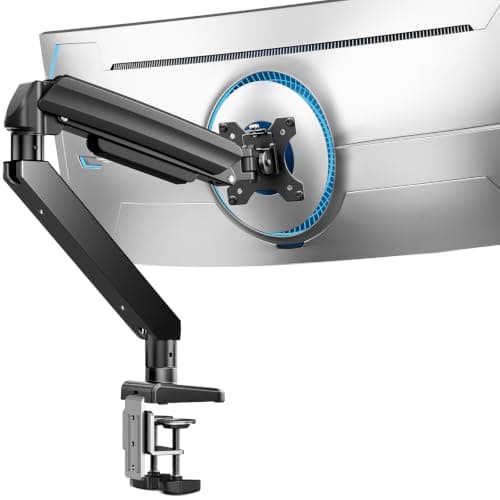
A 27-inch panel is inside every arm's weight rating and outside most small desks' depth. Five arms ranked on the spec that actually decides it: published reach.
We earn a commission when you buy through our Amazon links, at no extra cost to you. It never affects our rankings, and we say so when the cheaper product is the better buy. How this works.
The verdict: the best monitor arm for a 27-inch screen is the ErGear Heavy Duty — it publishes the longest reach here at 21.2 inchesand carries a 27-inch panel in the middle of a 37.4 lb rating rather than at the top of a 15 lb one. The Amazon Basics gas springpublishes the widest desk range of any arm on the page and is the pick if your desk edge is awkward — with the warning that 27 inches is its rated ceiling. The budget pick is the VIVO STAND-V001.
One size down the decision changes completely: at 24 inches no arm’s load rating binds at all, so best monitor arms for 24-inch monitors ranks on height travel, rotation and the clamp window instead, with no products shared with this page.
Most 27-inch arm advice ranks on weight capacity. That is the wrong question, and you can see why from the specifications: every arm on this page is rated well past what a 27-inch monitor weighs.The 27-inch panels we priced this month publish item weights of roughly 4 to 13 lb — stands included — and four of these five arms are rated to 19.8, 22 or 37.4 lb. Capacity is not the gate at this size.
Distance is. Our monitor size and distance table puts a 27-inch panel at roughly 25 to 30 inches of comfortable viewing distance, which needs 26 to 28 inches of desk depth if the screen stands on its own base and 22 to 24 inches if it hangs off an arm. A small desk is 20 inches deep. So the whole job of the arm here is to recover those inches, and the specification that tells you whether it can is reach— how far the arm extends from the clamp.
Which is where this gets awkward, and it is the honest finding of the page: two of these five publish an extension figure, two publish a height-travel figure, and not one publishes both. Makers publish capacity ceilings always, clamp ranges usually, reach rarely and travel almost never. We have ranked on what is published and said plainly where it is not, rather than estimating a number and presenting it as a spec.
This page is the 27-inch rung of the arms hub. It sits beside the 32-inch page, which is about the opposite problem — a screen heavy enough to run out of the standard 19.8 lb rating — and shares no picks with it. Best monitor arms is the roundup with no size qualifier, and how to choose a monitor armputs the checks in the order they have to be made for any screen. We do not run a lab: every figure here is the manufacturer listing’s own published number, re-read on 18 November 2026, and scores are editorial judgments against a published rubric.
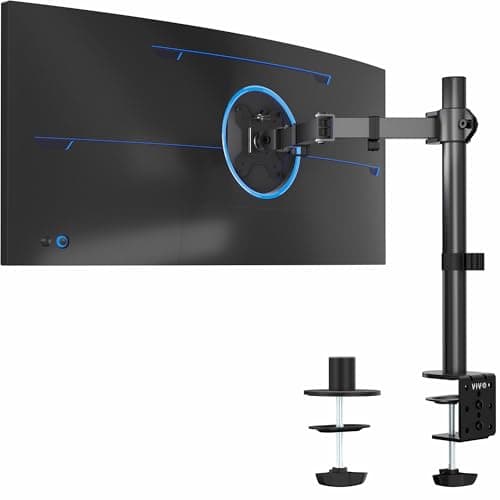
The most published reach on the page at 21.2 inches, with enough load headroom that a 27-inch panel never approaches the tension limit — which is why it holds position instead of creeping down over a month.
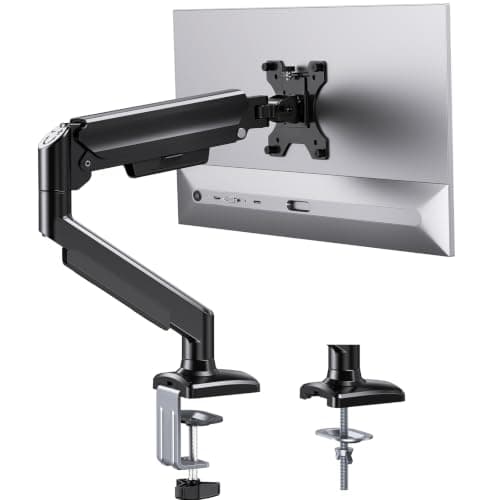
The arm that publishes almost everything a 27-inch buyer needs — 20.5 inches of extension and the widest desk range here — and the only one for which 27 inches is the top of its rated range rather than the middle.
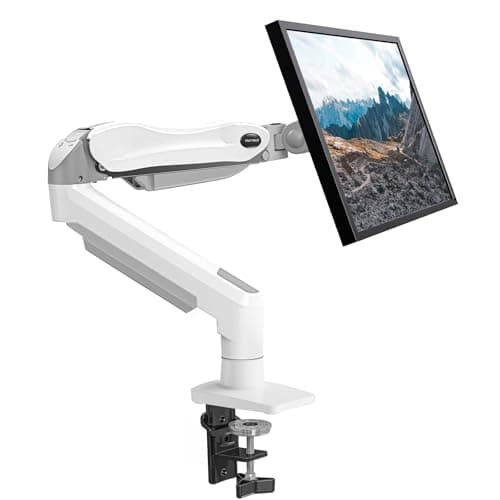
The everyday answer: a 4.4 to 19.8 lb window that contains every 27-inch panel we priced this month with room at both ends, and an adjustable-tension gas spring that moves the screen with one hand.
The only arm here that publishes how far the screen travels vertically — 17.5 inches of it — which is the figure that decides whether the top of a 27-inch panel reaches your eye line.
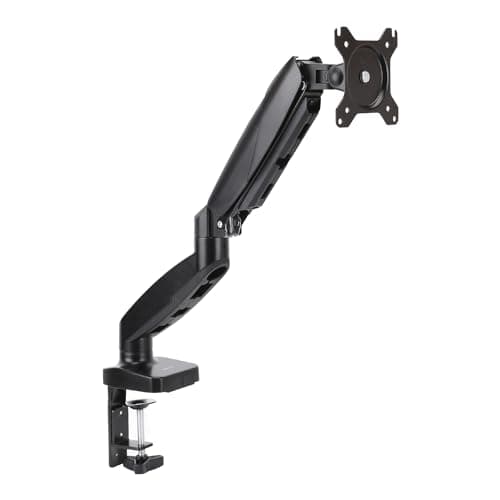
The budget pick, and an honest one: 38 inches and 22 lb of rated capacity with a published three-year warranty, bought with a pole-and-lock mechanism that sets the height once rather than moving on demand.
#ad · Live prices from the Amazon Product API, as of November 22, 2026. Where we have no verified live price we show none — we would rather leave a gap than print a number that has rotted.
In detail
The picks, in full
01
Best reach for a 27-inch panel
ErGear Heavy Duty Monitor Arm (13–49in)
Screen fit
13–49 in, up to 37.4 lb
Extension
Up to 21.2 in (published)
Motion
+30°/−40° tilt, ±90° swivel, 360° rotate
Mounting
Dual C-clamp or grommet
VESA
75 × 75 / 100 × 100 mm
9.1/10
The most published reach on the page at 21.2 inches, with enough load headroom that a 27-inch panel never approaches the tension limit — which is why it holds position instead of creeping down over a month.
Published reach
9.8
Load headroom at 27in
9.8
Desk compatibility
8.2
Adjustability
9
Value
8.8
Pros
+21.2 inches of published extension is the longest reach here, and reach is what puts a 27-inch panel far enough back on a shallow desk
+A 27-inch monitor sits in the middle of a 37.4 lb rating rather than near the top of a 15 lb one, so the gas spring is working well inside itself
+Dual C-clamp spreads the load over a wider section of the desk edge — useful on the thin particleboard tops most compact desks use
+Both base types in the box, and a VESA plate for 75 and 100 mm patterns
+Full 360° rotation, so the same arm turns the panel to portrait
Cons
−It is a physically large arm built for a 49-inch ultrawide; on a 40-inch desk it looks like more hardware than the screen needs
−Published tilt is +30°/−40°, a narrower stated tilt range than the Amazon Basics arm’s −90°/+85°
−The dual clamp needs more clear rear edge than a single clamp — measure the span before you buy, especially on a sit-stand frame with a crossbeam
−No published height-travel figure, so how far the panel actually rises is unstated
Skip this if…
…your desk edge is short, obstructed or has a rail close behind it. A dual clamp needs a clear run of edge and nothing here works around that.
The arm that publishes almost everything a 27-inch buyer needs — 20.5 inches of extension and the widest desk range here — and the only one for which 27 inches is the top of its rated range rather than the middle.
Published reach
9.4
Load headroom at 27in
6.2
Desk compatibility
9.8
Adjustability
9.2
Value
9
Pros
+0.39 to 4 inches of desk thickness is the widest published clamp range on this page — it will fit a thin IKEA-style top and a thick butcher block
+20.5 inches of published extension, second only to the heavy-duty ErGear
+The widest tilt range here at −90°/+85°, which matters because a 27-inch panel tilted properly is how you stop reading the top corners at an angle
+Both clamp and grommet bases included, and a published model number (DS-MADSBE) you can match to a manual
Cons
−27 inches is its published screen CEILING, not its middle — there is no headroom at all if you upgrade to 32 inches later
−4.4 to 15.4 lb is the narrowest load window on the page; a heavier 27-inch panel with a built-in power supply can exceed it
−A gas spring near the top of its rating is the classic cause of slow sag — set the tension with the panel actually mounted, not before
−No published height-travel figure
Skip this if…
…your 27-inch monitor weighs more than 15.4 lb, or a 32-inch screen is anywhere in your plans. This arm is rated exactly to the size you are buying and no further.
The everyday answer: a 4.4 to 19.8 lb window that contains every 27-inch panel we priced this month with room at both ends, and an adjustable-tension gas spring that moves the screen with one hand.
Published reach
6
Load headroom at 27in
9.4
Desk compatibility
9
Adjustability
8.8
Value
8.8
Pros
+The 4.4–19.8 lb band brackets a 27-inch panel at both ends — above the floor where a counterbalance pushes a light screen upward, below the ceiling where it sags
+Gas spring with adjustable tension, so height changes are a one-handed push rather than an unlock-and-reset
+Rated to 32 inches, which leaves genuine headroom if the next monitor is bigger
+Both base types supplied, and the mechanism this site has recommended most often across the arms hub
Cons
−No published extension figure, which on this page is the single most useful number and it is absent
−No published height-travel figure either
−Rated to 32 inches rather than 49, so it is not the arm for a future ultrawide
−Gas springs need the tension set with the actual panel fitted; set it empty and the screen will drift
Skip this if…
…you need to know how far the panel will reach before you buy. HUANUO does not publish it, and on a 20-inch desk that is the figure that decides whether a 27-inch screen is usable.
The only arm here that publishes how far the screen travels vertically — 17.5 inches of it — which is the figure that decides whether the top of a 27-inch panel reaches your eye line.
Published reach
6
Load headroom at 27in
9
Desk compatibility
8.6
Adjustability
9.4
Value
8.6
Pros
+17.5 inches of published height travel is the largest range stated anywhere on this page, and height is half the geometry of a big screen
+22 lb capacity and a 36-inch screen rating give a 27-inch panel comfortable headroom at both ends
+Cable clips included, so the extra cable slack a moving arm needs has somewhere to live
+Keeps the same 75 and 100 mm VESA options as the heavy-duty ErGear in a physically smaller arm
Cons
−No published extension figure, so reach is unknown before purchase
−No published warranty at all, where the VIVO mount publishes three years
−A 36-inch rating is between the 32-inch and 49-inch arms, which makes it harder to compare against either
−Full-motion arms need the tension re-checked two weeks after fitting; this one is no exception
Skip this if…
…a published warranty matters to you. VIVO publishes three years and the Mount-It! arm on our budget page publishes a lifetime; this one publishes none.
The budget pick, and an honest one: 38 inches and 22 lb of rated capacity with a published three-year warranty, bought with a pole-and-lock mechanism that sets the height once rather than moving on demand.
Published reach
6
Load headroom at 27in
9
Desk compatibility
8.4
Adjustability
6.4
Value
9.8
Pros
+Cheapest arm on this page and still rated to 38 inches and 22 lb — a 27-inch panel is nowhere near either limit
+16 inches of published height travel, the second of only two height figures stated here
+A published three-year warranty, where the dearer ErGear single arm publishes none at all
+Pole-and-lock has fewer things to go wrong than a gas spring and holds a set height indefinitely
Cons
−It sets height once. If you want to drop the screen to read a document and raise it again, this is the wrong mechanism — buy a gas spring
−No published extension figure
−A sit-stand desk makes the pole-and-lock design worse, because the ideal screen height differs seated and standing
−The least refined movement of the five; this is a mount rather than an arm
Skip this if…
…the desk goes up and down, or you move the screen daily. A locked pole is a fixed position and a sit-stand desk needs two.
#ad · Live prices from the Amazon Product API, as of November 22, 2026. Where we have no verified live price the button says so rather than showing a number that has rotted.
What each arm publishes — and what it does not
Three cells in this table say “not published”, and we would rather print that than an estimate. The arms that publish reach are the two to shortlist if your desk is shallow; the arms that publish travel are the two to shortlist if your chair is high or your desk is low.
Arm
Published extension
Published height travel
Load window
Screen ceiling
ErGear Heavy Duty
21.2 in
Not published
Up to 37.4 lb
49 in
Amazon Basics gas spring
20.5 in
Not published
4.4–15.4 lb
27 in
HUANUO gas spring
Not published
Not published
4.4–19.8 lb
32 in
ErGear single (13–36in)
Not published
17.5 in
Up to 22 lb
36 in
VIVO STAND-V001
Not published
16 in
Up to 22 lb
38 in
The four checks for a 27-inch screen, in order
1. Reach, because the screen has to go backwards
On a 20-inch desk a 27-inch panel on its factory stand sits roughly five to eight inches closer than it should. An arm clamped at the back edge can hold the panel behindthe desk line, and the published extension figure is what tells you how far. Twenty inches of reach is plenty — you will rarely use half of it — but an arm that publishes nothing leaves you guessing about the only dimension that decides the purchase. Two arms here publish it. Start there if your desk is shallow.
2. The load window at both ends, not just the ceiling
A counterbalanced arm has a floor as well as a ceiling. Below the published minimum — typically 4.4 lb — the spring pushes a light panel upward and it will not stay put; above the maximum it sags. A 27-inch monitor is comfortably above every floor here, so the number to check is the ceiling, and the one arm whose ceiling is close is the Amazon Basics at 15.4 lb.
One caution about where you get the panel’s weight from. Retail listings usually publish a figure that includes the stand, and sometimes the box: one 27-inch monitor we priced this month publishes an item weight of under 4 lb, which cannot be right for a 27-inch panel with a base. The figure the arm cares about is the panel alone, without the stand. As monitor arm weight capacitysets out, if only the with-stand figure is published, subtract roughly 2 to 4 lb for a 24 to 27-inch monitor’s stand — and never use the shipping weight.
3. Height travel, because a 27-inch panel is 13 inches tall
A 16:9 panel with a 27-inch diagonal is about 23.5 inches wide and 13.2 inches tall. The reference position in workstation guidance puts the topof the screen at or just below eye level, which means the center of a 27-inch panel sits about six and a half inches below your eye line — lower than people expect, and lower than many monitor stands allow. An arm with real vertical travel gets you there; two of these publish how much (17.5 and 16 inches) and three do not.
4. What the arm needs from the desk edge
This is the gate no money works around. The clamp has to fit the thickness of your top at both ends of its published range, there has to be one to two inches of clear space behind the edge, and the material has to be something the maker endorses — a glass or hollow top is a different conversation. The Amazon Basics arm publishes the widest range here at 0.39 to 4 inches; the heavy-duty ErGear uses a dual clamp that needs more clear edge than a single one. Will a monitor arm fit my desk is the five-minute check to run first, and clamp against grommet covers what to do when the clamp route is closed. If the desk is thin, hollow or glass, no-drill monitor arms and wall mounts are the two honest alternatives.
27 inches is the size where the desk, not the arm, decides
It is worth saying plainly: an arm does not make a 27-inch screen fit a desk that is too shallow for it, it buys back about four inches of the depth you need. If your desk is 20 inches deep, four inches is the difference between uncomfortable and workable. If it is 16 inches deep, it is not enough, and the better answer is a smaller, sharper panel — which is exactly why the top pick on best monitors under $200 is a 24-inch 1440p screen rather than a 27-inch one. A 24-inch panel at 1440p carries more pixels per inch than any 27-inch 1080p monitor and needs less distance to read.
If the screen is going up on an arm, two small jobs come with it. Leave 15 to 18 inches of cable slack so the arm can move without dragging the HDMI lead out — cable management for a small desk covers the tidy version — and re-check the clamp after two weeks. Monitor arm problems covers what sagging and drifting actually mean once the arm has been up for a while.
What we checked and did not rank
HUANUO FlowLift and the MOUNTUP MU0004. Both are strong arms at this size and both are already the ranked picks on the 32-inch page. Left off deliberately so the two size pages do not become the same list twice.
Ergotron LX. Verified live, and the best-made arm the site covers, but its price sits so far above this group that including it would answer a different question. Its own page is Ergotron LX alternatives.
Dual arms. Two 27-inch panels side by side is about 47 inches of glass, which overhangs a 40-inch desk. That is a different purchase and it is ranked at best dual monitor arms.
Monitor risers. The honest answer when a clamp gate fails: a riser needs nothing from the desk edge, raises the screen and costs about 128 square inches of desktop. They are ranked at best monitor risers.
How we picked
We do not run a testing lab
We compiled the published manufacturer specifications, did the footprint and clearance math ourselves, and read aggregated owner reviews, then scored each product against a published rubric. The scores are judgments from documented research — they are not measurements we took, because we do not have a lab and we are not going to pretend we do. Every spec traces back to a listing or manual named in Sources.
Questions
Frequently asked
What size monitor arm do I need for a 27-inch monitor?+
Almost any single arm is rated for it. The 27-inch monitors we priced this month publish item weights of roughly 4 to 13 lb with their stands attached, so the panel alone is 2 to 4 lb less again - and the arms on this page are rated to 15.4, 19.8, 22 and 37.4 lb. What you actually need to check is reach and the desk edge: a 27-inch screen wants 25 to 30 inches of viewing distance, so the arm has to be able to push it back toward or behind the rear edge of the desk. Two of the five arms here publish an extension figure; start with those.
Will a 27-inch monitor fit on a small desk?+
On an arm, usually yes. On its own stand, usually no. A 27-inch panel needs about 26 to 28 inches of desk depth on its factory base, and 22 to 24 inches on an arm, because the arm clamps at the back edge and removes the base footprint entirely. A typical small desk is 20 inches deep - so an arm turns a bad fit into a workable one, but it cannot make a 16-inch-deep desk work.
Do I need a gas spring arm for a 27-inch screen?+
Only if you move the screen. A gas spring lets you reposition the panel with one hand, which matters on a sit-stand desk where the right height differs seated and standing. A pole-and-lock mount like the VIVO holds a set height indefinitely with fewer parts, and is cheaper. If the screen goes up once and stays there, the pole is fine; if the desk moves, buy the spring.
Is 27 inches too big for a 15.4 lb monitor arm?+
It is right at the limit, which is the honest warning on the Amazon Basics pick. Its published range is 15 to 27 inches and 4.4 to 15.4 lb, so a 27-inch panel is the largest screen it is rated for, and a heavier 27-inch monitor with an internal power supply can exceed the weight ceiling. It is still the arm with the widest published desk-thickness range here. If there is a 32-inch screen anywhere in your future, buy one of the arms rated past it instead.
How high should a 27-inch monitor sit on an arm?+
Top of the screen at or just below eye level, tilted back 10 to 20 degrees. Because a 27-inch 16:9 panel is about 13.2 inches tall, that puts its center roughly six and a half inches below your eye line - lower than most people guess. An arm with published height travel of 16 to 17.5 inches has far more range than you need for that, which is why travel is a tiebreaker rather than a gate at this size.
We do not run a testing lab, and we do not pretend to. Specifications come from the manufacturer or retailer listing; the footprint and clearance math is ours and reproducible. Where we could not verify a number, we say so on the page rather than quietly leaving it out. Read our full method.